Table of Contents
- API Integration Explained: How Different Business Systems Talk to Each Other
- What Is an API?
- A Simple Example
- How Does API Integration Work?
- A Real-World Business Example
- Why Is API Integration Important for Businesses?
- 1. Reduces Manual Data Entry
- 2. Reduces Data Entry Errors
- 3. Keeps Information Consistent
- 4. Improves Business Automation
- Lead Management
- Online Payment
- 5. Provides Faster Access to Information
- Common Examples of API Integration
- Payment Gateway Integration
- CRM Integration
- ERP Integration
- Accounting Integration
- SMS and WhatsApp Integration
- What Is an API Request?
- What Are API Endpoints?
- What Is JSON and Why Is It Commonly Used?
- What Are REST APIs?
- GET
- POST
- PUT or PATCH
- DELETE
- API Authentication and Security
- What Happens When an API Fails?
- API Integration and Webhooks
- API Integration vs Manual Data Entry
- Manual Process
- Integrated Process
- How API Integration Can Help Different Departments
- Sales
- Accounts
- Inventory
- HR
- Management
- When Does a Business Need API Integration?
- What Should Businesses Consider Before Integrating APIs?
- What Data Needs to Move?
- Which System Is the Source of Truth?
- How Frequently Should Data Sync?
- What Happens When Something Goes Wrong?
- Who Has Access?
- How Will the Integration Be Monitored?
- API Integration Is More Than Connecting Software
- The Future of Connected Business Systems
- Final Thoughts
API Integration Explained: How Different Business Systems Talk to Each Other
Modern businesses rarely depend on a single software application.
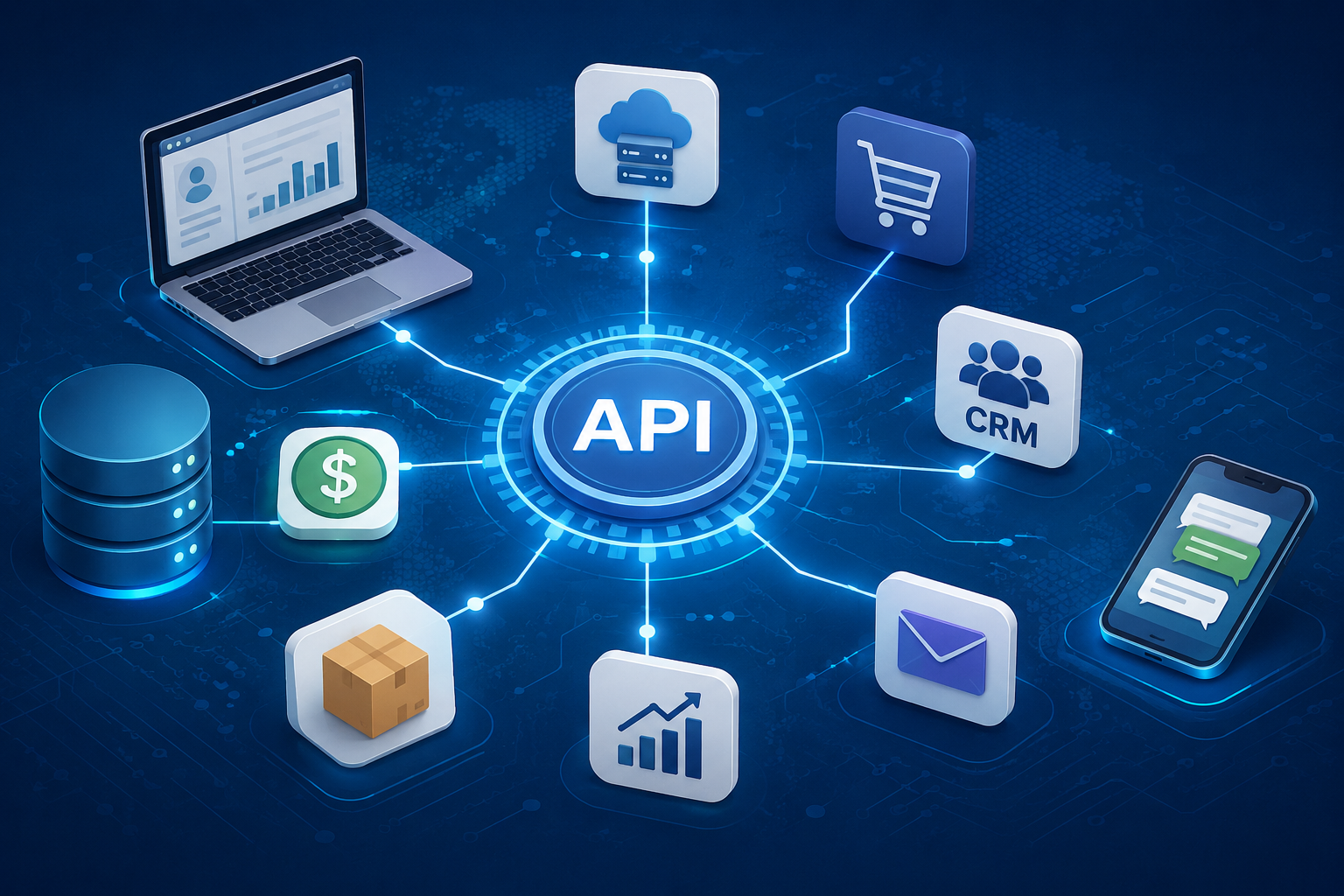
A company may use a website for customer inquiries, a CRM for leads, an ERP for operations, accounting software for finances, a payment gateway for transactions, and separate tools for communication and reporting.
But there is one important question:
How do all these systems share information with each other?
This is where API integration comes in.
An API allows different software applications to communicate, exchange data, and trigger actions without requiring employees to manually transfer information from one system to another.
In simple terms, an API acts like a bridge between different software systems.
What Is an API?
API stands for Application Programming Interface.
It is a set of rules and methods that allows one software application to request information or functionality from another application.
For example, imagine an online store.
A customer places an order through the website.
The website may need to:
-
Save the order.
-
Update inventory.
-
Process payment.
-
Create an invoice.
-
Send an email or WhatsApp notification.
-
Update the CRM.
-
Show the transaction in a management dashboard.
Instead of employees entering the same information into every system, APIs can allow these systems to exchange information automatically.
A Simple Example
Think about ordering food through a delivery application.
You place an order through the app.
The application communicates with the restaurant's system, payment service and delivery system behind the scenes.
You don't need to separately call the restaurant, pay through another application, and manually tell the delivery person where to go.
The software systems communicate with each other.
That communication is made possible through technologies such as APIs.
How Does API Integration Work?
Although the technical implementation can be complex, the basic concept is relatively simple.
A typical API interaction involves:
Request → API → Processing → Response
For example:
Website → API Request → CRM → API Response → Website
Suppose a visitor submits a contact form.
The website sends the customer's information to a CRM through an API.
The CRM receives the information and creates a new lead.
The CRM then sends a response confirming whether the operation was successful.
The entire process can happen within seconds.
A Real-World Business Example
Consider a company that sells products online.
The business might use:
-
Website
-
CRM
-
ERP
-
Inventory system
-
Payment gateway
-
Accounting software
-
Email platform
-
WhatsApp communication system
Without integration, employees may have to move information manually.
For example:
Website Order
↓
Employee checks the order
↓
Employee updates inventory
↓
Employee records payment
↓
Employee creates invoice
↓
Employee updates CRM
↓
Employee sends customer notification
This creates repetitive work.
With API integration, the workflow could become:
Website Order
↓
API
↓
ERP + Inventory + Payment + CRM
↓
Invoice + Customer Notification
The process becomes much more automated.
Why Is API Integration Important for Businesses?
API integration isn't only a technical feature.
It can directly affect productivity and business operations.
1. Reduces Manual Data Entry
One of the biggest advantages of API integration is reducing repetitive data entry.
Imagine receiving 200 orders every day.
If employees need to manually copy customer information from the website into an ERP system, the process can consume hours.
With API integration, information can move automatically between connected systems.
This can reduce repetitive work and allow employees to focus on tasks that require human judgment.
2. Reduces Data Entry Errors
Manual data entry creates opportunities for mistakes.
An employee might:
-
Enter the wrong phone number.
-
Enter an incorrect amount.
-
Select the wrong customer.
-
Duplicate an order.
-
Forget to update inventory.
-
Enter an incorrect invoice number.
When information is transferred automatically between systems, many of these manual errors can be reduced.
Automation doesn't eliminate every possible error, but it can remove a large amount of unnecessary manual handling.
3. Keeps Information Consistent
Imagine your CRM says:
Customer Status: Active
while your billing system says:
Customer Status: Pending
and an Excel file contains:
Customer Status: Inactive
Which information should your employee trust?
Disconnected systems can create inconsistent records.
API integration allows systems to exchange updated information so that important data can remain synchronized.
For example:
Customer updated in CRM
↓
API sends update
↓
ERP receives customer information
↓
Billing system receives relevant information
This creates a more consistent flow of business data.
4. Improves Business Automation
API integration makes it possible to automate workflows across multiple applications.
For example:
Lead Management
Website Form
↓
CRM
↓
Salesperson Notification
↓
Follow-Up Task
↓
Customer Conversion
Online Payment
Customer Payment
↓
Payment Gateway
↓
API
↓
ERP
↓
Invoice Updated
↓
Customer Notification
These workflows can happen without someone manually coordinating every step.
5. Provides Faster Access to Information
Businesses often need information immediately.
A manager may want to know:
-
Today's sales
-
Pending payments
-
Number of new leads
-
Inventory levels
-
Completed orders
-
Website inquiries
If information is stored across disconnected systems, employees may need to collect it manually.
API integration allows data to be brought into centralized dashboards and reporting systems.
This can help managers make decisions using more current information.
Common Examples of API Integration
API integration is used across many areas of business.
Payment Gateway Integration
An online business can connect its website or ERP with a payment gateway.
The workflow might be:
Customer → Payment → Payment Gateway → API → Business System
The system can then update the payment status automatically.
For example:
Pending → Paid
The business can also use the payment response to trigger an invoice or customer notification.
CRM Integration
A website can send new inquiries directly into a CRM.
For example:
Website Inquiry → API → CRM → Sales Team
Instead of downloading contact forms and manually creating leads, the CRM can receive them automatically.
ERP Integration
ERP systems often need information from other business applications.
An ERP can potentially connect with:
-
CRM
-
Website
-
Inventory
-
Accounting
-
HR systems
-
Payment platforms
-
E-commerce platforms
This allows different departments to work with connected information.
Accounting Integration
Businesses may connect sales or payment systems with accounting software.
For example:
Completed Sale → API → Accounting System → Transaction Record
This can reduce the need to manually enter every transaction.
SMS and WhatsApp Integration
Businesses can also integrate communication services with their applications.
For example:
Order Confirmed
↓
API
↓
Customer Notification
↓
"Your order has been confirmed."
Similar workflows can be created for:
-
Appointment reminders
-
Payment confirmations
-
Delivery updates
-
Lead notifications
-
Login verification
-
Service updates
What Is an API Request?
An API request is essentially a message sent from one application to another asking it to perform an operation or provide information.
For example, a website might send:
Customer Name: Rahul
Email: customer@example.com
Phone: 9876543210
The receiving application processes the request and returns a response.
The response might indicate:
Success: Customer Created
or:
Error: Email Already Exists
Developers use these requests and responses to build connections between systems.
What Are API Endpoints?
An API endpoint is a specific location through which an application can access a particular API function.
For example, an API might have endpoints for:
-
Creating customers
-
Getting customer information
-
Updating customer information
-
Creating orders
-
Checking payment status
-
Retrieving inventory
-
Generating reports
A simplified example could look like:
/api/customers
or:
/api/orders
The exact structure depends on how the API is designed.
What Is JSON and Why Is It Commonly Used?
Many modern APIs use JSON (JavaScript Object Notation) to exchange information.
A simplified example might look like:
{
  "customer": "Rahul",
  "email": "customer@example.com",
  "order_total": 2500
}
The receiving application can read this information and process it.
JSON is widely used because it is relatively lightweight and easy for different programming languages to work with.
What Are REST APIs?
One of the most common approaches to building web APIs is REST, or Representational State Transfer.
REST APIs commonly use HTTP methods such as:
GET
Used to retrieve information.
Example:
GET /api/customers
POST
Used to create new information.
Example:
POST /api/customers
PUT or PATCH
Used to update information.
Example:
PUT /api/customers/25
DELETE
Used to remove information.
Example:
DELETE /api/customers/25
These methods provide a standardized way for applications to communicate over the web.
API Authentication and Security
Connecting systems isn't simply about making them communicate.
Businesses also need to ensure that unauthorized users cannot access sensitive information.
APIs may use authentication methods such as:
-
API keys
-
Access tokens
-
OAuth
-
Username and password authentication
-
Signed requests
The appropriate approach depends on the application and its security requirements.
Sensitive information should also be transmitted securely, generally using HTTPS.
Businesses should carefully control API permissions and avoid exposing unnecessary data.
For example, a payment integration may only need access to transaction information.
It shouldn't automatically receive access to every employee record in the company's database.
What Happens When an API Fails?
API integrations can fail.
For example:
-
The external service may be temporarily unavailable.
-
An authentication token may expire.
-
The internet connection may fail.
-
Required data may be missing.
-
The receiving system may reject the request.
-
An API limit may be reached.
Good integration design should account for these situations.
A system might:
-
Detect the failure.
-
Record the error.
-
Retry the request when appropriate.
-
Notify an administrator if necessary.
-
Prevent duplicate transactions.
This is particularly important for payment, billing and order-processing systems.
API Integration and Webhooks
APIs are often used together with webhooks.
The difference can be explained simply.
With a traditional API request:
System A asks System B for information.
With a webhook:
System B tells System A when something happens.
For example, a payment gateway can send a webhook when a payment is completed.
The workflow could be:
Customer Pays
↓
Payment Gateway
↓
Webhook
↓
Business Application
↓
Payment Status = Paid
This can allow applications to respond automatically to events.
API Integration vs Manual Data Entry
Consider a business receiving 100 customer inquiries every day.
Manual Process
Employee receives inquiry.
↓
Copies information.
↓
Opens CRM.
↓
Creates lead.
↓
Copies details again.
↓
Assigns salesperson.
This can take significant time.
Integrated Process
Customer submits form.
↓
API sends information to CRM.
↓
CRM creates lead.
↓
System assigns salesperson.
↓
Notification is sent.
The second process requires less manual intervention.
How API Integration Can Help Different Departments
API integration isn't limited to IT teams.
It can benefit almost every department.
Sales
-
Automatic lead creation
-
Customer synchronization
-
Sales reporting
-
Follow-up automation
Accounts
-
Payment updates
-
Invoice synchronization
-
Transaction records
-
Financial reporting
Inventory
-
Stock updates
-
Order synchronization
-
Product information
-
Purchase workflows
HR
-
Employee information
-
Attendance systems
-
Payroll integration
-
Leave management
Management
-
Centralized dashboards
-
Real-time information
-
Cross-department reporting
-
Automated alerts
When Does a Business Need API Integration?
API integration becomes particularly useful when your business uses multiple software systems that need to share information.
You may want to consider integration if:
-
Employees repeatedly copy data between systems.
-
The same customer information exists in multiple databases.
-
Reports require manual data collection.
-
Orders need to be entered into multiple systems.
-
Payment information must be manually updated.
-
Leads are being transferred manually from websites to CRM.
-
Inventory information isn't synchronized.
-
Different departments maintain separate versions of important data.
If employees are regularly acting as the "connection" between two software systems, there may be an opportunity for automation.
What Should Businesses Consider Before Integrating APIs?
API integration should begin with understanding the business process, not simply connecting two systems because an API is available.
Before development, consider:
What Data Needs to Move?
Identify exactly which information needs to be exchanged.
Which System Is the Source of Truth?
For example, the CRM may be the primary source for customer information, while the ERP may be the primary source for inventory.
How Frequently Should Data Sync?
Some information may need real-time updates, while other information can be synchronized periodically.
What Happens When Something Goes Wrong?
Define how errors, duplicate records and failed requests will be handled.
Who Has Access?
Make sure API credentials and permissions are properly managed.
How Will the Integration Be Monitored?
Logs and monitoring can help identify failed requests and other problems.
API Integration Is More Than Connecting Software
It is tempting to think of API integration as simply connecting two applications.
In reality, successful integration requires understanding:
-
Business workflows
-
Data structures
-
Authentication
-
Security
-
Error handling
-
Data validation
-
Performance
-
Monitoring
-
User requirements
A technically working integration isn't necessarily a good integration.
The system should also be reliable, secure, maintainable and aligned with the business process.
The Future of Connected Business Systems
As businesses adopt more digital tools, the need for connected systems continues to grow.
Companies don't necessarily want employees switching between multiple applications and manually copying information throughout the day.
Instead, businesses increasingly expect their systems to work together.
A customer might interact with a website.
That interaction can trigger a CRM update.
The CRM can trigger a sales workflow.
A successful sale can create an order.
The order can update inventory.
A payment can update accounting.
The completed transaction can appear on a management dashboard.
All of these systems can become part of one connected digital workflow.
Final Thoughts
API integration is one of the technologies that makes modern connected business software possible.
It allows websites, CRMs, ERPs, payment systems, accounting platforms, inventory applications and other tools to exchange information and automate workflows.
The biggest benefit isn't simply technical connectivity.
It's reducing repetitive work and creating a smoother flow of information across the business.
When systems communicate effectively, employees spend less time copying data and more time using that data.
For businesses using multiple applications, API integration can be an important step toward better automation, improved data consistency and more efficient operations.
The right integration doesn't just make software talk to each other.
It helps the business work better.