Table of Contents
- Designing Multi-Branch Business Software: Key Features and Considerations
- What Is Multi-Branch Business Software?
- Why Businesses Need Multi-Branch Software
- Key Features of Multi-Branch Business Software
- 1. Centralized Dashboard
- 2. Branch Management
- 3. Role-Based Access Control
- 4. Inventory Management
- 5. Sales and Billing
- 6. Purchase and Supplier Management
- 7. Customer Management
- 8. Employee Management
- 9. Inter-Branch Transfers
- 10. Expense Management
- 11. Reports and Analytics
- Important Design Considerations
- Centralized vs. Branch-Level Data
- Scalability
- Security
- Real-Time Synchronization
- User Experience
- Technology and Architecture Considerations
- Common Challenges
- Data Consistency
- Permission Management
- Complex Inventory Operations
- Network Dependency
- Staff Training
- Best Practices for Building Multi-Branch Software
- Conclusion
Designing Multi-Branch Business Software: Key Features and Considerations
As businesses grow, managing multiple branches becomes more complex. Each branch may have its own employees, inventory, customers, sales, expenses, and daily operations. Without a centralized system, businesses often struggle with inconsistent data, duplicate work, limited visibility, and communication gaps.
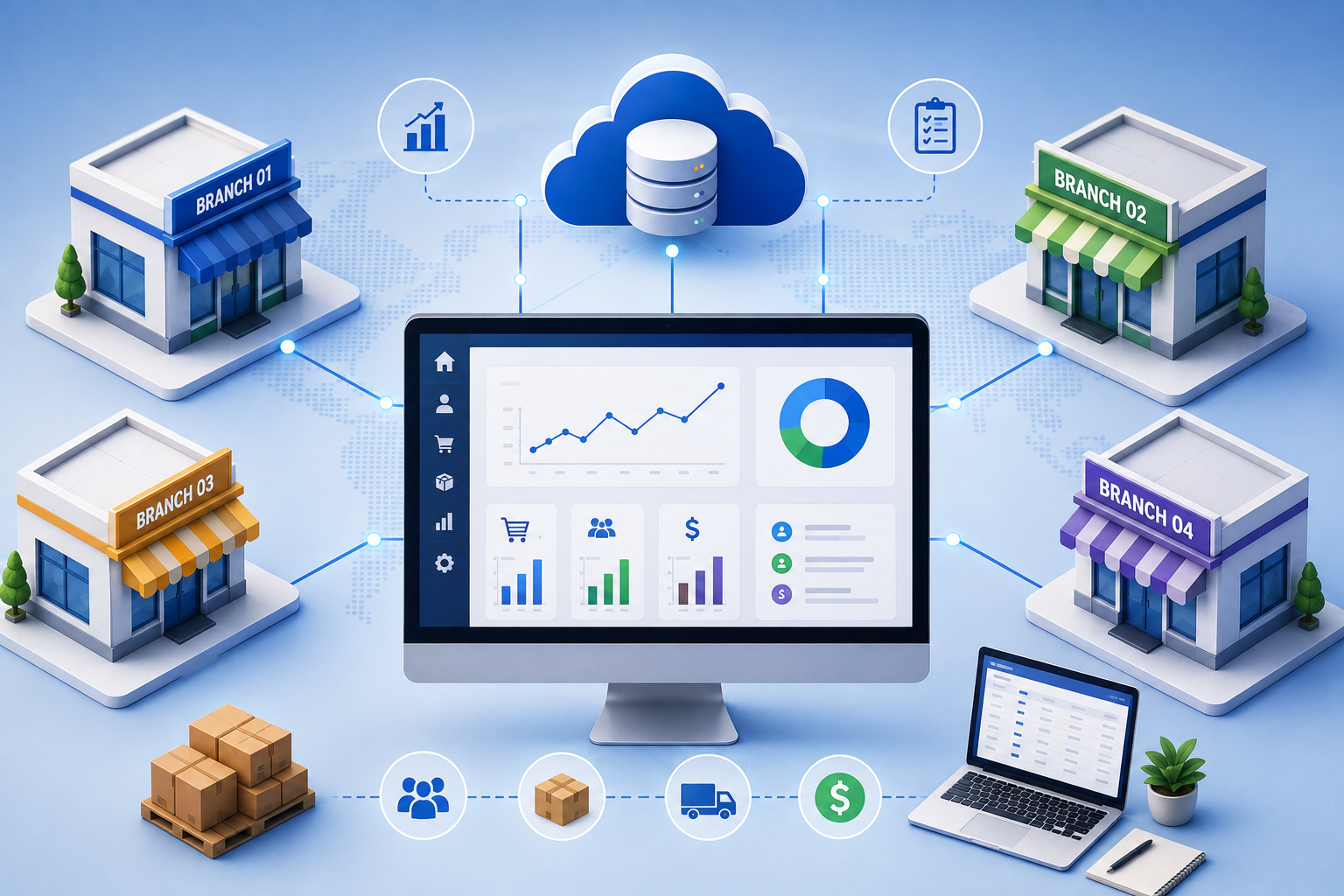
Multi-branch business software provides a centralized platform that connects all branches while allowing each location to manage its day-to-day activities. A well-designed system can help business owners monitor operations, improve efficiency, control inventory, and make better decisions using real-time data.
What Is Multi-Branch Business Software?
Multi-branch business software is a centralized application designed to manage multiple business locations from one system. It allows individual branches to handle their operational activities while giving authorized administrators access to information across the entire organization.
For example, a retail company with five stores can use the software to manage:
-
Products and inventory
-
Sales and billing
-
Customers
-
Employees
-
Expenses
-
Purchases
-
Suppliers
-
Branch performance
-
Reports and analytics
The system can provide both branch-level and organization-wide visibility.
Why Businesses Need Multi-Branch Software
Managing branches using separate spreadsheets or independent applications can create significant challenges. Data may become inconsistent, inventory information may not be synchronized, and management may have difficulty comparing branch performance.
A centralized software solution helps businesses:
-
Monitor all branches from one dashboard
-
Maintain consistent business data
-
Track inventory across locations
-
Compare sales and performance
-
Manage employees and permissions
-
Reduce manual data entry
-
Improve decision-making
-
Standardize business processes
Key Features of Multi-Branch Business Software
1. Centralized Dashboard
A centralized dashboard gives business owners and administrators an overview of the entire organization.
Important dashboard metrics may include:
-
Total sales
-
Branch-wise sales
-
Orders
-
Inventory levels
-
Expenses
-
Outstanding payments
-
Customer activity
-
Top-performing branches
-
Low-stock products
Different users can receive different dashboards based on their responsibilities.
2. Branch Management
The software should provide dedicated branch management functionality.
Administrators should be able to create and manage:
-
Branch name and location
-
Contact information
-
Branch manager
-
Operating hours
-
Tax information
-
Branch status
-
Assigned employees
Each branch can have its own operational records while still remaining connected to the central system.
3. Role-Based Access Control
Not every employee should have access to every branch or business function.
Role-based access allows administrators to control permissions for users such as:
-
Super Admin
-
Business Owner
-
Branch Manager
-
Accountant
-
Sales Staff
-
Inventory Manager
-
HR Manager
For example, a cashier may only access billing, while a branch manager can access sales, inventory, employees, and branch reports.
4. Inventory Management
Inventory management is one of the most important components of a multi-branch system.
The software should track stock separately for each branch while maintaining a centralized inventory view.
Useful features include:
-
Stock-in and stock-out
-
Low-stock alerts
-
Product categories
-
Product variations
-
Stock adjustments
-
Batch tracking
-
Barcode scanning
-
Expiry tracking where applicable
-
Branch-wise stock reports
-
Inter-branch stock transfers
For example, if one branch has excess stock while another branch has low stock, the system can help management identify the need for a stock transfer.
5. Sales and Billing
Each branch should be able to process sales independently while automatically updating centralized records.
Billing functionality may include:
-
POS billing
-
Barcode scanning
-
Discounts
-
Taxes
-
Multiple payment methods
-
Invoices
-
Returns and refunds
-
Customer information
-
Daily sales summaries
All transactions should be linked to the correct branch and user.
6. Purchase and Supplier Management
A multi-branch business may purchase products from different suppliers.
The software can help manage:
-
Supplier profiles
-
Purchase orders
-
Goods received
-
Purchase invoices
-
Supplier payments
-
Purchase history
-
Branch-wise purchasing
-
Outstanding supplier balances
Centralized supplier management can also help businesses negotiate better pricing and monitor purchasing patterns.
7. Customer Management
Customer information can be shared across branches when appropriate.
A centralized customer management system can maintain:
-
Customer profiles
-
Contact information
-
Purchase history
-
Loyalty points
-
Discounts
-
Customer balances
-
Feedback
-
Branch interaction history
This creates a more consistent customer experience across locations.
8. Employee Management
Multi-branch software can include employee management features for tracking staff across different locations.
Common functionality includes:
-
Employee profiles
-
Branch assignment
-
Attendance
-
Shift management
-
Leave management
-
Salary information
-
Performance tracking
-
Employee roles and permissions
Managers can view their branch employees while administrators can monitor the complete workforce.
9. Inter-Branch Transfers
Businesses frequently need to move products, employees, or other resources between branches.
For inventory, the system should support a clear transfer workflow:
Source Branch → Transfer Request → Approval → Dispatch → Receiving Branch → Stock Update
This creates an accurate record of where inventory was transferred and when it was received.
10. Expense Management
Each branch may have different operating expenses.
The software can record:
-
Rent
-
Utilities
-
Transportation
-
Maintenance
-
Marketing expenses
-
Office supplies
-
Staff-related expenses
-
Other operational costs
Management can then compare expenses across branches and identify areas where costs can be reduced.
11. Reports and Analytics
Reporting is essential for understanding business performance.
Useful reports include:
-
Branch-wise sales
-
Product-wise sales
-
Daily and monthly sales
-
Inventory reports
-
Purchase reports
-
Expense reports
-
Profit and loss reports
-
Customer reports
-
Employee reports
-
Tax reports
Management should be able to filter reports by branch, date, product, employee, and other relevant criteria.
Important Design Considerations
Centralized vs. Branch-Level Data
The system should carefully define which information is shared across the organization and which information belongs to a specific branch.
For example:
Centralized:
-
Product master
-
Supplier database
-
Customer database
-
Company settings
Branch-specific:
-
Sales transactions
-
Local expenses
-
Branch inventory
-
Employee assignments
A clear data structure prevents duplication and reporting errors.
Scalability
The software should be designed to support business growth.
A company may begin with two branches and eventually expand to 20, 50, or more locations. The architecture should therefore allow new branches, users, products, and transactions to be added without major system changes.
Security
Because the software contains sensitive business information, security should be a major consideration.
Important measures include:
-
Secure authentication
-
Role-based permissions
-
Strong password policies
-
Data encryption
-
Audit logs
-
Regular backups
-
Session management
-
Secure APIs
An audit trail can also help administrators determine who created, modified, or deleted important records.
Real-Time Synchronization
When multiple branches use the same system, data synchronization becomes important.
For example, when a product is sold at Branch A, its inventory should be updated promptly. Management should also be able to view the latest sales information without waiting for manual reports.
User Experience
A feature-rich system can still fail if employees find it difficult to use.
The interface should be:
-
Simple
-
Fast
-
Mobile-friendly where needed
-
Easy to navigate
-
Consistent across modules
-
Designed according to user roles
For operational staff, frequently used actions such as billing, stock updates, and customer searches should require as few steps as possible.
Technology and Architecture Considerations
The technical architecture should support multiple users and branches simultaneously.
Businesses may consider:
-
Cloud-based architecture
-
Centralized databases
-
API-based integrations
-
Responsive web applications
-
Mobile applications
-
Automated backups
-
Monitoring and logging
-
Scalable hosting infrastructure
For larger organizations, modular architecture can make it easier to add new features without affecting the entire application.
Common Challenges
Developing multi-branch software can involve several challenges.
Data Consistency
Incorrect synchronization can result in differences between branch records and central reports.
Permission Management
Poorly configured permissions may allow users to access information they should not see.
Complex Inventory Operations
Transfers, returns, damaged goods, and stock adjustments can make inventory management complicated.
Network Dependency
Cloud-based systems may be affected by poor internet connectivity. Businesses should consider suitable offline or fallback mechanisms for critical operations where necessary.
Staff Training
Employees need proper training before using a new system. Simple workflows and clear documentation can make adoption easier.
Best Practices for Building Multi-Branch Software
A successful multi-branch application should follow a structured approach:
-
Identify the requirements of each branch.
-
Define centralized and branch-specific data.
-
Design clear user roles and permissions.
-
Create standardized business workflows.
-
Build the system using modular architecture.
-
Implement strong security controls.
-
Test synchronization and concurrent usage.
-
Provide comprehensive reports.
-
Train employees before deployment.
-
Monitor the system and continuously improve it.
Conclusion
Designing multi-branch business software requires more than simply adding multiple locations to an existing application. The system needs a carefully planned architecture that balances centralized control with branch-level flexibility.
Features such as centralized dashboards, branch management, inventory tracking, billing, employee management, role-based access, inter-branch transfers, expense tracking, and advanced reporting can help businesses operate more efficiently.
With the right design, multi-branch software can provide management with real-time visibility while giving individual branches the tools they need to manage daily operations effectively. As the business grows, a scalable and secure system can become an important foundation for efficient expansion.