Table of Contents
- Why Businesses Should Replace Excel Sheets with Custom Software
- Introduction
- Problems with Using Excel for Business Management
- 1. Manual Errors
- 2. Multiple File Versions
- 3. Difficult Team Collaboration
- 4. Limited Data Security
- 5. Slow Reporting
- What Is Custom Software?
- Benefits of Replacing Excel with Custom Software
- Centralized Information
- Workflow Automation
- Better Customer Management
- Accurate Inventory Management
- Improved Accountability
- Faster Decision-Making
- Integration with Business Tools
- Excel vs Custom Software
- Signs Your Business Has Outgrown Excel
- How to Move from Excel to Custom Software
- Final Thoughts
Why Businesses Should Replace Excel Sheets with Custom Software
Introduction
Excel is useful for basic calculations, reports, customer records, inventory and expense tracking. It works well when a business has limited data and only a few employees.
However, as a business grows, managing multiple spreadsheets becomes difficult. Duplicate files, manual errors, outdated information and slow reporting can affect productivity. Custom software offers a more secure, organized and scalable way to manage business operations.
Problems with Using Excel for Business Management
1. Manual Errors
Excel depends heavily on manual data entry. One incorrect formula, deleted cell or typing mistake can affect an entire report.
Custom software reduces errors by using:
-
Automatic calculations
-
Mandatory fields
-
Input validation
-
Duplicate-record detection
-
Approval workflows
2. Multiple File Versions
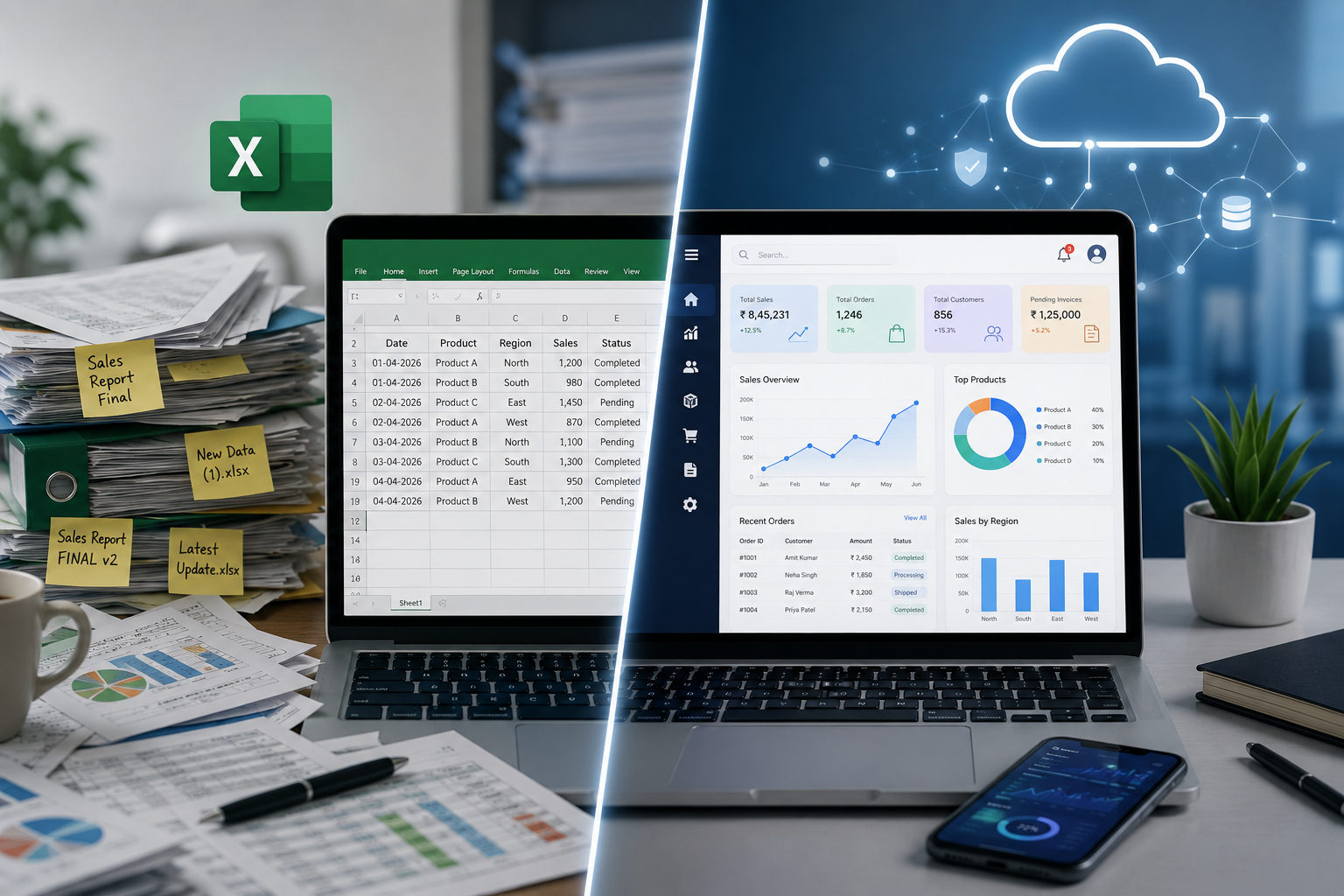
Teams often create files such as “Final Report,” “Latest Report” and “Updated Final Report.” Employees may not know which file contains the latest information.
Custom software stores all information in one central database, allowing authorized employees to access the same updated data.
3. Difficult Team Collaboration
Sales, accounts, inventory and dispatch teams may maintain separate spreadsheets. Employees then have to copy the same information from one file to another.
A custom system connects departments. For example, when an order is created, inventory, billing and delivery records can be updated automatically.
4. Limited Data Security
Excel files may contain customer details, employee salaries, product costs and financial information. Once shared, it can be difficult to control who views, edits, downloads or forwards the file.
Custom software provides role-based access. Each employee can only view the information required for their work.
5. Slow Reporting
Preparing reports from multiple spreadsheets can take several hours. By the time the report is completed, some data may already be outdated.
Custom dashboards can instantly display:
-
Sales performance
-
Pending payments
-
Available inventory
-
Low-stock products
-
Customer enquiries
-
Order status
-
Employee performance
-
Expenses and profits
What Is Custom Software?
Custom software is a system designed according to the specific processes and requirements of a business.
It may include:
-
Admin dashboard
-
Customer relationship management
-
Inventory management
-
Sales and purchase tracking
-
Employee management
-
Invoice generation
-
Payment tracking
-
Automated reminders
-
Reports and analytics
-
Customer or vendor portals
Businesses can begin with essential features and add more modules as they grow.
Benefits of Replacing Excel with Custom Software
Centralized Information
Customer records, orders, inventory, payments and employee information can be managed from one platform. Employees no longer need to search through different folders, emails or spreadsheet files.
Workflow Automation
Custom software can automate repetitive activities such as:
-
Invoice and tax calculations
-
Stock updates
-
Payment reminders
-
Customer follow-ups
-
Order notifications
-
Report generation
-
Lead assignment
Automation saves time and reduces manual work.
Better Customer Management
A custom CRM can store customer enquiries, previous conversations, quotations, follow-up dates, purchases and payment records.
This gives the team a complete view of every customer and reduces the chance of missing important follow-ups.
Accurate Inventory Management
Stock can be updated automatically whenever products are purchased, sold, returned or damaged.
The system can also provide low-stock alerts, reorder reminders, supplier records and product-wise inventory reports.
Improved Accountability
Custom software can record which employee created, edited, approved or deleted an entry. This activity history improves transparency and helps management identify errors.
Faster Decision-Making
Real-time dashboards help business owners understand sales, expenses, customer activity, inventory and department performance. Accurate information supports faster and more confident decisions.
Integration with Business Tools
Custom software can connect with:
-
Payment gateways
-
E-commerce websites
-
Accounting platforms
-
Email and SMS services
-
WhatsApp communication
-
Shipping providers
-
CRM and ERP systems
-
Mobile applications
Integration reduces repeated data entry and creates a smoother workflow.
Excel vs Custom Software
| Requirement | Excel | Custom Software |
|---|---|---|
| Data entry | Mostly manual | Validated and automated |
| Collaboration | Version conflicts possible | Centralized access |
| Security | Limited protection | Roles and permissions |
| Reporting | Manually prepared | Real-time reports |
| Automation | Limited | Customizable |
| Scalability | Difficult with large data | Designed for growth |
| Integration | Usually manual | Connects with other tools |
Signs Your Business Has Outgrown Excel
Your business may need custom software when:
-
Employees maintain multiple versions of the same file.
-
Records are frequently duplicated or missing.
-
Reports take too much time to prepare.
-
Different departments use separate spreadsheets.
-
Inventory figures are often incorrect.
-
Customer follow-ups are missed.
-
Sensitive information is accessible to too many people.
-
Management cannot view real-time performance.
-
Files have become large, slow or difficult to manage.
How to Move from Excel to Custom Software
Start by identifying your current problems and deciding which processes need automation. Clean and organize your existing spreadsheet data before migration.
Develop the software in phases rather than automating everything at once. Test the system with real business activities, train employees and continue improving it based on their feedback.
Final Thoughts
Excel remains useful for quick calculations, basic reports and temporary analysis. However, it should not become the main operating system of a growing business.
Custom software provides centralized data, better security, automated workflows and real-time reporting. It helps businesses reduce errors, save time and manage growth more effectively.
A company does not need to replace every spreadsheet immediately. It can begin with one important process and gradually create a complete digital business system.