Table of Contents
- How Admin Dashboards Simplify Website and Business Content Management
- What Is an Admin Dashboard?
- Why Businesses Need Better Content Management
- Centralizing Website Content
- Simplifying Blog Management
- Managing Job Vacancies Efficiently
- Managing Projects from One Place
- Improving Website Update Speed
- User Roles and Permissions
- Reducing Human Errors
- Managing SEO Information
- Better Media Management
- Search and Filtering
- Reports and Business Insights
- Security and Data Protection
- Integration with Other Business Systems
- Custom Dashboards vs. Generic Tools
- Making the Dashboard Easy to Use
- How an Admin Dashboard Improves Productivity
- Conclusion
How Admin Dashboards Simplify Website and Business Content Management
Managing a modern website involves much more than publishing a few pages and updating images. Businesses regularly need to manage blog posts, products, services, job openings, customer information, projects, media, forms, and other digital content. When these activities are handled manually or across multiple systems, managing everything can become time-consuming and difficult.
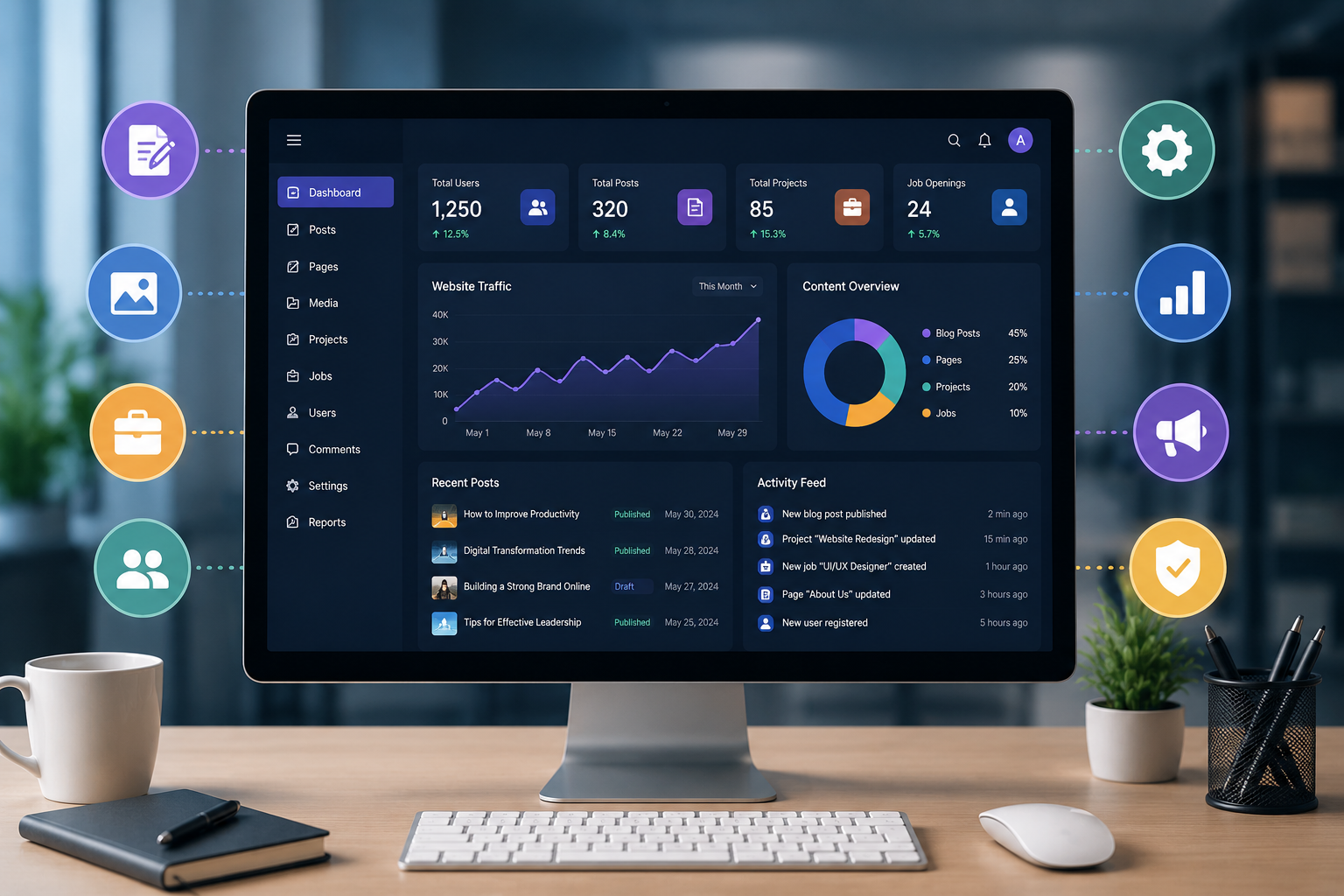
An admin dashboard provides a centralized environment where authorized users can manage website content and business information from one place. By combining content management tools, business data, workflows, and reporting features, an admin dashboard can make daily digital operations more organized and efficient.
What Is an Admin Dashboard?
An admin dashboard is a secure backend interface that allows authorized users to manage and monitor different aspects of a website or business application.
Instead of editing website files or directly working with databases, administrators can use an easy-to-understand interface to perform common tasks such as:
-
Creating and editing content
-
Managing website pages
-
Publishing blog articles
-
Uploading images and documents
-
Managing users and permissions
-
Updating business information
-
Tracking projects and tasks
-
Managing job listings
-
Reviewing reports and statistics
The exact features depend on the business requirements and the type of system being developed.
Why Businesses Need Better Content Management
Website content changes frequently. New articles need to be published, existing information needs to be updated, images may need replacement, and business announcements may need to be added.
If every small change requires a developer, the process can become slow. An admin dashboard allows authorized employees to make routine updates without depending on technical teams for every modification.
For example, a marketing team could publish a new blog article directly through the dashboard while a human resources team could update job vacancies independently.
This creates a more flexible content management process.
Centralizing Website Content
One of the biggest advantages of an admin dashboard is centralization.
Instead of maintaining information in separate spreadsheets, documents, and website files, businesses can manage important content through one system.
A typical dashboard may include sections for:
-
Website pages
-
Blog posts
-
Categories
-
Media files
-
Job vacancies
-
Projects
-
Services
-
Contact information
-
User accounts
-
Reports
Having these sections organized within one interface makes it easier for administrators to find and update information.
Simplifying Blog Management
Blogs are an important part of many business websites because they allow organizations to publish useful information, announcements, industry insights, and search-friendly content.
Without an admin system, publishing a blog may require manual database updates or developer assistance. A dashboard can simplify this process by providing dedicated fields for the article title, content, category, tags, featured image, metadata, and publication status.
An administrator can then create, edit, save, and publish articles through the same interface.
This makes content publishing faster and gives marketing teams greater control over their website.
Managing Job Vacancies Efficiently
Businesses that regularly recruit employees can also benefit from centralized job management.
An admin dashboard can allow authorized users to create job listings with information such as:
-
Job title
-
Department
-
Location
-
Employment type
-
Job description
-
Required qualifications
-
Experience requirements
-
Application deadline
-
Job status
When a position is filled, administrators can update or remove the listing without modifying the website manually.
This helps keep the careers section accurate and reduces outdated information.
Managing Projects from One Place
Project information can also be integrated into an administrative dashboard.
Teams can create projects, update project descriptions, track statuses, and manage related information through a centralized interface.
For example, projects can be categorized as:
-
Planned
-
In Progress
-
On Hold
-
Completed
Managers can then quickly understand the current status of different projects without searching through multiple files or communication channels.
Improving Website Update Speed
A major benefit of an admin dashboard is faster content updates.
Traditional website management may involve a process like:
Content preparation → Developer → Database/file update → Testing → Website update
With a suitable dashboard, routine changes can become:
Content preparation → Admin dashboard → Publish
This can significantly reduce the time required for simple content updates.
Of course, technical changes and complex functionality may still require developers, but routine content management becomes much easier for non-technical users.
User Roles and Permissions
Not every employee should have access to every part of a business system.
A well-designed admin dashboard can include role-based access controls. Different users can receive different permissions depending on their responsibilities.
For example:
Administrator: Full system access
Content Manager: Blog and website content access
HR Manager: Job and recruitment-related access
Project Manager: Project management access
Editor: Content editing without system-level permissions
This approach helps maintain control while allowing employees to perform their responsibilities independently.
Reducing Human Errors
Manual data management can lead to mistakes such as duplicate records, outdated information, incorrect formatting, or accidental changes.
A structured admin dashboard can reduce these risks by using predefined fields, validation rules, dropdowns, required fields, and controlled workflows.
For example, instead of allowing an administrator to enter a job status manually, the system can provide predefined options such as "Open," "Closed," or "Draft."
Standardized inputs make information more consistent across the website.
Managing SEO Information
Modern business websites need to consider search engine optimization when publishing content.
An admin dashboard can include dedicated fields for:
-
Meta title
-
Meta description
-
Keywords
-
URL slug
-
Featured image
-
Image alt text
-
Article category
-
Tags
This allows content teams to manage important SEO information while publishing articles or updating pages.
It also reduces the need to edit website source code for routine SEO updates.
Better Media Management
Images, PDFs, brochures, certificates, videos, and other digital files are frequently added to business websites.
A centralized dashboard can provide a media management section where administrators can upload, organize, replace, and remove files.
A structured media system can also help avoid problems caused by randomly storing files across different folders or devices.
Search and Filtering
As the amount of business information increases, finding a particular record can become difficult.
Admin dashboards can solve this problem through search and filtering functionality.
For example, an administrator managing hundreds of blog posts could filter content by:
-
Category
-
Author
-
Publication status
-
Date
-
Keyword
Similarly, project records could be filtered by department, status, or project type.
Search and filtering features can save considerable time when working with large amounts of information.
Reports and Business Insights
An admin dashboard does not have to be limited to content management.
It can also provide reports and visual summaries that help management understand business activity.
Depending on the application, dashboards can display:
-
Total projects
-
Active projects
-
Published articles
-
Open job positions
-
User activity
-
Completed tasks
-
Monthly content activity
-
Other business-specific metrics
Presenting this information visually can make it easier to identify trends and areas that require attention.
Security and Data Protection
Because an admin dashboard provides access to important business information, security should be considered from the beginning.
Common security measures include:
-
Secure login
-
Password hashing
-
Role-based permissions
-
Session management
-
Input validation
-
Protection against unauthorized access
-
Database security
-
Regular backups
-
Activity logging
Businesses should also ensure that employees only have access to the information required for their role.
Integration with Other Business Systems
An admin dashboard can also act as a central point for connecting different business systems.
Depending on requirements, it can integrate with:
-
CRM platforms
-
Payment gateways
-
Email systems
-
APIs
-
Databases
-
HR systems
-
Inventory systems
-
Analytics platforms
-
Customer support tools
These integrations can reduce duplicate data entry and help different systems work together.
Custom Dashboards vs. Generic Tools
Many businesses use ready-made content management systems and SaaS platforms. These can be useful for standard requirements.
However, businesses with specialized workflows may need a custom admin dashboard.
A custom dashboard can be designed around the organization's exact processes, database structure, user roles, reporting requirements, and integrations.
For example, a company may need one system that combines website content, projects, job listings, employee information, and internal reports. A custom dashboard can be developed specifically for those requirements instead of forcing the business to adapt its workflow to a generic platform.
Making the Dashboard Easy to Use
A powerful dashboard is only useful when employees can use it comfortably.
Good dashboard design should focus on:
-
Simple navigation
-
Clear labels
-
Responsive layouts
-
Consistent forms
-
Useful search functions
-
Clear error messages
-
Logical menus
-
Mobile-friendly interfaces
-
Fast loading times
The objective should be to make routine tasks straightforward rather than overwhelming users with unnecessary features.
How an Admin Dashboard Improves Productivity
The overall productivity benefits come from reducing the amount of time employees spend on repetitive administrative work.
Instead of asking developers to make every small website update, employees can handle routine changes themselves.
Instead of searching through multiple spreadsheets, managers can use dashboard filters and reports.
Instead of maintaining separate lists for different departments, teams can work with centralized information.
These small improvements can make a significant difference when they are repeated every day.
Conclusion
An admin dashboard can transform the way businesses manage website content and digital operations. By bringing content management, business information, users, projects, jobs, reports, and workflows into one secure environment, organizations can simplify routine tasks and improve operational visibility.
The most effective dashboard is not necessarily the one with the largest number of features. It is the one designed around the actual needs of the business and its users.
For growing organizations, investing in a well-designed admin dashboard can provide a scalable foundation for managing digital content, improving productivity, maintaining accurate information, and supporting more efficient business operations.