Table of Contents
- How AI Agents Can Automate Multi-Step Business Workflows
- What Are AI Agents?
- How AI Agents Work
- 1. Receive a Goal
- 2. Collect Information
- 3. Understand and Analyze Information
- 4. Make Decisions
- 5. Take Action
- 6. Check the Result
- Examples of Multi-Step AI Business Workflows
- AI-Powered Lead Management
- Customer Support Automation
- Invoice Processing
- Employee Onboarding
- Report Generation
- AI Agents vs Traditional Automation
- Benefits of AI-Powered Workflow Automation
- 1. Reduces Repetitive Work
- 2. Saves Time
- 3. Improves Response Times
- 4. Reduces Manual Errors
- 5. Connects Multiple Business Systems
- 6. Improves Employee Productivity
- Important Considerations Before Implementing AI Agents
- Define the Workflow Clearly
- Protect Business Data
- Keep Humans in the Loop
- Monitor Agent Performance
- Common Challenges
- Incorrect Decisions
- Integration Complexity
- Security Risks
- Poorly Defined Instructions
- Best Practices for AI Agent Implementation
- The Future of AI-Powered Business Workflows
- Conclusion
How AI Agents Can Automate Multi-Step Business Workflows
Businesses often rely on repetitive processes that involve multiple steps, applications, and decisions. Tasks such as qualifying leads, processing customer requests, preparing reports, updating records, sending notifications, and following up with clients can consume significant amounts of employee time.
Traditional automation can handle predefined actions, but AI agents can go further by understanding information, making decisions based on instructions, and completing a sequence of related tasks.
AI agents are becoming an important part of modern business automation because they can connect different tools and help organizations reduce manual work while improving operational efficiency.
What Are AI Agents?
An AI agent is a software system that can understand a goal, process information, make decisions, and take actions to accomplish that goal.
Unlike a simple automation rule that follows a fixed sequence, an AI agent can respond to changing information and determine what action should be taken next.
For example, a traditional workflow might follow:
New lead → Send email → Create task
An AI-powered workflow could involve:
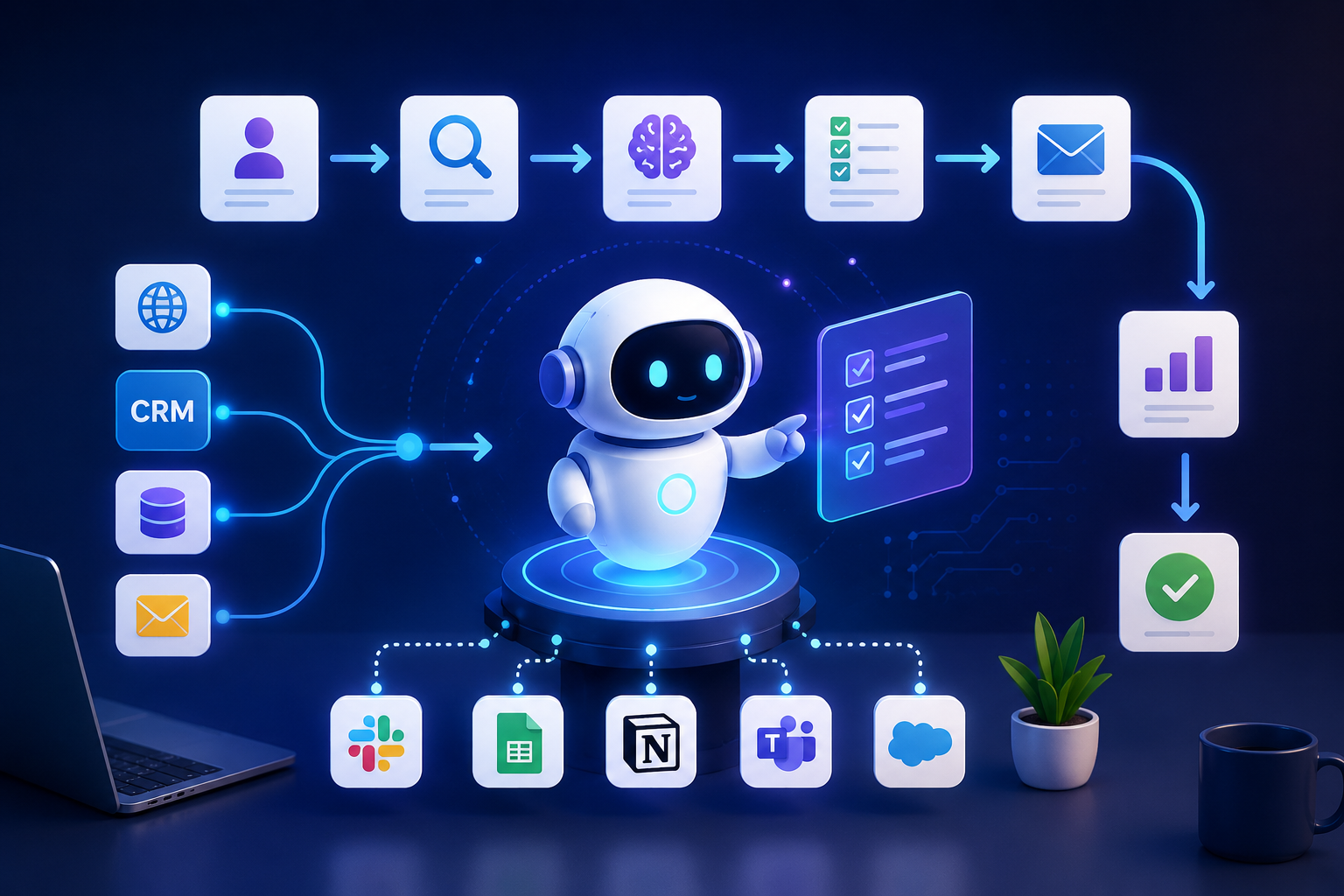
New lead → Analyze lead information → Determine lead quality → Update CRM → Personalize response → Schedule follow-up → Notify sales team
This ability to handle multiple connected steps makes AI agents particularly useful for complex business workflows.
How AI Agents Work
An AI agent generally works through several stages.
1. Receive a Goal
The process begins with a specific objective.
For example:
"Process new customer inquiries and assign qualified leads to the appropriate sales representative."
The agent receives this goal and determines the actions required to complete it.
2. Collect Information
The agent gathers relevant information from connected systems.
This could include:
- CRM records
- Customer forms
- Emails
- Business databases
- Documents
- Support tickets
- Website activity
- Internal knowledge bases
3. Understand and Analyze Information
AI can process unstructured information such as emails, messages, documents, or customer requests.
For example, an agent could read a customer inquiry and determine whether the person is asking about pricing, technical support, product availability, or another issue.
4. Make Decisions
Based on predefined business rules, instructions, and available information, the agent can determine what should happen next.
For example:
- High-value lead → Send to senior sales representative
- Technical question → Assign to technical support
- Pricing request → Send pricing information
- Missing information → Ask the customer for additional details
5. Take Action
The agent can then interact with connected applications and perform tasks.
Actions may include:
- Creating CRM records
- Sending emails
- Updating databases
- Creating tasks
- Generating reports
- Scheduling meetings
- Sending notifications
- Updating customer information
6. Check the Result
A well-designed workflow can verify whether an action was completed successfully.
If an action fails, the system can notify an employee or follow an alternative workflow.
Examples of Multi-Step AI Business Workflows
AI-Powered Lead Management
Lead management is an excellent example of how AI agents can automate multiple steps.
A workflow could look like:
Website inquiry → Analyze lead → Identify requirements → Score lead → Update CRM → Assign salesperson → Send personalized email → Create follow-up task
Instead of employees manually performing each step, an AI agent can coordinate the workflow.
Customer Support Automation
AI agents can also assist with customer support.
A workflow might be:
Customer message → Understand request → Search knowledge base → Generate response → Update support ticket → Escalate if necessary
If the question is straightforward, the agent may provide an answer. If the issue requires human assistance, the workflow can escalate the case to a support representative.
Invoice Processing
Businesses often spend considerable time processing invoices.
An AI-powered workflow could:
Receive invoice → Extract information → Validate details → Match purchase order → Identify discrepancies → Update accounting system → Notify finance team
Human employees can then focus on exceptions rather than manually processing every document.
Employee Onboarding
AI agents can help coordinate employee onboarding tasks.
For example:
New employee added → Create accounts → Send onboarding information → Assign training → Schedule meetings → Notify managers → Track completion
This can help ensure that important onboarding steps are not forgotten.
Report Generation
AI agents can automate recurring business reports.
A workflow could involve:
Collect data → Analyze information → Identify important trends → Generate report → Create summary → Send report to management
This can reduce the time employees spend collecting and organizing information.
AI Agents vs Traditional Automation
Traditional automation and AI agents are both useful, but they work differently.
| Traditional Automation | AI Agents |
|---|---|
| Follows predefined rules | Can interpret information |
| Works best with structured data | Can handle structured and unstructured information |
| Usually follows fixed workflows | Can adapt actions based on context |
| Requires explicit conditions | Can use AI-based reasoning |
| Best for predictable processes | Useful for more dynamic processes |
Traditional automation remains highly valuable for predictable tasks. AI agents are particularly useful when workflows involve language, changing information, or multiple decisions.
Benefits of AI-Powered Workflow Automation
1. Reduces Repetitive Work
AI agents can handle repetitive administrative tasks, allowing employees to spend more time on activities that require human judgment and creativity.
2. Saves Time
Automating multiple workflow steps can reduce the amount of time required to process customer requests, leads, documents, and internal tasks.
3. Improves Response Times
AI agents can operate continuously and respond to certain requests outside normal working hours.
This can help businesses respond to customers more quickly.
4. Reduces Manual Errors
Manual data entry and repetitive processes can result in mistakes.
Automated workflows can help reduce errors by consistently applying predefined processes and validation rules.
5. Connects Multiple Business Systems
AI agents can work with APIs and software platforms to coordinate information across different systems.
For example, an agent may connect:
Website → CRM → Email → Database → Accounting Software → Notification System
This creates a more connected business workflow.
6. Improves Employee Productivity
Instead of spending time moving information between systems, employees can focus on customer relationships, strategy, problem-solving, and other high-value activities.
Important Considerations Before Implementing AI Agents
AI agents can provide significant benefits, but businesses should implement them carefully.
Define the Workflow Clearly
Start with a specific business process rather than trying to automate everything at once.
Identify:
- Trigger
- Required information
- Decisions
- Actions
- Expected result
- Human approval points
Protect Business Data
AI agents may interact with sensitive customer and business information. Proper access controls, authentication, encryption, and data-handling policies are important.
Keep Humans in the Loop
Not every decision should be fully automated.
For high-impact actions, businesses may want to require human approval before the agent:
- Approves financial transactions
- Deletes important records
- Sends sensitive communications
- Changes critical business information
- Makes decisions affecting customers or employees
Monitor Agent Performance
Businesses should monitor workflows to determine whether the agent is completing tasks accurately.
Useful metrics can include:
- Workflow completion rate
- Error rate
- Response time
- Escalation rate
- Human intervention rate
- Cost per workflow
- Customer satisfaction
Common Challenges
Incorrect Decisions
AI systems can misunderstand information or produce incorrect results. Important workflows should therefore include validation and appropriate human oversight.
Integration Complexity
Connecting an AI agent with existing CRM, ERP, accounting, support, and communication systems may require API integration and careful system design.
Security Risks
AI agents with access to multiple systems require carefully controlled permissions. Each agent should have only the access necessary to perform its assigned tasks.
Poorly Defined Instructions
An AI agent needs clear objectives, rules, limitations, and escalation procedures. Poorly designed instructions can result in inconsistent outcomes.
Best Practices for AI Agent Implementation
Businesses can start with a structured approach:
- Identify repetitive workflows.
- Choose a process with clear business value.
- Document every workflow step.
- Identify the systems and APIs involved.
- Define what decisions the AI agent can make.
- Set clear permissions and security controls.
- Add human approval for important actions.
- Test the workflow using different scenarios.
- Monitor performance after deployment.
- Continuously improve the workflow based on results.
The Future of AI-Powered Business Workflows
AI agents are moving business automation beyond simple rule-based processes. Instead of automating one isolated task, organizations can build connected workflows in which AI helps coordinate several applications and actions.
For example, a future sales workflow could automatically identify a potential customer, research relevant information, update the CRM, prepare a personalized message, schedule a follow-up, and notify the sales team when human involvement is required.
The goal is not necessarily to replace employees. Instead, AI agents can take responsibility for repetitive coordination while employees focus on decisions, relationships, creativity, and strategic work.
Conclusion
AI agents can help businesses automate complex, multi-step workflows by combining information processing, decision-making, and application-based actions.
From lead management and customer support to invoice processing, employee onboarding, and reporting, AI agents can connect different business systems and reduce repetitive manual work.
However, successful implementation requires more than simply adding an AI tool. Businesses need clearly defined workflows, secure integrations, appropriate permissions, monitoring, testing, and human oversight for important decisions.
As AI technology continues to develop, AI-powered workflow automation can become an important part of building faster, more connected, and more efficient modern businesses.
Disclaimer: This article is intended for general informational and educational purposes. Businesses should evaluate AI systems, integrations, security requirements, and compliance considerations according to their specific needs before implementing automated workflows.