Table of Contents
- How API Integration Connects Different Business Systems
- What Is API Integration?
- Why Do Businesses Need API Integration?
- 1. Connecting Websites With CRM Systems
- 2. Connecting ERP With Other Business Systems
- 3. Connecting Payment Gateways
- 4. Connecting Inventory Systems
- 5. Connecting Accounting Systems
- 6. Connecting Marketing Platforms
- 7. Connecting Business Systems With Reporting Dashboards
- How Does API Integration Work?
- Step 1: Identify the Systems
- Step 2: Understand the APIs
- Step 3: Define the Data Flow
- Step 4: Implement Authentication
- Step 5: Test the Integration
- APIs and Webhooks
- Benefits of API Integration for Businesses
- Reduced Manual Data Entry
- Better Data Consistency
- Faster Workflows
- Improved Customer Experience
- Better Reporting
- Easier Business Automation
- Common API Integration Challenges
- Authentication Problems
- Different Data Formats
- API Limits
- Failed Requests
- API Changes
- API Integration Security
- A Simple Example of Connected Business Systems
- When Should a Business Consider API Integration?
- Final Thoughts
How API Integration Connects Different Business Systems
Modern businesses rarely depend on a single software system.
A company may use one application for managing customers, another for accounting, a separate system for inventory, a website for generating enquiries, and different platforms for payments, communication, or marketing.
When these systems operate separately, employees often have to move information manually from one platform to another. This can consume time, create duplicate data, and increase the possibility of errors.
API integration provides a way for different software systems to communicate and exchange information automatically.
APIs, or Application Programming Interfaces, define how software can interact with another application or service. In web development, APIs commonly allow applications to communicate through requests and responses, often using HTTP and structured data such as JSON.
What Is API Integration?
API integration is the process of connecting two or more software systems through their APIs so that they can exchange data or perform actions.
For example, consider an online store.
When a customer places an order:
-
The website receives the order.
-
The order information is sent to the business system.
-
Inventory can be updated.
-
Payment information can be verified.
-
Customer information can be stored in a CRM.
-
An invoice can be generated.
-
A notification can be sent to the customer.
Instead of an employee entering the same information into several systems, integrations can allow these processes to communicate automatically.
This creates a connected technology environment where different applications can work together.
Why Do Businesses Need API Integration?
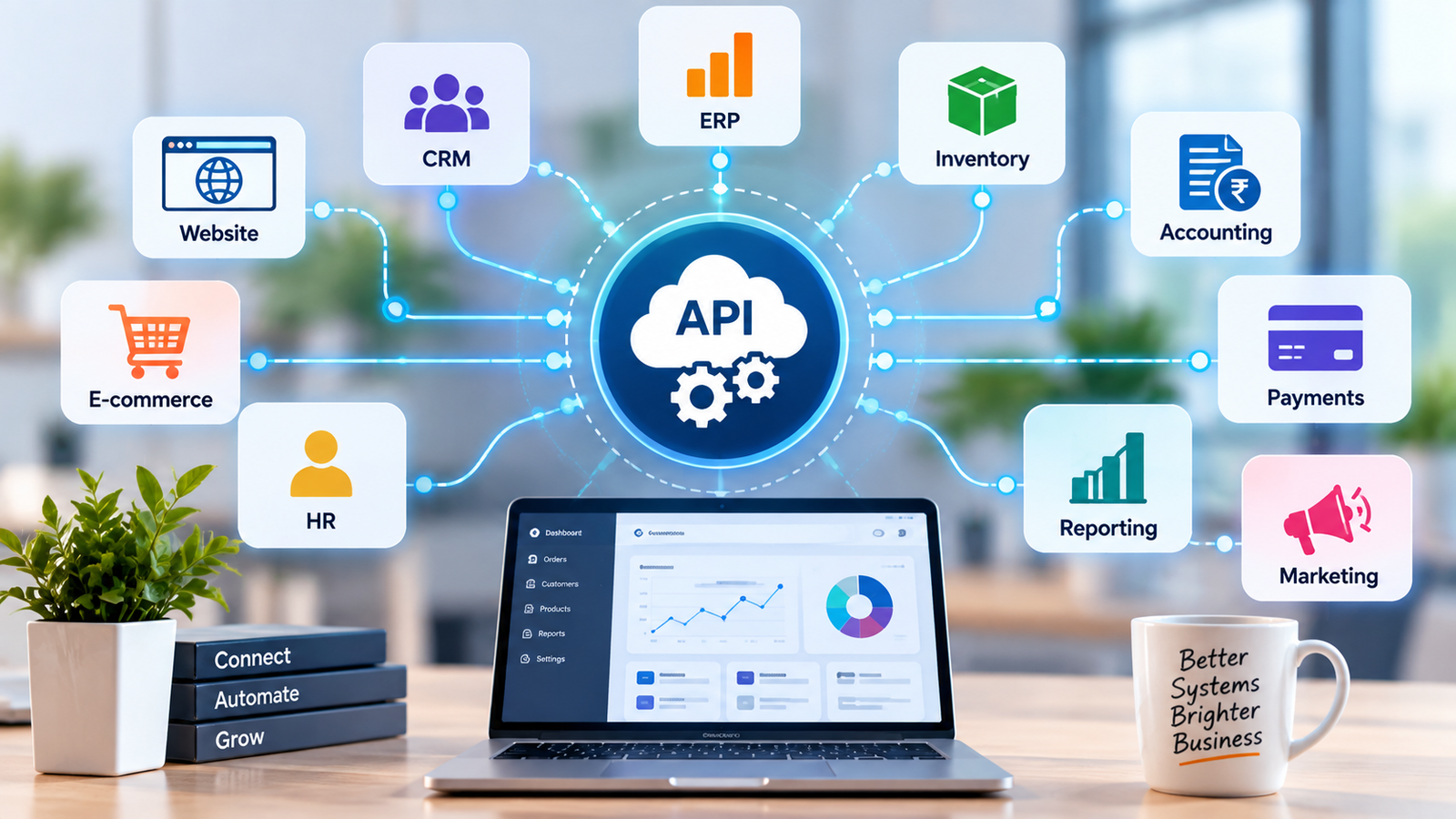
Businesses often use multiple software applications because different systems solve different problems.
For example:
-
A CRM manages customer relationships.
-
An ERP manages business operations.
-
An accounting system manages financial records.
-
An e-commerce platform manages online orders.
-
A payment gateway processes transactions.
-
A website generates leads.
-
A marketing platform manages campaigns.
-
An HR system manages employee information.
Without integration, these systems can become isolated.
API integration helps create a connection between them so that information can move between systems according to defined rules.
Google's API documentation, for example, describes APIs as a way for applications to access and modify resources through standardized requests and responses.
1. Connecting Websites With CRM Systems
A business website may receive dozens or hundreds of enquiries every month.
Without integration, employees may need to copy information from website forms into a CRM manually.
With API integration, a submitted enquiry can be transferred automatically.
For example:
Website Form → API → CRM
Customer information such as:
-
Name
-
Phone number
-
Email
-
Company
-
Requirement
-
Enquiry source
can be sent directly to the CRM.
The sales team can then follow up without manually entering the lead again.
2. Connecting ERP With Other Business Systems
ERP systems often contain important business information such as customers, products, inventory, purchases, sales, employees, and financial records.
An API can allow an ERP to communicate with other applications.
For example:
E-commerce Website → API → ERP
When a customer places an order online, the ERP may receive the order details.
Depending on the integration design, the system can then update inventory, create an order record, or send information to another business application.
This can reduce duplicate data entry and help different departments work with more consistent information.
3. Connecting Payment Gateways
Payment integration is another common use of APIs.
Businesses may connect their websites or applications with payment providers to process online transactions.
A typical flow can look like:
Customer → Website → Payment Gateway → API Response → Business System
After a payment attempt, the application can receive information about the transaction and update the relevant order or payment record.
The exact flow depends on the payment provider and its API capabilities.
4. Connecting Inventory Systems
Inventory information needs to remain accurate when products are sold through multiple channels.
A business may sell through:
-
Its website
-
Mobile applications
-
Physical stores
-
Marketplaces
-
Sales teams
If every channel maintains a separate inventory record, stock differences can occur.
API integration can help synchronize inventory information between systems.
For example:
Online Store ↔ API ↔ Inventory System
When stock changes in one system, the integration can transmit the relevant information to another system, depending on how the integration has been designed.
5. Connecting Accounting Systems
Businesses often need information to move from operational systems into accounting software.
For example, sales information from an ERP or e-commerce platform may need to be transferred to an accounting system.
An integration can help reduce repetitive data entry and create a more connected financial workflow.
The actual data exchanged can depend on the accounting platform and the business requirements.
6. Connecting Marketing Platforms
Marketing teams may use different platforms for campaigns, email communication, advertising, and customer management.
API integration can connect these platforms with business systems.
For example:
Website → CRM → Marketing Platform
When a customer submits an enquiry, the integration may transfer relevant information to the CRM and, where appropriate and permitted, trigger a marketing workflow.
This can help businesses organize customer communication more efficiently.
7. Connecting Business Systems With Reporting Dashboards
One of the most useful applications of API integration is connecting multiple data sources to a reporting or analytics dashboard.
Imagine a business dashboard that combines:
-
Sales data
-
Customer data
-
Inventory information
-
Website enquiries
-
Payment information
-
Marketing data
Instead of checking each system separately, management can view selected information in one interface.
APIs can act as the communication layer that transfers information between these systems.
This can make reporting more centralized and easier to analyze.
How Does API Integration Work?
Although implementation can become technically complex, the basic concept is relatively simple.
Step 1: Identify the Systems
First, businesses need to identify which systems need to communicate.
For example:
Website + CRM + ERP + Payment Gateway
Step 2: Understand the APIs
Developers review the API documentation provided by the software platforms.
Documentation generally explains available endpoints, authentication requirements, request formats, response formats, limits, and supported operations.
For REST APIs, common HTTP methods include GET, POST, PUT, PATCH, and DELETE, depending on the API's design.
Step 3: Define the Data Flow
The business should decide:
-
What information needs to move?
-
Which system is the source?
-
Which system receives the information?
-
When should the information be transferred?
-
What should happen if the request fails?
For example:
Website Lead → CRM → Sales Team
Step 4: Implement Authentication
Many APIs require authentication before an application can access protected information.
Depending on the service, authentication may involve API keys, OAuth, tokens, service accounts, or other mechanisms.
OAuth 2.0, for example, is used by many services when applications need authorized access to protected user data.
Step 5: Test the Integration
API integrations should be tested before being used in production.
Testing should verify:
-
Successful requests
-
Invalid requests
-
Authentication failures
-
Missing information
-
Duplicate records
-
API errors
-
Timeouts
-
Unexpected responses
-
Data formatting
Google's API documentation also recommends dedicated testing practices and separating testing credentials or environments from production access where appropriate.
APIs and Webhooks
API integrations do not always have to rely on repeated requests.
In some situations, webhooks can be used to notify another system when an event occurs.
For example:
Payment Completed → Webhook → Business Application
Instead of continuously asking whether a payment has changed, a service can send a notification when the relevant event occurs.
Google's Gmail API, for example, supports push notifications so applications can receive notifications when mailbox changes occur instead of repeatedly polling for changes.
This approach can be useful when a business needs timely event-based communication between systems.
Benefits of API Integration for Businesses
Reduced Manual Data Entry
Employees do not need to repeatedly copy the same information between different applications.
Better Data Consistency
Connected systems can exchange information according to defined rules, helping reduce unnecessary duplication.
Faster Workflows
Information can move between systems automatically rather than waiting for someone to enter it manually.
Improved Customer Experience
When systems communicate properly, businesses can respond to enquiries, orders, payments, and service requests more efficiently.
Better Reporting
Data from different systems can be brought together to support centralized reporting and analysis.
Easier Business Automation
API integrations provide the foundation for many automated workflows.
Common API Integration Challenges
API integration can provide significant benefits, but it needs careful planning.
Authentication Problems
Incorrect API keys, expired tokens, or permission issues can prevent communication.
Different Data Formats
Two systems may represent the same information differently.
For example, one system might use:
customer_name
while another uses:
fullName
The integration needs to map these fields correctly.
API Limits
Some services impose limits on the number of requests an application can make within a specific period.
Developers need to design integrations accordingly.
Failed Requests
Networks can fail, external services can become temporarily unavailable, and APIs can return errors.
A reliable integration should handle failures rather than assuming every request will succeed.
API Changes
Third-party platforms can update their APIs.
Businesses should therefore monitor important integrations and review changes in the API documentation.
API Integration Security
Connecting systems also means data is moving between applications, so security should be considered from the beginning.
Important practices can include:
-
Secure authentication
-
HTTPS connections
-
Limited access permissions
-
Secure credential storage
-
Input validation
-
Error handling
-
Logging and monitoring
-
Regular security reviews
-
Appropriate data retention
Businesses should avoid giving an integration more access than it actually needs.
For sensitive business systems, developers should carefully define which users, applications, and services are allowed to access specific information.
A Simple Example of Connected Business Systems
Consider a company that receives orders through its website.
The business might have the following systems:
Website → Payment Gateway → ERP → Inventory → Accounting → Customer Notification
A customer places an order on the website.
The payment service processes the transaction.
The business system receives the relevant payment result.
The ERP records the order.
Inventory information is updated.
Accounting receives the required transaction information.
The customer receives a confirmation.
Each integration can be designed according to the capabilities and requirements of the systems involved.
The important point is that the customer does not need to know how many different systems are working behind the scenes.
When Should a Business Consider API Integration?
API integration can be useful when a business:
-
Uses several software systems
-
Re-enters the same data manually
-
Needs real-time or near-real-time information exchange
-
Wants to automate repetitive processes
-
Needs centralized reporting
-
Uses third-party services
-
Wants its website to communicate with internal systems
-
Needs payment or communication integrations
-
Is building a custom ERP or CRM
-
Is expanding its digital operations
Before implementing an integration, businesses should identify the actual workflow problem and determine whether an API is the appropriate solution.
Final Thoughts
Different business systems do not have to operate as isolated applications.
API integration can create a communication layer between websites, CRMs, ERPs, payment gateways, accounting platforms, inventory systems, marketing tools, and reporting dashboards.
When planned properly, these integrations can reduce repetitive work, improve information flow, support automation, and help businesses build more connected digital operations.
For growing businesses, API integration is not simply about connecting software. It is about creating workflows where the right information can move between the right systems at the right time.
A well-designed integration strategy can therefore become an important part of building scalable and connected business technology.