Table of Contents
- How Barcode Integration Can Make Business Billing Faster and More Accurate
- What Is Barcode Integration in Billing Software?
- 1. Faster Product Selection
- 2. Reduces Manual Billing Errors
- 3. Makes Billing More Accurate
- 4. Automatically Updates Inventory
- 5. Improves the Checkout Experience
- 6. Handles Multiple Products Easily
- 7. Simplifies Price and Product Management
- 8. Helps Prevent Duplicate Data Entry
- 9. Makes Sales Tracking Easier
- 10. Supports Better Inventory Control
- 11. Makes Employee Work Easier
- 12. Useful for Wholesale and Distribution Businesses
- Barcode Billing vs Manual Billing
- How to Implement Barcode Integration
- Step 1: Organize Product Information
- Step 2: Assign Barcodes
- Step 3: Connect a Barcode Scanner
- Step 4: Configure Billing Software
- Step 5: Test the Workflow
- Step 6: Train Employees
- Choosing Billing Software With Barcode Support
- Barcode Integration Is More Than Faster Billing
- The Future of Barcode-Based Billing
- Conclusion
How Barcode Integration Can Make Business Billing Faster and More Accurate
In a busy retail store, supermarket, pharmacy, wholesale business, or distribution center, billing speed and accuracy can directly affect customer satisfaction and daily operations. Manually searching for products, entering prices, and calculating quantities can take valuable time and may lead to billing mistakes.
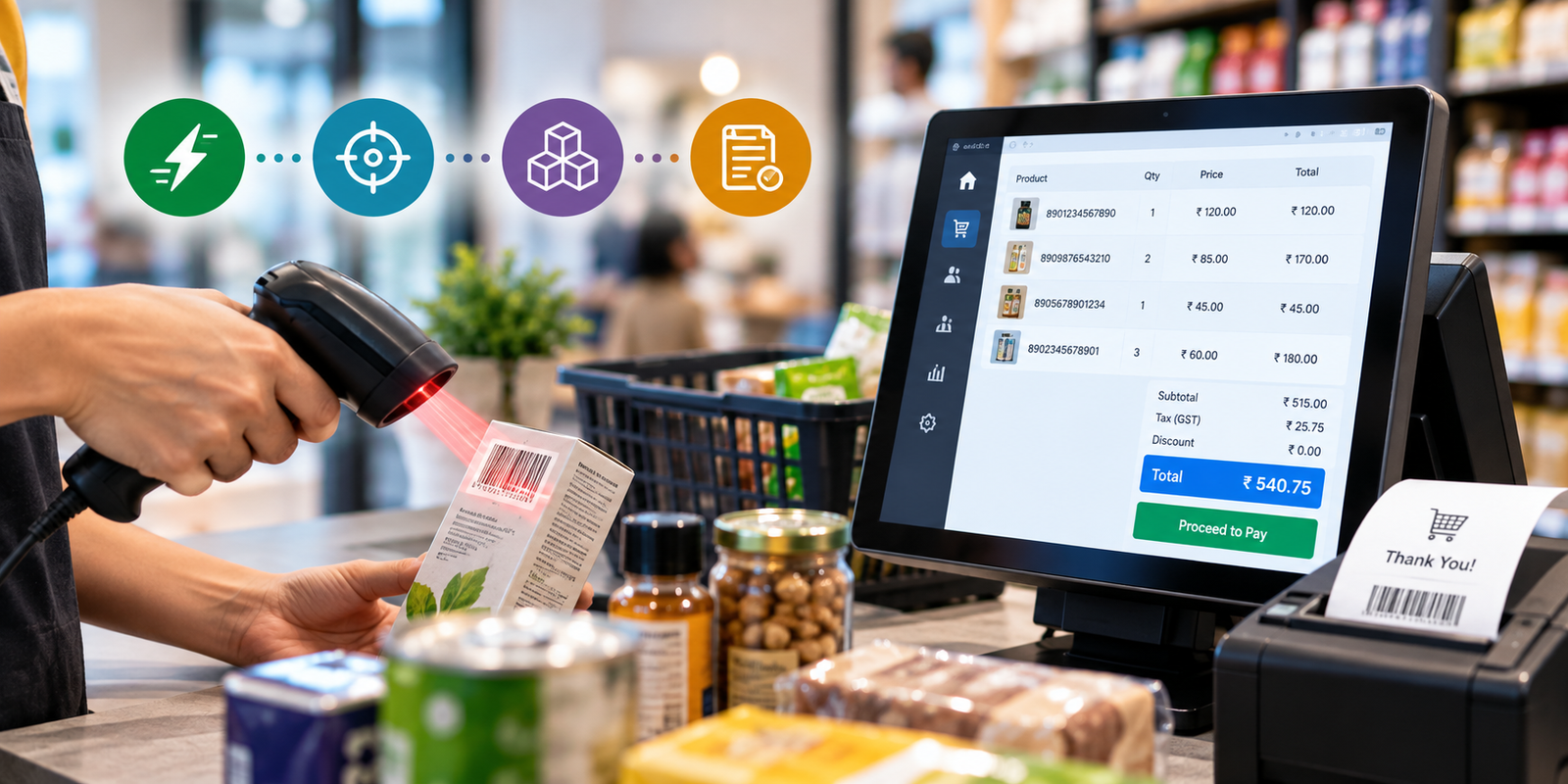
Barcode integration provides a simple way to streamline this process. By connecting barcode scanners with billing software, businesses can identify products instantly, automatically retrieve product information, and generate invoices with fewer manual steps.
Modern billing systems can combine barcode scanning with product management, inventory tracking, invoicing, and sales reporting to create a more efficient billing workflow.
What Is Barcode Integration in Billing Software?
Barcode integration means connecting a barcode scanner or barcode-reading device with a business billing system.
Each product is assigned a unique barcode containing product identification information. When the barcode is scanned, the billing software can identify the corresponding product and retrieve information such as:
-
Product name
-
Product code
-
Selling price
-
Tax information
-
Available quantity
-
Product category
-
Discount details
Instead of manually searching for a product in the billing system, the cashier can simply scan its barcode and add it to the invoice.
This makes the billing process faster, particularly when customers purchase multiple products.
1. Faster Product Selection
One of the biggest advantages of barcode integration is speed.
Manual billing requires employees to search for products, select the correct item, enter quantities, and verify prices. This can become time-consuming when a customer has a large number of products.
With barcode scanning, the process becomes much simpler:
Scan → Identify Product → Add to Bill → Update Quantity
The system can immediately retrieve the relevant product information and add it to the invoice.
This can help reduce checkout time and create a smoother customer experience.
2. Reduces Manual Billing Errors
Manual data entry can result in mistakes such as:
-
Incorrect product selection
-
Wrong price entry
-
Incorrect quantity
-
Duplicate product entries
-
Incorrect tax calculation
-
Typographical errors
Barcode scanning reduces the amount of information employees need to enter manually.
Since the scanner reads the product code and the billing software retrieves the corresponding information, businesses can reduce common data-entry errors.
This is particularly useful for businesses with hundreds or thousands of products.
3. Makes Billing More Accurate
Accuracy is important for both businesses and customers.
A small billing mistake repeated across hundreds of transactions can eventually create significant financial discrepancies.
Barcode-enabled billing helps maintain consistency because product information is stored in the system and retrieved automatically during checkout.
For example, if a product has a predefined selling price and tax rate, the cashier does not need to manually enter those values for every transaction.
This creates a more standardized billing process.
4. Automatically Updates Inventory
Barcode integration can also connect billing with inventory management.
When a product is scanned and sold, the billing system can automatically reduce its available stock quantity.
For example:
Opening Stock: 100 units
Products Sold: 8 units
Remaining Stock: 92 units
This eliminates the need for employees to manually update inventory after every sale.
Real-time stock information can help businesses identify products that are running low and plan their purchases more effectively.
5. Improves the Checkout Experience
Customers generally expect quick and convenient checkout, especially in retail environments.
Long queues can create frustration and may negatively affect the overall shopping experience.
Barcode billing can help cashiers process products quickly, calculate the bill, apply applicable discounts, and complete transactions efficiently.
For businesses with high customer volumes, even small improvements in checkout speed can make a noticeable difference.
6. Handles Multiple Products Easily
Manual billing becomes increasingly difficult as the number of products in an invoice increases.
Imagine a customer purchasing 25 or 30 different products. Searching for every product manually can take considerable time.
With barcode integration, the cashier can continuously scan products one after another.
The billing software can automatically build the invoice while updating quantities and totals.
This makes barcode billing particularly useful for:
-
Supermarkets
-
Grocery stores
-
Department stores
-
Pharmacies
-
Wholesale businesses
-
Electronics stores
-
Garment shops
-
Hardware stores
-
Distributors
7. Simplifies Price and Product Management
A centralized billing system allows businesses to maintain product information in one place.
When product details are updated in the system, the latest information can be used during billing.
Businesses can manage details such as:
-
Product prices
-
SKU or product codes
-
Barcode numbers
-
Tax rates
-
Discounts
-
Categories
-
Stock quantities
-
Supplier information
This reduces the need for employees to remember product prices or maintain separate manual lists.
8. Helps Prevent Duplicate Data Entry
Without an integrated system, employees may need to enter the same product information in multiple places.
For example, a product sale may need to be recorded separately for:
-
The customer invoice
-
Inventory records
-
Sales records
-
Daily reports
An integrated billing system can connect these processes.
When a barcode is scanned, the transaction can simultaneously contribute to billing, inventory, and sales records.
This creates a more connected business workflow.
9. Makes Sales Tracking Easier
Barcode-enabled billing systems can automatically record sales transactions.
Businesses can use this information to understand:
-
Which products are selling the most
-
Which products are selling slowly
-
Daily sales volume
-
Product-wise sales
-
Revenue generated
-
Frequently purchased products
-
Stock movement
This information can help business owners make better purchasing and inventory decisions.
Instead of relying entirely on manual records, businesses can use actual transaction data to understand their sales performance.
10. Supports Better Inventory Control
Inventory management becomes easier when every product can be identified using a barcode.
Businesses can monitor stock movement from purchase to sale.
For example:
Purchase → Stock Entry → Barcode Identification → Sale → Automatic Stock Reduction
This provides greater visibility into inventory and can help businesses identify discrepancies more quickly.
Barcode integration can also be useful during stock counting, where employees can scan products rather than manually recording every item.
11. Makes Employee Work Easier
A good billing system should not only benefit customers. It should also simplify the work of employees.
Instead of remembering product codes or manually entering detailed product information, employees can rely on barcode scanning.
This can reduce repetitive work and allow staff to focus more on customers and other operational activities.
Barcode systems can also make employee training easier because the billing process becomes more standardized.
12. Useful for Wholesale and Distribution Businesses
Barcode integration is not limited to retail stores.
Wholesale businesses and distributors can also benefit from barcode-enabled billing.
When businesses manage a large product catalog, manually entering product information can become difficult.
Barcode scanning can help speed up:
-
Order processing
-
Product identification
-
Invoice generation
-
Stock updates
-
Dispatch operations
-
Sales recording
For businesses processing a high number of transactions, this can significantly improve operational efficiency.
Barcode Billing vs Manual Billing
| Feature | Manual Billing | Barcode Billing |
|---|---|---|
| Product Selection | Manual search | Barcode scan |
| Price Entry | Often manual | Retrieved from system |
| Billing Speed | Relatively slower | Faster |
| Data Entry | Higher | Lower |
| Error Risk | Higher | Reduced |
| Inventory Update | May require manual work | Can be automated |
| Product Identification | Manual | Automatic |
| Sales Records | Manual or semi-automatic | Automatically recorded |
| Large Invoices | Time-consuming | Easier to process |
How to Implement Barcode Integration
Businesses planning to introduce barcode billing should follow a structured approach.
Step 1: Organize Product Information
Create a clean product database containing product names, codes, prices, taxes, categories, and stock information.
Step 2: Assign Barcodes
Ensure each relevant product has a unique barcode or product identification code.
Step 3: Connect a Barcode Scanner
Use a compatible barcode scanner with the billing computer or POS system.
Step 4: Configure Billing Software
Connect the barcode information with the corresponding products in the billing system.
Step 5: Test the Workflow
Scan different products and verify that product names, prices, taxes, and quantities are correctly displayed.
Step 6: Train Employees
Employees should understand how to scan products, correct quantities, handle damaged barcodes, and manage products that cannot be scanned.
Choosing Billing Software With Barcode Support
Not every billing system provides the same level of barcode functionality.
Businesses should consider software that supports:
-
Barcode scanning
-
Product and SKU management
-
Inventory synchronization
-
GST and tax calculations
-
Discount management
-
Invoice generation
-
Sales reports
-
Stock alerts
-
Customer management
-
Multiple users
-
Data backup
-
Business reporting
The goal should be more than simply scanning a product. The barcode system should work as part of an integrated business management process.
Barcode Integration Is More Than Faster Billing
Barcode integration is often viewed simply as a way to speed up checkout. However, its benefits can extend across several areas of business operations.
When barcode scanning is connected with billing and inventory software, a single product scan can trigger multiple actions:
Product Identification → Invoice Entry → Price Calculation → Inventory Update → Sales Record
This connected workflow can reduce repetitive tasks while improving the consistency of business data.
The Future of Barcode-Based Billing
As businesses become increasingly digital, billing systems are moving toward more connected and automated workflows.
Barcode technology can work alongside modern features such as cloud-based billing, inventory management, digital payments, customer management, analytics, and automated reporting.
Businesses can therefore move from basic billing toward a more integrated system where sales and inventory information are available together.
For growing businesses, this can provide a stronger foundation for managing increasing transaction volumes and product catalogs.
Conclusion
Barcode integration can make business billing faster, more accurate, and easier to manage. By reducing manual data entry, simplifying product identification, improving invoice accuracy, and connecting sales with inventory, barcode-enabled billing can help businesses create a more efficient operational workflow.
Whether it is a grocery store processing hundreds of products, a pharmacy managing multiple items, or a wholesale business handling large orders, barcode billing can reduce repetitive work and improve transaction management.
The real advantage comes when barcode scanning is integrated with a complete billing and inventory system. Instead of treating billing, stock management, and sales tracking as separate tasks, businesses can bring them together into one connected workflow.
For businesses looking to improve efficiency and reduce billing-related errors, barcode integration is a practical step toward smarter and more streamlined business management.