Table of Contents
- How Digital Record-Keeping Can Reduce Everyday Business Errors
- What Is Digital Record-Keeping?
- Why Do Everyday Business Errors Happen?
- 1. Reduces Manual Data Entry
- 2. Helps Prevent Duplicate Records
- 3. Improves Data Accuracy
- 4. Reduces Calculation Errors
- 5. Makes Information Easier to Find
- 6. Creates a Centralized Source of Information
- 7. Reduces Lost or Misplaced Documents
- 8. Creates Automatic Backups
- 9. Improves Inventory Accuracy
- 10. Helps Prevent Invoice Errors
- 11. Makes Employee Records Easier to Manage
- 12. Improves Tracking and Accountability
- 13. Reduces Communication Errors
- 14. Makes Reporting More Reliable
- Daily Sales
- Pending Payments
- Orders
- Inventory Alerts
- New Customers
- 15. Helps Businesses Identify Errors Earlier
- Digital Record-Keeping and Automation
- Digital Records Can Improve Customer Service
- Digital Record-Keeping Does Not Mean Every Record Must Be in One System
- Security Is an Important Part of Digital Records
- How to Start Moving From Manual Records to Digital Records
- Step 1: Identify Manual Processes
- Step 2: Identify Common Errors
- Step 3: Prioritize Important Records
- Step 4: Choose the Right Software
- Step 5: Clean Existing Data
- Step 6: Automate Repetitive Tasks
- Step 7: Train Employees
- Step 8: Monitor Data Quality
- When Should a Business Consider Custom Software?
- The Real Value of Digital Record-Keeping
- Final Thoughts
How Digital Record-Keeping Can Reduce Everyday Business Errors
Every business depends on accurate records.
Customer details, invoices, employee information, inventory records, payments, sales transactions, attendance, documents, and reports all need to be maintained properly. When these records are handled manually across notebooks, spreadsheets, emails, and different files, small mistakes can easily become part of everyday operations.
A wrong number in an invoice, a duplicate customer entry, an outdated inventory record, or a missing document may seem like a minor issue. But when these errors happen repeatedly, they can affect productivity, customer service, financial reporting, and business decisions.
This is where digital record-keeping can make a significant difference.
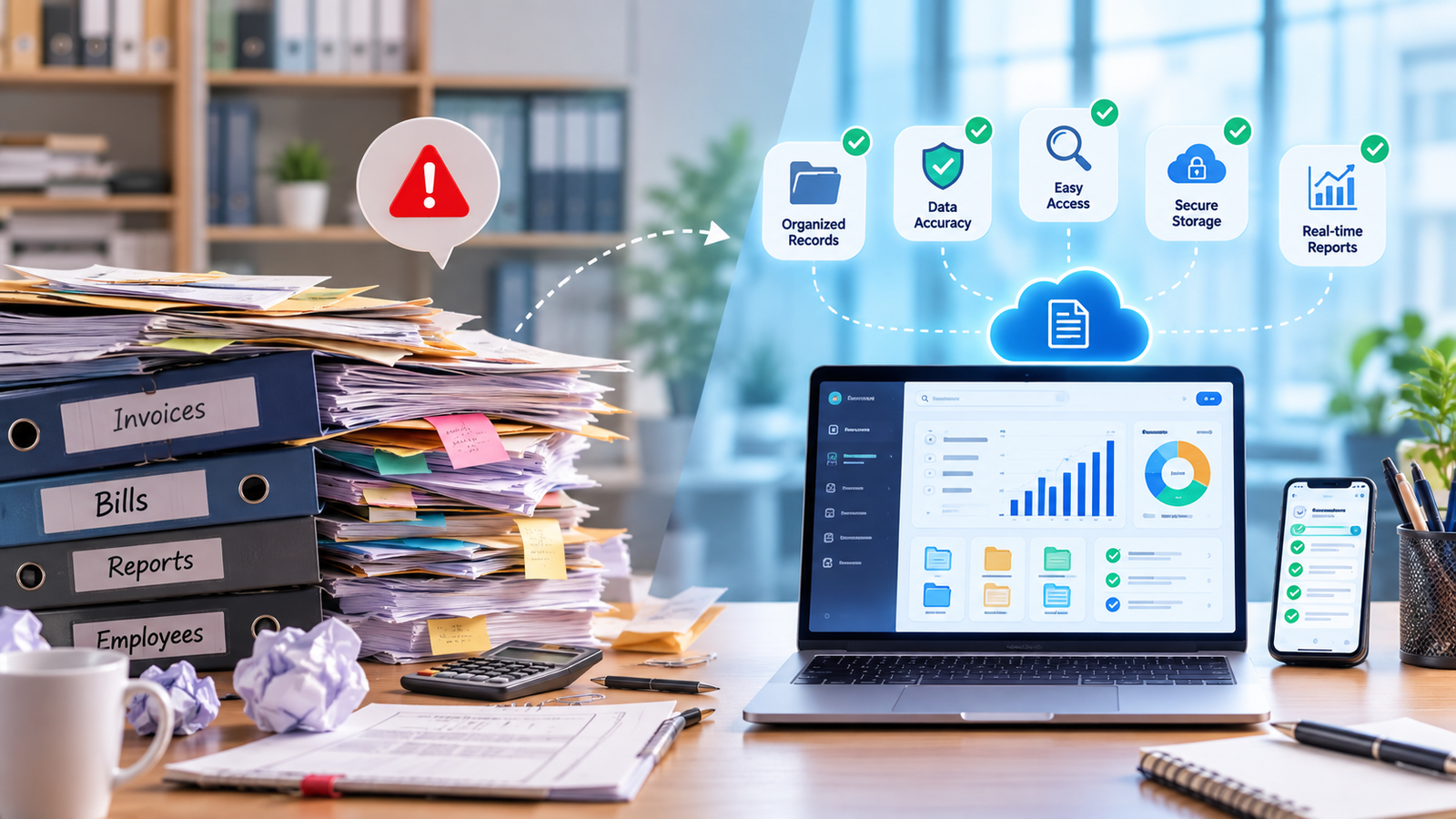
By storing business information in organized digital systems, companies can reduce repetitive manual work, improve data accuracy, and make important information easier to access.
What Is Digital Record-Keeping?
Digital record-keeping is the process of creating, storing, organizing, updating, and retrieving business records electronically.
Instead of relying primarily on physical files or disconnected spreadsheets, businesses can use:
- Business management software
- ERP systems
- CRM platforms
- Cloud databases
- Accounting software
- Document management systems
- HR software
- Custom business applications
For example, instead of maintaining customer information in multiple Excel files, a business can store it in a centralized database.
Employees with the appropriate permissions can then access and update the information when required.
Why Do Everyday Business Errors Happen?
Most business errors aren't necessarily caused by carelessness.
They often happen because employees are working with processes that involve too many manual steps.
Consider a simple sales process.
A customer places an order.
An employee writes the order in a notebook.
The information is entered into Excel.
Another employee creates an invoice.
The payment is recorded separately.
Inventory is updated manually.
At the end of the day, someone prepares a report.
Every additional manual step creates another opportunity for an error.
Common problems include:
- Incorrect data entry
- Duplicate records
- Missing information
- Wrong calculations
- Outdated records
- Lost documents
- Incorrect inventory quantities
- Duplicate invoices
- Missed follow-ups
- Inconsistent reports
Digital record-keeping can reduce many of these problems by creating structured and automated workflows.
1. Reduces Manual Data Entry
Manual data entry is one of the most common sources of business errors.
Imagine a customer provides their details through a website.
An employee copies the information into a spreadsheet.
Later, another employee enters the same information into a CRM.
The accounts team enters it again into billing software.
The same data has now been entered three times.
There are three opportunities for a mistake.
With digital integration, the workflow could look like:
Website → CRM → Billing System
Customer information can move between systems automatically where appropriate.
This reduces repetitive typing and allows employees to focus on more valuable tasks.
2. Helps Prevent Duplicate Records
Duplicate records can create confusion.
For example, the same customer might appear as:
Rahul Patel
and
R. Patel
and
Rahul P.
Employees may not immediately realize that all three records belong to the same person.
A properly designed digital system can use unique identifiers such as:
- Customer ID
- Email address
- Phone number
- Employee ID
- Invoice number
- Product code
This can make duplicate detection easier.
3. Improves Data Accuracy
Digital systems can apply validation rules before accepting information.
For example, a form can require:
- Valid email format
- Required phone number
- Correct date format
- Mandatory customer name
- Valid product code
- Numeric quantity
Instead of allowing incomplete or incorrectly formatted information into the database, the system can alert the user immediately.
For example:
Please enter a valid email address.
This simple validation can prevent incorrect information from entering the system.
4. Reduces Calculation Errors
Businesses often perform calculations for:
- Invoices
- Salaries
- Discounts
- Taxes
- Inventory
- Sales commissions
- Expenses
- Payments
Manual calculations can create mistakes, especially when there are many transactions.
Digital systems can perform calculations automatically according to predefined rules.
For example:
Product Price × Quantity = Subtotal
Subtotal − Discount = Taxable Amount
Taxable Amount + Tax = Total
Once the rules are correctly configured, employees don't need to calculate every transaction manually.
5. Makes Information Easier to Find
Searching through physical files or multiple spreadsheets can take considerable time.
An organized digital system allows employees to search for information using fields such as:
- Customer name
- Phone number
- Invoice number
- Order ID
- Date
- Employee ID
- Product name
For example, instead of searching through hundreds of invoices, an employee can enter an invoice number and retrieve the required record within seconds.
This improves productivity and reduces the chance of using the wrong document.
6. Creates a Centralized Source of Information
Businesses often have information scattered across different locations.
For example:
Customer Data → Excel
Sales → CRM
Payments → Accounting Software
Inventory → Separate Application
Documents → Email
This can make it difficult to determine which information is current.
A centralized system can bring important records together.
For example:
Customer
↓
Orders
↓
Invoices
↓
Payments
↓
Support Requests
↓
Communication History
Employees can access relevant information from a connected environment instead of searching through multiple sources.
7. Reduces Lost or Misplaced Documents
Physical documents can be:
- Misplaced
- Damaged
- Lost
- Filed incorrectly
- Difficult to retrieve
Digital records can be organized using folders, categories, document IDs, and search functionality.
For example, employee documents can be organized by:
Employee → Department → Document Type
Similarly, customer documents can be organized by:
Customer → Account → Invoice / Agreement / Communication
Proper digital organization can make document retrieval much easier.
8. Creates Automatic Backups
Important business records should not depend on a single computer or physical file.
Hardware failures, accidental deletion, or other problems can result in data loss.
A properly managed digital record system can include regular backups.
Depending on the system, businesses may use:
- Automated database backups
- Cloud storage
- Server backups
- Off-site backups
- Backup copies of important documents
Backups don't prevent an employee from making an incorrect entry, but they can help protect records from accidental loss.
9. Improves Inventory Accuracy
Inventory management is another area where manual records can create problems.
Imagine a business has:
100 units in physical stock
But the spreadsheet shows:
127 units
The difference can lead to purchasing problems, customer order delays, and inaccurate reports.
Digital inventory systems can update stock when transactions occur.
For example:
New Order → Stock Decreases
Purchase Received → Stock Increases
Product Returned → Stock Adjusts
This creates a more consistent record of inventory movement.
10. Helps Prevent Invoice Errors
Invoices contain important information such as:
- Customer details
- Invoice number
- Product or service
- Quantity
- Price
- Discount
- Tax
- Total amount
- Payment status
Manually preparing every invoice increases the possibility of mistakes.
A digital billing system can automatically populate customer and product information and calculate totals.
It can also generate unique invoice numbers and maintain payment status.
For example:
Invoice Created → Sent → Payment Received → Status Updated
This creates a clear digital record of the transaction.
11. Makes Employee Records Easier to Manage
HR departments maintain large amounts of information.
This may include:
- Employee profiles
- Joining dates
- Attendance
- Leave records
- Salary information
- Documents
- Department information
- Performance records
Managing these records manually can become difficult as the workforce grows.
A digital HR system can organize this information and provide authorized employees with access to the relevant records.
It can also reduce repetitive administrative work.
12. Improves Tracking and Accountability
A well-designed digital system can record important activities.
For example:
Employee A created invoice #1025
Employee B updated payment status
Manager approved discount
This type of activity history can help businesses understand who made a particular change and when it happened.
This can be especially useful when investigating discrepancies or reviewing important transactions.
13. Reduces Communication Errors
Important business information is often shared through email, messaging applications, phone calls, or verbal instructions.
This can create misunderstandings.
For example:
A manager tells an employee to change an order quantity.
Later, another employee works with the old information.
A centralized digital system can provide a common record of the latest status.
Instead of relying entirely on conversations, employees can check the system.
14. Makes Reporting More Reliable
Management reports depend on accurate underlying data.
If sales information is stored in multiple spreadsheets, employees may spend hours combining and checking the numbers.
A digital business system can automatically generate reports from structured records.
For example:
Daily Sales
₹2,45,000
Pending Payments
₹75,000
Orders
128
Inventory Alerts
14
New Customers
36
Instead of manually preparing these numbers every day, management can access them through a dashboard.
15. Helps Businesses Identify Errors Earlier
One important advantage of digital systems is that errors can sometimes be detected quickly.
For example, a system can flag:
- Duplicate invoice numbers
- Negative inventory
- Missing customer information
- Unusual transaction amounts
- Unpaid invoices
- Expired documents
- Failed integrations
Early detection is important.
An error discovered immediately is usually easier to correct than an error discovered several months later.
Digital Record-Keeping and Automation
Digital records become even more useful when combined with automation.
For example:
Customer submits form
↓
Record created automatically
↓
Salesperson assigned
↓
Notification sent
↓
Follow-up task created
↓
Customer status updated
This eliminates several manual steps.
Another example:
Payment Received
↓
Payment status updated
↓
Invoice marked paid
↓
Receipt generated
↓
Customer notified
Automation can reduce repetitive administrative work while maintaining a clear digital record of each activity.
Digital Records Can Improve Customer Service
Customers expect businesses to have accurate information about their interactions.
Imagine a customer calls about a previous order.
With a connected digital system, the employee may be able to see:
- Customer profile
- Previous orders
- Payment status
- Support history
- Previous communication
- Current order status
The employee doesn't need to ask the customer to repeat information that the company already has.
This can make customer service faster and more professional.
Digital Record-Keeping Does Not Mean Every Record Must Be in One System
Businesses don't necessarily need one application for everything.
A company may continue using separate systems for:
CRM + ERP + Accounting + HR + Website
The important part is ensuring that the systems can share relevant information when necessary.
APIs, integrations, and automated workflows can connect different applications.
The goal is not necessarily to eliminate every separate system.
The goal is to prevent important information from becoming disconnected.
Security Is an Important Part of Digital Records
Moving records from paper to digital systems creates benefits, but businesses also need to protect the information.
Important security practices include:
- Strong passwords
- Role-based access
- Secure authentication
- Regular backups
- HTTPS
- Access monitoring
- Software updates
- Database security
- Appropriate user permissions
Not every employee needs access to every record.
For example, an employee handling sales may not need access to confidential payroll information.
Role-based permissions can help ensure that employees see only the information relevant to their responsibilities.
How to Start Moving From Manual Records to Digital Records
Businesses don't have to digitize everything at once.
A practical approach is to start with processes where errors occur frequently.
Step 1: Identify Manual Processes
List areas where employees repeatedly write, copy, calculate, or search for information.
Step 2: Identify Common Errors
Determine which mistakes happen most often.
Step 3: Prioritize Important Records
Start with information that has the biggest impact on operations.
Step 4: Choose the Right Software
Depending on your requirements, this could be:
- CRM
- ERP
- Accounting software
- HR software
- Document management system
- Custom business software
Step 5: Clean Existing Data
Before importing old records, remove duplicates and correct obvious errors.
Step 6: Automate Repetitive Tasks
Connect systems and automate workflows wherever practical.
Step 7: Train Employees
Employees need to understand how and when records should be entered.
Step 8: Monitor Data Quality
Regularly check for duplicate, incomplete, or incorrect records.
When Should a Business Consider Custom Software?
Standard software can work well for many organizations.
However, some businesses have unique processes that don't fit standard applications.
A custom business application may be worth considering when:
- Multiple systems need to communicate.
- Existing software doesn't match the workflow.
- Employees depend heavily on Excel.
- Manual data entry is causing frequent errors.
- Management needs specialized reports.
- The company requires custom approval processes.
- Different departments need a centralized system.
Custom software can be designed around the organization's actual processes instead of forcing the business to completely change its workflow.
The Real Value of Digital Record-Keeping
The biggest benefit of digital records isn't simply having information stored on a computer.
The real value comes from making information:
Accurate → Organized → Accessible → Searchable → Secure → Connected
When these characteristics come together, businesses can operate more efficiently.
Employees spend less time searching for documents.
Managers receive more reliable reports.
Customers receive faster service.
Departments can share information more easily.
And repetitive administrative tasks can be automated.
Final Thoughts
Every business makes mistakes, but many everyday errors are caused by unnecessary manual processes rather than complex problems.
Repeated data entry, disconnected spreadsheets, handwritten records, manual calculations, and misplaced documents can all create avoidable issues.
Digital record-keeping provides a more organized way to manage business information.
By using centralized databases, validation rules, automated calculations, integrations, backups, access controls, and digital workflows, businesses can reduce many common operational errors.
The goal isn't simply to replace paper with computers.
The goal is to create a reliable flow of information that helps employees work accurately and efficiently.
As a business grows, good digital record-keeping can become an important foundation for automation, reporting, customer service, and better decision-making.