Table of Contents
- How Internal Management Systems Improve Team Productivity and Accountability
- What Is an Internal Management System?
- Why Team Productivity Becomes Difficult to Manage
- Centralizing Tasks and Responsibilities
- Clear Task Ownership Improves Accountability
- Tracking Task Status
- Improving Communication
- Reducing Repetitive Administrative Work
- Improving Workflow Management
- Supporting Better Time Management
- Monitoring Team Productivity
- Using Dashboards for Management
- Improving Project Collaboration
- Creating Standardized Processes
- Improving Approval Management
- Maintaining an Activity History
- Improving Document Management
- Supporting Remote and Hybrid Teams
- Role-Based Access and Security
- Using Notifications and Reminders
- Measuring Accountability with Data
- Connecting Departments
- Integration with Existing Business Software
- Building a Productive Internal Environment
- How to Implement an Internal Management System
- Step 1: Identify Current Problems
- Step 2: Map Existing Processes
- Step 3: Choose High-Impact Workflows
- Step 4: Define Roles
- Step 5: Centralize Tasks and Information
- Step 6: Introduce Automation
- Step 7: Add Dashboards
- Step 8: Review and Improve
- Long-Term Benefits
- Conclusion
How Internal Management Systems Improve Team Productivity and Accountability
As businesses grow, managing employees, tasks, projects, documents, approvals, and daily operations can become increasingly complex. Teams may rely on emails, spreadsheets, messaging applications, and separate software tools to coordinate their work.
While these tools are useful, managing information across multiple platforms can make it difficult to know what has been completed, what is pending, and who is responsible for each task.
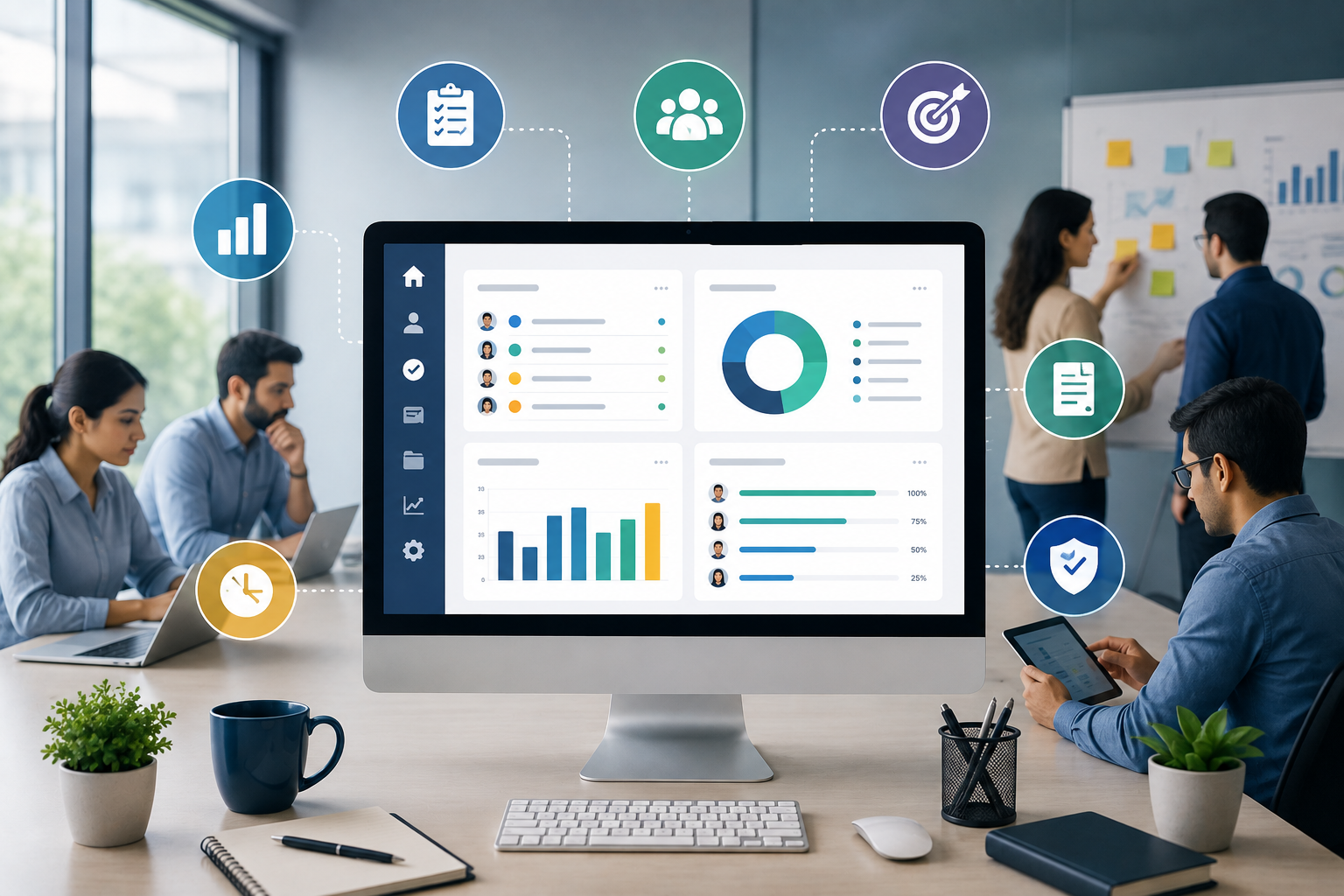
Internal management systems provide a more organized approach. By bringing tasks, workflows, employee activities, communication, reporting, and business information into a structured digital environment, organizations can improve team productivity and accountability.
What Is an Internal Management System?
An internal management system is a digital platform used by an organization to manage its internal operations.
It can help businesses organize activities such as:
- Employee tasks
- Project management
- Job assignments
- Leave and attendance
- Document management
- Approvals
- Internal requests
- Performance tracking
- Reports
- Notifications
- Department workflows
The exact features depend on the organization's requirements, but the main objective is to make internal processes easier to manage.
Why Team Productivity Becomes Difficult to Manage
Productivity challenges are not always caused by employees working slowly. In many cases, the problem is the way work is organized.
Employees may lose time because they need to:
- Search for information
- Wait for approvals
- Follow up with colleagues
- Update multiple spreadsheets
- Check different communication channels
- Prepare repetitive reports
- Find the latest document
- Clarify task responsibilities
When these activities happen frequently, they can consume a significant amount of working time.
An internal management system can reduce some of this unnecessary administrative effort.
Centralizing Tasks and Responsibilities
One of the simplest ways to improve productivity is to make responsibilities clear.
A digital system can show each employee:
- Assigned tasks
- Priority
- Deadline
- Current status
- Related documents
- Instructions
- Responsible manager
Instead of relying on verbal instructions or scattered messages, employees have a structured list of what needs to be completed.
This can reduce confusion and help employees prioritize their work.
Clear Task Ownership Improves Accountability
Accountability begins with clear responsibility.
If a task is assigned to a specific employee with a defined deadline, it becomes easier to track its progress.
For example:
Task: Prepare monthly sales report
Assigned To: Sales Executive
Deadline: 5 September
Status: In Progress
Managers can see who is responsible and whether the task is progressing as expected.
This creates transparency without requiring managers to repeatedly ask for updates.
Tracking Task Status
Internal management systems can provide standardized task statuses such as:
Pending → Assigned → In Progress → Under Review → Completed
These statuses help employees and managers understand where work currently stands.
For larger projects, status tracking can also help identify bottlenecks.
For example, if many tasks remain stuck in the "Under Review" stage, management may need to examine the review process.
Improving Communication
Poor communication can reduce productivity.
Important information may become difficult to find when it is spread across email conversations, messaging apps, documents, and verbal discussions.
An internal management platform can connect communication with the relevant task or project.
For example, employees can access:
- Task instructions
- Comments
- Documents
- Status updates
- Approval history
in one location.
This keeps important information connected to the work it relates to.
Reducing Repetitive Administrative Work
Employees often spend time on repetitive administrative activities that do not directly contribute to their primary responsibilities.
Examples include:
- Sending reminders
- Preparing routine reports
- Updating task lists
- Entering the same information repeatedly
- Checking approval status
- Creating notifications
- Following up on pending requests
Automation can handle many of these predictable activities.
For example, when a manager approves a request, the system can automatically update the status and notify the employee.
Improving Workflow Management
Businesses often have standard processes that employees need to follow.
Examples include:
Leave Request:
Employee → Manager → HR → Approved
Purchase Request:
Employee → Department Head → Finance → Procurement
Content Approval:
Writer → Editor → Manager → Published
An internal management system can convert these processes into structured workflows.
This ensures that requests follow the appropriate steps rather than relying entirely on manual coordination.
Supporting Better Time Management
Employees often struggle to prioritize when they have many tasks at the same time.
A management system can help organize work based on:
- Priority
- Deadline
- Department
- Project
- Status
- Assigned employee
This allows employees to focus on urgent and important work first.
Managers can also identify employees who may have excessive workloads and redistribute tasks when necessary.
Monitoring Team Productivity
Productivity should not be measured only by the number of tasks completed.
A good management system can provide a broader view of team performance.
Management can monitor:
- Completed tasks
- Pending tasks
- Overdue tasks
- Project progress
- Average completion time
- Workload distribution
- Department performance
These metrics can help identify operational problems without relying entirely on subjective assessments.
Using Dashboards for Management
Dashboards provide management with a quick overview of internal operations.
For example:
Active Projects: 18
Tasks Completed: 245
Pending Tasks: 63
Overdue Tasks: 11
Pending Approvals: 8
Employees Active: 74
Such information can help managers identify areas requiring attention.
Instead of manually collecting updates from different departments, management can review the available information through a centralized dashboard.
Improving Project Collaboration
Projects often require multiple employees and departments to work together.
For example, a website development project may involve:
- Project manager
- Designer
- Developer
- Content writer
- SEO specialist
- Client coordinator
An internal management system can assign responsibilities to each person while maintaining a connection to the overall project.
Employees can see their tasks, deadlines, and relevant information without losing sight of the larger objective.
Creating Standardized Processes
Different employees may complete the same process differently when there are no clearly defined procedures.
This can create inconsistent results.
Internal management systems can standardize workflows.
For example, every new employee could follow the same onboarding process:
HR Registration → Document Verification → IT Setup → Department Assignment → Orientation → Completion
Standardized workflows reduce uncertainty and make processes easier to monitor.
Improving Approval Management
Approvals can become a major source of delays in organizations.
Requests may remain pending because managers do not see them or employees are unsure about their status.
A digital approval system can clearly display:
- Requester
- Request type
- Date submitted
- Current approver
- Status
- Approval history
Automated notifications can also alert the appropriate manager when an action is required.
Maintaining an Activity History
Accountability becomes stronger when systems maintain an activity history.
For example, a task record may show:
- Who created the task
- Who was assigned
- When the status changed
- Who added comments
- When documents were uploaded
- When the task was completed
This creates a useful record of activity.
It can also help management understand how a process progressed if questions arise later.
Improving Document Management
Employees often waste time searching for documents.
An internal management system can connect documents directly to:
- Employees
- Projects
- Tasks
- Customers
- Departments
- Requests
For example, all documents related to a project can be stored within the project record.
This makes information easier to locate and reduces the risk of using outdated files.
Supporting Remote and Hybrid Teams
Remote and hybrid work environments require strong digital coordination.
Employees may not be physically present to ask quick questions or provide updates.
A centralized management system gives team members access to:
- Tasks
- Projects
- Documents
- Deadlines
- Workflow status
- Internal requests
This can make collaboration easier regardless of where employees are working.
Role-Based Access and Security
Internal systems often contain sensitive information.
Employee records, financial information, project details, and business documents should not be accessible to everyone.
Role-based access allows organizations to control what users can view or modify.
For example:
Administrator: Full system access
Department Manager: Department-level information
Employee: Assigned tasks and relevant records
HR Team: Employee-related information
Finance Team: Financial workflows
This improves security while keeping the system organized.
Using Notifications and Reminders
A management system can automatically notify employees when an important action is required.
Examples include:
- New task assigned
- Deadline approaching
- Task overdue
- Approval required
- Request approved
- Document uploaded
- Project milestone reached
Automated notifications reduce the need for managers to manually follow up on every task.
Measuring Accountability with Data
Accountability should be based on useful information rather than assumptions.
A management system can provide data such as:
- Tasks completed on time
- Overdue tasks
- Average task completion time
- Number of pending requests
- Project milestone completion
- Approval turnaround time
This allows managers to identify patterns and address operational issues.
For example, if a particular process consistently takes longer than expected, management can investigate whether the problem is caused by workload, unclear responsibilities, or an inefficient workflow.
Connecting Departments
Internal management systems can connect departments that depend on each other.
For example:
HR → Finance → IT → Department Manager
may all be involved in employee onboarding.
Similarly:
Sales → Operations → Finance → Customer Support
may be involved in processing a customer order.
Connecting these workflows reduces information gaps and makes handoffs easier to manage.
Integration with Existing Business Software
An internal management system does not necessarily need to replace every existing application.
Businesses can connect their internal systems with tools such as:
- CRM software
- Accounting platforms
- ERP systems
- Email services
- HR software
- Project management tools
- Inventory systems
- Analytics platforms
APIs and other integrations can allow information to move between systems and reduce duplicate data entry.
Building a Productive Internal Environment
Technology alone does not create productivity.
Businesses also need clear processes, realistic deadlines, appropriate workloads, and effective communication.
An internal management system works best when it supports these practices rather than simply adding another layer of software.
Organizations should regularly review their workflows and ask:
- Are employees clear about their responsibilities?
- Are approvals taking too long?
- Are tasks being assigned properly?
- Are employees spending too much time on administration?
- Are managers receiving the information they need?
- Are important deadlines being missed?
The answers can help identify opportunities for improvement.
How to Implement an Internal Management System
Businesses can introduce an internal management system gradually.
Step 1: Identify Current Problems
Understand where employees and managers are losing time.
Step 2: Map Existing Processes
Document important workflows and responsibilities.
Step 3: Choose High-Impact Workflows
Start with processes that create significant administrative work.
Step 4: Define Roles
Determine who can create, view, edit, approve, and manage information.
Step 5: Centralize Tasks and Information
Bring relevant workflows and records into the system.
Step 6: Introduce Automation
Automate repetitive notifications, assignments, approvals, and reports.
Step 7: Add Dashboards
Give managers visibility into performance and pending work.
Step 8: Review and Improve
Use system data and employee feedback to improve workflows over time.
Long-Term Benefits
A well-designed internal management system can provide several long-term advantages:
- Better task organization
- Greater accountability
- Improved collaboration
- Reduced administrative work
- Faster approvals
- Better project visibility
- Improved workload management
- Easier reporting
- More consistent workflows
- Better decision-making
- Increased operational efficiency
These benefits become particularly important as the organization grows.
Conclusion
Internal management systems can play an important role in improving team productivity and accountability.
By centralizing tasks, workflows, documents, approvals, communication, and reporting, businesses can create a more organized working environment.
Employees gain clearer responsibilities and easier access to information, while managers gain better visibility into progress, workload, and performance.
The goal is not simply to monitor employees. A well-designed system should help employees understand what needs to be done, access the information they need, complete work efficiently, and receive timely support when problems arise.