Table of Contents
- How Inventory Management Software Reduces Stock-Related Problems
- What Is Inventory Management Software?
- 1. Reduces Stockouts
- 2. Prevents Overstocking
- 3. Provides Real-Time Stock Visibility
- 4. Improves Inventory Accuracy
- 5. Makes Stock Tracking Easier
- 6. Simplifies Warehouse Management
- 7. Helps Automate Reordering
- 8. Reduces Human Errors
- 9. Improves Sales and Order Fulfillment
- 10. Helps Manage Expiry Dates and Batches
- 11. Provides Useful Inventory Reports
- 12. Reduces Inventory Costs
- 13. Improves Supplier Management
- 14. Supports Multiple Sales Channels
- 15. Helps Businesses Scale
- Key Features to Look For
- Conclusion
How Inventory Management Software Reduces Stock-Related Problems
Inventory plays an important role in almost every product-based business. Whether a company operates a retail store, warehouse, manufacturing unit, e-commerce business, or distribution network, maintaining the right amount of stock is essential for smooth operations.
Poor inventory management can lead to problems such as stockouts, excess inventory, misplaced products, inaccurate records, expired goods, and unnecessary storage costs. As businesses grow, managing inventory manually through spreadsheets or paper records becomes increasingly difficult.
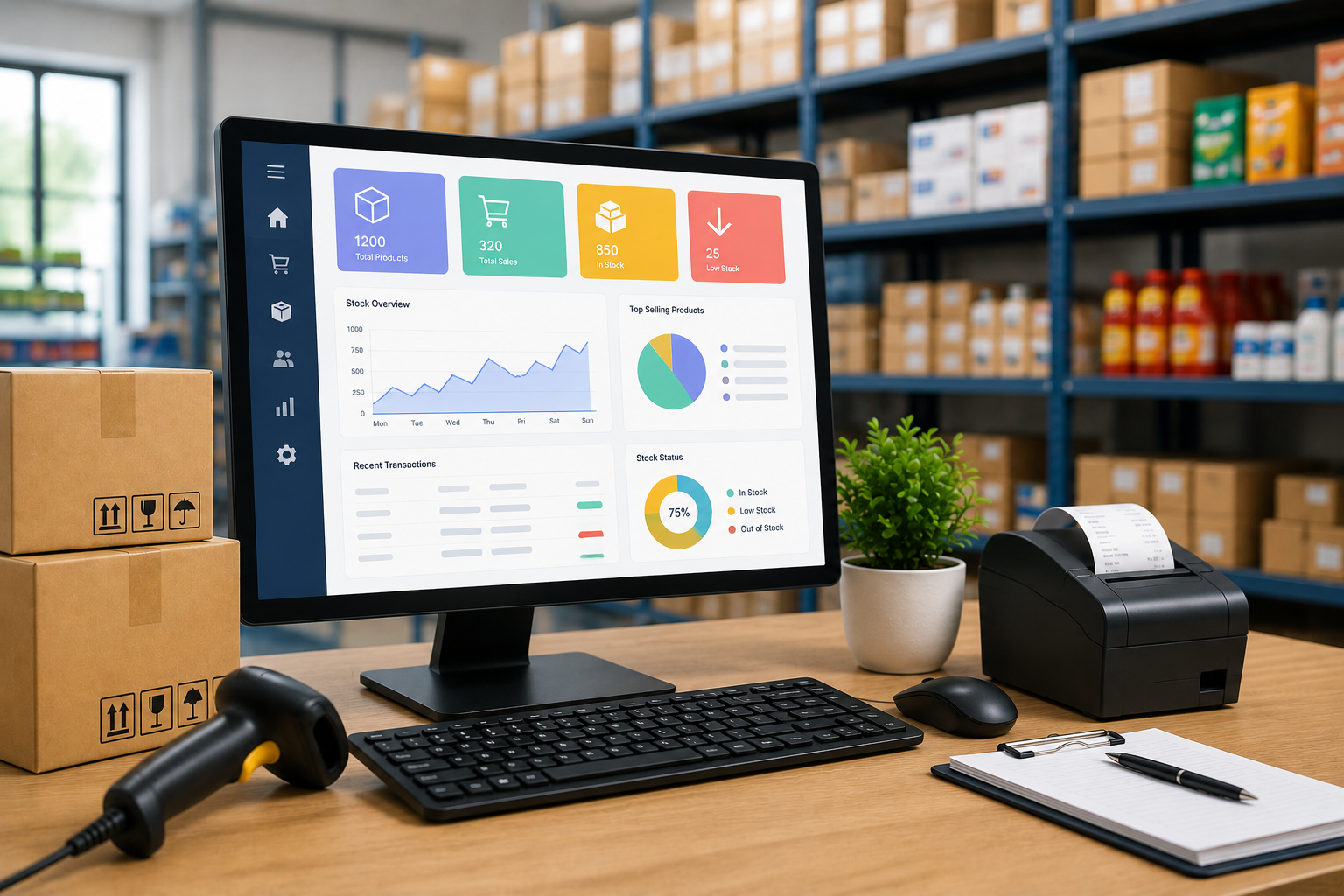
Inventory management software helps businesses organize and monitor stock digitally. By providing real-time information, automated processes, and better visibility, it can significantly reduce common stock-related problems and improve overall operational efficiency.
What Is Inventory Management Software?
Inventory management software is a digital system used to track, manage, and control products throughout their lifecycle.
Depending on the business, the software may track:
-
Product quantities
-
Stock locations
-
Purchases and sales
-
Stock transfers
-
Suppliers
-
Purchase orders
-
Sales orders
-
Product batches
-
Expiry dates
-
Reorder levels
-
Warehouse movements
-
Returns and damaged goods
The system provides businesses with a centralized view of inventory, making it easier to understand what is available, what has been sold, and what needs to be reordered.
1. Reduces Stockouts
A stockout occurs when a business does not have enough inventory to fulfill customer demand.
Stockouts can result in missed sales, delayed orders, and dissatisfied customers. They may occur because employees do not know the actual quantity available or fail to notice that a product is running low.
Inventory management software can track stock levels and provide alerts when inventory reaches a predefined reorder point.
For example, if a business sets a minimum stock level of 20 units for a particular product, the system can notify the responsible employee when inventory approaches that level.
This gives the business time to reorder before the product runs out.
2. Prevents Overstocking
Having too much inventory can be just as problematic as having too little.
Excess stock ties up working capital and increases storage costs. Products may also become obsolete, damaged, or expired before they are sold.
Inventory software helps businesses understand sales patterns and current stock levels. Historical information and inventory reports can help purchasing teams make better decisions about how much stock to order.
This helps maintain a healthier balance between product availability and inventory investment.
3. Provides Real-Time Stock Visibility
Manual inventory records can quickly become outdated.
For example, if a product is sold but the spreadsheet is updated several hours later, employees may believe that more stock is available than actually exists.
Inventory management software can update stock quantities as transactions occur. This gives employees and managers a more current view of inventory.
Real-time visibility is particularly useful when multiple employees, warehouses, stores, or sales channels are involved.
4. Improves Inventory Accuracy
Inventory discrepancies can occur because of manual data entry, incorrect counting, misplaced products, returns, damaged items, or unrecorded stock movements.
Software can automatically update inventory when products are purchased, sold, transferred, or returned.
Businesses can also use barcode scanning or other identification methods to reduce manual entry.
More accurate records make it easier to compare system quantities with physical inventory and identify discrepancies.
5. Makes Stock Tracking Easier
Businesses may have hundreds or thousands of products with different sizes, colors, models, batches, or specifications.
Tracking all of these products manually can become complicated.
Inventory software allows businesses to assign unique product codes or SKUs and organize products into categories.
Employees can search for a product and quickly see information such as:
-
Available quantity
-
Product location
-
Purchase price
-
Selling price
-
Supplier
-
Stock movement
-
Previous transactions
This reduces the time required to locate and manage inventory.
6. Simplifies Warehouse Management
Warehouse operations involve constant movement of products.
Goods arrive from suppliers, move between storage areas, get picked for orders, and may eventually be returned.
Inventory management software can record these movements and provide better visibility into where products are located.
For businesses with multiple warehouses, the system can also help employees understand stock availability at different locations.
This can reduce unnecessary transfers and make order fulfillment more efficient.
7. Helps Automate Reordering
One of the most useful features of inventory software is automated or assisted replenishment.
Businesses can define minimum stock levels, reorder points, or preferred quantities for products.
When inventory reaches a predefined threshold, the system can generate an alert or support the creation of a purchase order.
This reduces dependence on employees remembering when each product needs to be reordered.
8. Reduces Human Errors
Manual inventory management often involves repetitive data entry.
Employees may need to record purchases, sales, returns, transfers, and adjustments in spreadsheets or paper records. Repeated manual entry increases the possibility of mistakes.
Automation reduces the amount of information employees need to enter manually.
When inventory transactions are connected with sales or purchasing systems, stock quantities can be updated automatically.
Fewer data-entry errors lead to more reliable inventory records.
9. Improves Sales and Order Fulfillment
Inventory availability directly affects sales.
If a customer places an order for a product that is actually out of stock, the business may have to delay or cancel the order.
Inventory software provides sales teams with better visibility into product availability. This allows employees to provide customers with more accurate information about stock.
When integrated with e-commerce or sales systems, inventory quantities can also be synchronized across sales channels.
10. Helps Manage Expiry Dates and Batches
Some businesses deal with products that have expiry dates or batch numbers, including food, cosmetics, pharmaceuticals, and certain healthcare products.
Managing these products manually can create significant risks.
Inventory software can store batch and expiry information and help employees identify products approaching their expiry dates.
Businesses can then prioritize products for sale or take appropriate action before they become unusable.
11. Provides Useful Inventory Reports
Managers need accurate information to understand inventory performance.
Inventory management software can generate reports related to:
-
Current stock
-
Low-stock products
-
Fast-moving products
-
Slow-moving products
-
Stock valuation
-
Purchase history
-
Sales history
-
Product returns
-
Damaged inventory
-
Warehouse performance
These reports can help managers identify products that are selling quickly, products that are occupying storage space, and areas where inventory processes need improvement.
12. Reduces Inventory Costs
Inventory-related costs include storage, handling, transportation, purchasing, and losses caused by damaged or obsolete products.
Better inventory control can help businesses reduce unnecessary stock and improve warehouse utilization.
For example, identifying slow-moving products can help a business avoid purchasing additional quantities until existing stock is sold.
Reducing excess inventory can free up capital that can instead be used for other business needs.
13. Improves Supplier Management
Inventory software can also help businesses maintain better purchasing records.
Employees can track supplier information, previous purchases, product costs, and order history.
This information can help businesses evaluate suppliers and make more informed purchasing decisions.
For example, if one supplier regularly causes delivery delays, the business can identify the pattern through purchasing records and consider alternative suppliers.
14. Supports Multiple Sales Channels
Many modern businesses sell through multiple channels, such as physical stores, websites, marketplaces, and sales representatives.
Managing stock separately for each channel can lead to inaccurate availability information.
An integrated inventory system can help synchronize stock information across different sales channels.
This reduces the risk of selling the same inventory through multiple channels and discovering later that the product is unavailable.
15. Helps Businesses Scale
Inventory management becomes more complicated as a business grows.
A small business may initially manage products using spreadsheets. As product numbers, customers, employees, warehouses, and sales channels increase, manual processes become difficult to maintain.
Inventory software provides a structured system that can grow with the business.
Additional users, warehouses, products, integrations, and workflows can be added as operational requirements increase.
Key Features to Look For
Businesses considering inventory management software should evaluate features based on their operational needs.
Useful features may include:
-
Real-time inventory tracking
-
Barcode and SKU management
-
Purchase order management
-
Sales integration
-
Multi-warehouse support
-
Low-stock alerts
-
Batch and expiry tracking
-
Inventory reports
-
Stock transfer management
-
Supplier management
-
Automated reorder notifications
-
User permissions
-
Accounting or ERP integration
-
Mobile accessibility
The right feature set depends on the size and type of business.
Conclusion
Inventory problems can affect sales, customer satisfaction, cash flow, and operational efficiency. Stockouts can cause missed sales, while excess inventory can increase storage costs and tie up valuable capital.
Inventory management software provides businesses with better visibility and control over their stock. By automating inventory updates, improving accuracy, supporting reorder alerts, simplifying warehouse management, and providing useful reports, the software can reduce many common stock-related problems.
For growing businesses, moving from manual inventory tracking to a reliable digital system can make inventory management more organized, accurate, and efficient. The key is to choose a solution that fits the organization's products, workflows, sales channels, and future growth requirements.