Table of Contents
- How to Track Customer Payments and Outstanding Dues Efficiently
- Why Is Customer Payment Tracking Important?
- 1. Maintain Organized Customer Records
- 2. Record Every Invoice
- 3. Track Paid and Outstanding Amounts
- 4. Reduce Manual Calculation
- 5. Monitor Customer Outstanding Dues
- 6. Make Payment Follow-Ups Easier
- 7. Keep Payment History Organized
- 8. Use Reports to Review Payments
- 9. Connect Billing and Payment Tracking
- Manual Payment Tracking vs Billing Software
- Tips for Managing Customer Payments Efficiently
- Keep Invoices Updated
- Review Outstanding Dues Regularly
- Maintain Accurate Customer Information
- Record Partial Payments
- Keep Payment Records Organized
- Why Billing Software Can Help
- Who Can Benefit From Payment Tracking Software?
- Conclusion
How to Track Customer Payments and Outstanding Dues Efficiently
Keeping track of customer payments is an important part of running a successful business. Whether you operate a retail shop, wholesale business, service company, pharmacy, or another type of business, knowing which invoices have been paid and which amounts are still outstanding helps you maintain better control over your cash flow.
When payment records are maintained manually in notebooks or spreadsheets, it can become difficult to keep them updated as the number of customers and transactions increases.
Billing software with payment tracking can make this process more organized and efficient.
Why Is Customer Payment Tracking Important?
A sale is not always the same as receiving payment. In businesses that offer credit or allow customers to pay later, invoices can remain outstanding for days or weeks.
Without proper payment records, businesses may face problems such as:
- Forgotten outstanding payments
- Difficulty identifying unpaid invoices
- Duplicate or incorrect records
- Delayed payment follow-ups
- Time-consuming manual calculations
- Limited visibility into customer balances
An organized payment tracking system helps businesses maintain a clearer record of what has been billed, what has been received, and what is still due.
1. Maintain Organized Customer Records
The first step in efficient payment tracking is keeping customer information organized.
Instead of maintaining customer details in separate notebooks or spreadsheets, billing software can provide a centralized customer management system.
This makes it easier to access customer information when reviewing invoices, payments, and outstanding balances.
The Logic Waves Tech Billing System includes customer management and payment tracking among its key features.
2. Record Every Invoice
Every credit sale should be connected to a proper invoice.
An invoice provides a record of:
- Customer details
- Products or services
- Quantity
- Price
- Applicable taxes
- Discounts
- Total amount
- Payment status
Maintaining these records through billing software can make it easier to identify which customer transactions are complete and which require payment.
3. Track Paid and Outstanding Amounts
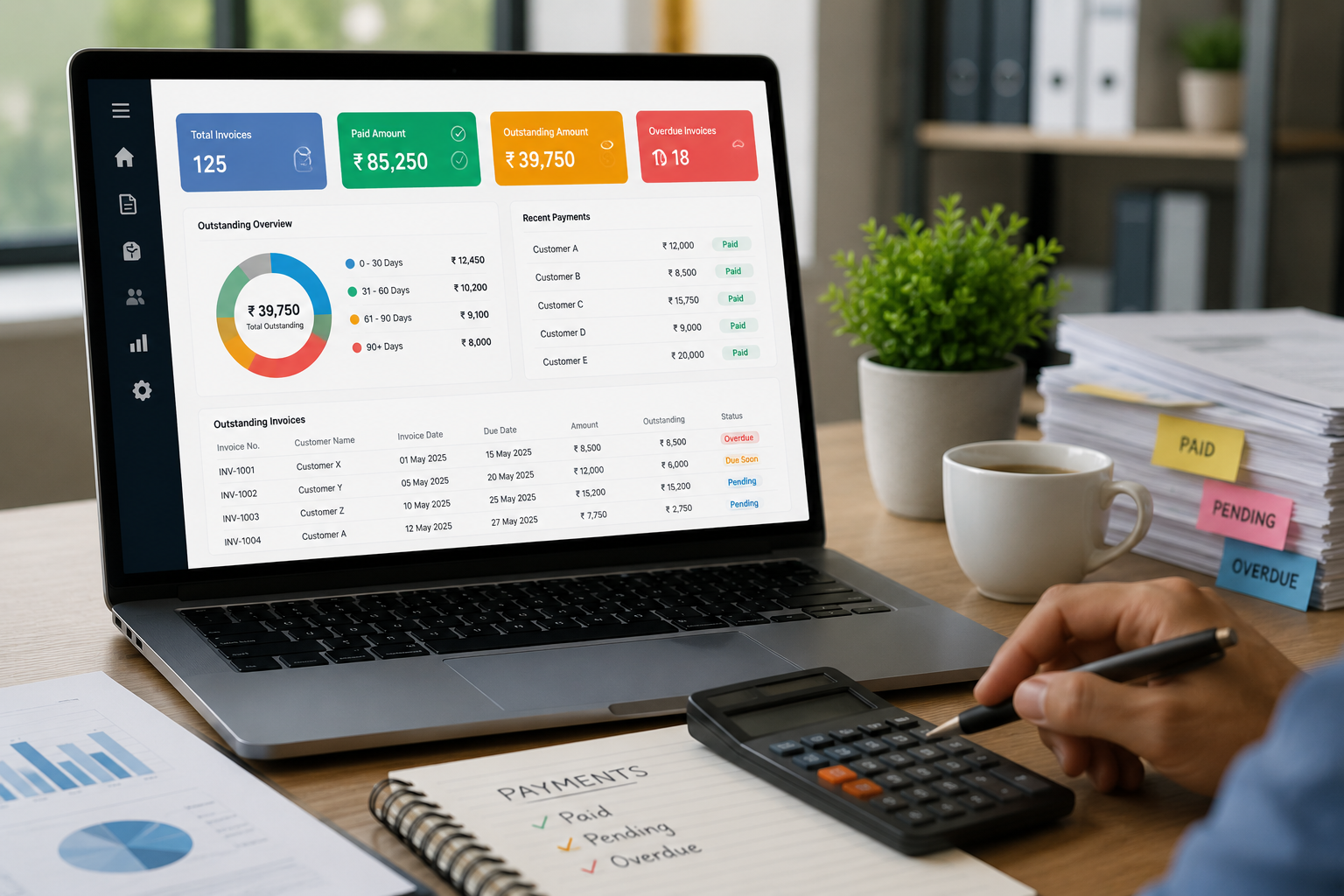
One of the most useful features of billing software is the ability to track payments.
Instead of manually checking multiple spreadsheets, businesses can maintain payment information within the billing system.
This can help business owners understand:
Total Invoice Amount → Amount Received → Outstanding Amount
Having this information organized makes it easier to identify pending dues and take appropriate follow-up action.
4. Reduce Manual Calculation
When customer payments are recorded manually, employees may need to calculate outstanding balances repeatedly.
For example, if a customer has multiple invoices and partial payments, calculating the remaining amount can become complicated.
A dedicated billing system can help organize invoice and payment records, reducing repetitive calculations and making financial records easier to review.
5. Monitor Customer Outstanding Dues
Outstanding dues should be reviewed regularly.
A business may have several customers with different payment dates and outstanding amounts. Without a structured system, some payments may be overlooked.
Payment tracking features can help businesses maintain better visibility over outstanding amounts and identify customers who require follow-up.
6. Make Payment Follow-Ups Easier
Following up with customers becomes easier when the business has accurate payment information.
Before contacting a customer, staff can review the relevant invoice and payment history to understand:
- Invoice amount
- Amount already paid
- Remaining balance
- Previous payment records
This allows businesses to make payment follow-ups based on accurate records rather than relying on memory or manual calculations.
7. Keep Payment History Organized
Maintaining a payment history can be useful when customers make multiple purchases over time.
Instead of searching through individual receipts or spreadsheets, businesses can maintain customer-related transaction information in an organized digital system.
This can also help when resolving questions about previous invoices or payments.
8. Use Reports to Review Payments
Reports and analytics can provide a broader view of business activity.
Businesses can use reports to review sales, customer activity, products, taxes, and other information.
The Logic Waves Tech Billing System includes reports and analytics as part of its listed features.
Regularly reviewing business reports can help owners understand their sales and payment position and identify areas that need attention.
9. Connect Billing and Payment Tracking
Billing and payment tracking work closely together.
When these activities are managed separately, employees may need to enter the same information multiple times.
An integrated billing system can bring together:
Customer → Invoice → Payment → Outstanding Balance → Reports
This creates a more organized workflow and reduces the need for maintaining separate records.
Manual Payment Tracking vs Billing Software
| Feature | Manual Tracking | Billing Software |
|---|---|---|
| Customer Records | Notebooks or spreadsheets | Centralized digital records |
| Invoice Records | Maintained manually | Organized in billing system |
| Payment Tracking | Manual updates | Dedicated payment tracking |
| Outstanding Dues | Requires calculations | Easier to monitor |
| Payment History | Can be difficult to search | Organized digitally |
| Reports | Often prepared manually | Reports and analytics |
| Data Management | Multiple records | Centralized system |
| Daily Work | More repetitive | More streamlined |
Tips for Managing Customer Payments Efficiently
Using billing software is helpful, but businesses should also follow good payment management practices.
Keep Invoices Updated
Record every invoice properly and update its payment status when a payment is received.
Review Outstanding Dues Regularly
Do not wait until the end of the month to review pending payments. Regular reviews can help identify overdue amounts earlier.
Maintain Accurate Customer Information
Make sure customer details are updated so payment-related communication can be handled efficiently.
Record Partial Payments
If a customer pays only part of an invoice, record the payment accurately and keep track of the remaining balance.
Keep Payment Records Organized
Avoid maintaining payment information across multiple disconnected files whenever possible.
Why Billing Software Can Help
A dedicated billing system can bring several related activities into one platform.
The Logic Waves Tech Billing System includes:
- Invoice Management
- Customer Management
- Inventory Management
- Payment Tracking
- Reports & Analytics
- Tax & Discount Management
- Data Backup & Security
This combination allows businesses to manage customer transactions and payment-related activities in a more organized way.
Who Can Benefit From Payment Tracking Software?
Efficient payment tracking can be particularly useful for businesses that regularly deal with customer credit or delayed payments, including:
- Retail shops
- Wholesalers
- Distributors
- Manufacturers
- Service providers
- Pharmacies and clinics
- Restaurants and cafés
- Other small and growing businesses
The Logic Waves Tech Billing System is designed for several of these business categories, including retail shops, wholesalers and distributors, manufacturers, service providers, restaurants and cafés, and pharmacies and clinics.
Conclusion
Tracking customer payments and outstanding dues becomes increasingly important as a business grows. Manual records may work for a small number of transactions, but managing multiple customers, invoices, and payments can quickly become difficult.
Billing software can help businesses organize customer records, manage invoices, track payments, monitor outstanding dues, maintain payment history, and review business reports.
By bringing billing and payment tracking together in one system, businesses can reduce repetitive manual work and gain better visibility into their customer payments.
For businesses looking to improve their billing process, choosing a billing system with customer management, payment tracking, reporting, and data security can be a practical step toward more organized financial management.