Table of Contents
- Managing Jobs, Projects, and Digital Content: A Smarter Approach for Businesses
- Understanding the Difference Between Jobs, Projects, and Content
- Why Businesses Struggle with Disconnected Systems
- Centralizing Business Activities
- Managing Jobs More Efficiently
- Organizing Projects
- Connecting Jobs with Projects
- Managing Digital Content
- Creating a Content Workflow
- Avoiding Duplicate Content
- Managing Approvals
- Assigning Responsibilities Clearly
- Tracking Deadlines
- Using Dashboards for Management
- Improving Collaboration
- Reducing Administrative Work
- Using Automation for Routine Tasks
- Managing Documents in Context
- Improving Business Visibility
- Measuring Performance
- Supporting Remote and Distributed Teams
- Security and Access Control
- Integrating Existing Business Systems
- Building a Smarter Workflow
- How Businesses Can Get Started
- Step 1: Identify Current Processes
- Step 2: Identify Problems
- Step 3: Prioritize Workflows
- Step 4: Standardize Processes
- Step 5: Centralize Information
- Step 6: Automate Repetitive Activities
- Step 7: Monitor Results
- The Long-Term Benefits
- Conclusion
Managing Jobs, Projects, and Digital Content: A Smarter Approach for Businesses
Modern businesses manage more than just customers and sales. Every day, teams handle projects, job assignments, documents, website content, internal requests, marketing materials, and operational tasks.
As the number of activities increases, managing everything through separate spreadsheets, emails, folders, and applications can become difficult. Information may be scattered across different systems, tasks can be overlooked, and managers may struggle to understand the overall status of work.
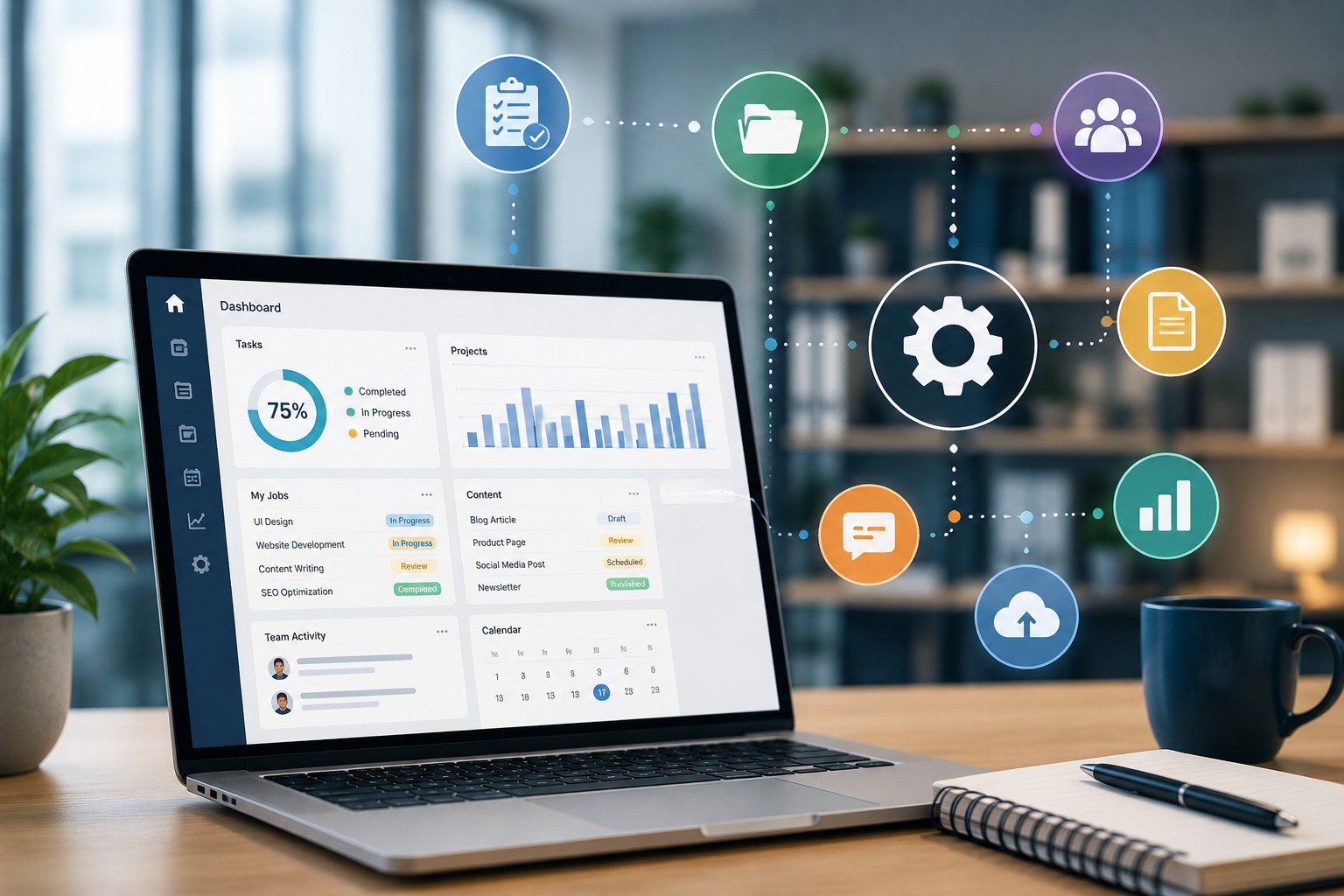
A smarter digital approach brings jobs, projects, and content management into a more organized environment. By centralizing information and introducing structured workflows, businesses can improve visibility, reduce administrative effort, and make everyday operations easier to manage.
Understanding the Difference Between Jobs, Projects, and Content
Although jobs, projects, and digital content are different types of business activities, they often depend on each other.
A job is usually a specific task or service that needs to be completed.
A project generally involves multiple related tasks, people, deadlines, and deliverables.
Digital content includes information such as website pages, blog articles, images, documents, announcements, product information, and marketing materials.
For example, a company launching a new service may need to:
Create Project → Assign Jobs → Prepare Content → Review → Approve → Publish → Monitor
Managing these activities separately can make coordination difficult.
Why Businesses Struggle with Disconnected Systems
Many businesses start with simple tools such as spreadsheets, email, messaging applications, and shared folders.
These tools can work well for small operations, but problems often appear as the organization grows.
Employees may have to search through:
- Emails
- Excel files
- Google Drive folders
- Project management tools
- CRM systems
- Content management systems
- Internal databases
- Messaging applications
This can create unnecessary complexity.
Common problems include:
- Duplicate information
- Missed deadlines
- Unclear responsibilities
- Repeated data entry
- Difficulty tracking progress
- Outdated documents
- Poor communication
- Time-consuming reporting
A centralized approach can help reduce these challenges.
Centralizing Business Activities
One of the most effective ways to improve operational management is to create a centralized digital environment.
Instead of maintaining separate records for every job, project, and content activity, businesses can organize them through one platform.
A centralized system may include:
- Job management
- Project management
- Task assignment
- Content management
- Document storage
- Employee management
- Approval workflows
- Notifications
- Reporting
- Dashboards
This gives teams a common place to manage their daily activities.
Managing Jobs More Efficiently
Jobs are often the building blocks of business operations.
A job may involve a customer request, service activity, maintenance task, design requirement, website update, or internal assignment.
A digital job management system can track:
- Job title
- Customer
- Assigned employee
- Priority
- Start date
- Deadline
- Status
- Related documents
- Notes
- Completion date
For example, a service job could move through:
New → Assigned → In Progress → Review → Completed
This makes it easier for employees and managers to understand what needs to happen next.
Organizing Projects
Projects usually contain multiple jobs and tasks.
A project management system can provide a broader view of these activities.
For example, a website development project might include:
- Requirement collection
- UI design
- Content preparation
- Development
- Testing
- SEO
- Client review
- Launch
Each activity can be assigned to the appropriate team member and connected to the overall project.
Managers can then monitor the project without reviewing individual messages or spreadsheets.
Connecting Jobs with Projects
A major advantage of structured digital management is the ability to connect individual jobs to larger projects.
For example:
Project: New Website Launch
Jobs:
- Design homepage
- Prepare service pages
- Develop contact form
- Add SEO metadata
- Upload images
- Test website
- Publish website
This relationship gives managers a clearer understanding of how individual tasks contribute to the overall project.
If one important job is delayed, management can immediately understand how it may affect the project deadline.
Managing Digital Content
Content has become an important part of modern business operations.
Businesses continuously create and update:
- Website pages
- Blog articles
- Product descriptions
- Social media content
- Images
- Videos
- PDFs
- Announcements
- Marketing materials
- Internal documents
Without a structured content management process, files and information can quickly become difficult to organize.
A centralized system can help businesses manage content from creation to publication.
Creating a Content Workflow
A simple content workflow could be:
Draft → Review → Approval → Scheduled → Published
Each stage can have a specific responsible person.
For example, a writer may prepare an article, an editor may review it, a manager may approve it, and the marketing team may publish it.
This reduces confusion and provides visibility into the current status of every piece of content.
Avoiding Duplicate Content
When information is stored across multiple systems, businesses may accidentally create duplicate versions of the same document or content.
For example:
- Website content may exist in Word documents.
- Product information may exist in spreadsheets.
- Images may exist in multiple folders.
- Marketing copy may be stored in emails.
A centralized content management system can provide a single source of truth.
This makes it easier to identify the latest approved version.
Managing Approvals
Approvals are an important part of many business workflows.
Projects and content may require approval from managers, clients, finance teams, legal teams, or department heads.
A digital approval workflow can clearly show:
Pending Approval → Approved → Rejected → Revision Required
This eliminates the need to rely entirely on email conversations to determine whether something has been approved.
Assigning Responsibilities Clearly
One of the most common problems in business operations is uncertainty about who is responsible for a task.
A centralized platform can assign every job or task to a specific employee or team.
Each assignment can include:
- Task description
- Responsible person
- Priority
- Deadline
- Supporting files
- Status
- Instructions
This creates accountability and makes it easier for managers to follow up.
Tracking Deadlines
Deadlines are important for both projects and content.
A centralized system can provide reminders for:
- Upcoming deadlines
- Overdue jobs
- Pending approvals
- Scheduled content
- Project milestones
- Renewal dates
Automated reminders can reduce the need for employees to manually track every deadline.
Using Dashboards for Management
A dashboard provides management with a summary of current activities.
For example:
Active Projects: 24
Open Jobs: 86
Pending Approvals: 13
Overdue Tasks: 7
Content Awaiting Review: 18
Completed This Month: 142
These metrics can help managers understand the current workload and identify areas requiring attention.
Improving Collaboration
Projects often involve multiple departments.
For example, launching a new product may require:
Sales + Marketing + Design + Development + Finance + Operations
A centralized system allows each department to manage its responsibilities while remaining connected to the overall project.
Employees can see relevant tasks, deadlines, documents, and updates without relying entirely on separate communication channels.
Reducing Administrative Work
Managing jobs and projects manually can involve considerable administrative effort.
Employees may spend time:
- Creating spreadsheets
- Sending status emails
- Updating task lists
- Preparing reports
- Searching for files
- Following up on approvals
- Checking deadlines
- Updating multiple systems
Automation can reduce many of these repetitive activities.
For example, when a job is completed, the system could automatically update the project status and notify the relevant manager.
Using Automation for Routine Tasks
Businesses can automate predictable workflow activities such as:
- Task assignments
- Email notifications
- Approval requests
- Status updates
- Deadline reminders
- Report generation
- Content publishing
- Data synchronization
Automation allows employees to focus more on work that requires judgment and creativity.
Managing Documents in Context
Documents become more useful when they are connected to the relevant job or project.
Instead of storing files in a general folder, businesses can organize them around specific activities.
For example:
Project → Client → Job → Documents
This structure makes it easier to find the right information when needed.
It also reduces the time employees spend searching through unrelated files.
Improving Business Visibility
A centralized system gives management a broader view of business operations.
Instead of asking individual employees for updates, managers can review the system to understand:
- What is currently active
- What has been completed
- What is delayed
- Who is responsible
- Which projects need attention
- Which content is awaiting approval
This improves operational visibility and supports faster decision-making.
Measuring Performance
Digital systems can also generate useful performance data.
Businesses can measure:
- Average job completion time
- Project completion rates
- Number of overdue tasks
- Employee workload
- Content production volume
- Approval time
- Project costs
- Department performance
These metrics can help management identify bottlenecks and improve business processes.
Supporting Remote and Distributed Teams
Modern businesses may have employees working from different locations.
A centralized digital platform can give team members access to the information they need without requiring them to be physically present in the same office.
Employees can:
- View assignments
- Update task status
- Upload documents
- Review content
- Complete approvals
- Communicate updates
This can make distributed teamwork more manageable.
Security and Access Control
Jobs, projects, and digital content may contain confidential information.
A business platform should therefore include appropriate access controls.
For example:
Administrator: Full system access
Manager: Project and department access
Employee: Assigned jobs and tasks
Content Team: Content creation and editing access
Client: Limited access to approved project information
Role-based permissions help ensure that users only see the information relevant to their responsibilities.
Integrating Existing Business Systems
Businesses may already have specialized systems in place.
A centralized platform can potentially integrate with:
- CRM software
- ERP systems
- Accounting platforms
- Email services
- Payment gateways
- Content management systems
- HR platforms
- Analytics tools
- Internal databases
APIs and other integrations can help information move between systems without requiring employees to enter the same data repeatedly.
Building a Smarter Workflow
A smarter workflow is not simply about adding more software.
The process itself should be designed carefully.
Businesses should ask:
- What is the objective of the workflow?
- Who is responsible for each step?
- What information is required?
- Which steps need approval?
- Which tasks can be automated?
- What should happen when a deadline is missed?
- Which metrics should management monitor?
Answering these questions helps create workflows that support actual business needs.
How Businesses Can Get Started
Organizations do not need to digitize every process at once.
A practical approach is to start with the workflows that create the most administrative work.
Step 1: Identify Current Processes
List the major jobs, projects, and content workflows used by the organization.
Step 2: Identify Problems
Find areas where employees frequently experience delays, duplication, or communication issues.
Step 3: Prioritize Workflows
Choose high-volume or high-impact processes first.
Step 4: Standardize Processes
Define the steps, responsibilities, deadlines, and approval requirements.
Step 5: Centralize Information
Bring relevant records, documents, and tasks into an organized platform.
Step 6: Automate Repetitive Activities
Introduce automation where it can save time without reducing necessary human oversight.
Step 7: Monitor Results
Use dashboards and reports to measure improvements and identify new opportunities.
The Long-Term Benefits
A structured digital approach to managing jobs, projects, and content can provide significant benefits as a business grows.
These include:
- Better organization
- Improved collaboration
- Faster task completion
- Reduced administrative work
- Better deadline management
- Easier reporting
- Improved accountability
- Better document management
- Greater workflow visibility
- More consistent processes
- Easier scalability
The benefits become particularly valuable when businesses manage large numbers of employees, projects, customers, and digital assets.
Conclusion
Managing jobs, projects, and digital content through disconnected tools can make business operations unnecessarily complicated.
A smarter approach is to organize these activities within a centralized digital environment where tasks, projects, documents, content, approvals, and reporting can work together.
The goal is not simply to use more technology. The goal is to create clearer processes, better visibility, and less repetitive administrative work.