Table of Contents
- Top Cybersecurity Practices Every Business Website Should Follow
- Why Website Cybersecurity Matters
- 1. Use HTTPS and an SSL/TLS Certificate
- 2. Keep Website Software Updated
- 3. Use Strong Passwords
- 4. Enable Multi-Factor Authentication
- 5. Limit Administrative Access
- 6. Remove Unused Accounts
- 7. Protect Forms From Automated Abuse
- 8. Validate and Sanitize User Input
- 9. Protect Against SQL Injection
- 10. Protect Against Cross-Site Scripting
- 11. Secure File Uploads
- 12. Use a Web Application Firewall
- 13. Back Up Your Website Regularly
- 14. Monitor Website Activity
- 15. Protect API Endpoints
- 16. Secure Cookies and Sessions
- 17. Protect Sensitive Data
- 18. Secure Third-Party Integrations
- 19. Scan for Vulnerabilities
- 20. Train Employees About Cybersecurity
- 21. Create an Incident Response Plan
- 22. Follow Secure Development Practices
- 23. Avoid Exposing Sensitive Error Messages
- 24. Use Secure Hosting and Server Configuration
- 25. Review Security Regularly
- Common Website Security Mistakes
- A Practical Website Security Checklist
- Conclusion
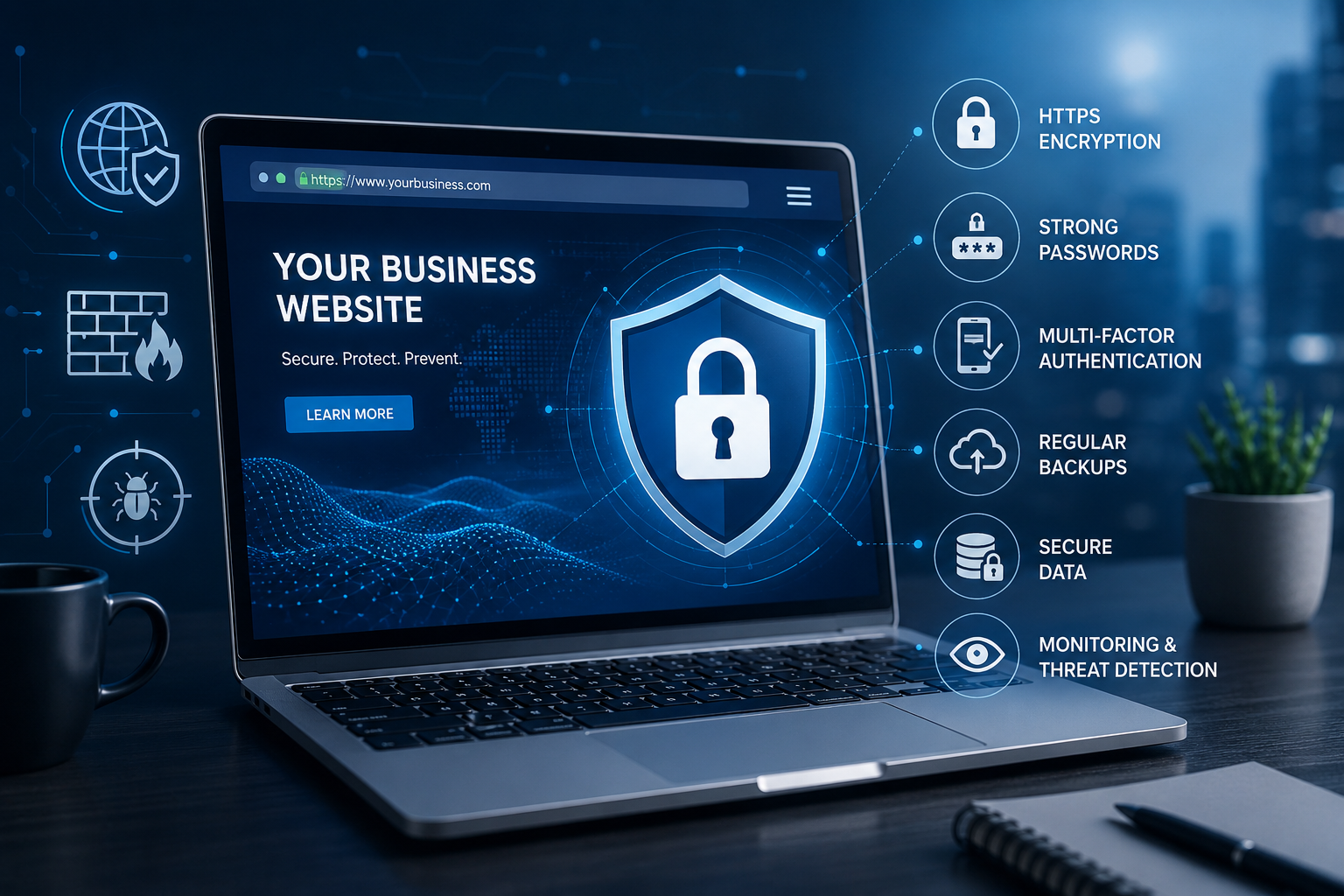
Top Cybersecurity Practices Every Business Website Should Follow
A business website is more than an online presence. It can serve as a storefront, communication channel, customer service platform, payment system, and gateway to important business information. As businesses increasingly depend on websites and web applications, protecting them from cyber threats has become essential.
Cyberattacks can lead to data breaches, financial losses, website downtime, reputational damage, and loss of customer trust. Threats such as phishing, malware, brute-force attacks, stolen credentials, vulnerable software, and web application attacks can affect businesses of all sizes.
The good news is that businesses can significantly improve website security by following practical cybersecurity practices. Strong security requires a combination of secure development, regular maintenance, access controls, monitoring, employee awareness, and appropriate technical safeguards.
This guide explains the top cybersecurity practices every business website should follow.
Why Website Cybersecurity Matters
Business websites often collect or process valuable information, including:
-
Customer names and contact information
-
Account credentials
-
Business data
-
Payment information
-
Contact form submissions
-
Order information
-
Employee information
-
Analytics data
If this information is exposed or misused, the consequences can be serious.
A secure website can help businesses:
-
Protect customer information
-
Reduce the risk of cyberattacks
-
Maintain website availability
-
Protect business reputation
-
Improve customer confidence
-
Meet applicable security and privacy requirements
-
Prevent unauthorized access
-
Reduce potential financial losses
Website security should therefore be treated as an ongoing business priority rather than a one-time technical task.
1. Use HTTPS and an SSL/TLS Certificate
One of the basic security requirements for a modern website is HTTPS.
HTTPS encrypts communication between a user's browser and the website, helping protect information transmitted between them.
Businesses should ensure that:
-
HTTPS is enabled across the website
-
The SSL/TLS certificate is valid
-
HTTP requests are redirected to HTTPS
-
Certificates are renewed before expiration
-
Sensitive information is never unnecessarily transmitted over insecure connections
HTTPS is especially important for websites that handle logins, forms, payments, or other sensitive information.
2. Keep Website Software Updated
Outdated software can contain security vulnerabilities that attackers may exploit.
Business websites commonly depend on:
-
Content management systems
-
Plugins
-
Themes
-
Frameworks
-
Libraries
-
Server software
-
Databases
-
Third-party services
Businesses should regularly check for security updates and apply them according to a controlled maintenance process.
If a software component is no longer supported, consider replacing or upgrading it.
Keeping software updated is one of the simplest ways to reduce exposure to known vulnerabilities.
3. Use Strong Passwords
Weak passwords can make it easier for attackers to gain unauthorized access to administrative accounts.
Business websites should use strong and unique passwords for:
-
Website administrators
-
Hosting accounts
-
Database accounts
-
CMS accounts
-
Developer accounts
-
Email accounts
-
Third-party services
Avoid easily guessed passwords such as company names, birthdays, common words, or simple number combinations.
Where possible, organizations should use a reputable password manager to create and securely store strong credentials.
4. Enable Multi-Factor Authentication
Passwords alone may not provide sufficient protection for important accounts.
Multi-factor authentication, or MFA, adds another verification step when users sign in.
Depending on the implementation, MFA may use:
-
Authentication applications
-
Hardware security keys
-
One-time codes
-
Biometric verification
-
Other approved authentication methods
Businesses should prioritize MFA for administrator, developer, hosting, cloud, email, and other privileged accounts.
Even if a password is compromised, MFA can provide an additional layer of protection.
5. Limit Administrative Access
Not every employee needs access to every part of a website.
Businesses should follow the principle of least privilege, which means users should receive only the permissions necessary to perform their responsibilities.
For example:
-
Content editors may only need content management permissions.
-
Developers may need development access.
-
Administrators may need broader system permissions.
-
Temporary users should have limited and time-appropriate access.
Regularly review user accounts and remove unnecessary permissions.
6. Remove Unused Accounts
Old employee accounts, temporary accounts, and unused administrator accounts can become security risks.
When an employee leaves the organization, their access should be removed promptly.
Businesses should regularly review:
-
CMS accounts
-
Hosting accounts
-
Developer accounts
-
Cloud accounts
-
Database users
-
Third-party integrations
-
API credentials
Removing unnecessary accounts reduces the number of potential entry points.
7. Protect Forms From Automated Abuse
Business websites often include forms for:
-
Contact requests
-
Account registration
-
Login
-
Password recovery
-
Newsletter subscriptions
-
Product inquiries
-
Comments
Attackers and automated bots can abuse these forms for spam, credential attacks, or other malicious activity.
Appropriate protections may include:
-
Rate limiting
-
CAPTCHA or similar challenge mechanisms where appropriate
-
Input validation
-
Login attempt controls
-
Email verification
-
Abuse monitoring
The security approach should match the specific risk and user experience requirements of the website.
8. Validate and Sanitize User Input
Web applications frequently receive information from users.
Examples include:
-
Search queries
-
Contact forms
-
Login fields
-
Comments
-
Product reviews
-
File uploads
Applications should validate incoming data and handle it safely.
Proper input validation can help reduce risks associated with attacks such as injection and malicious data processing.
Developers should use established security practices and framework-supported protections rather than relying only on client-side validation.
9. Protect Against SQL Injection
SQL injection occurs when malicious input is improperly incorporated into database queries.
Developers should use secure database access techniques such as parameterized queries or prepared statements.
Avoid constructing database queries by directly concatenating untrusted user input.
Regular security testing can also help identify potential injection vulnerabilities.
10. Protect Against Cross-Site Scripting
Cross-site scripting, commonly known as XSS, can occur when untrusted content is improperly included in web pages.
Depending on the vulnerability, attackers may attempt to execute malicious scripts in a victim's browser.
Businesses should use appropriate techniques such as:
-
Output encoding
-
Input validation
-
Content Security Policy
-
Secure framework features
-
Proper handling of untrusted content
Developers should understand how their chosen frameworks handle user-generated content and HTML rendering.
11. Secure File Uploads
If a website allows users to upload files, additional security controls are required.
Businesses should consider:
-
Restricting allowed file types
-
Limiting file sizes
-
Renaming uploaded files
-
Storing files safely
-
Preventing executable files where unnecessary
-
Scanning files when appropriate
-
Controlling access to uploaded content
File upload functionality should never automatically trust files simply because they were submitted through the website.
12. Use a Web Application Firewall
A Web Application Firewall, or WAF, can help protect web applications by inspecting and filtering certain types of web traffic.
A WAF may help detect or block suspicious requests associated with common web attacks.
However, a WAF should not be considered a replacement for secure application development.
It should be used as one layer within a broader security strategy.
13. Back Up Your Website Regularly
Backups are essential for recovering from incidents such as:
-
Ransomware
-
Malware infections
-
Accidental deletion
-
Software failures
-
Database corruption
-
Server problems
-
Unauthorized changes
Businesses should maintain regular backups of important website data and configurations.
A good backup strategy should consider:
-
Backup frequency
-
Storage location
-
Backup security
-
Retention periods
-
Restoration procedures
-
Backup testing
A backup that has never been tested may not be reliable when it is actually needed.
14. Monitor Website Activity
Website monitoring can help businesses detect unusual activity.
Security monitoring may include:
-
Login attempts
-
Administrative changes
-
Failed authentication
-
Suspicious traffic
-
Unexpected file changes
-
Server errors
-
Unusual database activity
-
Changes to user permissions
Monitoring can help identify potential security incidents earlier.
15. Protect API Endpoints
Modern websites frequently communicate with mobile applications, third-party services, and backend systems through APIs.
APIs should be secured with appropriate controls such as:
-
Authentication
-
Authorization
-
Input validation
-
Rate limiting
-
Secure communication
-
Access controls
-
Logging and monitoring
Avoid exposing sensitive data through APIs unnecessarily.
Developers should also review API permissions regularly and remove unused endpoints.
16. Secure Cookies and Sessions
Websites that use user accounts should protect authentication sessions carefully.
Security measures may include appropriate cookie settings such as:
-
Secure
-
HttpOnly
-
SameSite
Session identifiers should be handled securely, and applications should invalidate sessions appropriately when users log out or when security events require it.
Proper session management can reduce the risk of session-related attacks.
17. Protect Sensitive Data
Businesses should identify what sensitive information their websites collect and determine whether it is necessary to collect and retain that information.
Security measures may include:
-
Encryption in transit
-
Encryption at rest where appropriate
-
Access controls
-
Secure storage
-
Data minimization
-
Appropriate retention policies
The less unnecessary sensitive information a business stores, the less information may be exposed if an incident occurs.
18. Secure Third-Party Integrations
Business websites often rely on third-party services such as:
-
Payment gateways
-
Analytics platforms
-
Marketing tools
-
Customer relationship management systems
-
Chat services
-
Social media integrations
-
Email services
-
Cloud platforms
Before integrating a third-party service, businesses should evaluate its security practices and understand what information is shared.
Third-party credentials and API keys should also be stored securely.
19. Scan for Vulnerabilities
Regular vulnerability assessments can help identify security weaknesses before attackers exploit them.
Businesses can use authorized security testing and vulnerability scanning to identify issues such as:
-
Outdated software
-
Misconfigurations
-
Weak security settings
-
Vulnerable components
-
Exposed services
Testing should be performed responsibly and within an authorized environment.
After identifying vulnerabilities, businesses should prioritize remediation based on severity and business impact.
20. Train Employees About Cybersecurity
Website security is not only a technical issue.
Employees can accidentally create security risks by:
-
Reusing passwords
-
Clicking suspicious links
-
Sharing credentials
-
Installing unauthorized software
-
Mishandling sensitive information
-
Ignoring security warnings
Regular security awareness training can help employees recognize common threats and follow safer practices.
Important training topics include:
-
Phishing
-
Password security
-
MFA
-
Social engineering
-
Data protection
-
Safe browsing
-
Incident reporting
21. Create an Incident Response Plan
Even well-protected websites can experience security incidents.
Businesses should have a clear plan for responding to potential incidents.
An incident response plan should define:
-
How incidents are detected
-
Who should be notified
-
How affected systems are isolated
-
How evidence is preserved
-
How systems are restored
-
How customers or stakeholders are informed when necessary
-
How the organization learns from the incident
Having a plan in advance can reduce confusion during a security event.
22. Follow Secure Development Practices
For businesses developing their own websites and web applications, security should be considered throughout the development lifecycle.
Developers should consider:
-
Secure coding
-
Code reviews
-
Dependency management
-
Security testing
-
Authentication
-
Authorization
-
Error handling
-
Logging
-
Secure configuration
Security should not be added only after the application is completed.
23. Avoid Exposing Sensitive Error Messages
Detailed technical error messages can sometimes reveal information about a website's internal architecture.
Production websites should avoid exposing unnecessary details such as:
-
Database errors
-
Server paths
-
Internal configuration
-
Authentication details
-
Stack traces
Instead, users should receive appropriate error messages while detailed technical information is securely logged for authorized administrators.
24. Use Secure Hosting and Server Configuration
Website security also depends on the underlying hosting environment.
Businesses should evaluate:
-
Server updates
-
Firewall configuration
-
Access controls
-
Monitoring
-
Backup systems
-
Secure remote access
-
Database security
-
Hosting provider security practices
Server configurations should follow the principle of minimizing unnecessary services and access.
25. Review Security Regularly
Cybersecurity is an ongoing process.
Businesses should regularly review their:
-
User accounts
-
Permissions
-
Software versions
-
Security settings
-
API credentials
-
Backups
-
Logs
-
Third-party integrations
-
Vulnerability reports
-
Incident response procedures
Regular reviews help organizations adapt to new threats and changes in their technology environment.
Common Website Security Mistakes
Businesses should avoid common security mistakes such as:
-
Using weak administrator passwords
-
Ignoring software updates
-
Allowing unnecessary administrator access
-
Failing to enable MFA
-
Not maintaining backups
-
Installing unnecessary plugins
-
Ignoring security alerts
-
Storing sensitive data unnecessarily
-
Using insecure third-party integrations
-
Failing to monitor website activity
-
Testing security only after an incident
Even small security improvements can make a meaningful difference when applied consistently.
A Practical Website Security Checklist
Businesses can use the following checklist as a starting point:
-
Use HTTPS across the website
-
Keep software and dependencies updated
-
Use strong, unique passwords
-
Enable MFA for privileged accounts
-
Limit administrative access
-
Remove unused accounts
-
Validate user input
-
Protect forms and login pages
-
Secure file uploads
-
Protect APIs
-
Use appropriate WAF protections
-
Maintain regular backups
-
Monitor website activity
-
Protect sensitive data
-
Secure third-party integrations
-
Conduct authorized security testing
-
Train employees
-
Maintain an incident response plan
-
Review security regularly
Conclusion
Cybersecurity is essential for every business website, regardless of the company's size or industry. A website can contain valuable customer information, business data, authentication credentials, and connections to other systems, making it an attractive target for attackers.
Businesses can reduce security risks by implementing fundamental practices such as HTTPS, strong authentication, software updates, access controls, secure coding, backups, monitoring, vulnerability testing, and employee security awareness.
The most effective approach is to treat cybersecurity as an ongoing process. Threats evolve, software changes, and businesses add new technologies and integrations. Regular security reviews and continuous improvement are therefore essential.
By building security into website development, maintenance, and everyday business operations, organizations can better protect their websites, customers, data, and reputation while creating a more trustworthy digital experience.