Table of Contents
- Why Manual Stock Registers Stop Working as Your Business Grows
- 1. More Products Mean More Records to Maintain
- 2. Manual Entries Increase the Risk of Errors
- 3. Stock Updates Are Not Always Real-Time
- 4. Finding Stock Information Takes More Time
- 5. Identifying Low Stock Becomes Difficult
- 6. Stock Reconciliation Becomes More Complicated
- 7. Sales and Inventory Are Connected
- 8. Manual Registers Make Business Analysis Difficult
- 9. Managing Multiple Employees Becomes Harder
- 10. Multiple Branches Make Manual Tracking Even Harder
- 11. Physical Registers Can Be Damaged or Lost
- 12. Manual Stock Management Takes More Employee Time
- 13. Expiry and Dead Stock Can Be Harder to Track
- 14. When Should a Business Move Away From Manual Registers?
- 15. How Billing and Inventory Software Helps
- Conclusion
Why Manual Stock Registers Stop Working as Your Business Grows
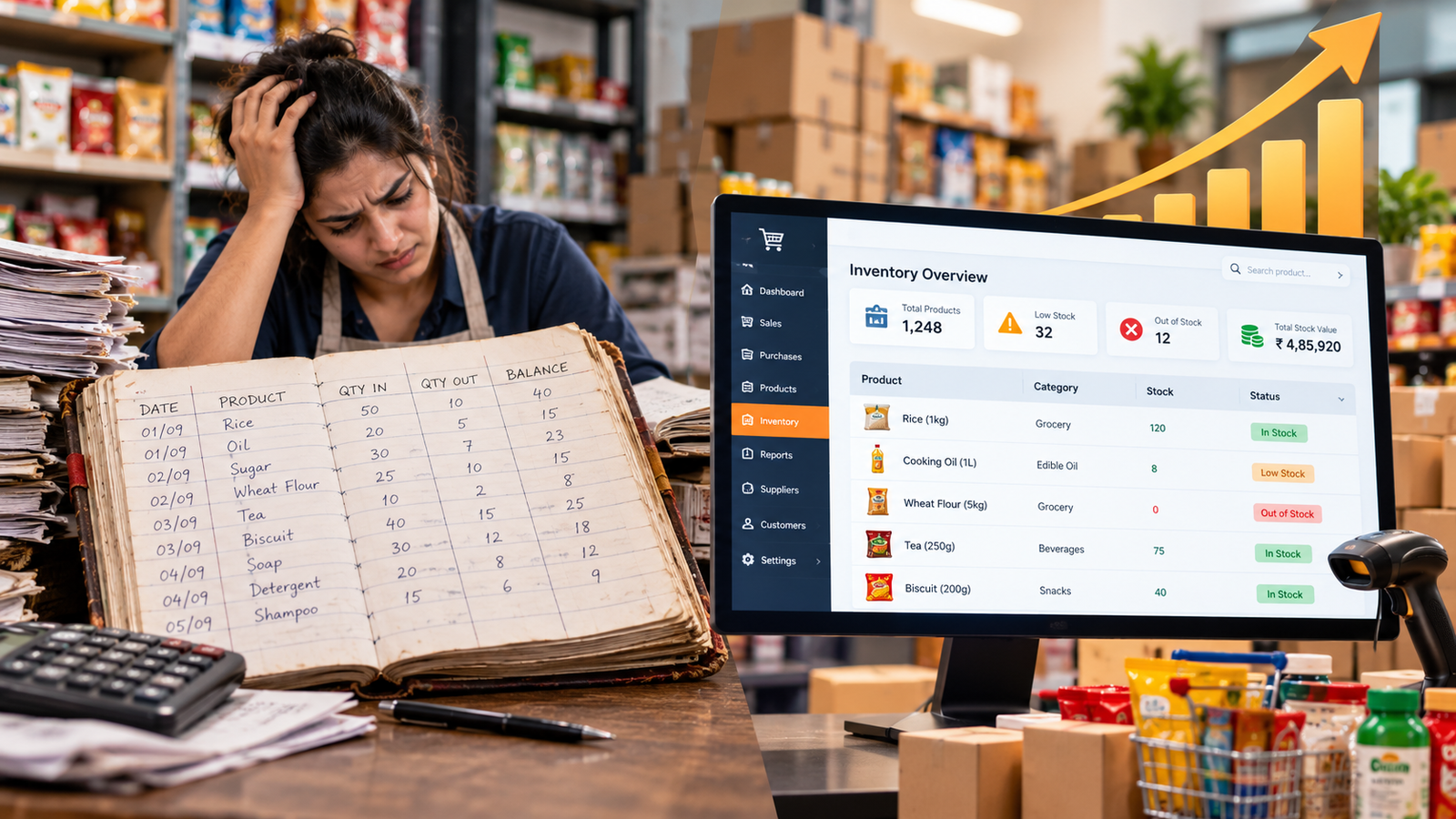
Managing inventory is one of the most important parts of running a retail or trading business. When a business is small, maintaining stock through a notebook, spreadsheet, or manual stock register may seem simple and affordable. With only a few products and limited daily transactions, manual records can often work reasonably well.
However, as the business grows, inventory becomes more difficult to track manually. More products, suppliers, sales, purchases, returns, branches, and employees mean more data to manage. At this stage, manual stock registers can become time-consuming and increasingly prone to errors.
A billing and inventory management system can help businesses move from manual stock tracking to a more organized and automated approach.
1. More Products Mean More Records to Maintain
A growing business usually adds new products, product variants, brands, sizes, and categories. Maintaining every stock movement manually becomes difficult.
For example, a small grocery store may initially manage 100 products. As the store grows, the product list could increase to thousands of items.
With a manual register, employees need to record purchases, sales, damaged goods, returns, and adjustments separately. The larger the inventory becomes, the harder it is to keep every entry accurate.
2. Manual Entries Increase the Risk of Errors
Human errors are one of the biggest challenges of manual inventory management.
Common mistakes include:
-
Entering the wrong quantity
-
Forgetting to record a sale
-
Recording the wrong product
-
Duplicate entries
-
Incorrect purchase quantities
-
Missing damaged or expired stock
-
Calculation mistakes
-
Incorrect opening or closing stock
Even a small mistake can create differences between physical inventory and recorded inventory.
3. Stock Updates Are Not Always Real-Time
When stock is maintained manually, the register may not be updated immediately after every transaction.
For example, if 20 units are sold but the stock register is updated at the end of the day, the recorded stock may not reflect the actual quantity available during business hours.
This makes it difficult for staff to know exactly how much stock is available at a particular moment.
4. Finding Stock Information Takes More Time
As inventory grows, finding information in a physical register becomes increasingly difficult.
Employees may need to search through multiple pages to find:
-
Previous stock quantities
-
Purchase history
-
Sales records
-
Supplier details
-
Product movement
-
Stock adjustments
-
Previous inventory balances
A digital inventory system can make this information available through product searches and reports instead of requiring employees to manually check multiple records.
5. Identifying Low Stock Becomes Difficult
Businesses need to know when products are running low so they can reorder them on time.
With a manual register, employees often have to check stock quantities regularly. If this is missed, popular products may run out before a new order arrives.
Inventory software can maintain minimum stock levels and help businesses identify products that require replenishment.
6. Stock Reconciliation Becomes More Complicated
Stock reconciliation means comparing the quantity recorded in the system with the quantity physically available.
For a small inventory, this may be manageable manually. But as the number of products and transactions increases, reconciliation becomes more difficult.
Differences can occur because of:
-
Sales not recorded correctly
-
Damaged products
-
Product returns
-
Expired products
-
Theft or loss
-
Incorrect purchase entries
-
Data-entry mistakes
Digital inventory records can make stock reconciliation more structured and easier to investigate.
7. Sales and Inventory Are Connected
Inventory does not operate separately from billing.
Every sale can affect stock, and every purchase can increase available inventory. When these records are maintained separately, employees may need to update multiple records manually.
A billing system with integrated inventory can automatically reduce stock when a product is sold and increase stock when new purchases are recorded.
This creates a more connected flow between sales and inventory.
8. Manual Registers Make Business Analysis Difficult
A stock register can tell you how much stock was recorded, but it may not easily answer important business questions such as:
-
Which products sell the fastest?
-
Which products have low sales?
-
Which products generate the highest revenue?
-
Which products are frequently returned?
-
Which products have been sitting in inventory for a long time?
-
Which products need to be reordered?
-
Which categories are performing better?
Digital reports can turn transaction data into useful business information that supports inventory and purchasing decisions.
9. Managing Multiple Employees Becomes Harder
As a business grows, more employees may become involved in purchasing, billing, inventory, and stock management.
With a manual register, it can be difficult to determine who made a particular entry or changed a stock quantity.
A digital system can provide user-based access and transaction records, helping businesses maintain better control over inventory activities.
10. Multiple Branches Make Manual Tracking Even Harder
A single-store business may manage inventory manually for some time. But when the business expands to multiple locations, maintaining separate registers can become complicated.
Management may need to know:
-
Stock available at each branch
-
Products transferred between branches
-
Branch-wise sales
-
Branch-wise purchases
-
Fast-moving products
-
Stock shortages
A centralized inventory system can provide a more consistent way to manage stock across different locations.
11. Physical Registers Can Be Damaged or Lost
Paper records are vulnerable to physical damage.
Registers can be affected by:
-
Water
-
Fire
-
Wear and tear
-
Misplacement
-
Accidental damage
-
Unauthorized changes
Digital records can provide a more structured way to store historical inventory information, especially when regular backups are maintained.
12. Manual Stock Management Takes More Employee Time
Inventory management involves repetitive activities such as counting, writing, calculating, checking, and updating.
As transaction volume increases, employees spend more time maintaining records instead of focusing on customers and other business activities.
Automating repetitive inventory tasks can reduce administrative workload and allow employees to spend more time on operational activities.
13. Expiry and Dead Stock Can Be Harder to Track
Businesses dealing with food, medicines, cosmetics, or other time-sensitive products need to monitor expiry dates carefully.
Manual registers may not provide an easy way to identify products that are:
-
Near expiry
-
Expired
-
Slow-moving
-
Overstocked
-
Frequently returned
A digital inventory system can provide better visibility into product movement and help businesses manage such stock more systematically.
14. When Should a Business Move Away From Manual Registers?
There is no single size at which every business must stop using manual stock registers. The right time depends on transaction volume, number of products, employees, locations, and inventory complexity.
However, businesses should consider moving to digital inventory management when they frequently experience:
-
Stock mismatches
-
Difficulty finding product information
-
Frequent manual calculation errors
-
Low-stock problems
-
Increasing transaction volumes
-
Multiple employees handling inventory
-
Multiple branches
-
Difficulty preparing stock reports
-
Excess or dead inventory
-
Time-consuming stock reconciliation
15. How Billing and Inventory Software Helps
Modern billing and inventory software can connect sales, purchases, and stock management in one system.
Depending on the software, businesses can manage:
-
Product information
-
Barcode billing
-
Sales
-
Purchases
-
Stock levels
-
Suppliers
-
Customers
-
Returns
-
Stock adjustments
-
Low-stock alerts
-
Inventory reports
-
Sales reports
-
Product performance
-
User access
When billing and inventory are connected, each transaction can contribute to a more accurate view of the business's current stock position.
Conclusion
Manual stock registers can be useful when a business is small and inventory activity is limited. But as the business grows, increasing products, transactions, employees, and locations can make manual stock management difficult to maintain.
The problem is not simply the use of paper or spreadsheets. The bigger challenge is keeping inventory information accurate, accessible, and up to date as business activity increases.
Moving to billing and inventory software can help businesses automate routine stock updates, reduce manual work, improve visibility, and generate useful reports for better inventory management.
For growing businesses, the goal is not just to record stock. It is to have reliable information that helps manage inventory efficiently and make better operational decisions.