Hiring Interns
Billing demo

Restaurant Billing System

A smart and easy-to-use billing solution for restaurants to manage food sales, menu items, inventory, orders, payments, and daily sales reports from one place.

10 screens Guided demo available Live preview
Inside the experience

See how Restaurant Billing System works.

Restaurant Billing System is a complete solution designed to simplify and streamline daily restaurant operations. It helps manage food items, menu pricing, customer orders, billing, payments, inventory, and sales records efficiently. With an easy-to-use interface and detailed reports, restaurant staff can process orders faster, keep track of stock, monitor sales, and manage overall operations from a single system.

01 Customer Menu

Customer Menu

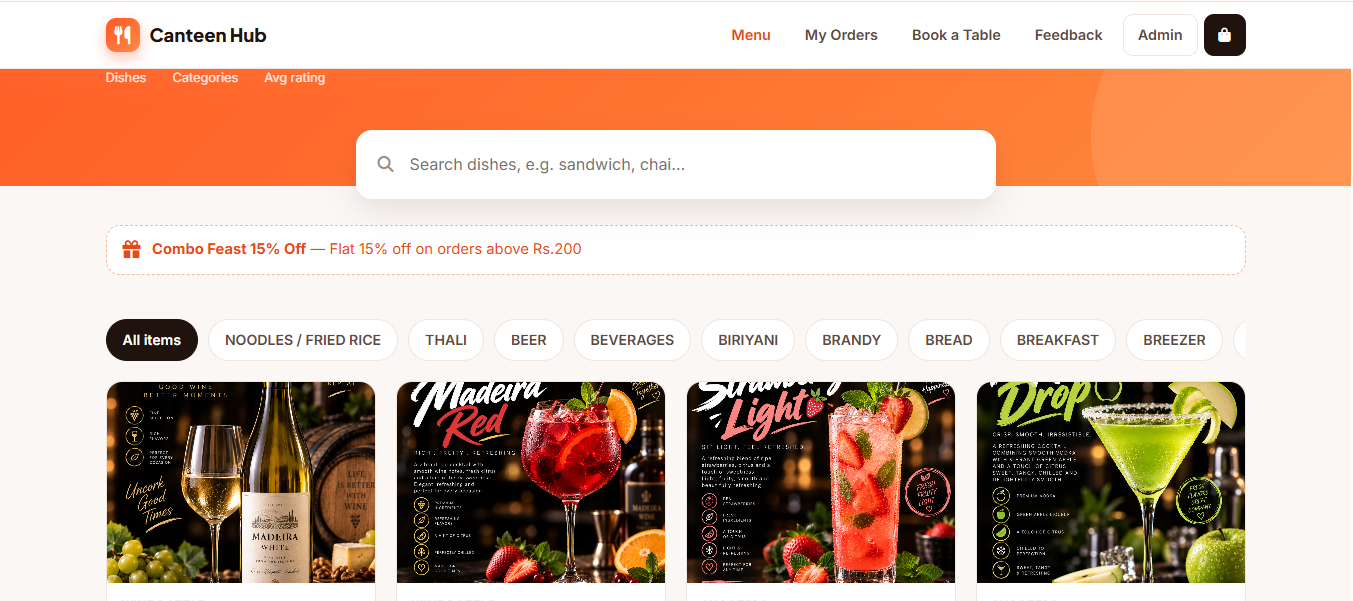
The Customer Menu provides a user-friendly interface for browsing and exploring the canteen's food and beverage offerings. Customers can search dishes, browse items by category, view food images, check ratings, and discover available offers and discounts. The menu is designed for quick navigation, making it easy for customers to find their preferred dishes and place orders or make table reservations.
02 Admin Dashboard

Admin Dashboard

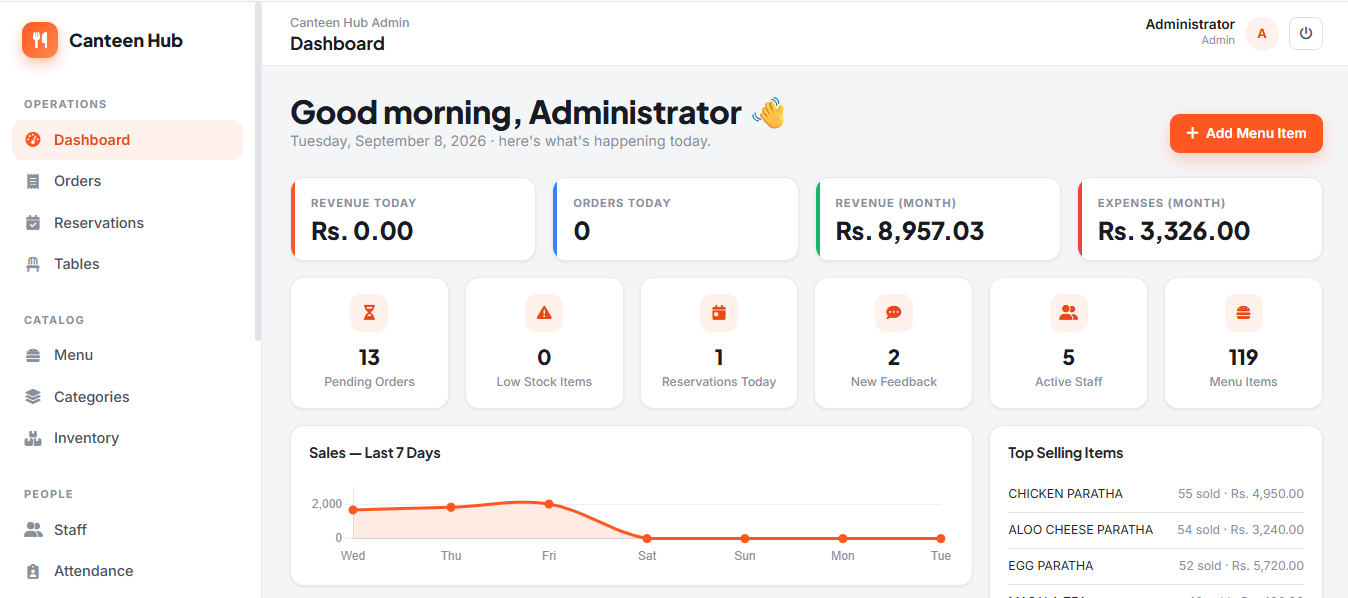
The Admin Dashboard provides a complete overview of canteen operations in one place. Administrators can monitor daily revenue, orders, monthly income and expenses, pending orders, low-stock items, reservations, customer feedback, active staff, and total menu items. The dashboard also includes sales analytics and top-selling item reports, helping management quickly understand business performance and make informed decisions.

03 Orders Management

Orders Management

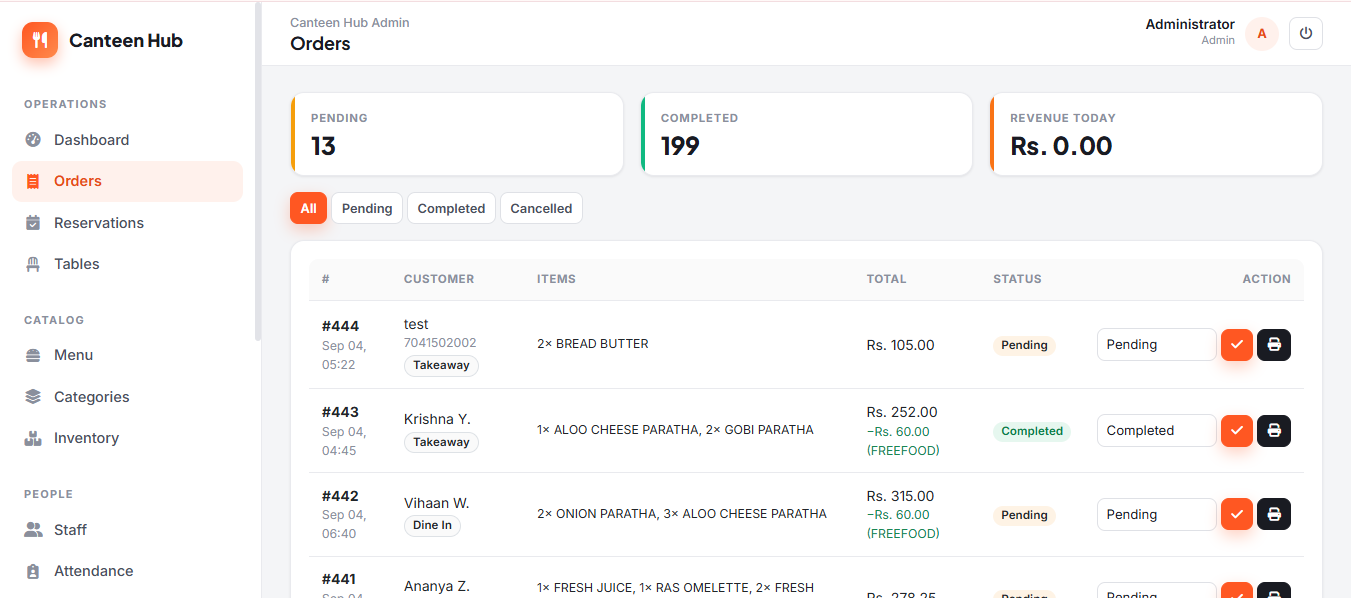
The Orders Management section allows administrators to efficiently manage and track all canteen orders from a single interface. It provides a quick overview of pending and completed orders, daily revenue, customer details, ordered items, order totals, and order status. Administrators can filter orders by status, update order progress, apply discounts or free-food adjustments, and print bills or receipts for completed transactions.

04 Reservations Management

Reservations Management

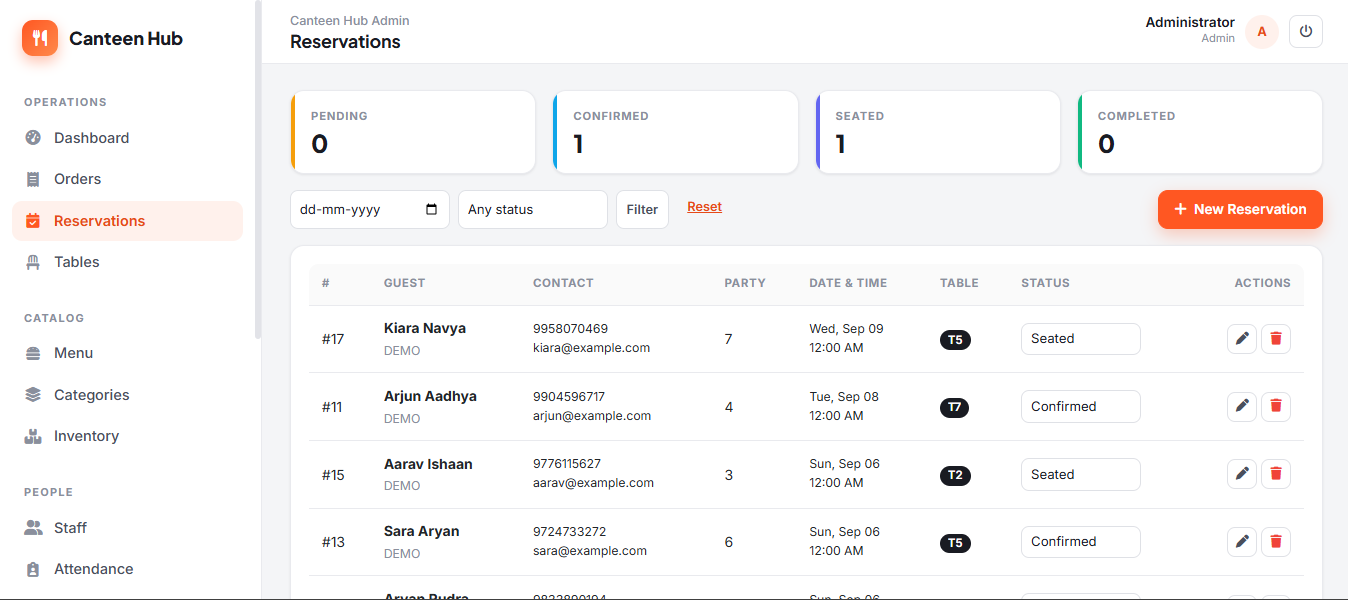
The Reservations Management section makes it easy to manage and track table reservations across the canteen. Administrators can view pending, confirmed, seated, and completed reservations, along with guest details, contact information, party size, reservation date and time, and assigned table. The system also provides date and status filters and allows staff to create, edit, update, or cancel reservations efficiently.

05 Menu Management

Menu Management

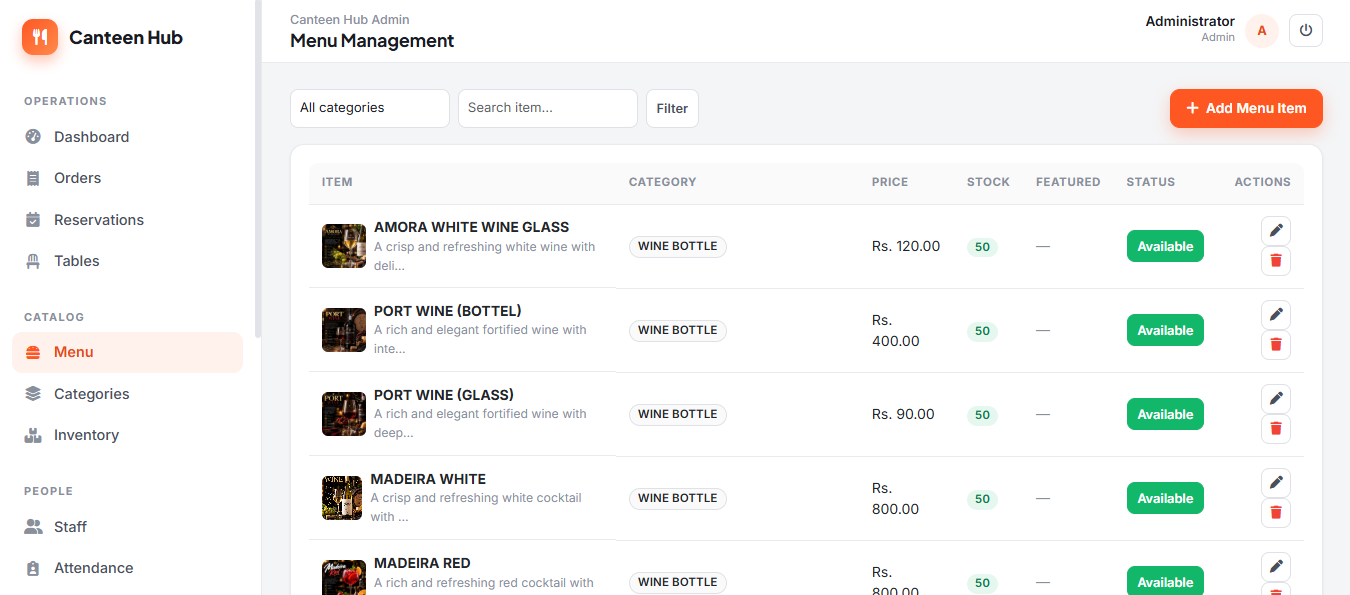
The Menu Management section allows administrators to manage the complete canteen menu from a single interface. Staff can add, edit, and remove food items, organize them by category, set prices, monitor available stock, and manage item availability. The search and category filters make it easy to quickly find menu items and keep the canteen's food catalog accurate and up to date.

06 Categories Management

Categories Management

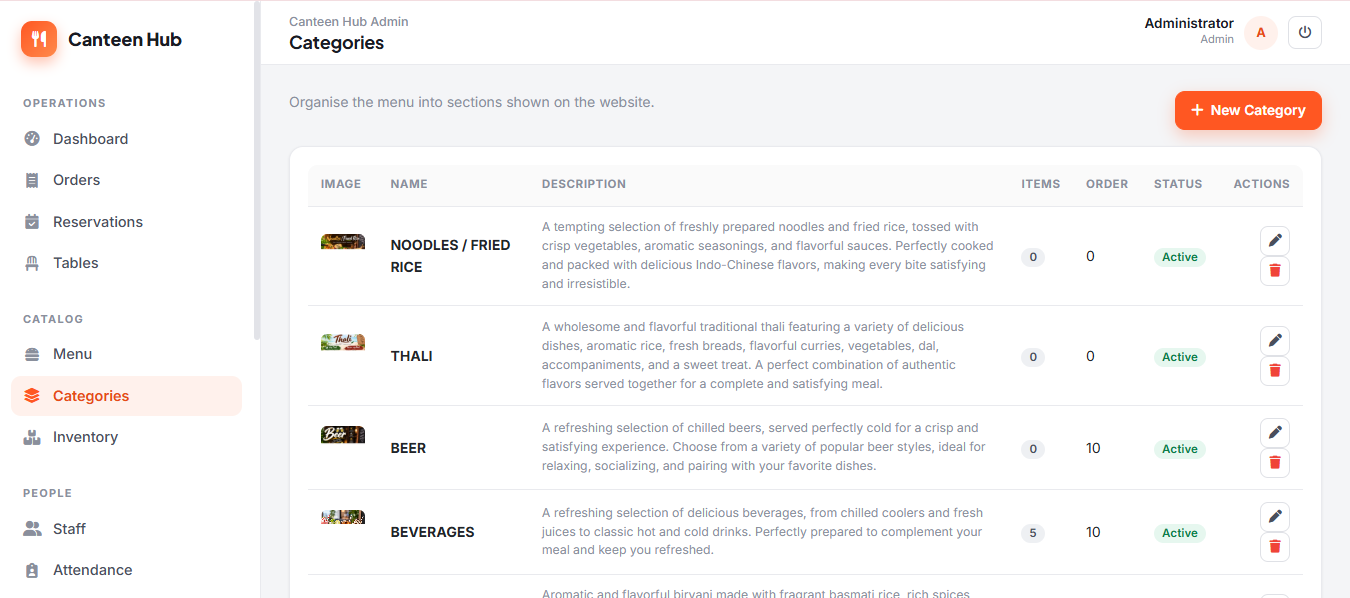
The Categories Management section helps administrators organize the canteen menu into clear and manageable sections. Users can create, edit, and delete categories, add descriptions and images, control their display order, and manage category status. This makes it easier to structure food items and present a well-organized menu for customers and staff.

07 Inventory Management

Inventory Management

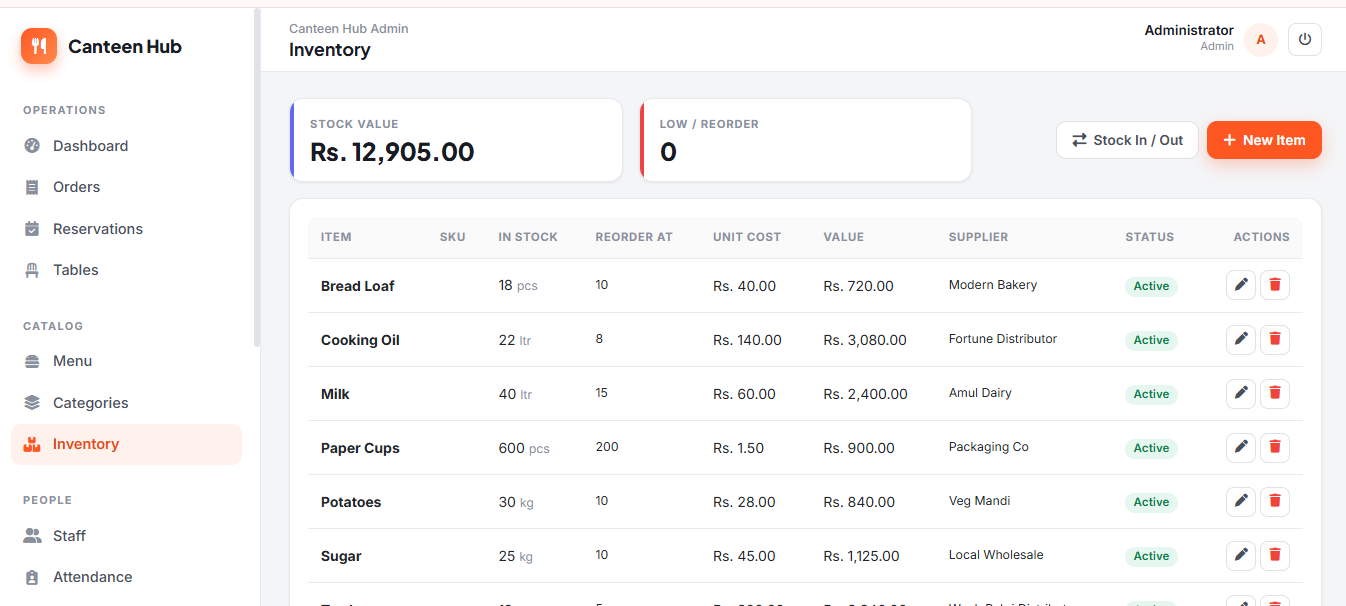
The Inventory Management section helps administrators maintain accurate control over canteen stock and supplies. It provides an overview of total stock value and low-stock items, while allowing staff to track item quantities, reorder levels, unit costs, stock value, suppliers, and item status. Administrators can also add new inventory items, update stock through Stock In/Out, edit existing records, and monitor supplies to ensure essential items are always available.

08 Offers Management

Offers Management

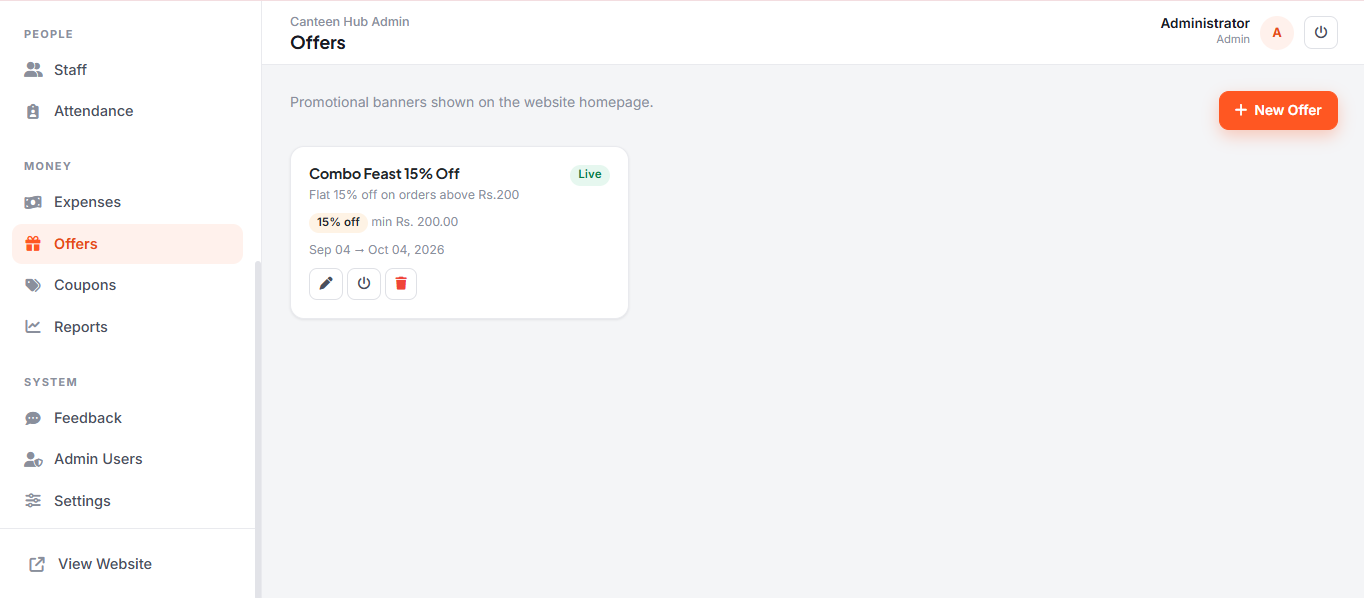
The Offers Management section allows administrators to create and manage promotional offers displayed on the canteen website. Admins can create new offers, set discount percentages, define minimum order values, configure offer validity dates, and activate or deactivate promotions. This helps attract customers with timely discounts while keeping promotional campaigns organized and easy to manage.

09 Coupons Management

Coupons Management

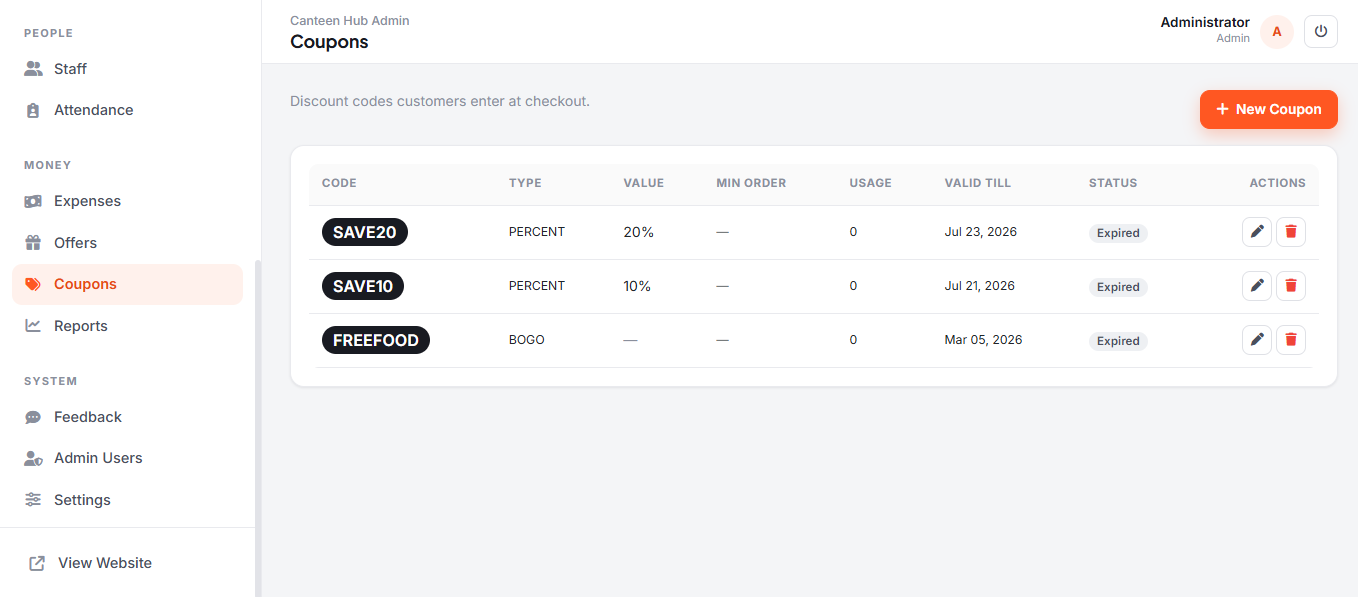
The Coupons Management section allows administrators to create and manage discount codes for customers at checkout. Admins can configure percentage discounts, BOGO offers, minimum order requirements, usage limits, and expiry dates, while easily tracking coupon status. The system also provides options to create, edit, and delete coupons, helping manage promotional discounts effectively.

10 Reports & Analytics

Reports & Analytics

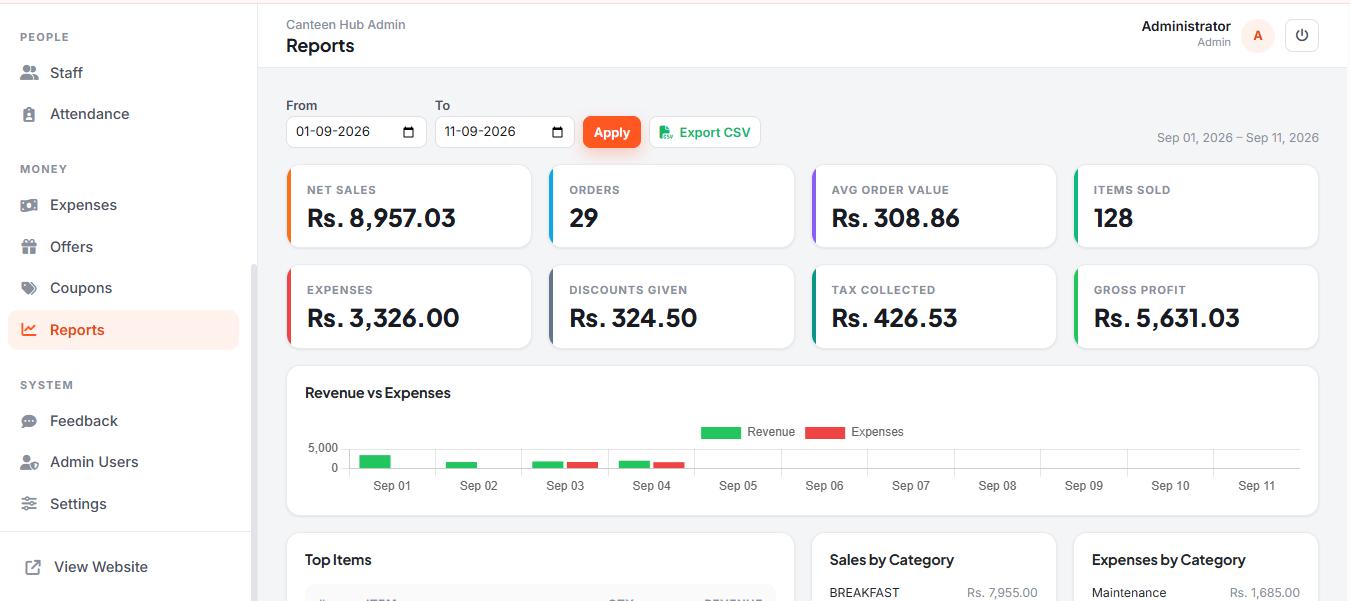
The Reports & Analytics section provides a detailed overview of the canteen's financial and sales performance for a selected date range. Administrators can monitor net sales, total orders, average order value, items sold, expenses, discounts, tax collected, and gross profit. Visual reports such as Revenue vs Expenses, Top-Selling Items, Sales by Category, and Expenses by Category make it easier to analyze business performance and identify important trends. Reports can also be filtered by date and exported as CSV for further analysis or record keeping.

See it live. Book it when ready.

Explore Restaurant Billing System yourself or get a guided walkthrough tailored to your needs.