Table of Contents
- Cloud Migration for Small Businesses: Benefits, Challenges, and Best Practices
- What Is Cloud Migration?
- Why Cloud Migration Matters for Small Businesses
- Benefits of Cloud Migration for Small Businesses
- 1. Lower Infrastructure Requirements
- 2. Easy Access to Business Applications
- 3. Scalability
- 4. Improved Business Continuity
- 5. Better Collaboration
- 6. Access to Modern Technology
- 7. Faster Deployment
- Challenges of Cloud Migration
- 1. Migration Costs
- 2. Unexpected Cloud Expenses
- 3. Security Risks
- 4. Data Migration Problems
- 5. Application Compatibility
- 6. Employee Training
- Cloud Migration Strategies
- 1. Rehosting
- Advantage:
- Limitation:
- 2. Replatforming
- Advantage:
- Limitation:
- 3. Refactoring
- Advantage:
- Limitation:
- 4. Retaining
- 5. Retiring
- Best Practices for Cloud Migration
- 1. Start With a Technology Assessment
- 2. Define Clear Objectives
- 3. Classify Your Data
- 4. Choose the Right Cloud Model
- Infrastructure as a Service (IaaS)
- Platform as a Service (PaaS)
- Software as a Service (SaaS)
- 5. Prioritize Security
- 6. Create a Backup Before Migration
- 7. Migrate in Phases
- 8. Test Before Going Live
- 9. Monitor Cloud Costs
- 10. Prepare a Rollback Plan
- Cloud Migration Roadmap for a Small Business
- Phase 1: Assessment
- Phase 2: Planning
- Phase 3: Pilot
- Phase 4: Migration
- Phase 5: Testing
- Phase 6: Optimization
- Phase 7: Monitoring
- Common Cloud Migration Mistakes
- Moving Everything at Once
- Ignoring Dependencies
- Focusing Only on Technology
- Forgetting About Costs
- Neglecting Security
- Failing to Test Backups
- How Small Businesses Can Get Started
- Conclusion
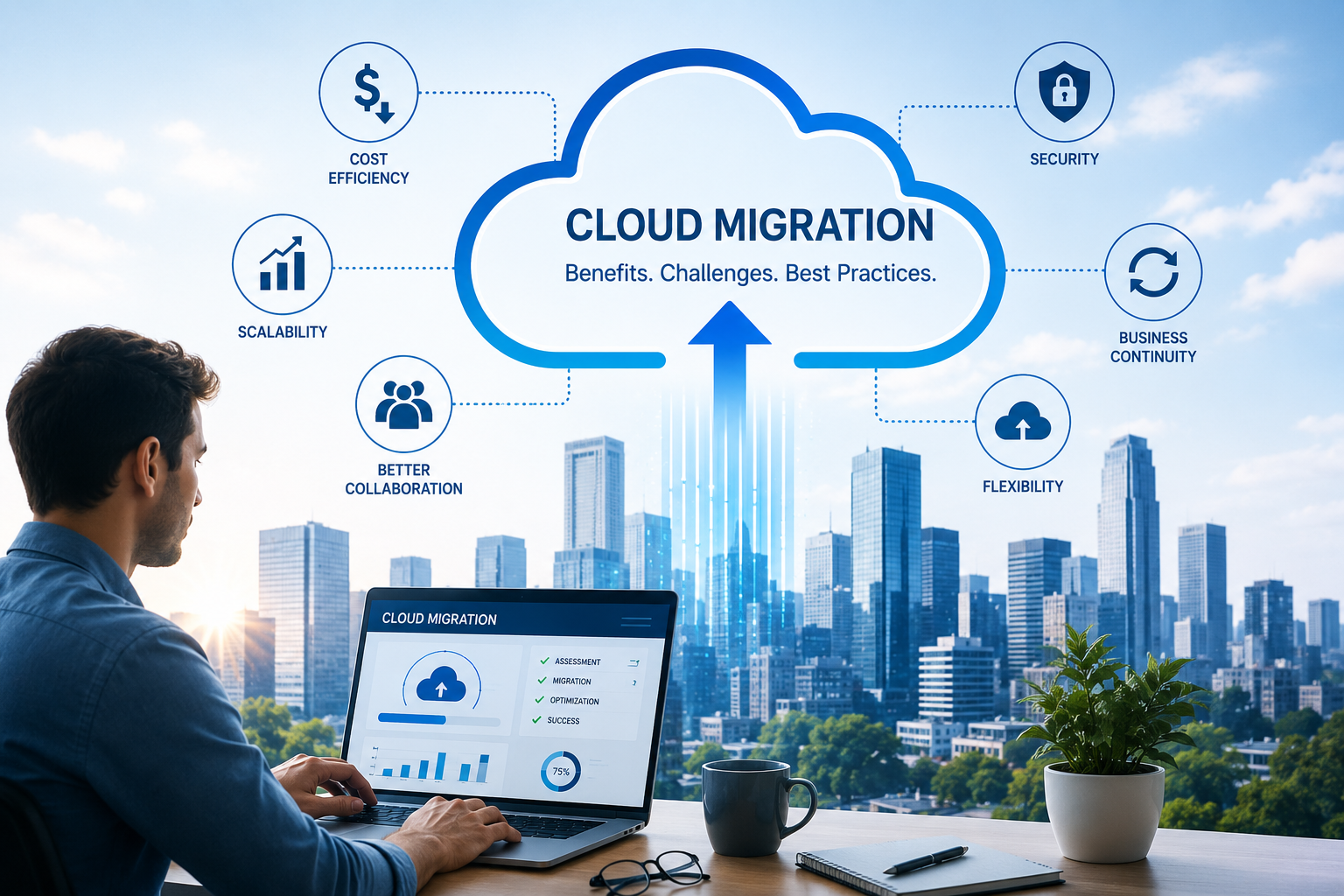
Cloud Migration for Small Businesses: Benefits, Challenges, and Best Practices
Cloud computing has changed the way businesses store information, run applications, collaborate with teams, and deliver digital services. While large organizations have adopted cloud technology at scale, small businesses can also benefit significantly from moving selected systems and workloads to the cloud.
Cloud migration can reduce dependence on physical infrastructure, improve accessibility, support business continuity, and make it easier to scale technology as the business grows. However, moving systems to the cloud requires careful planning. Without proper preparation, businesses may encounter unexpected costs, compatibility issues, security concerns, or operational disruptions.
This guide explains what cloud migration means for small businesses, its key benefits and challenges, and practical best practices for a successful transition.
What Is Cloud Migration?
Cloud migration is the process of moving digital resources such as applications, databases, files, workloads, and IT infrastructure from existing environments to cloud-based platforms.
A business may move:
- Business applications
- Databases
- Websites
- Email systems
- File storage
- Backup systems
- Customer management systems
- Development environments
- Internal software
- Analytics workloads
Migration does not always mean moving everything at once. A small business can start with one workload and gradually migrate additional systems based on its requirements.
Why Cloud Migration Matters for Small Businesses
Traditional IT infrastructure can require businesses to purchase and maintain servers, storage devices, networking equipment, backup systems, and other hardware.
For a growing business, maintaining this infrastructure can become expensive and difficult to manage.
Cloud platforms allow businesses to access computing resources through internet-connected services. This can provide greater flexibility and reduce the need to manage certain physical infrastructure directly.
However, cloud migration is not automatically the right choice for every application. Businesses should evaluate their technical requirements, security needs, costs, and operational priorities before migrating.
Benefits of Cloud Migration for Small Businesses
1. Lower Infrastructure Requirements
Cloud migration can reduce the need to purchase and maintain physical servers for certain workloads.
Instead of investing heavily in hardware upfront, businesses can use cloud services according to their requirements.
Potential savings may include:
- Hardware purchases
- Server maintenance
- Physical storage
- Infrastructure upgrades
- Some data-center expenses
However, cloud costs still need to be monitored carefully because usage-based pricing can increase as workloads grow.
2. Easy Access to Business Applications
Cloud-based systems can allow authorized employees to access applications and information from different locations.
This can support:
- Remote work
- Hybrid teams
- Multiple offices
- Traveling employees
- Distributed teams
Employees can collaborate without necessarily depending on a single physical office or local server.
Access should still be protected using appropriate authentication, authorization, and security controls.
3. Scalability
Small businesses may experience significant changes in demand.
For example, an online store might receive much higher traffic during a promotional campaign or holiday season.
Cloud infrastructure can provide more flexibility to increase or decrease resources according to workload requirements, depending on the services being used.
This can be particularly useful for businesses that experience seasonal or unpredictable demand.
4. Improved Business Continuity
Hardware failures, accidental deletion, power problems, or other disruptions can affect business operations.
Cloud-based backup and recovery solutions can provide additional options for protecting important information.
A business can establish:
- Automated backups
- Data replication
- Disaster recovery procedures
- Recovery points
- Recovery testing
Cloud migration itself is not a complete disaster-recovery strategy. Businesses should still define what data needs to be protected, how quickly systems need to be restored, and how recovery procedures will be tested.
5. Better Collaboration
Cloud-based applications can make it easier for employees to work with shared information.
Teams can collaborate on:
- Documents
- Projects
- Customer information
- Reports
- Business applications
- Marketing materials
Instead of maintaining multiple local copies of information, teams can use centralized cloud services where appropriate.
6. Access to Modern Technology
Cloud platforms provide access to technologies that may otherwise require significant infrastructure investment.
Depending on the provider and service, businesses can access:
- Databases
- Analytics
- Artificial intelligence services
- Machine learning tools
- Application hosting
- Security services
- Content delivery
- Automated deployment tools
This can help smaller organizations adopt modern technology without building every component from scratch.
7. Faster Deployment
Cloud services can allow organizations to provision certain infrastructure more quickly than purchasing and installing physical hardware.
For example, a development team may be able to create a new testing environment without waiting for a physical server to be purchased and configured.
This can help businesses respond more quickly to changing technology requirements.
Challenges of Cloud Migration
Despite its benefits, cloud migration can create challenges.
1. Migration Costs
Moving to the cloud may require an initial investment.
Potential costs include:
- Application modernization
- Data migration
- Consulting
- Cloud configuration
- Security implementation
- Staff training
- Testing
- Temporary parallel infrastructure
Businesses should calculate both migration costs and expected long-term operating costs before starting.
2. Unexpected Cloud Expenses
Cloud platforms often use usage-based pricing.
Costs may increase because of:
- Increased storage
- Higher computing usage
- Data transfer
- Additional services
- Unused resources
- Poorly configured infrastructure
A business should establish budgets and regularly review cloud usage.
3. Security Risks
Cloud migration changes the organization's security environment.
Businesses need to protect:
- User accounts
- Applications
- Databases
- Storage
- API credentials
- Administrative access
- Backups
Cloud providers secure the underlying infrastructure, but customers are generally still responsible for configuring and protecting many aspects of their own cloud environment.
This is commonly described through the shared responsibility model.
4. Data Migration Problems
Moving large amounts of information can be complicated.
Businesses may encounter:
- Duplicate data
- Missing records
- Incompatible formats
- Corrupted files
- Slow transfers
- Incorrect permissions
Data should be reviewed and cleaned before migration wherever practical.
5. Application Compatibility
Some older applications may not work properly in a new cloud environment without modification.
A legacy application may depend on:
- Specific operating systems
- Local network configurations
- Older databases
- Physical hardware
- Outdated libraries
Businesses should evaluate application compatibility before choosing a migration strategy.
6. Employee Training
Cloud migration can change how employees access applications and manage information.
Employees may need training on:
- New software
- Security procedures
- Account management
- File-sharing practices
- Cloud dashboards
- Data protection
Technology changes are more successful when employees understand how and why the new systems work.
Cloud Migration Strategies
A business does not have to migrate every application in exactly the same way.
Several common strategies can be considered.
1. Rehosting
Rehosting means moving an application to the cloud with minimal changes.
This approach is sometimes called "lift and shift."
Advantage:
- Faster migration
- Fewer application changes
Limitation:
- May not take full advantage of cloud-native capabilities
2. Replatforming
Replatforming involves making selected changes to an application so it works better in the cloud.
For example, a business might move an application to a managed database service.
Advantage:
- Can improve efficiency without completely rebuilding the application
Limitation:
- Requires more planning than simple rehosting
3. Refactoring
Refactoring involves redesigning or rebuilding an application to take greater advantage of cloud-native capabilities.
Advantage:
- Can provide significant long-term benefits
Limitation:
- Usually requires more time, development effort, and investment
4. Retaining
Some applications may not need to be migrated.
A business might retain a system locally because of:
- Technical limitations
- Regulatory requirements
- Performance requirements
- Integration dependencies
Not every workload needs to move to the cloud.
5. Retiring
Old systems that are no longer needed can be removed rather than migrated.
This can prevent businesses from spending money to move applications that provide little or no value.
Best Practices for Cloud Migration
1. Start With a Technology Assessment
Before migration, create an inventory of existing systems.
Document:
- Applications
- Databases
- Servers
- Storage
- Integrations
- Dependencies
- Users
- Data types
This gives the business a clearer picture of what needs to be migrated.
2. Define Clear Objectives
Cloud migration should have measurable goals.
For example:
- Reduce infrastructure maintenance
- Improve application availability
- Support remote employees
- Improve scalability
- Modernize applications
- Improve disaster recovery
Clear objectives make it easier to measure whether the migration was successful.
3. Classify Your Data
Not all business data has the same importance.
Classify information based on:
- Sensitivity
- Business importance
- Retention requirements
- Access requirements
- Backup requirements
Sensitive information may require additional security controls.
4. Choose the Right Cloud Model
Businesses can consider different cloud service models.
Infrastructure as a Service (IaaS)
Provides infrastructure such as:
- Virtual machines
- Storage
- Networking
Platform as a Service (PaaS)
Provides an environment for building and running applications without managing as much underlying infrastructure.
Software as a Service (SaaS)
Provides ready-to-use applications through the internet.
Small businesses often use a combination of these models depending on their needs.
5. Prioritize Security
Security should be included from the beginning of the migration.
Recommended practices include:
- Multi-factor authentication
- Strong password policies
- Role-based access
- Least-privilege permissions
- Encryption
- Secure backups
- Security monitoring
- Regular software updates
- Access reviews
Businesses should also monitor administrative accounts carefully because they typically have greater privileges.
6. Create a Backup Before Migration
Never rely on the migration process itself as your only copy of important information.
Create and verify backups before moving critical workloads.
The backup should be tested to ensure that information can actually be restored.
7. Migrate in Phases
A phased approach can reduce risk.
Instead of moving everything at once:
Assessment
    ↓
Planning
    ↓
Pilot Migration
    ↓
Testing
    ↓
First Production Workload
    ↓
Performance Review
    ↓
Additional Workloads
Starting with a low-risk application can help the team learn before moving critical systems.
8. Test Before Going Live
Testing should cover:
- Application functionality
- Performance
- Security
- Database connections
- Integrations
- User access
- Backup and recovery
- Data accuracy
Users should confirm that critical business processes work correctly before the old environment is retired.
9. Monitor Cloud Costs
Create a process for reviewing cloud expenses.
Monitor:
- Computing usage
- Storage
- Network usage
- Database resources
- Unused services
- Resource growth
Businesses can use budgets, alerts, and resource tagging to improve cost visibility.
10. Prepare a Rollback Plan
Unexpected problems can occur during migration.
Before moving a critical system, define what will happen if the migration fails.
A rollback plan should identify:
- Backup location
- Recovery procedures
- Responsible personnel
- Decision criteria
- Expected recovery time
This can reduce pressure during a migration incident.
Cloud Migration Roadmap for a Small Business
A practical roadmap might look like this:
Phase 1: Assessment
Identify current infrastructure, applications, data, and dependencies.
Phase 2: Planning
Select migration priorities, cloud services, security controls, and budget.
Phase 3: Pilot
Move a low-risk workload and evaluate the results.
Phase 4: Migration
Gradually move approved applications and data.
Phase 5: Testing
Verify functionality, performance, security, and data integrity.
Phase 6: Optimization
Remove unused resources, improve performance, and control costs.
Phase 7: Monitoring
Continuously monitor security, availability, performance, and expenses.
Common Cloud Migration Mistakes
Moving Everything at Once
A large migration without sufficient testing can increase operational risk.
Ignoring Dependencies
An application may depend on another system that has not yet been migrated.
Focusing Only on Technology
Cloud migration also affects employees, processes, budgets, and business operations.
Forgetting About Costs
Businesses should monitor ongoing usage instead of assuming cloud services will automatically be cheaper.
Neglecting Security
Cloud environments still require strong identity, access, configuration, monitoring, and data-protection practices.
Failing to Test Backups
A backup that has never been tested may not work when it is needed.
How Small Businesses Can Get Started
A small business does not need to migrate its entire technology environment immediately.
A practical starting point is to choose one workload that:
- Has a clear business benefit
- Has manageable dependencies
- Is relatively low risk
- Can be tested easily
- Has measurable migration goals
After completing the pilot, the business can use what it learned to improve subsequent migrations.
For organizations developing custom websites, business applications, databases, analytics systems, and other digital solutions, cloud migration can also be combined with application modernization and performance improvements.
Conclusion
Cloud migration can provide small businesses with greater flexibility, scalability, accessibility, and access to modern technology. It can also support remote work, business continuity, application modernization, and more efficient infrastructure management.
However, successful migration requires more than moving files and applications to a cloud platform. Businesses need to understand their existing environment, identify dependencies, plan costs, protect data, test applications, train employees, and continuously monitor the new environment.
The best approach is usually planned, phased, and measurable.
By starting with clear objectives and a carefully selected workload, small businesses can gradually move toward a more flexible technology environment while reducing unnecessary migration risks.
This article is intended for general informational purposes. Specific cloud architecture, security, compliance, and migration decisions should be evaluated according to the individual business and its technical requirements.