Table of Contents
- How API Integration Connects Different Business Applications
- Introduction
- What Is an API?
- How API Integration Works
- 1. Request
- 2. Processing
- 3. Response
- Why Businesses Need API Integration
- 1. Connect Your Website With Your CRM
- Example
- 2. Connect Payment Gateways
- 3. Connect ERP With Other Applications
- 4. Synchronize Customer Data
- 5. Automate Inventory Updates
- Example
- 6. Connect Marketing Platforms With Business Systems
- 7. Automate Notifications
- 8. Connect Accounting and Financial Systems
- Benefits of API Integration
- 1. Saves Time
- 2. Reduces Human Errors
- 3. Improves Data Consistency
- 4. Speeds Up Business Processes
- 5. Improves Customer Experience
- 6. Makes Reporting Easier
- Common Types of API Integration
- REST APIs
- SOAP APIs
- Webhooks
- Third-Party APIs
- API Integration Example for a Business
- Step 1: Website
- Step 2: Payment Gateway
- Step 3: API
- Step 4: ERP
- Step 5: Inventory
- Step 6: Accounting
- Step 7: Notification
- Challenges of API Integration
- Security
- Compatibility
- API Limits
- Maintenance
- Error Handling
- Best Practices for API Integration
- Define the Business Requirement
- Use Secure Authentication
- Validate Data
- Maintain Logs
- Handle Failures
- Monitor Integrations
- Document the Integration
- When Should a Business Consider API Integration?
- Custom API Integration vs Plug-and-Play Integration
- Final Thoughts
How API Integration Connects Different Business Applications
Introduction
Modern businesses rarely depend on a single software application. A company may use a website to generate enquiries, a CRM to manage customers, accounting software for finances, an ERP for operations, payment gateways for transactions, and marketing platforms for advertising.
When these systems operate separately, employees often have to move information manually from one application to another. This can consume time, create duplicate work, and increase the possibility of errors.
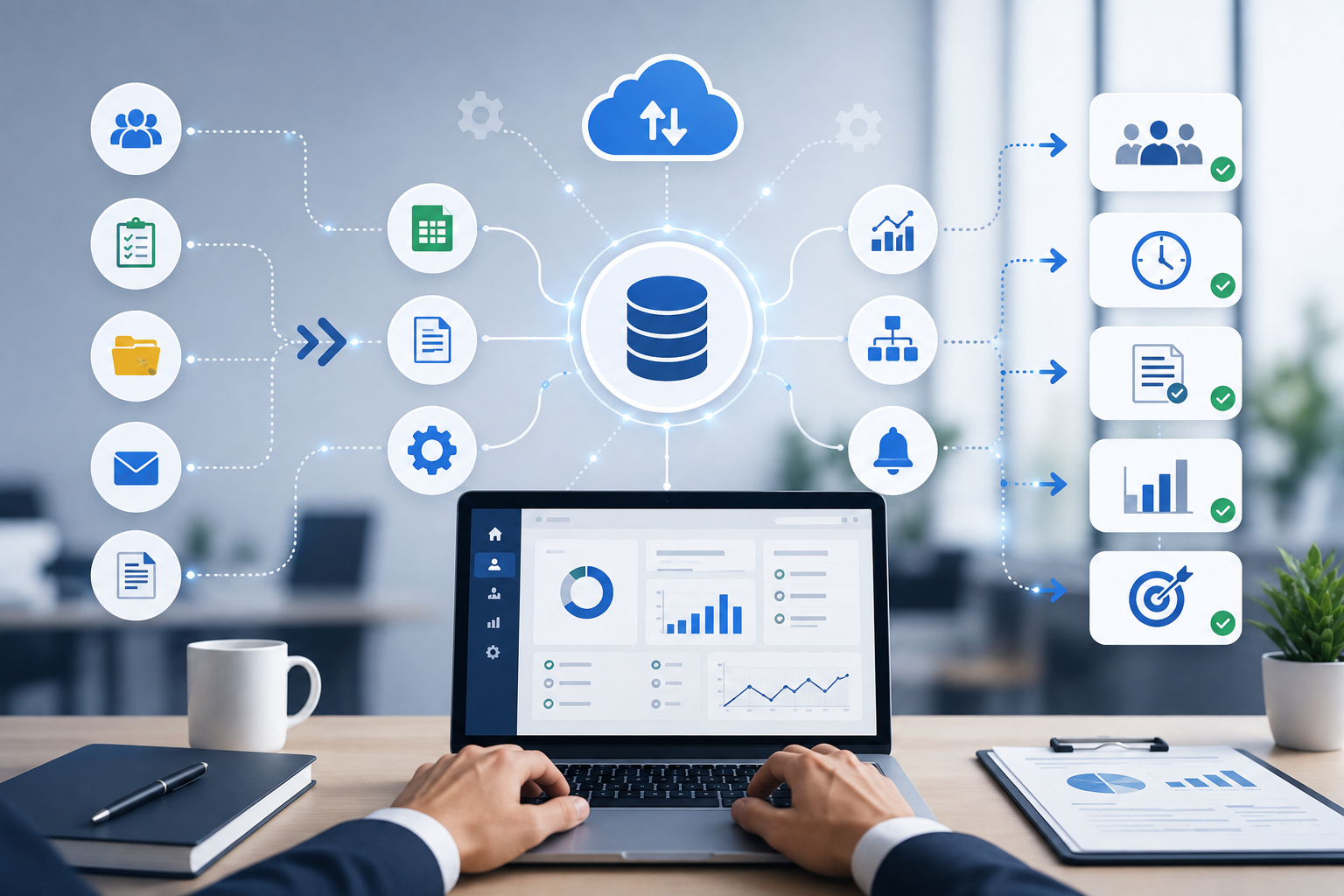
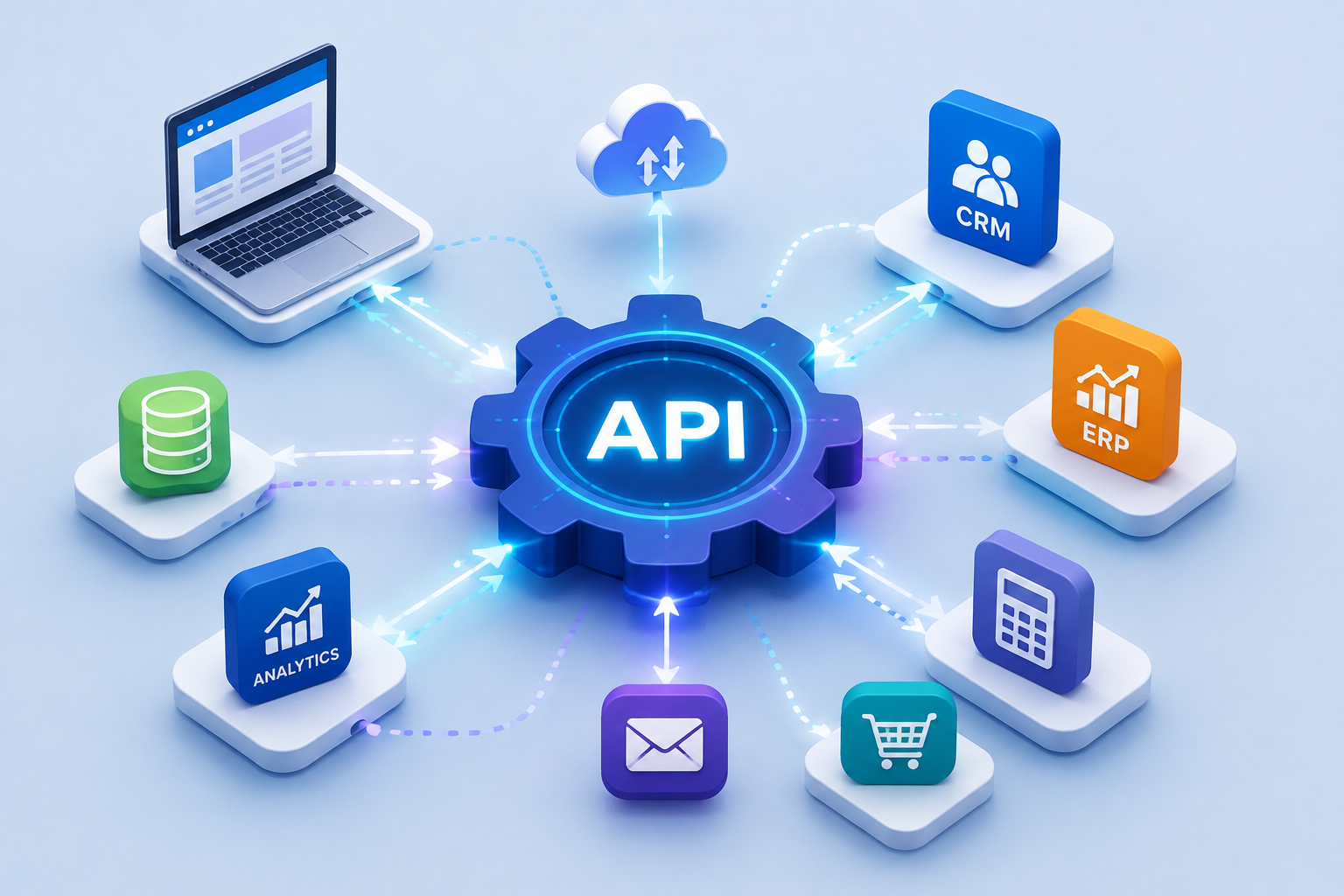
API integration provides a way for different applications to communicate and exchange data automatically. By connecting business systems, APIs can help create smoother workflows, reduce repetitive tasks, and give teams access to more consistent information.
What Is an API?
API stands for Application Programming Interface.
An API provides a structured way for one software application to communicate with another.
For example, imagine an online store where a customer places an order.
The website may need to communicate with:
Website → Payment Gateway → Inventory System → ERP → Accounting Software → Customer Notification
Instead of employees manually transferring information between these systems, APIs can allow the applications to exchange the required data automatically.
How API Integration Works
A simple API integration generally involves three main components:
1. Request
One application requests specific information or asks another system to perform an action.
2. Processing
The receiving application processes the request according to its rules and permissions.
3. Response
The system sends the requested information or confirms that the requested action was completed.
For example:
Customer submits enquiry
↓
Website sends lead information through API
↓
CRM receives the lead
↓
CRM creates a customer record
↓
Salesperson receives notification
This process can happen automatically within seconds.
Why Businesses Need API Integration
Without integration, employees may need to manually transfer information between applications.
For example, a sales employee might:
- Receive an enquiry through a website
- Copy the customer's information
- Open the CRM
- Create a new lead
- Enter the same information again
- Notify another department
- Update a spreadsheet
API integration can reduce many of these manual steps.
This allows employees to spend more time on activities that require human decision-making.
1. Connect Your Website With Your CRM
One of the most common API integrations is between a website and CRM.
When someone submits a contact or enquiry form, the website can automatically send information such as:
- Name
- Phone number
- Email address
- Company
- Product interest
- Enquiry details
- Lead source
The CRM can then create a new lead automatically.
Example
Website Form → API → CRM → Sales Team Notification
This helps businesses respond to enquiries more quickly and reduces manual data entry.
2. Connect Payment Gateways
Businesses that accept online payments often need to connect their websites or applications with payment gateways.
An API can communicate information such as:
- Payment amount
- Customer details
- Transaction status
- Order ID
- Payment reference
- Success or failure status
For example:
Customer places order
↓
Payment gateway processes payment
↓
API sends payment status
↓
Website updates order
↓
Customer receives confirmation
This can significantly reduce the need for manual payment verification.
3. Connect ERP With Other Applications
ERP systems often act as a central platform for business operations.
APIs can connect ERP software with:
- CRM systems
- Websites
- E-commerce platforms
- Payment gateways
- HR software
- Accounting systems
- Inventory applications
- Attendance systems
- Shipping platforms
For example, when an order is placed through an online store, the order information can automatically enter the ERP.
The ERP can then update inventory and send relevant information to other connected systems.
4. Synchronize Customer Data
Businesses often store customer information in multiple systems.
Without integration, the same customer may have different records in different applications.
API integration can synchronize relevant information between systems.
For example:
CRM Customer Record
↕
ERP Customer Record
↕
Billing System
This can help reduce duplicate data and improve consistency.
5. Automate Inventory Updates
Inventory information needs to remain accurate, especially for businesses selling products through multiple channels.
Suppose a company sells products through:
- Website
- Mobile application
- Marketplace
- Physical store
If inventory is not synchronized, one platform may show a product as available even after it has sold out.
API integration can allow inventory information to move between systems.
Example
Product Sold Online
→ Website updates order
→ API sends information to ERP
→ Inventory decreases
→ Other connected channels receive updated stock information
This can help businesses maintain more accurate inventory records.
6. Connect Marketing Platforms With Business Systems
Marketing teams generate leads through different channels.
These may include:
- Google Ads
- Social media advertising
- Landing pages
- Email campaigns
- Organic search
- Referral campaigns
API integrations can transfer lead and campaign information into CRM or analytics systems.
This helps businesses understand where leads are coming from and how those leads move through the sales process.
7. Automate Notifications
APIs can also connect business systems with communication services.
For example:
New Order → API → Email Service → Customer Confirmation
or:
New Lead → API → Notification System → Salesperson
Businesses can use integrations for:
- Email notifications
- SMS
- WhatsApp-based communication where supported
- Internal alerts
- Customer confirmations
- Payment notifications
- Appointment reminders
This can make communication faster and more consistent.
8. Connect Accounting and Financial Systems
Financial information often needs to be shared between operational systems and accounting software.
For example, when a customer completes a purchase:
Order System
↓
API
↓
Accounting System
↓
Invoice / Financial Record
This can reduce manual accounting entries and make financial information available more quickly.
The exact implementation depends on the accounting platform and its supported APIs.
Benefits of API Integration
1. Saves Time
Automation reduces repetitive data entry and manual transfers.
Employees can focus on customer service, sales, analysis, and other important activities.
2. Reduces Human Errors
Manually copying information between systems can lead to mistakes.
Automated data exchange can reduce errors caused by repeated data entry.
3. Improves Data Consistency
When connected systems share information automatically, businesses can maintain more consistent records.
4. Speeds Up Business Processes
Information can move between systems almost immediately rather than waiting for an employee to update it manually.
5. Improves Customer Experience
Faster processing can result in:
- Quicker responses
- Faster payment confirmation
- More accurate order information
- Timely notifications
- Better customer support
6. Makes Reporting Easier
When business systems are connected, information from multiple sources can be brought together for analysis and reporting.
Management can gain a clearer view of:
- Sales
- Customers
- Revenue
- Inventory
- Marketing performance
- Employee activity
- Business operations
Common Types of API Integration
Different systems may use different API approaches.
REST APIs
REST is one of the most widely used approaches for web-based API communication. It commonly works with HTTP requests and structured data formats such as JSON.
SOAP APIs
SOAP is a more structured web service protocol that is still used in some enterprise and legacy systems.
Webhooks
Webhooks allow one application to automatically send information to another when a particular event occurs.
For example:
Payment Successful → Webhook → Website Updates Order Status
Third-Party APIs
Many software providers offer APIs that allow external applications to access specific services or data.
API Integration Example for a Business
Consider a company that sells products through its website.
A customer places an order.
Step 1: Website
The website receives the order.
Step 2: Payment Gateway
The payment gateway processes the transaction.
Step 3: API
The payment status is sent back to the website.
Step 4: ERP
The order information is transferred to the ERP.
Step 5: Inventory
The ERP updates stock information.
Step 6: Accounting
The transaction information is sent to the accounting system.
Step 7: Notification
The customer receives an order confirmation.
The complete workflow can happen automatically without employees entering the same information into multiple systems.
Challenges of API Integration
Although API integration provides significant benefits, it also requires careful planning.
Security
APIs may provide access to sensitive business information. Authentication, authorization, encryption, access controls, and secure handling of credentials are important.
Compatibility
Different systems may use different data structures and formats.
Developers may need to transform information before sending it between applications.
API Limits
Some providers limit the number of requests that can be made within a specific period.
Maintenance
APIs can change over time. A third-party provider may introduce new versions or discontinue older endpoints.
Integrations should therefore be monitored and maintained.
Error Handling
An API request may fail because of network problems, invalid data, authentication issues, or service downtime.
A reliable integration should include appropriate error handling and logging.
Best Practices for API Integration
Businesses should consider the following practices when developing integrations:
Define the Business Requirement
First identify what information needs to move between systems and why.
Use Secure Authentication
Protect API credentials and use appropriate authentication methods.
Validate Data
Check incoming and outgoing information before processing it.
Maintain Logs
Keep useful records of API requests, responses, and errors to simplify troubleshooting.
Handle Failures
Create retry mechanisms or alternative workflows when temporary failures occur.
Monitor Integrations
Regular monitoring can help identify broken connections or unusual activity.
Document the Integration
Maintain technical documentation so future developers can understand how the systems communicate.
When Should a Business Consider API Integration?
API integration can be useful when a business:
- Uses multiple software applications
- Repeatedly enters the same information
- Needs real-time or near-real-time data synchronization
- Wants to automate repetitive workflows
- Needs to connect its website with an ERP or CRM
- Wants to connect payment services
- Uses multiple sales channels
- Needs centralized reporting
- Wants to reduce manual processes
A simple rule is:
If employees repeatedly move the same information from one system to another, there may be an opportunity for automation through integration.
Custom API Integration vs Plug-and-Play Integration
Some software platforms provide ready-made connectors that require little technical work.
These can be useful when the business has straightforward requirements.
However, complex workflows may require custom API development.
For example, a business might need:
Website + Custom ERP + CRM + Payment Gateway + Accounting Software
If no ready-made connector supports the complete workflow, a developer can create a custom integration using the available APIs.
This provides greater flexibility but requires proper technical planning and maintenance.
Final Thoughts
Businesses increasingly depend on multiple digital applications to manage their daily operations. When these systems work independently, employees may spend unnecessary time transferring information between them.
API integration creates a bridge between different applications, allowing them to exchange information and trigger actions automatically.
From connecting websites with CRMs to synchronizing ERP systems, payment gateways, accounting platforms, inventory systems, and marketing tools, APIs can help businesses create more connected workflows.
The goal is not simply to connect every application available. The goal is to identify processes where integration can save time, reduce errors, improve data consistency, and create a better experience for employees and customers.
A well-designed API integration can turn disconnected business applications into a connected digital ecosystem that works more efficiently.