Table of Contents
- How ERP Software Helps Businesses Manage Operations from One Platform
- Bringing Every Business Department Together
- What Is ERP Software?
- Why Do Businesses Need ERP Software?
- How ERP Software Manages Business Operations
- 1. Sales Management
- 2. Inventory Management
- 3. Purchase Management
- 4. Accounting and Finance
- 5. Customer Management
- 6. Employee Management
- 7. Manufacturing and Production
- Benefits of Using One Centralized Platform
- Real-Time Information
- Better Team Coordination
- Reduced Manual Work
- Improved Data Accuracy
- Faster Decision-Making
- Better Customer Service
- Cloud-Based ERP Software
- Ready-Made ERP vs Custom ERP
- Ready-Made ERP
- Custom ERP
- ERP Integration with Other Systems
- Common ERP Implementation Mistakes
- How to Choose the Right ERP Software
- Final Thoughts
How ERP Software Helps Businesses Manage Operations from One Platform
Bringing Every Business Department Together
As a business grows, managing daily operations becomes more complicated. Sales teams may use one system, inventory may be tracked in spreadsheets, accounting may use separate software and employee information may be stored somewhere else.
When departments work with disconnected tools, businesses may face duplicate data, communication gaps, delayed reports and avoidable mistakes.
ERP software helps solve this problem by connecting important business operations within one centralized platform.
What Is ERP Software?
ERP stands for Enterprise Resource Planning.
ERP software is a business management system that allows different departments to store, access and update information from one common platform.
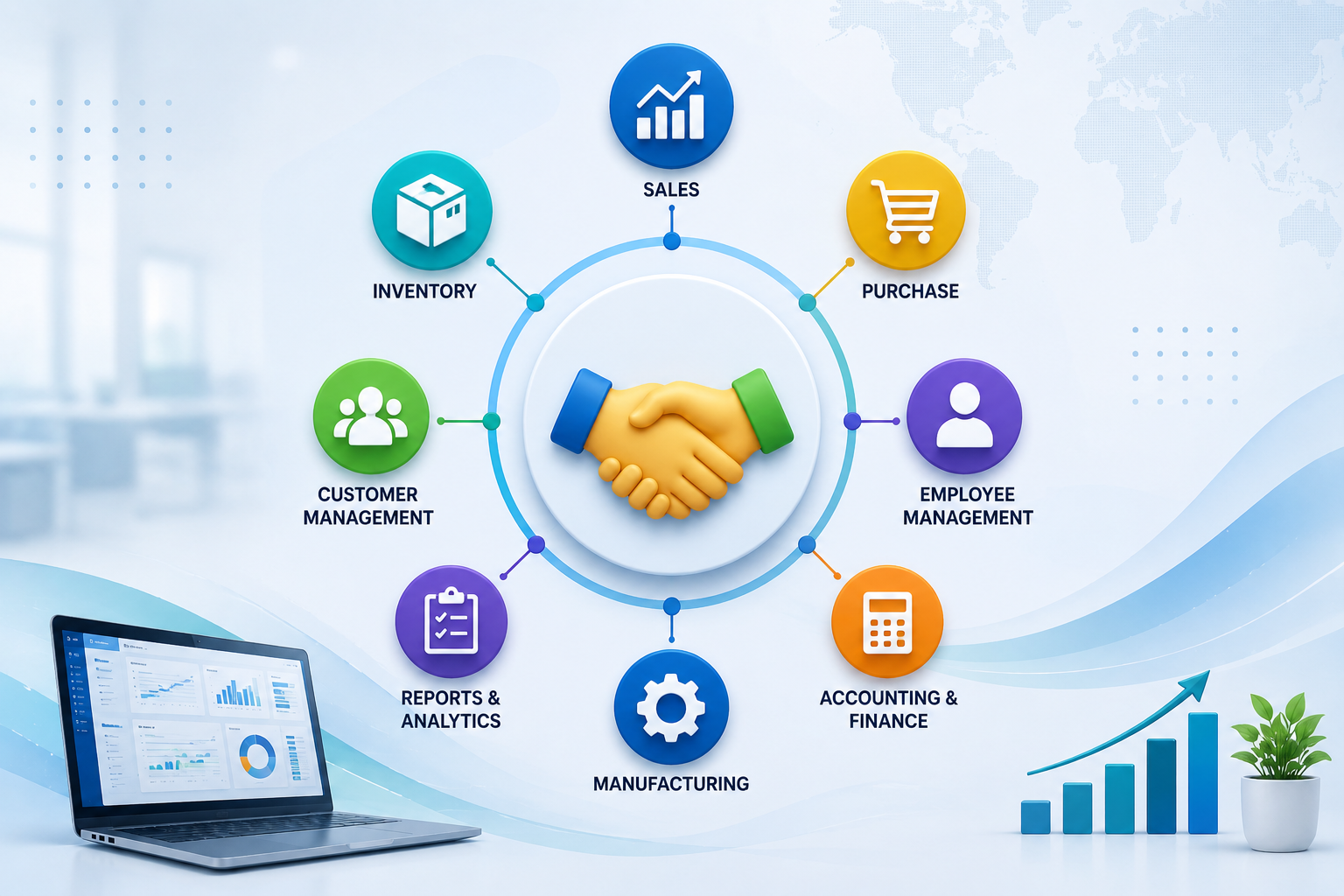
An ERP system may include modules for:
-
Sales
-
Inventory
-
Purchasing
-
Accounting
-
Customer management
-
Employee management
-
Manufacturing
-
Order processing
-
Reporting
-
Supply-chain management
Instead of using multiple disconnected applications, employees can work with shared and updated information.
Why Do Businesses Need ERP Software?
Many small businesses initially manage their work using spreadsheets, notebooks, emails and separate software tools.
This may work when operations are limited. However, as the number of customers, products, employees and transactions increases, manual systems can become difficult to manage.
Common problems include:
-
Duplicate data entry
-
Incorrect inventory records
-
Delayed invoice creation
-
Poor communication between departments
-
Difficulty tracking orders
-
Missing purchase information
-
Time-consuming report preparation
-
Limited visibility into business performance
ERP software creates a structured process and keeps important information connected.
How ERP Software Manages Business Operations
1. Sales Management
ERP software helps sales teams manage enquiries, quotations, customer orders and invoices.
When a sales order is created, the system may automatically update related departments such as inventory, accounts and delivery.
This reduces manual communication and helps orders move faster.
2. Inventory Management
ERP systems can track:
-
Available stock
-
Incoming materials
-
Outgoing products
-
Low-stock items
-
Warehouse locations
-
Product batches
-
Damaged or returned goods
Real-time inventory information helps businesses avoid overstocking and stock shortages.
3. Purchase Management
Businesses can use ERP software to manage suppliers, purchase orders, material requirements and payments.
The system can help employees understand:
-
Which products need to be purchased
-
Which supplier provides them
-
What quantity is required
-
When the order should arrive
-
Whether the supplier invoice has been paid
This improves purchasing accuracy and supplier management.
4. Accounting and Finance
ERP software can connect financial information with sales, purchases and expenses.
It may help businesses manage:
-
Customer invoices
-
Supplier payments
-
Business expenses
-
Tax records
-
Profit and loss reports
-
Cash-flow information
-
Payment reminders
Because data comes directly from business activities, financial reporting can become faster and more accurate.
5. Customer Management
ERP systems may include CRM features for managing customer details, enquiries, communication and purchase history.
Employees can access customer information from one place and provide faster support.
6. Employee Management
ERP software can also support HR-related activities such as:
-
Employee records
-
Attendance
-
Leave management
-
Payroll information
-
Department details
-
Performance tracking
-
Role-based access
This helps HR teams manage employee information more efficiently.
7. Manufacturing and Production
Manufacturing businesses can use ERP software to manage:
-
Raw materials
-
Production planning
-
Work orders
-
Machine usage
-
Product quality
-
Finished goods
-
Production costs
This provides better control over manufacturing operations and resource usage.
Benefits of Using One Centralized Platform
Real-Time Information
ERP software updates information across departments.
For example, when a product is sold, inventory levels can be updated automatically. This helps employees work with current data instead of outdated spreadsheets.
Better Team Coordination
Different departments can access relevant information from the same system.
Sales teams can check stock availability, accounts teams can view invoice details and management can monitor overall performance.
Reduced Manual Work
ERP automation can reduce repetitive tasks such as:
-
Creating invoices
-
Updating stock
-
Generating reports
-
Sending reminders
-
Recording transactions
-
Preparing purchase orders
Employees can spend more time on productive work instead of manual data entry.
Improved Data Accuracy
Entering the same information into multiple systems can create errors.
ERP software reduces duplicate entry and helps maintain consistent records.
Faster Decision-Making
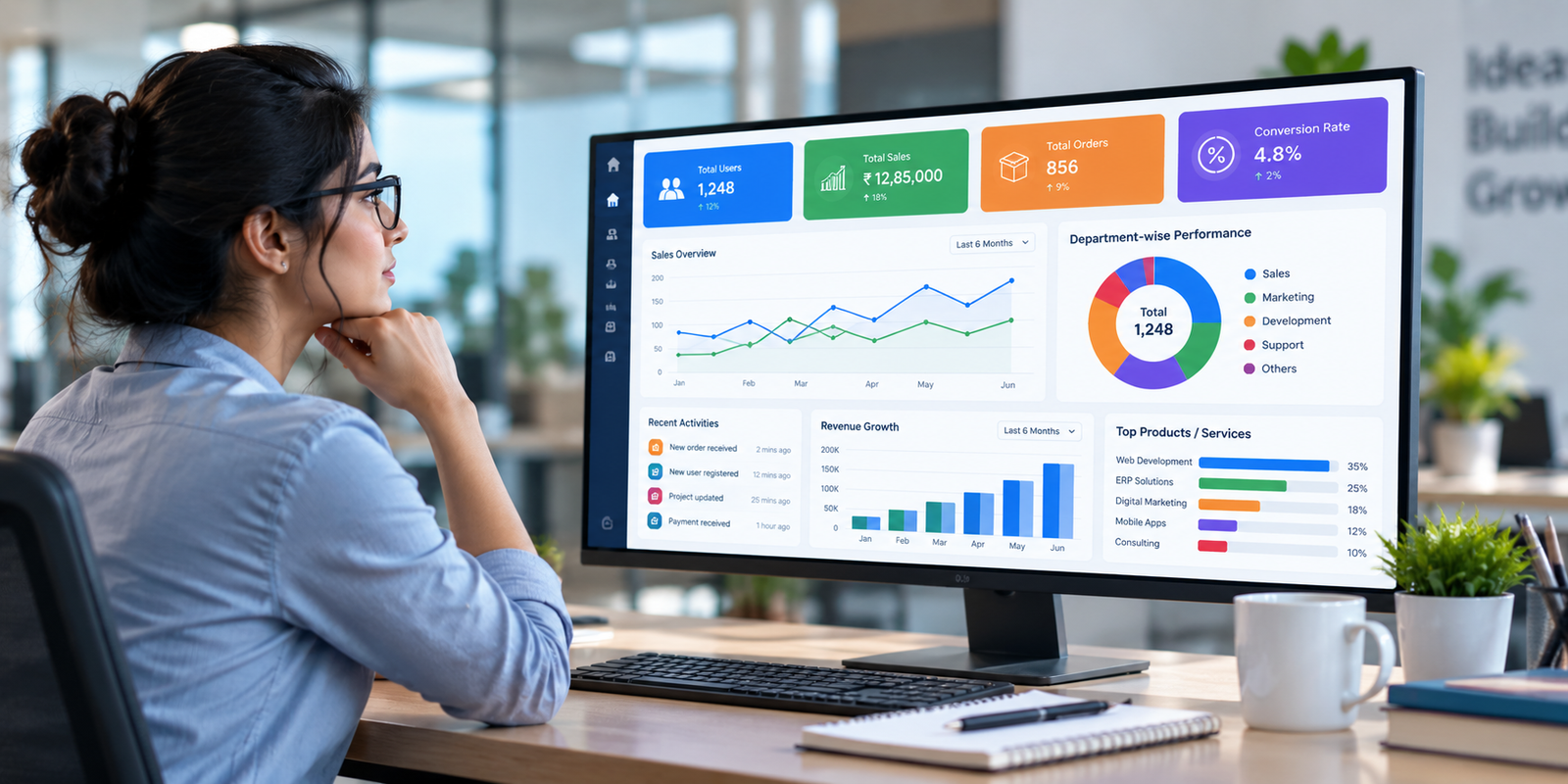
ERP dashboards and reports give managers a clear view of business activities.
They may track:
-
Sales performance
-
Inventory value
-
Expenses
-
Pending payments
-
Employee productivity
-
Purchase requirements
-
Profitability
This helps management make decisions based on actual data.
Better Customer Service
Employees can quickly check order status, payment history, delivery details and previous communication.
Faster access to information improves customer support.
Cloud-Based ERP Software
Cloud ERP software is hosted online and can be accessed through the internet.
Its common benefits include:
-
Access from different locations
-
Support for remote teams
-
Automatic software updates
-
Reduced dependence on local servers
-
Easier expansion
-
Centralized data backup
Businesses should choose a secure provider and use strong access controls, encryption and regular backups.
Ready-Made ERP vs Custom ERP
Ready-Made ERP
Ready-made ERP software includes standard features that are suitable for common business processes.
It may be useful for organizations that need quick implementation and do not require extensive customization.
Custom ERP
Custom ERP software is developed according to the specific workflow of a business.
It may include:
-
Custom dashboards
-
Industry-specific modules
-
Unique approval processes
-
Role-based access
-
Mobile applications
-
Custom reports
-
Third-party software integrations
-
Automated notifications
Custom ERP may be more suitable when standard software cannot support the organization’s exact requirements.
ERP Integration with Other Systems
ERP software can be connected with:
-
CRM platforms
-
E-commerce websites
-
Payment gateways
-
Accounting software
-
Barcode systems
-
Mobile applications
-
WhatsApp or email tools
-
Shipping platforms
-
Biometric attendance systems
-
Business intelligence dashboards
Integration helps information move automatically between different tools and reduces manual work.
Common ERP Implementation Mistakes
Businesses should avoid:
-
Selecting software without understanding their workflow
-
Adding unnecessary features
-
Ignoring employee training
-
Migrating incorrect or duplicate data
-
Failing to define user roles
-
Not testing the system properly
-
Trying to automate every process immediately
-
Choosing software only because it is inexpensive
A successful ERP system should solve real business problems and remain easy for employees to use.
How to Choose the Right ERP Software
Before selecting an ERP system, businesses should consider:
-
Business size
-
Industry requirements
-
Number of users
-
Existing software
-
Required modules
-
Integration needs
-
Data-security requirements
-
Customization options
-
Mobile accessibility
-
Technical support
-
Future growth plans
-
Implementation budget
The best ERP software is not always the one with the most features. It is the one that supports the organization’s actual operations.
Final Thoughts
ERP software helps businesses manage sales, inventory, purchasing, accounting, employees and other operations from one centralized platform.
It reduces disconnected work, improves data accuracy and gives management better visibility into business performance.
For growing organizations, ERP software can create a more structured and efficient way of working. Whether a business chooses a ready-made or custom ERP solution, successful implementation requires clear planning, employee training and regular system improvement.
A well-designed ERP system does more than store information. It connects departments, improves productivity and supports long-term business growth.