Table of Contents
- How Mobile-Friendly Business Applications Improve Employee Productivity
- What Are Mobile-Friendly Business Applications?
- 1. Access to Information Anytime
- 2. Faster Communication and Collaboration
- 3. Faster Task Completion
- 4. Better Productivity for Field Employees
- 5. Improved Employee Self-Service
- 6. Real-Time Notifications and Updates
- 7. Reduced Administrative Work
- 8. Better Decision-Making
- 9. Supports Flexible and Remote Work
- 10. Better Customer Service
- 11. Integration With Existing Business Systems
- 12. Security Should Be a Priority
- Avoiding the Problem of Constant Connectivity
- How Businesses Can Implement Mobile Applications Successfully
- Conclusion
How Mobile-Friendly Business Applications Improve Employee Productivity
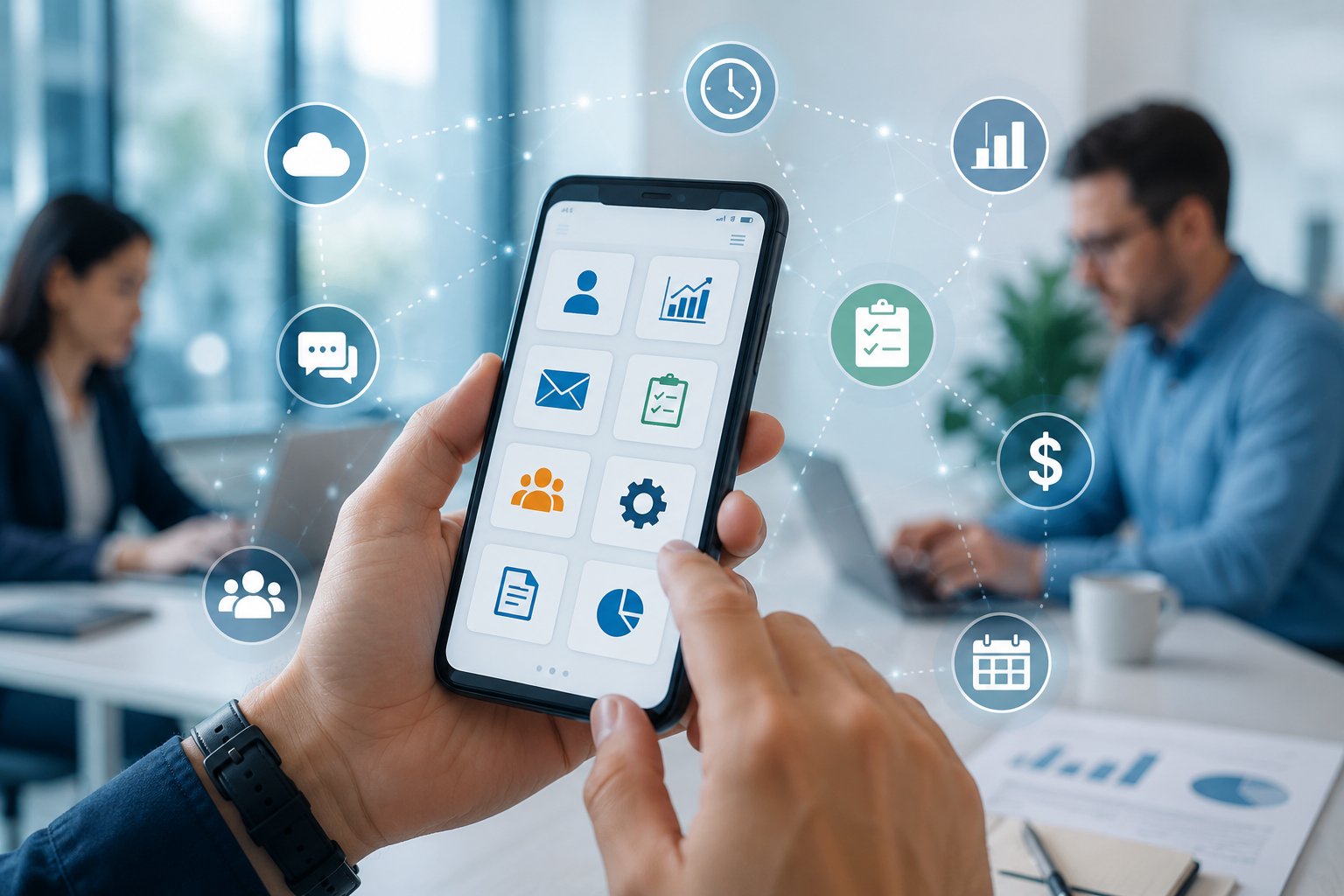
In today’s fast-moving business environment, employees are no longer limited to working from a desk. Teams regularly work from different locations, attend meetings outside the office, visit clients, manage field operations, and handle urgent tasks while travelling. Mobile-friendly business applications make it possible for employees to access important information and complete work directly from smartphones and tablets.
Mobile business applications are designed to provide convenient access to business systems, communication tools, customer information, documents, approvals, attendance, reports, and other workplace functions. Research has found that employee experience with business mobile apps, including factors such as customization, performance quality, and compatibility, can positively influence productivity.
What Are Mobile-Friendly Business Applications?
Mobile-friendly business applications are software solutions designed or optimized to work effectively on smartphones and tablets. They may be dedicated mobile apps or responsive web applications that automatically adapt to smaller screens.
Common examples include:
- Employee attendance and HR applications
- CRM and sales applications
- Project management tools
- Inventory and stock management systems
- Accounting and billing applications
- Business communication platforms
- Field-service applications
- Expense and travel management systems
- Approval and workflow applications
- Enterprise resource planning (ERP) systems
Instead of requiring employees to return to a desktop computer for every task, these applications allow them to work from almost anywhere.
1. Access to Information Anytime
One of the biggest advantages of mobile business applications is immediate access to information.
Employees can check customer details, project updates, inventory levels, schedules, reports, or internal documents from their mobile devices. This reduces the need to wait for access to an office computer or ask another employee for information.
For example, a sales representative visiting a customer can immediately check previous orders and customer information before discussing a new requirement.
2. Faster Communication and Collaboration
Mobile applications make communication faster by allowing employees to receive messages, notifications, task updates, and important announcements wherever they are.
Teams can share information without depending entirely on email or face-to-face meetings. Employees can also collaborate on documents, projects, and tasks while working remotely or travelling.
Mobile access has become particularly useful for organizations with distributed or hybrid teams. Business platforms increasingly combine communication, information access, and workflow features into mobile experiences.
3. Faster Task Completion
Mobile applications reduce the number of steps employees need to complete routine tasks.
Consider an employee who needs approval for a purchase. In a traditional process, the employee may need to print a form, obtain signatures, and physically submit it to a manager. With a mobile workflow application, the request can be submitted digitally and the manager can approve it from a smartphone.
This can significantly reduce delays in everyday business processes.
4. Better Productivity for Field Employees
Mobile-friendly applications are particularly valuable for employees who spend most of their working hours outside the office.
Sales representatives, delivery teams, technicians, healthcare workers, service engineers, and field executives can record information directly from their mobile devices.
For example, a field technician can:
- View the assigned service request.
- Check customer information.
- Record the work completed.
- Upload photographs or documents.
- Update the service status.
- Collect customer confirmation.
The information becomes available to the organization without requiring the employee to return to the office.
5. Improved Employee Self-Service
Mobile applications can also reduce the workload on HR, administration, IT, and other support departments.
Employees can perform many routine activities themselves, such as:
- Applying for leave
- Checking attendance
- Viewing salary information
- Submitting expense claims
- Downloading documents
- Raising IT support tickets
- Checking company announcements
- Updating personal information
- Requesting approvals
Enterprise mobility implementations have used mobile applications for functions such as time logging, service requests, HR support, information access, and collaboration.
6. Real-Time Notifications and Updates
Important business information can easily be missed when employees depend only on email or desktop systems.
Mobile applications can provide notifications for:
- New tasks
- Approval requests
- Customer inquiries
- Meeting reminders
- Project updates
- Attendance alerts
- Inventory changes
- Important announcements
Real-time notifications help employees respond faster and keep work moving.
7. Reduced Administrative Work
Many repetitive administrative processes can be digitized through mobile applications.
Instead of manually entering information into spreadsheets or paperwork, employees can enter data directly into the business system. This reduces duplicate data entry and can minimize errors.
For example, an employee can submit an expense claim from a phone, attach the receipt, and send it directly to the appropriate manager for approval.
8. Better Decision-Making
Mobile business applications can give managers access to important business information even when they are away from their desks.
Dashboards and reports can provide information about sales, employee activity, inventory, customer requests, project progress, or financial performance.
Having timely information helps managers respond to problems faster instead of waiting until they return to the office.
Modern enterprise mobile platforms are increasingly designed to provide business information, tasks, and actionable insights in a single mobile experience.
9. Supports Flexible and Remote Work
Mobile applications make it easier for employees to work beyond traditional office environments.
Employees may need to work from home, travel for business, visit customers, or attend events. Mobile access allows them to remain connected to essential business systems.
Research examining mobile internet use at the firm level has found a positive relationship between mobile access and labour productivity, with flexibility and improved information flow identified as important benefits.
10. Better Customer Service
Employee productivity ultimately affects customer experience.
When employees can quickly access customer information and business systems, they can provide faster and more accurate responses.
For example, a customer service employee using a mobile CRM application can review customer history, check the status of an order, and respond to a query without switching between multiple systems.
Faster access to information can therefore improve both employee efficiency and customer satisfaction.
11. Integration With Existing Business Systems
A mobile application becomes even more useful when it connects with existing business systems.
For example, a mobile employee application could integrate with:
- ERP
- CRM
- HRMS
- Accounting software
- Inventory systems
- Project management platforms
- Payment systems
- Customer support systems
Integration allows information entered on a mobile device to flow into the organization's central systems, reducing duplication and improving data consistency.
12. Security Should Be a Priority
While mobile applications provide significant productivity benefits, organizations must also protect business information.
A poorly secured mobile application can expose sensitive employee, customer, or financial data. Businesses should therefore implement appropriate security measures such as authentication, role-based access, encryption, secure connections, device management, and remote data protection.
Enterprise mobility management solutions are specifically designed to help organizations manage mobile devices, applications, and business data while maintaining security and compliance.
Avoiding the Problem of Constant Connectivity
Mobile productivity should not mean that employees are expected to be available 24 hours a day.
Constant notifications can create distractions and make it difficult for employees to disconnect from work. A 2025 survey found that although mobile work applications are widely used, many employees also reported difficulty separating work from personal time.
Businesses should therefore establish clear communication policies and use notifications thoughtfully. Employees should receive important alerts without being overwhelmed by unnecessary messages.
How Businesses Can Implement Mobile Applications Successfully
Businesses should focus on usability rather than simply putting existing desktop software onto a mobile screen.
A successful mobile business application should have:
- A simple and intuitive interface
- Fast loading performance
- Clear navigation
- Mobile-friendly forms
- Secure authentication
- Role-based access
- Useful notifications
- Integration with existing systems
- Reliable performance on different devices
- Offline functionality where appropriate
- Strong data protection
Organizations should also train employees before introducing a new system and collect feedback after deployment. A mobile application is most effective when it actually simplifies employees' daily work.
Conclusion
Mobile-friendly business applications are becoming an important part of modern workplace productivity. They give employees access to information, communication, workflows, and business systems without restricting them to a desktop computer.
From faster approvals and improved collaboration to better field operations and employee self-service, mobile applications can remove unnecessary steps from everyday business processes. However, productivity gains depend on good application design, reliable performance, integration, security, and sensible workplace policies.
For businesses looking to improve efficiency, investing in well-designed mobile business applications can be a practical way to help employees work faster, stay connected, and make better use of their time.