Table of Contents
- The Benefits of Online Billing and Invoicing for Small Businesses
- What Is Online Billing and Invoicing?
- 1. Saves Valuable Time
- 2. Reduces Billing Errors
- 3. Creates Professional Invoices
- 4. Makes Sending Invoices Faster
- 5. Helps Businesses Get Paid Faster
- 6. Makes Payment Tracking Easier
- 7. Provides Better Cash-Flow Visibility
- 8. Reduces Paperwork
- 9. Makes Records Easier to Find
- 10. Supports Recurring Billing
- 11. Simplifies Tax and Financial Record-Keeping
- 12. Improves Customer Convenience
- 13. Makes Billing Accessible From Different Locations
- 14. Helps Reduce Duplicate Work
- 15. Supports Automated Payment Reminders
- 16. Improves Business Organization
- 17. Supports Better Financial Reporting
- 18. Improves Data Security
- 19. Integrates With Other Business Systems
- 20. Helps Small Businesses Scale
- Best Practices for Online Billing and Invoicing
- Use Consistent Invoice Information
- Set Clear Payment Terms
- Track Outstanding Invoices
- Automate Reminders
- Protect Customer Information
- Keep Records Organized
- Integrate With Accounting
- Conclusion
The Benefits of Online Billing and Invoicing for Small Businesses
Managing billing and invoicing is an essential part of running a small business. Every business needs to create invoices, track payments, follow up on outstanding amounts, and maintain accurate financial records. When these activities are handled manually, they can take significant time and may lead to errors or delayed payments.
Online billing and invoicing software provides a more convenient way to manage these tasks. Instead of creating invoices manually or maintaining multiple spreadsheets, businesses can create, send, track, and manage invoices through a centralized digital system.
For small businesses with limited time and resources, online billing and invoicing can improve efficiency, organization, and cash-flow management.
What Is Online Billing and Invoicing?
Online billing and invoicing refers to using web-based or cloud-based software to create and manage customer invoices and billing information.
Depending on the software, businesses can:
- Create professional invoices
- Send invoices by email
- Add products and services
- Apply taxes and discounts
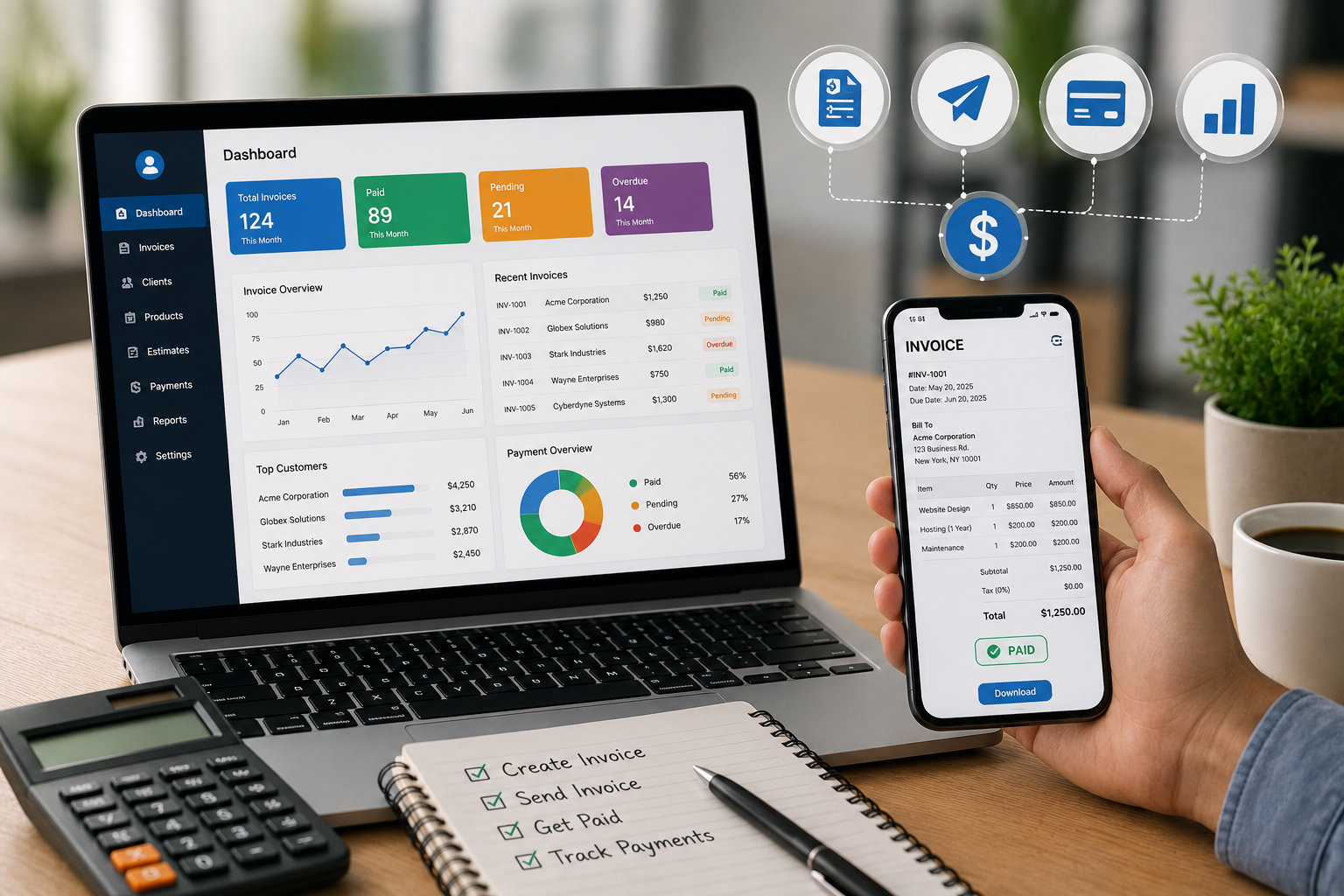
- Track invoice status
- Record payments
- Monitor outstanding balances
- Send payment reminders
- Generate financial reports
- Export billing information
Because information is stored digitally, businesses can access their billing records without relying entirely on paper documents or individual spreadsheets.
1. Saves Valuable Time
Creating invoices manually can become repetitive, especially for businesses that send many invoices every month.
Online invoicing software can save customer information, product details, prices, tax rates, and other frequently used information. This allows businesses to generate invoices more quickly.
Automated calculations also reduce the need to manually calculate totals, taxes, discounts, and balances.
The time saved can be used for sales, customer service, marketing, and other important business activities.
2. Reduces Billing Errors
Manual invoicing can lead to mistakes such as:
- Incorrect quantities
- Wrong prices
- Calculation errors
- Incorrect tax amounts
- Duplicate invoices
- Missing customer information
Online invoicing systems can automatically perform calculations and use predefined information.
This helps reduce common billing errors and makes invoices more consistent.
3. Creates Professional Invoices
A professional invoice can improve the way a business presents itself to customers.
Online billing systems often provide customizable invoice templates where businesses can add:
- Company logo
- Business name
- Contact information
- Customer details
- Product or service information
- Payment terms
- Tax details
- Notes and conditions
Professional-looking invoices can make business transactions clearer and easier for customers to understand.
4. Makes Sending Invoices Faster
With traditional billing, businesses may need to print invoices, scan documents, or manually send files through email.
Online invoicing allows invoices to be generated and shared digitally.
Businesses can often send invoices directly through email or provide customers with an online invoice or payment link.
This reduces delays between completing a sale or service and sending the invoice.
5. Helps Businesses Get Paid Faster
Cash flow is particularly important for small businesses.
Delayed payments can make it difficult to manage salaries, supplier payments, rent, and other expenses.
Online invoicing can help businesses send invoices promptly and provide convenient payment options.
Some systems can also send automatic reminders when an invoice is approaching its due date or becomes overdue.
This can reduce the amount of manual follow-up required from business owners and employees.
6. Makes Payment Tracking Easier
Keeping track of paid and unpaid invoices using spreadsheets can become difficult as the number of customers increases.
Online billing software can provide invoice statuses such as:
- Draft
- Sent
- Viewed
- Partially paid
- Paid
- Overdue
- Cancelled
This gives businesses a clearer view of their outstanding payments.
7. Provides Better Cash-Flow Visibility
Business owners need to know how much money is expected and which customers have outstanding balances.
Online billing systems can provide summaries of:
- Total invoiced amount
- Payments received
- Outstanding invoices
- Overdue payments
- Customer balances
- Monthly billing
This information can help business owners better understand their short-term cash-flow position.
8. Reduces Paperwork
Traditional invoicing often involves printed invoices, physical files, receipts, and manual records.
Online invoicing reduces the need for physical documents.
Invoices can be stored digitally and searched when required.
This can reduce paperwork and make financial record-keeping more organized.
9. Makes Records Easier to Find
Finding an old paper invoice can take time, especially when a business has thousands of records.
Digital billing systems usually provide search and filtering features.
Users can search invoices using information such as:
- Customer name
- Invoice number
- Date
- Payment status
- Amount
- Product or service
This makes retrieving historical billing information much easier.
10. Supports Recurring Billing
Some small businesses provide services that require customers to pay regularly.
Examples include:
- Subscription services
- Maintenance services
- Consulting
- Software services
- Memberships
- Monthly support contracts
Online billing systems can support recurring invoices and scheduled billing, depending on the software.
This reduces the need to create the same invoice manually every month.
11. Simplifies Tax and Financial Record-Keeping
Small businesses often need to maintain accurate records of sales, taxes, and expenses.
Online invoicing software can organize transaction information in a structured format.
Businesses can use this information to prepare financial summaries and support their accounting processes.
However, businesses should ensure that their invoicing system is configured according to applicable tax and accounting requirements.
12. Improves Customer Convenience
Customers increasingly expect digital and convenient payment experiences.
Online invoices can provide customers with clear billing information and, where supported, digital payment options.
Customers can receive invoices electronically rather than waiting for physical documents.
A simple payment process can improve the overall customer experience.
13. Makes Billing Accessible From Different Locations
Cloud-based billing software can allow authorized users to access invoices through internet-connected devices.
This can be useful for business owners and employees who work from different locations.
For example, a business owner meeting a customer outside the office may still be able to check an invoice or payment status through a web or mobile application.
Access depends on the software and the organization's security settings.
14. Helps Reduce Duplicate Work
Without centralized billing software, businesses may maintain customer information in one spreadsheet, invoices in another file, and payment records somewhere else.
This can result in repeated data entry.
An integrated online billing system can keep relevant information together.
This reduces duplication and helps employees work with a consistent set of billing records.
15. Supports Automated Payment Reminders
Following up on overdue invoices can be uncomfortable and time-consuming.
Online invoicing software can automate reminders based on predefined rules.
For example, the system may send:
- A reminder before the due date
- A reminder on the due date
- An overdue payment reminder
Automated reminders help businesses maintain regular payment follow-ups without requiring employees to manually contact every customer.
16. Improves Business Organization
A centralized billing system provides a structured way to manage customer invoices and payments.
Instead of relying on folders, emails, paper records, and spreadsheets, businesses can manage billing information from one platform.
This can be particularly helpful as the business grows and transaction volumes increase.
17. Supports Better Financial Reporting
Online billing systems can generate reports that help business owners understand billing activity.
Reports may include:
- Sales by month
- Revenue by customer
- Outstanding invoices
- Overdue invoices
- Payment history
- Tax summaries
- Product or service sales
These reports can help business owners identify trends and make better financial decisions.
18. Improves Data Security
Paper invoices can be lost, damaged, or accessed by unauthorized people.
Digital systems can provide access controls that limit who can view or modify billing information.
Businesses should choose reputable software and use appropriate security measures such as strong passwords, multi-factor authentication, backups, and user permissions.
19. Integrates With Other Business Systems
Modern billing platforms can often connect with other business applications.
For example, an invoicing system may integrate with:
- Accounting software
- CRM systems
- Inventory management software
- Payment gateways
- Customer management systems
- ERP platforms
These integrations can reduce duplicate data entry and create smoother business workflows.
20. Helps Small Businesses Scale
A manual invoicing process may work when a business has only a few customers.
As the customer base grows, however, managing hundreds or thousands of invoices becomes more difficult.
Online billing systems can handle larger volumes of transactions without requiring the same increase in administrative effort.
This makes digital invoicing a useful foundation for business growth.
Best Practices for Online Billing and Invoicing
Small businesses can get better results from online invoicing by following a few simple practices.
Use Consistent Invoice Information
Make sure invoices contain accurate business, customer, product or service, tax, payment, and due-date information.
Set Clear Payment Terms
Clearly communicate payment deadlines and accepted payment methods.
Track Outstanding Invoices
Review unpaid and overdue invoices regularly to maintain healthy cash flow.
Automate Reminders
Use automatic reminders where appropriate to reduce manual follow-up work.
Protect Customer Information
Use strong passwords, access controls, secure connections, and other appropriate security measures.
Keep Records Organized
Maintain digital copies of invoices and payment records according to your business and legal requirements.
Integrate With Accounting
Where practical, connect invoicing with accounting and other relevant business systems to reduce duplicate work.
Conclusion
Online billing and invoicing can provide significant benefits for small businesses. By automating invoice creation, reducing manual calculations, simplifying payment tracking, and organizing financial records, digital invoicing can save time and reduce administrative work.
It can also help businesses improve cash-flow visibility, follow up on overdue payments, provide a better customer experience, and access billing information more easily.
For small businesses looking to improve their daily operations, moving from manual billing processes to a reliable online invoicing system can be a practical step toward greater efficiency and better financial management.