Table of Contents
- The Role of UI/UX Design in Increasing Website Conversions
- What Is UI/UX Design?
- What Are Website Conversions?
- How UI/UX Design Influences Conversions
- 1. Creates a Strong First Impression
- 2. Makes Navigation Easier
- 3. Improves Website Readability
- 4. Uses Clear Calls to Action
- 5. Simplifies Forms
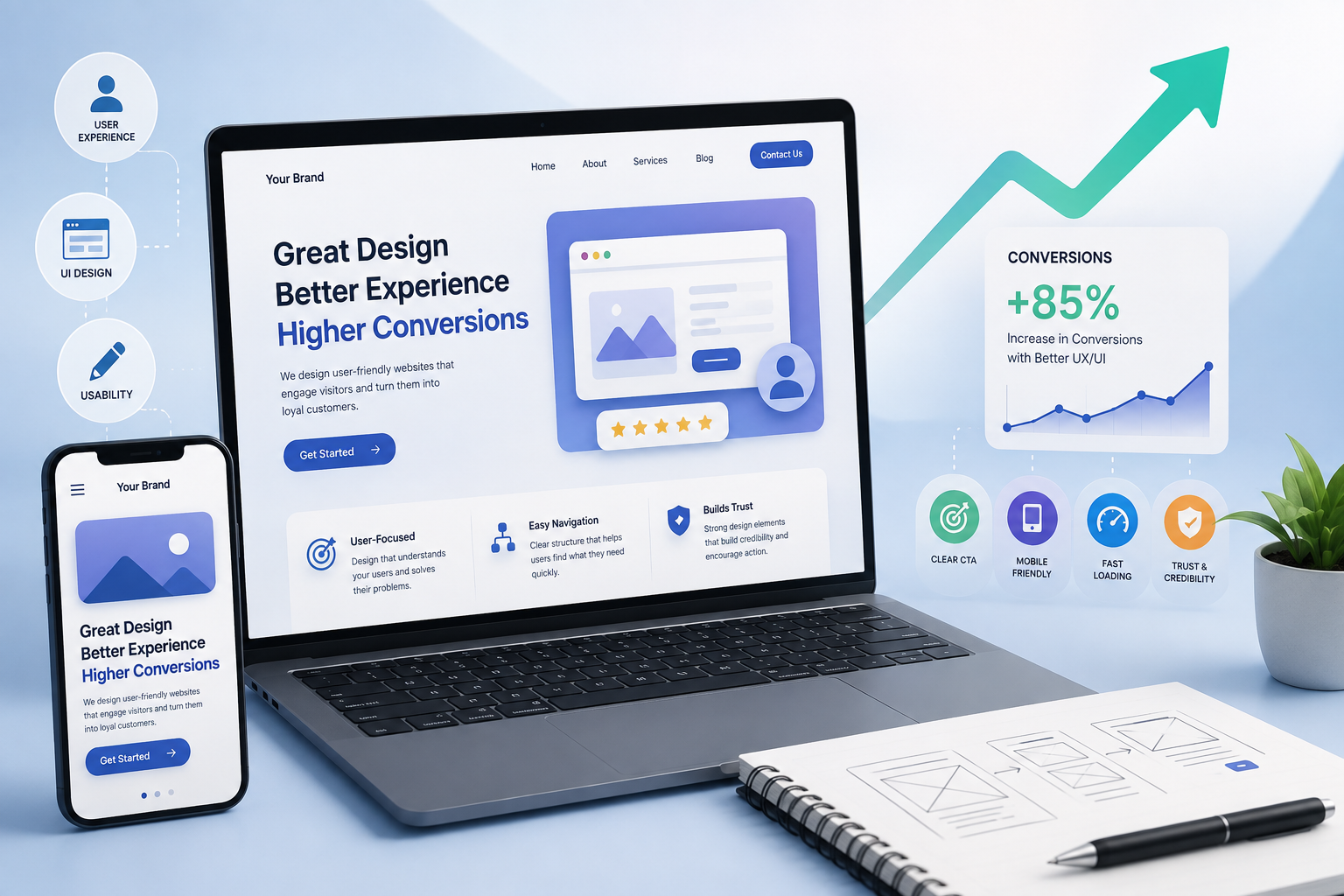
- 6. Improves Mobile Experience
- 7. Increases Website Speed
- 8. Builds Trust and Credibility
- 9. Reduces User Friction
- 10. Creates a Logical User Journey
- 11. Uses Visual Hierarchy Effectively
- 12. Personalizes the User Experience
- 13. Makes Checkout and Purchase Processes Easier
- 14. Uses A/B Testing to Improve Design
- 15. Uses Analytics to Understand User Behavior
- UI/UX Design and SEO
- Common UI/UX Mistakes That Can Reduce Conversions
- How to Create a Conversion-Focused UI/UX Strategy
- Step 1: Understand Your Audience
- Step 2: Define Conversion Goals
- Step 3: Analyze the Existing Website
- Step 4: Identify User Friction
- Step 5: Improve the Design
- Step 6: Test the Changes
- Step 7: Continue Optimizing
- The Business Benefits of Good UI/UX Design
- Conclusion
The Role of UI/UX Design in Increasing Website Conversions
In today's digital world, having a website is not enough. Businesses need websites that are easy to use, visually appealing, fast, and designed around the needs of their visitors. This is where UI/UX design plays an important role.
A well-designed website can make it easier for visitors to find information, understand products or services, build trust, and take desired actions such as submitting a contact form, requesting information, signing up, or making a purchase.
UI/UX design is therefore not only about creating an attractive website. It is also about creating a smooth user journey that supports business goals and improves conversion opportunities.
What Is UI/UX Design?
UI stands for User Interface, while UX stands for User Experience.
UI focuses primarily on the visual and interactive elements of a website, including:
- Colors
- Typography
- Buttons
- Images
- Icons
- Navigation menus
- Forms
- Page layouts
- Visual hierarchy
UX focuses on the overall experience a visitor has while interacting with a website.
It considers:
- How easily users can navigate the website
- How quickly they can find information
- How simple tasks are to complete
- Whether the website meets user expectations
- How smoothly users move from one page to another
Although UI and UX are different concepts, they work together to create a website that is both attractive and easy to use.
What Are Website Conversions?
A conversion occurs when a website visitor completes an action that is valuable to a business.
Depending on the website's goals, conversions may include:
- Purchasing a product
- Submitting a contact form
- Requesting a quotation
- Booking a consultation
- Signing up for a service
- Downloading a resource
- Creating an account
- Subscribing to updates
- Calling a business
A website can receive thousands of visitors but still generate poor results if visitors struggle to complete important actions.
This is why conversion-focused design matters.
How UI/UX Design Influences Conversions
1. Creates a Strong First Impression
Visitors often form an initial opinion about a website within a short period.
A professional and modern interface can help communicate:
- Credibility
- Quality
- Professionalism
- Reliability
- Brand identity
A cluttered or outdated design may make visitors less confident about continuing their journey.
A clean layout, consistent branding, high-quality visuals, and clear messaging can create a stronger first impression.
2. Makes Navigation Easier
Complicated navigation can cause visitors to leave a website before finding what they need.
A good navigation structure should make important information easy to access.
For example, a business website might include:
- Home
- About
- Services
- Products
- Blog
- Contact
Menus should be organized logically and should not overwhelm visitors with too many options.
When users can quickly find what they are looking for, they are more likely to continue exploring the website.
3. Improves Website Readability
Website visitors usually scan content rather than reading every word.
Good UI/UX design can make content easier to understand by using:
- Clear headings
- Short paragraphs
- Bullet points
- Appropriate font sizes
- Sufficient spacing
- Visual hierarchy
- Relevant images
Important information should stand out without making the page visually overwhelming.
Better readability allows visitors to understand the value of a product or service more quickly.
4. Uses Clear Calls to Action
A Call to Action (CTA) tells visitors what they should do next.
Examples include:
- Get Started
- Contact Us
- Request a Quote
- Book a Consultation
- Learn More
- Buy Now
- Sign Up
A good CTA should be easy to notice and understand.
Instead of forcing users to search for the next step, a website should guide them naturally toward the desired action.
5. Simplifies Forms
Forms are often an important part of lead generation.
However, overly complicated forms can discourage visitors from completing them.
A better approach is to ask only for information that is genuinely necessary.
For example, a basic inquiry form may require:
- Name
- Phone number
- Message
Additional fields can be included when they provide genuine value, but unnecessary questions should be avoided.
Clear labels, helpful instructions, and appropriate validation can also improve the form experience.
6. Improves Mobile Experience
A large portion of website traffic comes from smartphones and tablets.
A website that works well on a desktop but poorly on mobile devices can lose valuable conversion opportunities.
Responsive UI/UX design ensures that websites adapt to different screen sizes.
Important considerations include:
- Responsive layouts
- Touch-friendly buttons
- Readable text
- Easy mobile navigation
- Properly sized images
- Simple forms
- Fast loading
A strong mobile experience allows visitors to interact with the website comfortably regardless of the device they use.
7. Increases Website Speed
Website performance has a major influence on user experience.
Slow pages can frustrate visitors and may cause them to leave before completing an important action.
UI/UX teams and developers can improve performance by considering:
- Image optimization
- Efficient code
- Browser caching
- Content delivery networks
- Reduced unnecessary scripts
- Modern image formats
- Lightweight page designs
A fast website creates a smoother experience and removes unnecessary friction from the user journey.
8. Builds Trust and Credibility
Visitors are more likely to take action when they trust a website.
UI/UX design can support trust through elements such as:
- Professional branding
- Customer reviews
- Testimonials
- Case studies
- Clear contact information
- Business details
- Secure connection indicators
- Transparent pricing where appropriate
- Consistent design
Trust signals should be presented naturally rather than overwhelming visitors with excessive promotional content.
9. Reduces User Friction
User friction refers to anything that makes completing an action more difficult than necessary.
Examples include:
- Complicated navigation
- Confusing buttons
- Long forms
- Unclear instructions
- Slow loading pages
- Broken links
- Unexpected pop-ups
- Difficult checkout processes
A strong UX strategy identifies these obstacles and removes unnecessary steps.
The easier it is for visitors to complete their intended task, the smoother the conversion journey becomes.
10. Creates a Logical User Journey
A successful website should guide visitors from one stage to the next.
For example:
Landing Page → Information → Benefits → Trust Signals → CTA → Contact or Purchase
The exact journey depends on the business and its target audience.
UI/UX design helps organize information so visitors understand what the business offers and what they should do next.
11. Uses Visual Hierarchy Effectively
Visual hierarchy determines which elements attract attention first.
Important information can be highlighted through:
- Larger headings
- Contrasting colors
- Strategic spacing
- Prominent buttons
- Supporting images
- Different font weights
For example, on a service page, the service title, key benefit, and primary CTA should usually receive more visual attention than secondary information.
Effective hierarchy helps visitors understand a page quickly.
12. Personalizes the User Experience
Modern websites can sometimes provide more relevant experiences based on user behavior or preferences.
Depending on the business, personalization may include:
- Recommended products
- Relevant content
- Location-based information
- Returning-user experiences
- Personalized offers
- Related services
Personalization should provide genuine value and should be implemented responsibly.
13. Makes Checkout and Purchase Processes Easier
For e-commerce websites, the checkout experience can strongly influence conversions.
A complicated checkout process may cause users to abandon their purchase.
Businesses can improve the experience by offering:
- Simple checkout steps
- Clear pricing
- Transparent shipping information
- Multiple payment options
- Easy form completion
- Order summaries
- Clear error messages
The goal should be to make the purchasing process straightforward and predictable.
14. Uses A/B Testing to Improve Design
UI/UX decisions should not always rely on assumptions.
A/B testing allows businesses to compare different versions of a page or element.
For example, a business could test:
- Two CTA button designs
- Different headlines
- Different page layouts
- Short versus long forms
- Different images
- Different navigation structures
Performance data can then help determine which version produces better results.
15. Uses Analytics to Understand User Behavior
Analytics tools can provide valuable information about how visitors interact with a website.
Businesses can analyze metrics such as:
- Traffic sources
- Page views
- Engagement
- Conversion rates
- Exit pages
- User journeys
- Device usage
- Landing page performance
This information can help identify areas where visitors may be experiencing difficulties.
Combining analytics with usability research can provide a more complete understanding of website performance.
UI/UX Design and SEO
UI/UX and SEO are closely connected.
Search engines aim to provide users with useful experiences, while good UX helps visitors interact with websites more effectively.
Important areas include:
- Mobile responsiveness
- Website speed
- Readable content
- Clear navigation
- Helpful page structure
- Accessible content
- Strong internal linking
- Useful page titles and headings
SEO may bring visitors to a website, while effective UI/UX can help turn those visitors into engaged users or customers.
Common UI/UX Mistakes That Can Reduce Conversions
Businesses should avoid common design problems such as:
- Cluttered layouts
- Too many pop-ups
- Unclear CTAs
- Poor mobile design
- Slow page loading
- Difficult navigation
- Tiny or difficult-to-read text
- Complicated forms
- Inconsistent branding
- Missing trust signals
- Poorly organized content
- Broken links
Even small usability problems can negatively affect the overall user experience.
How to Create a Conversion-Focused UI/UX Strategy
A practical approach can include the following steps:
Step 1: Understand Your Audience
Identify your target users, their needs, expectations, and common challenges.
Step 2: Define Conversion Goals
Determine which actions are most important for your business.
Step 3: Analyze the Existing Website
Review navigation, content, mobile usability, page speed, forms, and CTAs.
Step 4: Identify User Friction
Find areas where visitors may become confused or leave the website.
Step 5: Improve the Design
Create a cleaner interface and simplify the user journey.
Step 6: Test the Changes
Use analytics, usability testing, and A/B testing to evaluate improvements.
Step 7: Continue Optimizing
UI/UX should be continuously improved based on user feedback and performance data.
The Business Benefits of Good UI/UX Design
Investing in UI/UX design can provide several potential benefits:
- Better user satisfaction
- Stronger brand credibility
- Improved engagement
- Easier navigation
- Better mobile experiences
- Reduced user friction
- More qualified leads
- Improved customer retention
- Better conversion opportunities
Good UI/UX design can therefore contribute to both customer satisfaction and business growth.
Conclusion
UI/UX design plays an important role in helping businesses create websites that are attractive, intuitive, and focused on user needs. A well-designed website can make it easier for visitors to find information, understand services, trust a brand, and complete valuable actions.
From responsive layouts and fast loading times to clear navigation, strong calls to action, simple forms, and effective visual hierarchy, every design decision can influence the user journey.
However, good UI/UX should not be based on appearance alone. Businesses should combine thoughtful design with analytics, user feedback, usability testing, and continuous optimization.
By creating a website that prioritizes both user experience and business goals, organizations can build stronger digital experiences and create more opportunities for meaningful conversions.