Table of Contents
- Why Businesses Need a Centralized Control Center for Digital Operations
- What Is a Centralized Control Center?
- The Problem with Disconnected Digital Operations
- One Dashboard for Better Visibility
- Faster and More Informed Decision-Making
- Improved Team Collaboration
- Reducing Repetitive Administrative Work
- Better Data Consistency
- Security and Access Control
- Supporting Business Growth
- What Should a Centralized Control Center Include?
- 1. Dashboard and Analytics
- 2. User and Role Management
- 3. Task and Workflow Management
- 4. Reporting
- 5. Data Management
- 6. Notifications
- 7. Integrations
- 8. Security
- Centralized Does Not Mean Complicated
- How to Start Building a Centralized Digital Operation
- Conclusion
Why Businesses Need a Centralized Control Center for Digital Operations
In today’s digital business environment, organizations often depend on multiple tools and platforms to manage their daily activities. Teams may use separate systems for customer information, project management, employee tasks, website content, sales, reporting, communication, and other operational activities. While each tool may serve a specific purpose, managing too many disconnected systems can make business operations complicated.
A centralized control center provides a practical solution by bringing important digital operations, information, workflows, and reports together in one organized environment. Instead of constantly moving between different platforms, teams can access the information and tools they need from a single dashboard.
What Is a Centralized Control Center?
A centralized control center is a digital platform that provides a unified view of important business activities. It can connect different workflows, data sources, management functions, and reporting tools within one interface.
The goal is not necessarily to replace every existing business application. Instead, the central system can act as a common point from which teams can monitor activities, manage information, track progress, and make decisions.
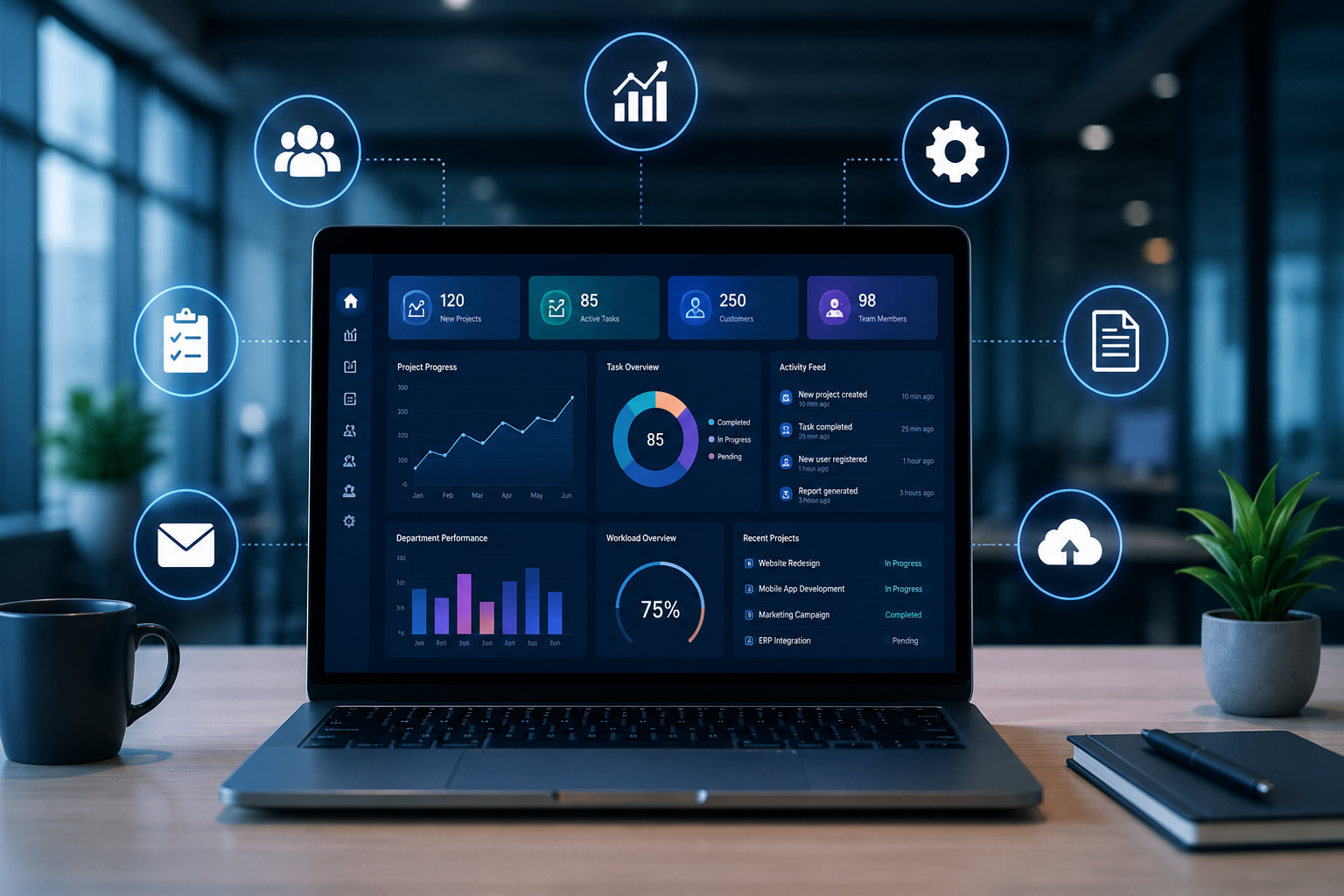
Modern operational dashboards are increasingly being used to provide unified visibility into business performance, workflows, automation, and other digital activities.
The Problem with Disconnected Digital Operations
As a business grows, its digital environment usually becomes more complex. Different departments may adopt different tools according to their individual requirements. Over time, this can create information silos.
For example, one team may maintain information in spreadsheets while another uses a project management system and another relies on a separate CRM or internal application. Managers may then have to collect information from multiple sources before they can understand what is happening across the organization.
This can result in:
-
Duplicate data entry
-
Inconsistent information
-
Delayed reporting
-
Difficulty tracking tasks
-
Communication gaps
-
More administrative work
-
Limited visibility for management
-
Slower decision-making
A centralized system can reduce these problems by giving teams a shared operational view.
One Dashboard for Better Visibility
One of the biggest advantages of a centralized control center is visibility.
Instead of checking multiple systems individually, managers can use a dashboard to review important information from one place. Depending on the business requirements, a dashboard may display project status, employee activities, customer information, sales data, pending tasks, website updates, reports, or other operational indicators.
Having information in one location makes it easier to identify what requires attention. Centralized dashboards are particularly useful when businesses have multiple departments, locations, or operational processes to monitor.
Faster and More Informed Decision-Making
Business decisions are often dependent on accurate and timely information. When data is scattered across different systems, managers may spend considerable time collecting and comparing information before making a decision.
A centralized control center can provide relevant information through dashboards, reports, charts, and status indicators. This allows decision-makers to spend less time searching for information and more time analyzing it.
For example, a manager could quickly identify:
-
Which projects are delayed
-
Which tasks are pending
-
Which activities require approval
-
Which departments need attention
-
Which operational areas are performing well
-
Where resources may need to be allocated
The value of a dashboard comes from turning operational data into information that people can act on.
Improved Team Collaboration
Digital operations are rarely limited to one department. Marketing, sales, development, finance, administration, HR, and management may all depend on information from one another.
A centralized platform can create a common workspace where authorized employees can view relevant updates and track responsibilities.
When everyone works with consistent information, it becomes easier to understand who is responsible for a task, what has already been completed, and what needs to happen next.
This can reduce unnecessary communication and minimize the risk of important information being lost across emails, messages, spreadsheets, or separate applications.
Reducing Repetitive Administrative Work
Manual processes can consume significant employee time. Copying information from one system to another, preparing recurring reports, updating spreadsheets, and checking multiple platforms are examples of activities that can often be streamlined.
A centralized control center can be combined with workflow automation to handle repetitive activities such as:
-
Task assignments
-
Notifications
-
Approval workflows
-
Status updates
-
Report generation
-
Data synchronization
-
Internal requests
Automation does not eliminate the need for human oversight. Instead, it allows employees to spend more time on work that requires judgment, creativity, and problem-solving.
Better Data Consistency
Businesses make better decisions when they can rely on accurate information.
When the same information is maintained across several independent systems, differences can occur. One department may update a record while another continues using an older version.
Centralization can help establish a common source of operational information. Where appropriate, integrations can synchronize data between systems so that teams are working from more consistent records.
This is particularly important as an organization grows and the volume of business data increases.
Security and Access Control
Centralization also creates an opportunity to manage access more systematically.
A well-designed business dashboard can use role-based permissions to determine which information different users can access. For example, an administrator may have broader access than a department employee, while a manager may have access to reports relevant to their department.
Access controls, authentication, activity logs, and other security measures can help organizations protect sensitive business information while still giving employees the access they need.
Supporting Business Growth
A system that works for a small business may not be sufficient when the organization grows.
More employees, customers, projects, departments, and digital processes naturally create more operational complexity. A centralized control center provides a structured foundation that can evolve with the organization.
Businesses can gradually add new modules, integrations, dashboards, reports, and workflows as their requirements change.
This makes scalability an important consideration when designing a centralized digital operations system.
What Should a Centralized Control Center Include?
There is no single feature list that works for every organization. The system should be designed around the actual needs of the business.
Common features can include:
1. Dashboard and Analytics
Visual summaries of important business information, KPIs, progress, and operational trends.
2. User and Role Management
Different access levels for administrators, managers, employees, and other users.
3. Task and Workflow Management
Tools for assigning responsibilities, tracking progress, and managing approvals.
4. Reporting
Custom reports that help management understand operational performance.
5. Data Management
Centralized records that reduce duplicate information and make important data easier to find.
6. Notifications
Alerts and reminders for important activities, deadlines, approvals, or status changes.
7. Integrations
Connections with existing business applications, APIs, databases, payment systems, communication tools, or other platforms.
8. Security
Authentication, authorization, backups, access controls, and activity monitoring.
Centralized Does Not Mean Complicated
A common misconception is that building a centralized business system means creating a large and complicated application.
In reality, the best solution is usually one that focuses on the organization's actual requirements.
A small business may only need a simple dashboard with customer management, projects, tasks, and reports. A larger organization may require multiple departments, advanced permissions, integrations, analytics, automation, and custom workflows.
The important factor is to build the system around the business process rather than adding unnecessary features.
How to Start Building a Centralized Digital Operation
Businesses considering a centralized control center can begin with a simple process.
First, identify the current systems. List the applications, spreadsheets, databases, and manual processes currently used by each department.
Second, identify repetitive tasks. Look for activities that consume time without directly creating business value.
Third, determine the most important information. Decide which data managers and employees need to access regularly.
Fourth, prioritize integrations. Not every system needs to be connected immediately. Start with the platforms that have the greatest operational impact.
Finally, implement in stages. A phased approach allows the organization to test the system, collect feedback, and improve workflows before expanding it further.
Conclusion
Digital operations become increasingly difficult to manage when information, workflows, and responsibilities are spread across disconnected systems. A centralized control center can bring greater visibility, improve collaboration, reduce repetitive administrative work, and help managers make decisions using more accessible and consistent information.
The purpose of centralization is not simply to have everything on one screen. It is to create a structured digital environment where people, data, workflows, and business processes work together more effectively.
For growing businesses, investing in a centralized digital operations system can be an important step toward creating more organized, transparent, and scalable day-to-day operations.