Accounting Software Features Every Small Business Should Look For

Introduction
Managing finances is one of the most important responsibilities for any small business. From preparing invoices and tracking expenses to managing payments, calculating taxes, and monitoring profits, business owners must keep their financial records accurate and organized.
Many small businesses still depend on spreadsheets, paper registers, and manual calculations to manage their accounts. While these methods may work during the early stages, they can become difficult to maintain as transactions increase. Missing invoices, incorrect calculations, delayed payments, and incomplete financial records can create unnecessary challenges.
This is where accounting software for small businesses becomes valuable. It helps businesses automate routine accounting tasks, organize financial transactions, monitor cash flow, and generate reports that support better business decisions.
However, not every accounting system offers the same capabilities. Choosing the right software means identifying the features that match your business requirements, industry, budget, and future growth plans.
In this article, we explore the essential accounting software features every small business should look for before investing in a digital accounting solution.
What Is Accounting Software?
Accounting software is a digital tool that helps businesses record, organize, manage, and analyze their financial transactions. It reduces dependence on manual bookkeeping and brings important financial information into a centralized system.
Depending on the software, businesses can use it to manage sales, purchases, customer invoices, supplier payments, expenses, taxes, bank transactions, and financial reports.
For example, a small retail store can use accounting software to record daily sales, track supplier bills, monitor outstanding payments, and review its financial performance. A service-based company can use the same type of system to create client invoices, record operating expenses, and monitor monthly revenue.
The primary objective is to make financial management more accurate, efficient, and transparent.
1. Easy Invoicing and Billing Management
Invoicing is one of the most important features of accounting software because it directly affects revenue collection and cash flow.
Creating invoices manually can consume time, especially when a business handles multiple customers, products, or services every day. Manual calculations may also lead to incorrect totals, missing details, and inconsistent invoice formats.
Good accounting software should make it easy to create professional invoices with essential information, including:
-
Business and customer details.
-
Invoice numbers and dates.
-
Product or service descriptions.
-
Quantities, prices, discounts, and taxes.
-
Payment terms and due dates.
-
Total payable amounts.
Look for software that supports reusable invoice templates, automatic calculations, recurring invoices where needed, and invoice status tracking.
For businesses in India, GST-related invoicing capabilities may also be important. The software should support the applicable invoice requirements for the business and provide updates when relevant regulations change.
Why it matters: Faster invoice creation reduces repetitive work and helps businesses maintain consistent billing records.
2. Expense Tracking and Categorization
Understanding where money goes is just as important as knowing how much revenue a business earns.
Small businesses regularly spend money on rent, electricity, salaries, transportation, supplies, marketing, software subscriptions, and other operating requirements. Without an organized expense tracking system, these transactions can become difficult to review.
Accounting software should allow users to record expenses, assign categories, attach supporting receipts, and review spending over a selected period.
Some systems also offer receipt scanning and transaction categorization features that reduce manual data entry.
For example, a marketing agency can categorize expenses into employee costs, advertising, software subscriptions, travel, and office expenses. At the end of the month, the owner can review these categories to identify where the business is spending the most.
Why it matters: Organized expense records help businesses monitor spending, prepare financial reports, and identify opportunities to control costs.
3. GST and Tax Management
For many Indian businesses, tax-related accounting is an essential consideration when choosing software.
Manually preparing tax records can become complicated when businesses manage numerous sales invoices, purchase bills, tax rates, and transaction adjustments.
Accounting software with suitable GST features can help businesses record GST-related transactions, apply configured tax rates, prepare relevant reports, and organize information needed for tax filing.
Depending on the system, useful capabilities may include:
-
GST-enabled invoice creation.
-
Configurable tax rates and transaction categories.
-
GST summaries and transaction reports.
-
Purchase and sales record management.
-
Support for applicable e-invoicing requirements.
-
Export of information needed for returns and reconciliation.
Businesses should verify whether the software supports their specific registration type, turnover-related requirements, transaction categories, and applicable GST obligations.
It is also important to understand that software does not automatically guarantee tax compliance. Business owners should keep records accurate, apply the appropriate rules, and consult a qualified tax professional when necessary.
Why it matters: Suitable tax management features help organize records, reduce repetitive calculations, and make accounting information easier to review.
4. Bank Reconciliation
Bank reconciliation involves comparing the transactions recorded in business accounts with the corresponding entries in bank statements.
This process helps identify missing transactions, duplicate entries, incorrect amounts, bank charges, and differences between accounting records and actual bank activity.
Without reconciliation, a business owner may believe that a certain amount is available even when some payments have not been recorded correctly.
Accounting software should make it easy to import bank statements or connect supported bank feeds where available. It should also help users match transactions against recorded payments, receipts, and expenses.
For example, if a customer pays an invoice through a bank transfer, reconciliation helps confirm that the payment received matches the amount recorded in the accounting system.
Why it matters: Regular reconciliation improves record accuracy and gives business owners a more reliable view of their financial position.
5. Real-Time Financial Reporting
Financial reports help business owners understand how their company is performing. However, preparing these reports manually can be time-consuming and may delay important decisions.
Accounting software should provide clear reports that summarize financial information for selected periods.
Important reports to look for include:
-
Profit and loss statement: Shows revenue, expenses, and profit or loss.
-
Balance sheet: Summarizes assets, liabilities, and equity.
-
Cash flow report: Helps review money moving into and out of the business.
-
Accounts receivable report: Shows amounts customers still owe.
-
Accounts payable report: Shows amounts the business owes suppliers.
-
Sales reports: Summarize revenue across customers, products, or periods.
-
Expense reports: Help identify spending patterns and major cost categories.
Some platforms also provide dashboards with visual summaries of revenue, expenses, outstanding invoices, and other financial indicators.
Why it matters: Timely financial reports help business owners make informed decisions about spending, pricing, hiring, and expansion.
6. Accounts Receivable and Payment Tracking
Sending an invoice does not guarantee that a customer will pay on time. Businesses must monitor outstanding invoices, payment deadlines, and overdue amounts to maintain healthy cash flow.
Accounting software should provide a clear view of which invoices are paid, pending, partially paid, or overdue.
Useful features include:
-
Invoice due-date tracking.
-
Automated payment reminders.
-
Recording of partial and full payments.
-
Customer payment history.
-
Outstanding balance reports.
-
Payment allocation against the correct invoice.
For example, a business that provides monthly maintenance services can review all unpaid customer invoices from one dashboard instead of checking separate spreadsheets.
Automated reminders can help employees follow up consistently without manually contacting every customer at every stage.
Why it matters: Better payment tracking helps businesses follow up on receivables and manage cash flow more effectively.
7. Accounts Payable and Supplier Management
Small businesses must also manage payments to suppliers, service providers, landlords, and other vendors.
Missing payment deadlines can disrupt business relationships, create late-payment charges, or affect the availability of essential supplies.
Accounting software should allow businesses to record supplier bills, monitor due dates, track payment history, and review outstanding obligations.
More advanced systems may also support purchase orders, payment approvals, vendor records, and bill-to-purchase-order matching.
For example, a retailer can record supplier invoices for inventory purchases and review upcoming payment obligations before committing to additional spending.
Why it matters: Organized accounts payable records help businesses plan outgoing payments and avoid preventable payment delays.
8. Inventory and Stock Management
For retailers, wholesalers, distributors, and product-based businesses, inventory management can be an important accounting requirement.
Businesses need to understand what they have in stock, what has been sold, what needs replenishment, and how inventory purchases affect their financial records.
Accounting software with inventory capabilities may include:
-
Product and item records.
-
Purchase and sales tracking.
-
Stock quantity monitoring.
-
Inventory valuation reports.
-
Reorder alerts.
-
Integration with billing or point-of-sale systems.
-
Support for multiple warehouses, where required.
For example, a small electronics retailer can monitor product purchases and sales while reviewing stock availability and inventory-related costs.
Not every accounting system includes advanced inventory management. Businesses with complex stock requirements should check whether a dedicated inventory module or integration is available.
Why it matters: Connected inventory and accounting records can improve stock visibility and help businesses make better purchasing decisions.
9. Payroll and Employee Expense Management
Employee salaries are a major recurring expense for many businesses. Managing payroll manually can become complicated as the number of employees increases or compensation structures become more detailed.
Depending on the platform, accounting software may include payroll features or integrate with a dedicated payroll system.
Relevant capabilities may include salary records, payroll expense entries, reimbursement tracking, payslip generation, and support for applicable payroll-related calculations and reporting.
Businesses should verify whether the available payroll functionality meets their workforce requirements and relevant Indian statutory obligations.
Why it matters: Payroll integration can reduce duplicate data entry and help keep employee-related financial records organized.
10. Automation of Repetitive Accounting Tasks
Many accounting activities follow predictable patterns. Businesses repeatedly create invoices, record recurring expenses, send payment reminders, and categorize similar transactions.
Accounting software can automate some of these activities through predefined rules and workflows.
Useful automation features may include:
-
Recurring invoices for regular customers.
-
Scheduled reminders for unpaid invoices.
-
Automatic transaction categorization.
-
Recurring expense entries.
-
Suggested bank transaction matching.
-
Automated report generation.
-
Approval notifications for selected transactions.
For example, a company that bills clients every month can configure recurring invoices rather than preparing every invoice from scratch.
Automation should still include appropriate review and approval controls, especially for tax-sensitive transactions and significant payments.
Why it matters: Automation reduces repetitive administrative work and gives business owners more time to focus on customers and business growth.
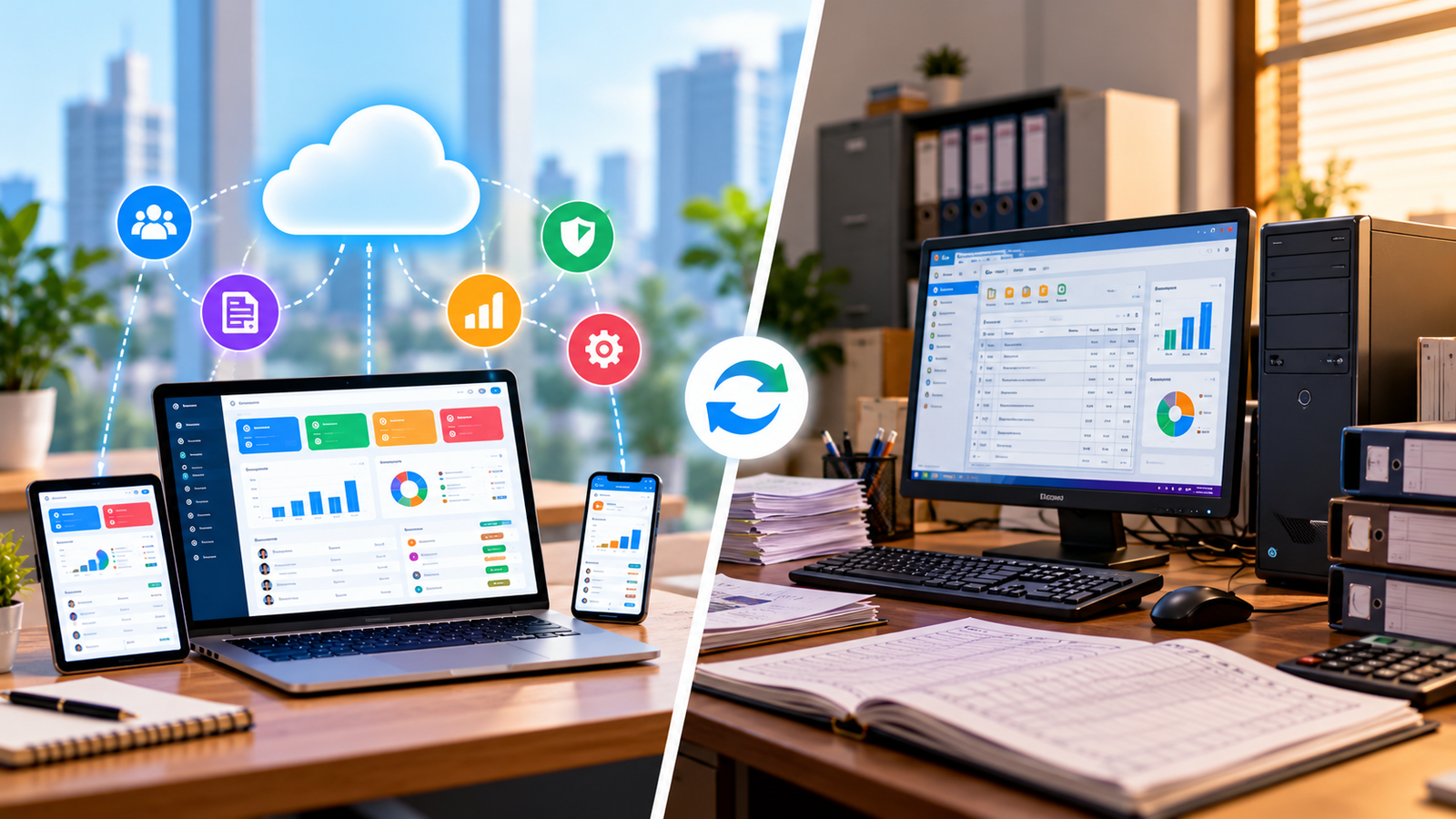
11. Cloud Access and Mobile Compatibility
Business owners often need financial information while meeting clients, visiting suppliers, working remotely, or managing operations outside the office.
Cloud-based accounting software can provide access to financial records through supported internet-connected devices. Mobile applications may allow users to review invoices, record expenses, check reports, and manage selected accounting activities while away from their desks.
Before selecting a cloud-based solution, consider:
-
Access permissions for employees and accountants.
-
Availability of mobile applications.
-
Data backup and recovery arrangements.
-
Security controls and authentication.
-
Internet connectivity requirements.
-
Export options and access to historical records.
Businesses that prefer desktop software should also consider how data backups, updates, remote access, and collaboration will be managed.
Why it matters: Convenient access helps business owners and authorized team members review financial information without depending entirely on a single office computer.
12. Data Security and User Access Controls
Accounting software contains sensitive information, including financial transactions, customer details, supplier records, payroll data, and business performance reports.
Protecting this information should be a priority when evaluating any accounting system.
Look for security features such as:
-
Role-based user permissions.
-
Multi-factor authentication, where available.
-
Secure data transmission and storage.
-
Audit trails showing important changes.
-
Regular data backups.
-
Data recovery options.
-
Session management and account protection.
For example, a billing employee may need permission to create invoices but should not necessarily have unrestricted access to payroll information or sensitive financial settings.
The business should also understand how the software provider handles data retention, backups, account access, and security incidents.
Why it matters: Appropriate access controls help reduce unauthorized changes and support better protection of business records.
13. Integration With Other Business Software
Small businesses frequently use multiple digital tools to manage operations. These may include billing software, inventory systems, CRM platforms, payment gateways, e-commerce applications, and payroll solutions.
If these systems operate independently, employees may need to enter the same information multiple times. This increases administrative work and creates opportunities for inconsistencies.
Accounting software with suitable integrations can help transfer relevant information between connected systems.
For example, integrating a billing system with accounting software may help record sales transactions more efficiently. Connecting a supported payment gateway may also simplify the process of recording customer payments.
Before purchasing, check whether the software supports your existing applications, whether integration requires additional fees, and how data synchronization works.
Why it matters: Effective integration can reduce duplicate work and help maintain more consistent business records.
14. Scalability and Multi-User Collaboration
A business's accounting requirements can change as its operations expand. A system that works for a small number of monthly transactions may become inadequate when the business adds employees, branches, products, or customers.
Choose accounting software that can support your expected growth without making daily work unnecessarily complicated.
Depending on the business, useful capabilities may include:
-
Multiple user accounts.
-
Branch or location-based reporting.
-
More detailed financial reports.
-
Multiple currencies, if required.
-
Customizable approval workflows.
-
Additional integrations.
-
Higher transaction volumes.
-
Accountant or auditor access.
It is also worth checking whether adding users or advanced modules increases the subscription cost.
Why it matters: Scalable software can reduce the disruption of switching systems as the business becomes more complex.
15. Easy Data Migration, Backup, and Customer Support
Moving from spreadsheets or an older accounting system can be challenging if customer records, supplier details, opening balances, and transaction histories are not transferred correctly.
Before implementation, check whether the software supports data imports, migration assistance, and export of records in usable formats.
You should also evaluate the provider's support options, including documentation, training, troubleshooting, and software updates.
A practical implementation plan should include:
-
Reviewing and cleaning existing financial records.
-
Exporting relevant data from the old system.
-
Importing customer, supplier, and transaction information.
-
Verifying opening balances and account mappings.
-
Testing invoices, reports, and bank reconciliation.
-
Training employees on the new workflow.
-
Maintaining appropriate backups and reviewing access permissions.
Why it matters: Good migration support and reliable customer assistance help businesses transition to a new accounting system with fewer disruptions.
Essential Accounting Software Features: A Quick Checklist
Before selecting software, use this checklist to compare available options.
| Feature | Priority for most small businesses |
|---|---|
| Invoicing and billing | Essential |
| Income and expense tracking | Essential |
| Financial reporting | Essential |
| Bank reconciliation | Essential |
| Payment and outstanding invoice tracking | Essential |
| GST and tax-related support | Essential where applicable |
| Data security and backups | Essential |
| Supplier and bill management | Highly useful |
| Mobile or cloud access | Depends on workflow |
| Inventory management | Essential for many product-based businesses |
| Payroll integration | Depends on workforce needs |
| Automation and recurring transactions | Highly useful |
| Third-party integrations | Depends on existing systems |
| Multi-branch reporting | Useful for expanding businesses |
| Advanced budgeting and forecasting | Depends on financial complexity |
This checklist is a starting point. The right combination of features depends on your industry, transaction volume, business processes, and budget.
How to Choose the Right Accounting Software for Your Business
The best accounting software is not necessarily the one with the largest number of features. It is the one that handles your financial processes accurately and fits your team's daily workflow.
Consider the following steps before making a decision.
Step 1: Identify your accounting challenges
Determine whether your main problems involve invoice creation, expense tracking, overdue payments, tax records, inventory, or financial reporting.
Step 2: Define your essential features
Separate the features you need immediately from those you may require in the future. This helps prevent paying for unnecessary functionality.
Step 3: Check tax and industry requirements
Verify that the system supports your applicable tax obligations, reporting needs, transaction types, and industry-specific workflows.
Step 4: Compare total costs
Review subscription charges, implementation costs, additional user fees, integrations, training, and ongoing maintenance.
Step 5: Test the software
Use a demo or trial, where available, to create sample invoices, record expenses, reconcile transactions, and generate reports.
Step 6: Evaluate security and support
Check user permissions, backup procedures, data export options, and the availability of assistance when problems occur.
Step 7: Plan for future growth
Select a solution that can accommodate likely changes in transaction volume, employee count, and business operations.
Why Small Businesses Should Move Beyond Manual Accounting
Manual accounting may appear inexpensive at first, but it can become difficult to maintain when transaction volumes increase. Employees may spend considerable time updating records, checking calculations, searching for documents, and preparing reports.
Digital accounting systems can centralize information and automate selected tasks, helping businesses reduce repetitive work and improve financial visibility.
The benefits depend on choosing suitable software and maintaining accurate records. Businesses still need clear accounting procedures, regular reconciliation, appropriate approvals, and professional advice where necessary.
For many small businesses, a gradual transition is practical. They can begin with invoicing, expense tracking, and reporting, then add integrations or more advanced features as their requirements evolve.
How Logic Waves Tech Can Support Business Digitalization
As businesses grow, managing accounting alongside billing, inventory, customer relationships, and daily operations can become increasingly complex. A suitable digital solution can help bring these processes into a more organized workflow.
Logic Waves Tech provides business software solutions to help organizations improve operational efficiency and support their digital transformation goals.
Businesses exploring accounting-related or connected management systems can review the available solutions and identify the features that best fit their needs.
Visit Logic Waves Tech to explore software solutions for business operations and management.
Conclusion
Accounting software is an important tool for small businesses that want to manage finances more efficiently, maintain organized records, and make informed decisions.
The most valuable features usually include invoicing, expense tracking, bank reconciliation, financial reporting, payment monitoring, suitable tax support, and reliable security. Depending on the business, inventory management, payroll integration, automation, and multi-user access may also be important.
Before investing in a system, evaluate your current challenges, compare the available features, and consider your future requirements. A solution that matches your workflow can help reduce repetitive tasks, improve financial visibility, and create a stronger foundation for sustainable business growth.
Choosing the right accounting software today can help your small business manage its finances with greater confidence as it grows.
Frequently Asked Questions (FAQs)
1. What are the most important features of accounting software for small businesses?
The most important features generally include invoicing, expense tracking, bank reconciliation, financial reporting, payment tracking, tax-related support, and data security. Additional features depend on the business's industry and operational requirements.
2. Is accounting software useful for a very small business?
Yes. Freelancers, service providers, shops, and small companies can use accounting software to organize transactions, create invoices, monitor expenses, and understand their financial performance.
3. Does accounting software support GST in India?
Many accounting systems provide GST-related features, including tax-enabled invoices and transaction reports. Businesses should verify that the selected software supports their applicable GST requirements and relevant e-invoicing obligations.
4. Can accounting software replace an accountant?
Accounting software can automate routine tasks and organize financial records, but it does not replace all the work of an accountant. Professional support may still be needed for financial interpretation, tax planning, compliance questions, audits, and complex accounting decisions.
5. Should a small business choose cloud-based or desktop accounting software?
Cloud-based software may be suitable for businesses that need remote access and online collaboration. Desktop software may suit businesses with simpler workflows or specific local requirements. The choice should consider security, backup arrangements, connectivity, costs, integrations, and accessibility.
6. Does accounting software include inventory management?
Some accounting systems include inventory features, while others require a separate module or integration. Businesses that sell physical products should check whether the software supports their stock tracking, valuation, and replenishment requirements.
7. How much does small business accounting software cost?
The cost varies according to the provider, feature set, number of users, transaction volume, and implementation requirements. Compare the total cost of ownership rather than considering only the advertised subscription price.
8. How can accounting software improve cash flow?
It can help businesses monitor outstanding invoices, follow up on overdue payments, schedule supplier payments, track expenses, and review cash flow reports. These capabilities improve visibility and support better financial planning.
Want this for your business?
Talk to our team — free consultation, clear advice.