
Why Schools Should Replace Paper-Based Administration With School Management Software

Introduction
Running a school involves much more than teaching students. Every day, school administrators manage admissions, student records, attendance, fee collection, examinations, staff information, parent communication, and countless other responsibilities.
For many schools, these activities still depend on paper registers, handwritten receipts, physical files, and spreadsheets. Although traditional methods may work for smaller institutions, they can become difficult to manage as student enrolment and administrative responsibilities increase.
Paper-based administration often requires repeated data entry, manual calculations, time-consuming record searches, and additional effort to prepare reports. These challenges can affect productivity and prevent school staff from focusing on more important academic and administrative priorities.
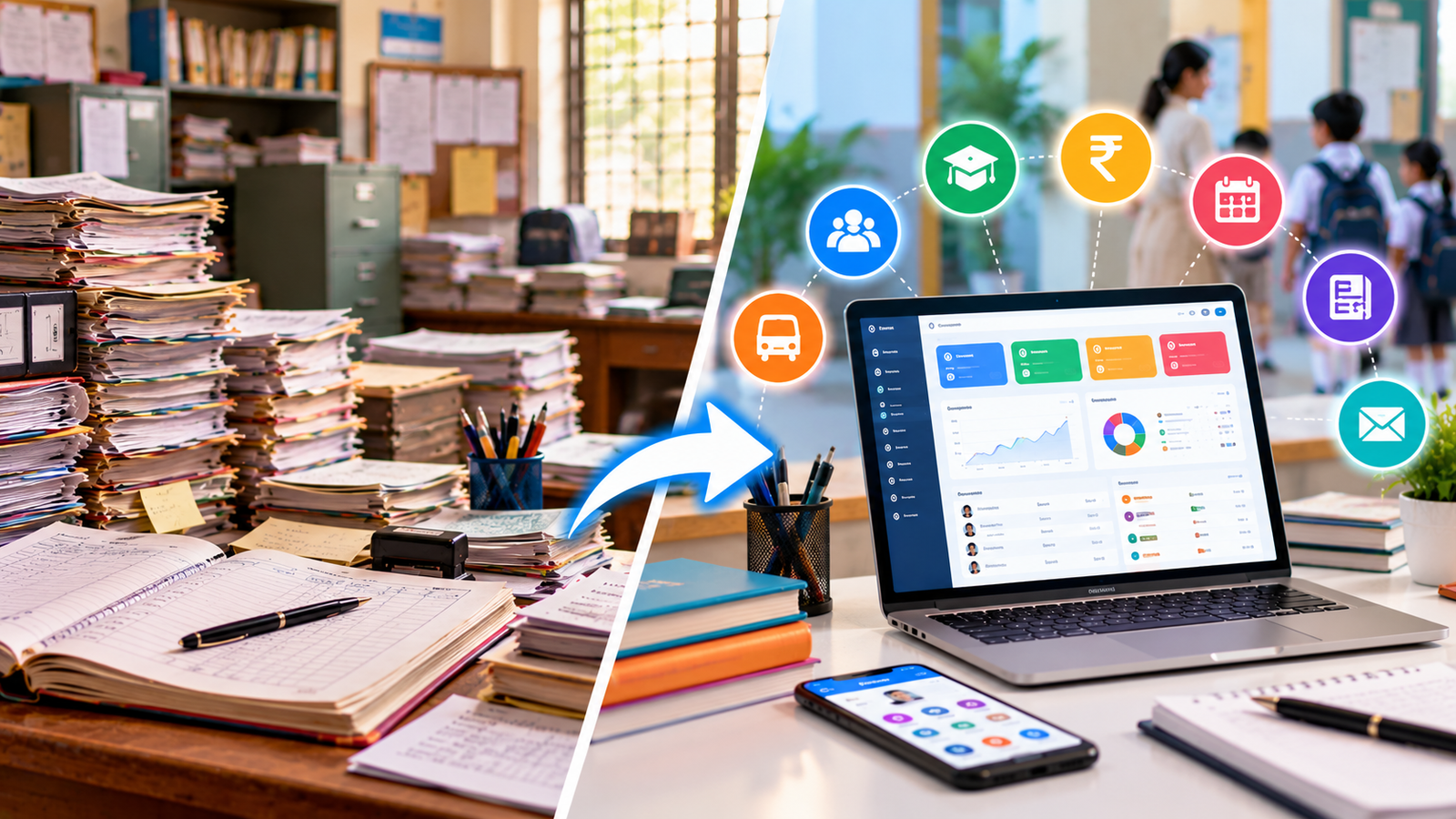
This is where school management software becomes valuable. It helps schools organise their daily activities through a centralised digital system, making information easier to manage, retrieve, and share with authorised users.
In this article, we explore why schools should consider replacing paper-based administration with school management software and how digital systems can support more efficient school operations.
What Is Paper-Based School Administration?
Paper-based school administration refers to managing school activities through physical documents, registers, receipt books, printed forms, and manually maintained records.
A school using traditional administrative methods may maintain:
-
Student admission details in physical files.
-
Daily attendance in classroom registers.
-
Fee collection records in receipt books.
-
Examination marks in separate registers or spreadsheets.
-
Staff attendance and leave in manual records.
-
Timetables and academic schedules in printed documents.
-
Parent communication through printed notices and phone calls.
-
Financial records through separate registers and files.
These methods are familiar and may be suitable for some basic tasks. However, problems can arise when information needs to be updated frequently, shared between departments, or accessed quickly.
For example, if the school office needs a student's attendance history, fee status, and academic records, staff may have to consult multiple documents before getting a complete picture.
As school operations become more complex, managing disconnected records can consume valuable time.
What Is School Management Software?
School management software is a digital platform designed to help educational institutions manage administrative and academic activities more efficiently.
Depending on the solution, it may include modules for admissions, student information, attendance, fee management, examinations, staff records, timetables, parent communication, and reporting.
Instead of maintaining separate records for every department, schools can use an integrated system to organise information and standardise routine processes.
For example, a fee management module can help record payments and generate receipts, while an attendance module can help teachers maintain attendance records and enable authorised administrators to review summaries.
The objective is not simply to replace paper with computers. It is to make school information more organised, reduce repetitive work, and improve coordination between departments.
1. Reduce Administrative Workload
One of the biggest disadvantages of paper-based administration is the amount of repetitive work involved.
School staff may spend hours writing student details, preparing receipts, updating attendance registers, organising documents, and compiling reports. The same information may need to be entered into multiple registers or spreadsheets.
School management software can reduce this workload by storing information digitally and automating selected tasks.
For example:
-
Student details can be maintained in a central record.
-
Fee payments can be recorded and tracked digitally.
-
Attendance summaries can be generated from recorded data.
-
Examination results can be organised in one system.
-
Routine reports can be prepared using existing records.
These capabilities can help administrative teams spend less time on repetitive paperwork and more time supporting students, parents, teachers, and school leadership.
2. Maintain Accurate and Organised Student Records
Student records are among the most important documents maintained by any school. They may include admission details, contact information, attendance history, academic performance, fee records, and other relevant information.
When records are maintained manually, updating information across multiple files can be difficult. Duplicate entries, missing documents, and inconsistent details may create unnecessary administrative problems.
School management software provides a structured way to maintain student information in digital records.
Authorised staff can retrieve relevant details without searching through stacks of files. When information changes, staff can update the appropriate record and follow the school's procedures for maintaining related information.
A well-managed digital record system can also make it easier to prepare student lists, verify details, and retrieve information when needed.
3. Simplify Attendance Management
Attendance is an essential part of school administration. Teachers need to record student attendance, while school administrators may need summaries to identify patterns and follow up on repeated absences.
With paper registers, attendance must be recorded manually and may need to be transferred into separate records for reporting. This creates additional work, particularly when multiple classes are involved.
School management software can provide digital attendance features that allow authorised teachers to record attendance and generate summaries.
Depending on the system, schools may also be able to share attendance updates with parents through an app, SMS, or another supported communication channel.
Digital attendance management can help schools:
-
Reduce repeated manual calculations.
-
Review attendance by student, class, or date.
-
Identify recurring absence patterns.
-
Prepare attendance reports more efficiently.
-
Improve communication with parents when supported.
The actual benefits depend on the features available and how consistently staff record attendance.
4. Improve Fee Collection and Financial Tracking
Fee management is another area where paper-based administration can create difficulties.
Schools may need to track tuition fees, transport fees, examination fees, discounts, concessions, pending payments, and receipts. When these records are maintained in separate registers, identifying outstanding balances and preparing collection reports can require considerable effort.
School management software can help organise fee structures, payment entries, receipts, and outstanding balances in one system.
Depending on the solution, schools may also be able to send payment reminders, support digital payments, and generate collection summaries.
This can help administrators answer important questions more quickly:
-
Which students have pending fees?
-
How much has been collected during a particular period?
-
Which payments are overdue?
-
What receipts were generated for a particular student?
-
How do current collections compare with expected collections?
Digital fee management improves visibility into financial records, although schools should still reconcile transactions and review reports regularly.
5. Make Examination and Result Management Easier
Examination management involves preparing schedules, recording marks, calculating totals, organising grades, and generating report cards.
When these activities depend entirely on paper registers and separate spreadsheets, staff may need to enter the same information repeatedly. Manual calculations can also introduce errors that require additional verification.
School management software can organise examination schedules, subject marks, assessment records, and report cards within a structured workflow.
Depending on the system, teachers may be able to enter marks digitally while administrators review and approve results before publication.
This can help schools:
-
Organise examination records by class and subject.
-
Reduce repetitive data entry.
-
Prepare report cards more efficiently.
-
Review student performance over time.
-
Maintain more accessible academic records.
Teachers and administrators must still verify marks, calculations, and published results to ensure accuracy.
6. Improve Communication Between Schools and Parents
Clear communication between schools and parents is important for student development and smooth school operations.
Traditional communication methods often include printed notices, diary notes, phone calls, and messages sent through separate channels. Important updates can be missed, and staff may need to answer the same questions repeatedly.
School management software may include parent portals, mobile applications, notifications, and communication tools that help schools share relevant information more systematically.
Depending on the available features, parents may receive updates about:
-
Attendance and absences.
-
Fee reminders and payment records.
-
Examination schedules and results.
-
Homework and academic announcements.
-
School events and holidays.
-
Important notices from the administration.
A centralised communication process can help parents access information conveniently and reduce unnecessary visits or calls to the school office.
Schools should choose communication features that suit their parent community and provide clear guidance on how to use them.
7. Save Time and Reduce Paper-Related Expenses
Paper-based administration requires recurring expenditure on registers, stationery, printing, photocopying, physical storage, and document handling.
These expenses may seem small individually, but they can accumulate over an academic year.
School management software can reduce paper consumption by moving suitable administrative activities into digital workflows.
For example, digital receipts, electronic notices, and digitally stored reports can reduce the need to print every document. Staff may also spend less time filing and retrieving paperwork.
However, digital systems also have costs, such as software subscriptions, implementation, training, support, and devices. Schools should compare these costs against the expected operational benefits rather than assuming that digital administration is automatically cheaper.
A phased transition can help institutions identify which processes offer the greatest value when digitised.
8. Generate Reports and Make Better Decisions
School leaders need reliable information to understand how the institution is performing.
They may need reports on enrolment, attendance, fee collection, academic results, staff records, or other operational activities. When information is spread across physical registers and separate spreadsheets, preparing these reports can be slow.
School management software can organise data and generate reports based on recorded information.
For example, school administrators may be able to review:
-
Student enrolment by class.
-
Attendance summaries.
-
Fee collection and pending balances.
-
Examination performance.
-
Student records and admission trends.
-
Selected operational reports.
These reports can help management identify issues, monitor progress, and make better-informed decisions.
The quality of the reports depends on the accuracy and completeness of the information entered into the system.
9. Improve Document Security and Record Retrieval
Physical documents can be lost, damaged, misplaced, or accessed by people who do not have permission to view them. Searching through old files can also be difficult when documents are not organised consistently.
Digital record management can make information easier to search and retrieve. Suitable software may also provide user permissions, activity logs, backups, and other security features.
For example, teachers may be allowed to access classroom-related information, while fee records may be restricted to authorised administrative or accounts staff.
However, digital records also require protection. Schools should select software with appropriate security controls, maintain reliable backups, review user permissions, and establish procedures for handling student and parent information responsibly.
A digital system is only as dependable as the security and data-management practices surrounding it.
10. Support School Growth and Future Requirements
As a school grows, administrative complexity generally increases. More students can mean more admissions, attendance entries, fee transactions, examination records, parent queries, and staff responsibilities.
Manual systems may become harder to maintain when several departments need to share information or when the school opens additional branches.
School management software can provide a more scalable approach by allowing schools to organise information and introduce additional modules as requirements change.
Depending on the solution, schools may be able to expand from basic student records and fee management to attendance, examinations, transport, library management, staff administration, and parent communication.
Schools should evaluate their present needs and future plans before choosing a system. A solution that is suitable for a small institution may differ from one needed by a large school with multiple campuses.
Paper-Based Administration vs School Management Software
| Area | Paper-Based Administration | School Management Software |
|---|---|---|
| Student records | Physical files and registers | Organised digital records |
| Attendance | Handwritten registers | Digital attendance records |
| Fee management | Receipt books and manual ledgers | Digital payment records and fee tracking |
| Examinations | Separate registers and spreadsheets | Centralised marks and result records |
| Parent communication | Printed notices and calls | Digital notifications and portals, where available |
| Reports | Prepared manually | Generated from recorded data |
| Record retrieval | Requires searching physical files | Searchable digital information |
| Data sharing | Physical copies or separate files | Access for authorised users |
| Paper usage | Often high | Can be reduced |
| Business continuity | Depends on protecting physical documents | Depends on backups, security, and system availability |
The right solution depends on the school's size, budget, staff capabilities, and administrative requirements.
How to Transition From Paper-Based Administration to School Management Software
Moving to digital administration does not have to happen all at once. A planned transition can help schools avoid confusion and ensure staff are comfortable with the new system.
Step 1: Identify Current Administrative Challenges
List the activities that consume the most time or frequently cause errors. These may include fee collection, attendance, admissions, examination records, or parent communication.
Step 2: Choose the Right Software
Compare available solutions based on essential features, ease of use, cost, support, security, and scalability. Ensure the software matches the school's existing workflows and reporting requirements.
Step 3: Organise Existing Records
Review student details, fee records, staff information, and other data before migration. Correct duplicate entries and verify important information to reduce problems during implementation.
Step 4: Train Teachers and Administrative Staff
Provide practical training for each department. Teachers should understand relevant academic functions, while office staff should learn the modules they use for admissions, fees, and record management.
Step 5: Begin With Essential Modules
Start with the most important processes, such as student records, attendance, or fee management. Additional modules can be introduced after staff become comfortable with the initial system.
Step 6: Verify Records and Reports
Check that digital records match the original information. Review fee balances, attendance summaries, student details, and other important reports before relying on the new system for routine operations.
Step 7: Establish Security and Backup Procedures
Set appropriate user permissions, train staff to protect login credentials, and confirm that backup and recovery processes are available.
Schools may keep selected physical documents where required by law, school policy, or operational needs. The objective is to reduce unnecessary paperwork, not to eliminate documents that must still be retained.
How Logic Waves Tech Can Help Schools Modernise Administration
For schools planning to move away from manual processes, selecting suitable software is an important first step. The solution should address the institution's actual challenges instead of adding unnecessary complexity.
Logic Waves Tech offers business software development services and can be explored as a potential technology partner for schools seeking to modernise their administrative workflows.
When evaluating a school management solution, institutions should consider the features they need, such as:
-
Student information and admission management.
-
Attendance and academic record management.
-
Fee collection and payment tracking.
-
Examination and report card management.
-
Parent communication.
-
Administrative reporting.
-
Role-based access and data protection.
The availability of these features depends on the specific solution selected or developed. Schools should discuss their requirements, implementation plan, support arrangements, and budget before proceeding.
To explore software development services, visit Logic Waves Tech.
Conclusion
Paper-based administration has served schools for many years, but it can become increasingly difficult to manage as student numbers and administrative responsibilities grow.
School management software offers a more organised way to maintain student records, manage attendance, track fees, handle examinations, communicate with parents, and generate reports.
By reducing repetitive paperwork and improving access to information, digital systems can help teachers and administrators use their time more effectively. They can also give school leaders better visibility into day-to-day operations.
Successful digital transformation requires more than installing software. Schools must choose the right solution, prepare their data, train staff, protect sensitive information, and review the system regularly.
For schools aiming to improve administrative efficiency and prepare for future growth, replacing suitable paper-based processes with school management software is a practical step toward more organised school operations.
Want this for your business?
Talk to our team — free consultation, clear advice.