Table of Contents
- Custom Software vs SaaS: Which Is Better for Your Business?
- What Is Custom Software?
- What Is SaaS?
- Custom Software vs SaaS: Key Differences
- Benefits of Custom Software
- 1. Highly Customized
- 2. Better Control Over Features
- 3. Easier Integration With Internal Systems
- 4. Can Support Unique Business Processes
- 5. Greater Long-Term Control
- Disadvantages of Custom Software
- 1. Higher Initial Investment
- 2. Longer Development Time
- 3. Ongoing Maintenance
- 4. Development Risks
- Benefits of SaaS
- 1. Faster Implementation
- 2. Lower Initial Cost
- 3. Provider-Managed Infrastructure
- 4. Regular Updates
- 5. Easy Scalability
- Disadvantages of SaaS
- 1. Limited Customization
- 2. Recurring Subscription Costs
- 3. Dependence on the Provider
- 4. Data and Integration Considerations
- When Should a Business Choose Custom Software?
- When Should a Business Choose SaaS?
- Cost Comparison
- Custom Software Costs May Include:
- SaaS Costs May Include:
- Customization vs Convenience
- Security Considerations
- Scalability and Future Growth
- A Hybrid Approach
- Questions to Ask Before Choosing
- How to Choose the Right Option
- Step 1: Identify Business Requirements
- Step 2: Research Existing SaaS Solutions
- Step 3: Identify Gaps
- Step 4: Compare Total Costs
- Step 5: Evaluate Security and Integration
- Step 6: Consider Future Needs
- Conclusion
Custom Software vs SaaS: Which Is Better for Your Business?
Businesses increasingly depend on software to manage operations, communicate with customers, organize data, automate processes, and support growth. However, choosing the right type of software can be challenging.
Two common options are custom software and Software as a Service (SaaS). Both can provide valuable business solutions, but they differ significantly in terms of cost, flexibility, development, maintenance, scalability, and control.
Understanding these differences can help businesses choose an approach that matches their current requirements and long-term goals.
What Is Custom Software?
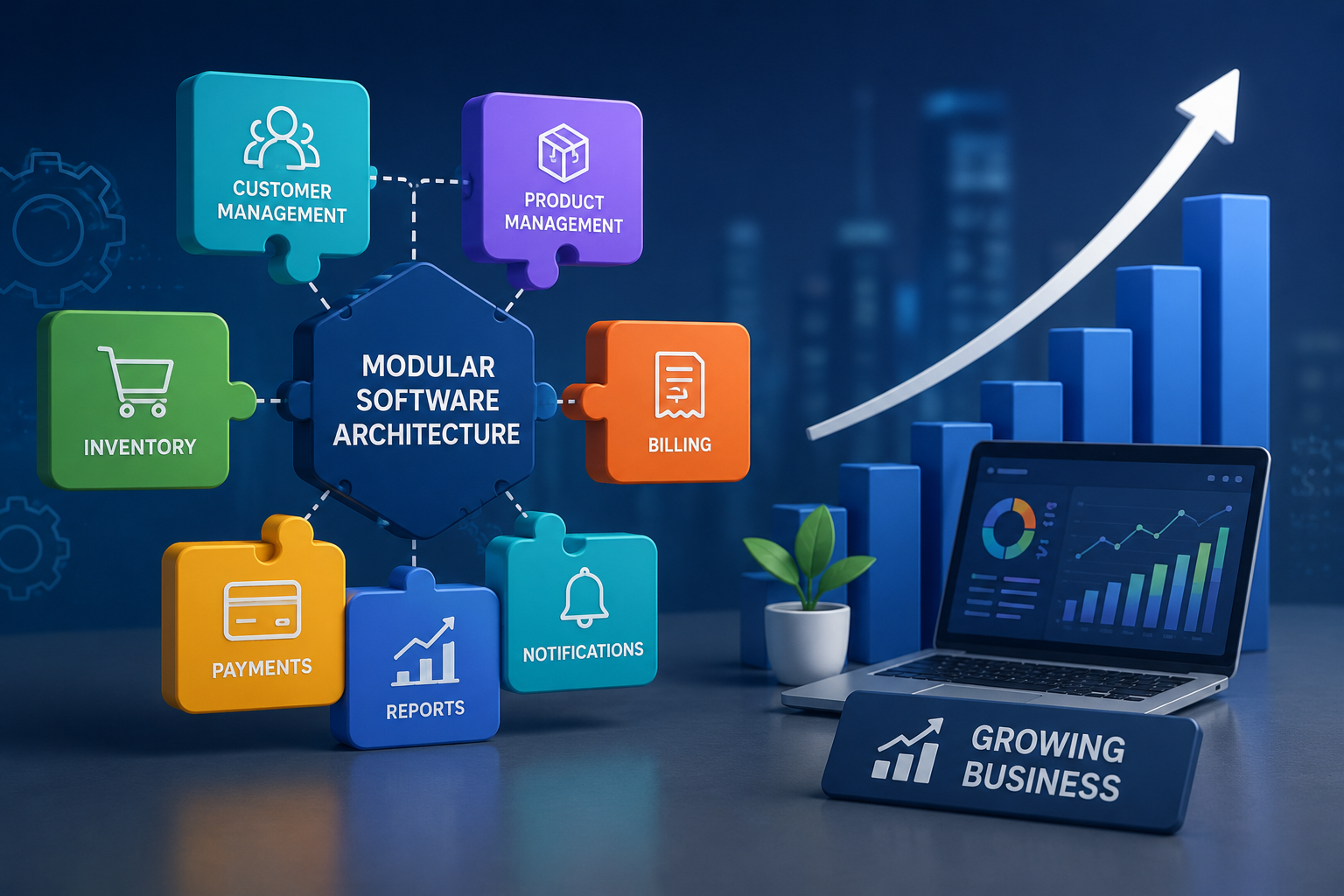
Custom software is an application specifically designed and developed for the requirements of a particular business or organization.
Instead of adapting business processes to an existing application, custom software allows the software to be designed around the organization's workflows.
Examples may include:
- Custom CRM systems
- Employee management platforms
- Inventory management software
- Appointment management systems
- Internal business dashboards
- Industry-specific applications
- Custom reporting platforms
- Workflow automation systems
Custom software can be developed by an internal technology team or a software development company.
What Is SaaS?
SaaS stands for Software as a Service. It refers to software that is hosted by a provider and accessed through the internet, usually through a web browser or application.
Instead of installing and maintaining the software infrastructure independently, businesses generally subscribe to the service.
Common SaaS categories include:
- Customer relationship management
- Accounting
- Project management
- Communication
- Marketing
- Human resources
- Cloud storage
- Customer support
- Collaboration
SaaS products are generally designed to serve many businesses rather than being built specifically for one organization.
Custom Software vs SaaS: Key Differences
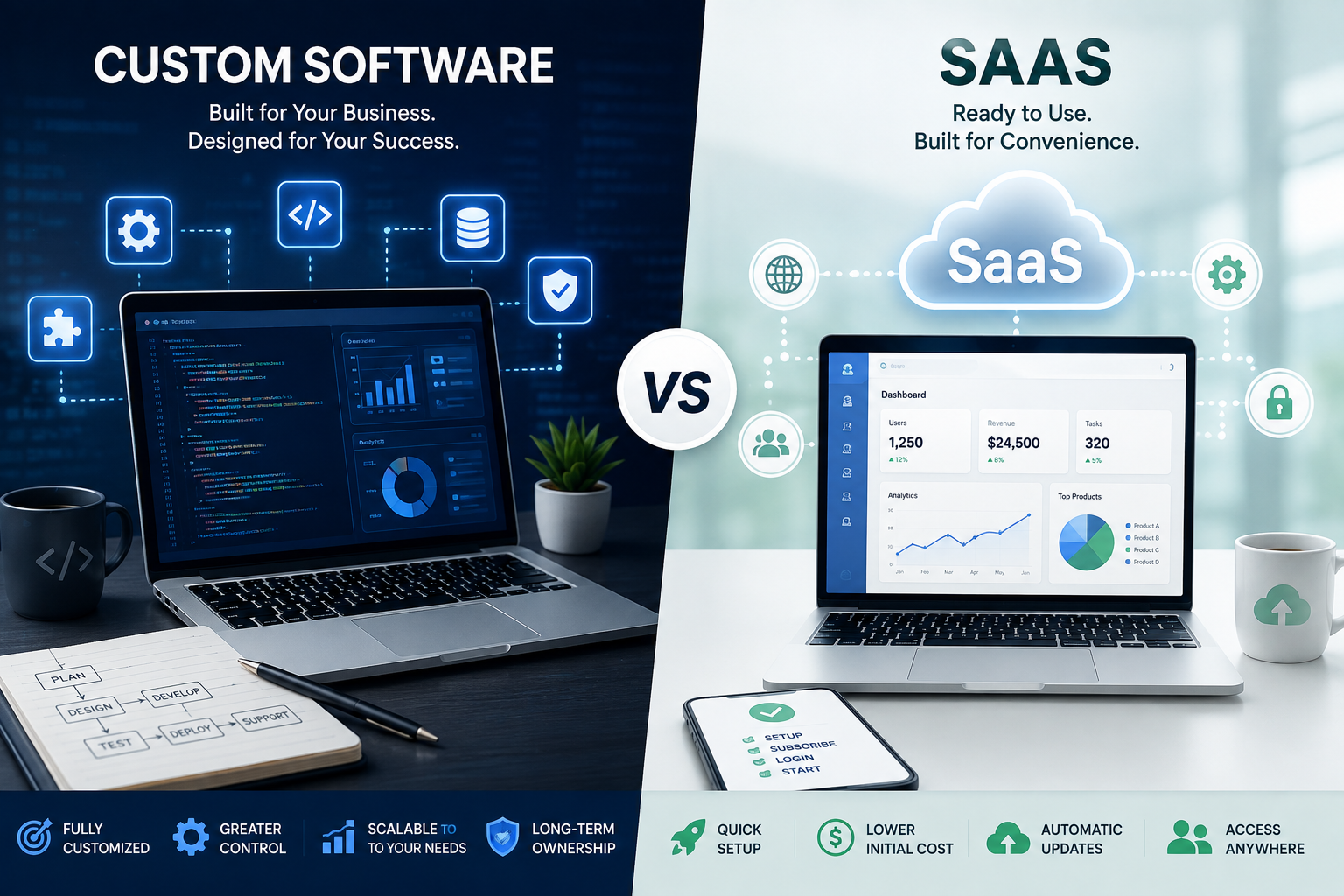
The biggest difference is the level of customization and control.
Custom software is designed around a specific business, while SaaS typically provides a ready-made solution that can be configured according to available options.
| Factor | Custom Software | SaaS |
|---|---|---|
| Development | Built specifically for the business | Already developed |
| Customization | Very high | Usually limited to available features |
| Initial cost | Generally higher | Usually lower |
| Implementation | Can take longer | Usually faster |
| Maintenance | Business or development partner manages it | Provider manages most infrastructure |
| Control | High | Depends on provider |
| Scalability | Can be designed around business needs | Usually available through subscription plans |
| Updates | Controlled by the business | Usually managed by provider |
| Integration | Can be specifically designed | Depends on available integrations |
| Ownership | Often owned or licensed by the business | Usually subscription-based |
Benefits of Custom Software
1. Highly Customized
One of the biggest advantages of custom software is flexibility.
A business can request features based on its specific processes rather than changing its workflow to match a pre-built application.
For example, a company with a unique approval process can develop software that follows that exact workflow.
2. Better Control Over Features
Custom software gives businesses greater control over:
- Features
- User roles
- Workflows
- Reports
- Integrations
- Data structures
- Interface design
This can be valuable for organizations with complex operational requirements.
3. Easier Integration With Internal Systems
Businesses often use multiple systems for accounting, customer management, inventory, communication, and reporting.
Custom software can be designed to integrate with existing systems and APIs according to the organization's requirements.
4. Can Support Unique Business Processes
Some businesses operate in specialized industries where standard software may not provide all the required functionality.
Custom development can address specific operational requirements that are difficult to achieve with general-purpose SaaS products.
5. Greater Long-Term Control
A business can have more control over how its software evolves.
New features can be added based on changing requirements rather than waiting for a SaaS provider to introduce them.
Disadvantages of Custom Software
1. Higher Initial Investment
Custom software generally requires more upfront investment because it involves planning, design, development, testing, deployment, and ongoing technical support.
2. Longer Development Time
Building software from the ground up can take weeks or months depending on its complexity.
3. Ongoing Maintenance
Businesses need to plan for:
- Bug fixes
- Security updates
- Server management
- Performance improvements
- New features
- Technical support
This can require an internal team or an external development partner.
4. Development Risks
Poor planning, unclear requirements, inadequate testing, or weak project management can increase development costs and delay implementation.
Benefits of SaaS
1. Faster Implementation
SaaS products are already developed, so businesses can often begin using them much faster than custom software.
This can be particularly useful when a company needs a solution quickly.
2. Lower Initial Cost
Many SaaS products operate through monthly or annual subscription plans.
This reduces the need for a large upfront software development investment.
3. Provider-Managed Infrastructure
The SaaS provider generally handles much of the underlying infrastructure, including:
- Hosting
- Software updates
- Maintenance
- System improvements
- Infrastructure management
This reduces the technical workload for the business.
4. Regular Updates
SaaS providers typically release improvements, bug fixes, and new features over time.
Businesses can benefit from these updates without developing them internally.
5. Easy Scalability
Many SaaS platforms offer different subscription plans.
Businesses can often add users, storage, or features as their requirements grow, depending on the provider's pricing structure.
Disadvantages of SaaS
1. Limited Customization
SaaS applications provide configuration options, but businesses may not be able to modify every part of the software.
If a business has highly specialized requirements, this can become a limitation.
2. Recurring Subscription Costs
Although SaaS generally has a lower initial cost, subscription expenses continue over time.
Businesses should calculate the long-term cost rather than considering only the monthly price.
3. Dependence on the Provider
A SaaS customer depends on the provider for:
- Availability
- Updates
- Features
- Pricing
- Support
- Infrastructure
Changes made by the provider can sometimes affect customers.
4. Data and Integration Considerations
Businesses should carefully review how data is stored, exported, protected, and integrated with other systems before selecting a SaaS provider.
When Should a Business Choose Custom Software?
Custom software may be appropriate when:
- Business processes are highly specialized
- Existing SaaS products do not meet important requirements
- Extensive integrations are needed
- The business needs significant customization
- Long-term control is important
- The software is a strategic part of the business
- The organization has the budget and resources for development
For example, a company operating a complex internal workflow may benefit from software specifically designed around that process.
When Should a Business Choose SaaS?
SaaS may be a better option when:
- The business needs software quickly
- Requirements are relatively standard
- The company wants lower initial costs
- Internal technical resources are limited
- Regular provider-managed updates are preferred
- A subscription model fits the budget
- Existing integrations meet business requirements
For many small and medium-sized businesses, SaaS can be an efficient way to access modern software without managing the entire technology infrastructure.
Cost Comparison
Cost should be evaluated beyond the initial purchase or development price.
Custom Software Costs May Include:
- Business analysis
- UI/UX design
- Software development
- Testing
- Hosting
- Security
- Maintenance
- Technical support
- Future development
SaaS Costs May Include:
- Subscription fees
- User licenses
- Premium features
- Storage
- Additional integrations
- Implementation services
- Data migration
A SaaS solution may be more affordable initially, while custom software may provide greater value over a longer period for businesses with specialized needs.
Customization vs Convenience
The decision often comes down to customization versus convenience.
Custom software provides greater flexibility but requires more planning, investment, and technical management.
SaaS provides convenience, faster deployment, and provider-managed infrastructure but may limit how much the software can be adapted.
Businesses should determine which factor is more important for their specific situation.
Security Considerations
Security should be evaluated regardless of which option a business chooses.
For custom software, organizations need to consider:
- Secure development practices
- Access controls
- Encryption
- Security testing
- Updates
- Backup strategies
- Monitoring
For SaaS, businesses should evaluate:
- Provider security practices
- Data protection
- User access controls
- Compliance requirements
- Backup policies
- Data export options
- Incident response procedures
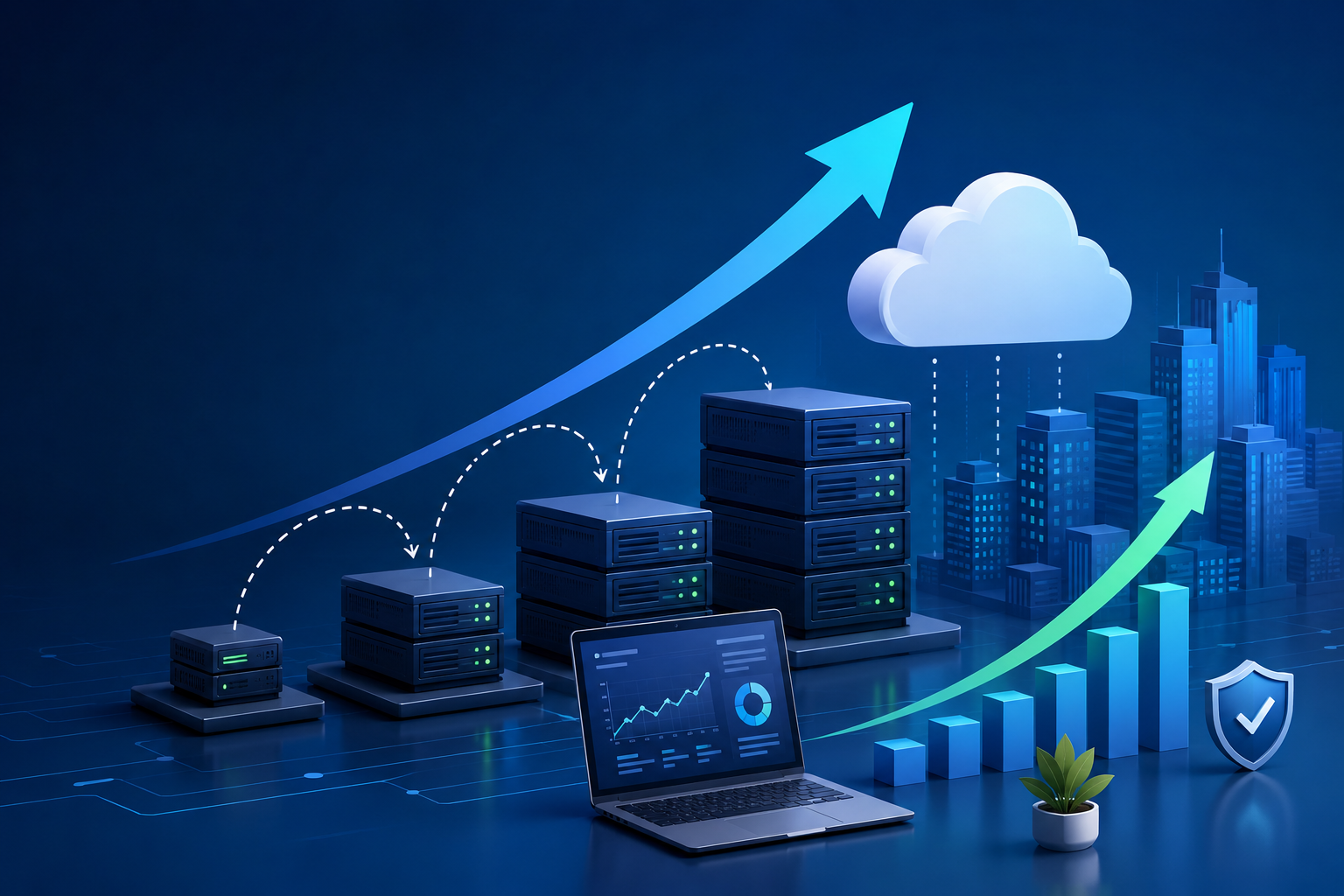
Businesses should review the provider's security documentation and terms before storing sensitive business information in a SaaS platform.
Scalability and Future Growth
Technology requirements can change as a business grows.
Before choosing a solution, consider:
- Number of users
- Expected business growth
- Data volume
- New locations
- New services
- Integration requirements
- Reporting needs
A SaaS platform may provide easy scaling through subscription plans, while custom software can be specifically designed around long-term business requirements.
A Hybrid Approach
Businesses do not always have to choose only one option.
A hybrid approach can combine custom software with SaaS tools.
For example, a business could use:
- Custom software for its core operations
- SaaS accounting software
- SaaS communication tools
- Cloud storage
- External marketing platforms
This approach can provide customization where it matters most while using established SaaS solutions for standard business functions.
Questions to Ask Before Choosing
Before making a decision, businesses should ask:
- What problem are we trying to solve?
- Are our requirements standard or highly specialized?
- How quickly do we need the software?
- What is our initial budget?
- What is our expected long-term budget?
- How much customization do we need?
- Do we need integrations with existing systems?
- Who will manage maintenance?
- How important is data control?
- How will the solution scale as the business grows?
Answering these questions can make the selection process much easier.
How to Choose the Right Option
A simple decision-making process can help.
Step 1: Identify Business Requirements
Create a detailed list of features and workflows the software needs to support.
Step 2: Research Existing SaaS Solutions
Check whether available SaaS products already meet your important requirements.
Step 3: Identify Gaps
Determine which requirements cannot be handled by existing solutions.
Step 4: Compare Total Costs
Consider both short-term and long-term expenses.
Step 5: Evaluate Security and Integration
Review security requirements, data handling, integrations, and scalability.
Step 6: Consider Future Needs
Choose a solution that can support the business as it grows.
Conclusion
Choosing between custom software and SaaS depends on a business's requirements, budget, timeline, technical resources, and long-term strategy.
Custom software can provide greater flexibility, control, and specialized functionality, but it usually requires more time, investment, and ongoing maintenance.
SaaS can provide faster implementation, lower initial costs, regular updates, and easier infrastructure management, but businesses may have less control and customization.
There is no universally better option. The right choice is the one that solves your business problems effectively while supporting future growth.
For businesses with standard requirements and limited technical resources, SaaS may be a practical starting point. For organizations with unique workflows, complex integrations, or strategic technology requirements, custom software may provide greater long-term value.
By carefully comparing functionality, cost, customization, security, scalability, and future requirements, businesses can make a more informed technology investment.