Table of Contents
- How Software Logging Helps Businesses Detect and Resolve Application Problems
- What Is Software Logging?
- Why Software Logging Matters for Businesses
- Types of Logs
- 1. Error Logs
- 2. Warning Logs
- 3. Informational Logs
- 4. Security Logs
- How Logging Helps Detect Application Problems
- Identifying Errors Quickly
- Finding the Root Cause
- Tracking Recurring Problems
- Logging and Application Performance
- Logging and Security
- Centralized Logging
- Important Information to Include in Logs
- Log Levels
- Best Practices for Software Logging
- Avoid Sensitive Information
- Use Consistent Formats
- Include Useful Context
- Use Unique Request IDs
- Monitor Logs Automatically
- Define Log Retention Policies
- Protect Log Access
- Common Logging Challenges
- The Role of Logging in Business Continuity
- Conclusion
How Software Logging Helps Businesses Detect and Resolve Application Problems
Modern businesses rely heavily on software applications to manage sales, customers, payments, inventory, communication, and internal operations. When an application experiences errors or unexpected behavior, even a small problem can affect productivity and customer satisfaction.
Software logging provides developers and IT teams with a detailed record of what happens inside an application. By collecting information about system activities, errors, requests, and user actions, logs help businesses identify problems, understand their causes, and resolve them more efficiently.
What Is Software Logging?
Software logging is the process of recording events and activities that occur within an application or system. These records, known as logs, can contain information about application events, errors, warnings, user actions, API requests, database operations, and system performance.
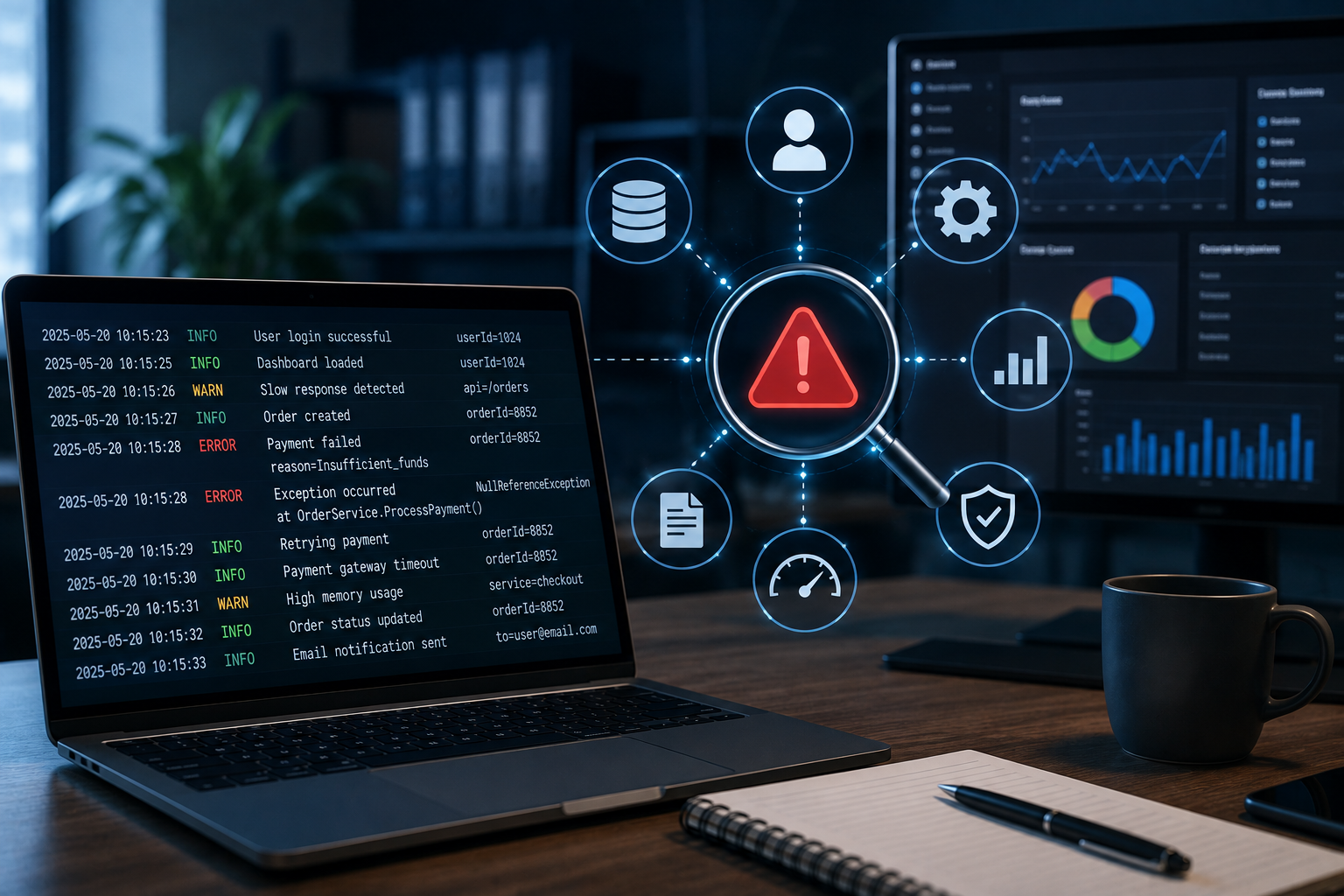
For example, when a customer tries to complete an online payment and the transaction fails, a log may help developers determine whether the problem was caused by:
-
A payment gateway error
-
A network issue
-
An invalid request
-
A database problem
-
An authentication failure
-
An application bug
Without logging, developers may have to reproduce the problem manually, which can take significantly more time.
Why Software Logging Matters for Businesses
Applications can generate thousands of events every day. When something goes wrong, identifying the relevant event among all these activities can be difficult without proper logging.
Effective logging helps businesses:
-
Detect application errors
-
Investigate unexpected behavior
-
Identify performance problems
-
Troubleshoot technical issues
-
Monitor system activity
-
Improve application reliability
-
Reduce troubleshooting time
-
Support security investigations
Logging therefore plays an important role in maintaining stable and dependable business applications.
Types of Logs
Different types of logs provide different kinds of information.
1. Error Logs
Error logs record problems that prevent an application or feature from working correctly.
Examples include:
-
Database connection failures
-
Application exceptions
-
Failed transactions
-
API errors
-
File access problems
Error logs are particularly useful when developers need to identify the cause of an application failure.
2. Warning Logs
Warnings indicate potentially problematic situations that may not immediately stop the application.
For example:
-
Low system resources
-
Slow API responses
-
Deprecated functionality
-
Failed retry attempts
-
Unusual application behavior
Monitoring warnings can help teams identify problems before they become serious failures.
3. Informational Logs
Informational logs record normal application activities.
Examples include:
-
User login
-
Order creation
-
Successful payment
-
Data synchronization
-
Application startup
-
Scheduled task completion
These logs provide useful context when investigating a larger issue.
4. Security Logs
Security-related logs record events associated with authentication and access.
They may include:
-
Login attempts
-
Failed authentication
-
Password changes
-
Permission changes
-
Account lockouts
-
Administrative actions
Security logs can help businesses investigate suspicious activity and maintain better control over application access.
How Logging Helps Detect Application Problems
Identifying Errors Quickly
When an application generates an error, logging can capture important details such as the time of the event, affected service, error type, and technical context.
Instead of relying solely on user reports, developers can use these records to investigate the issue directly.
Finding the Root Cause
An error message often tells developers that something went wrong, but not necessarily why it happened.
A sequence of related logs can provide the missing context.
For example:
User Request → API Call → Database Query → Database Error → Application Failure
By reviewing this sequence, developers can determine where the problem originated.
Tracking Recurring Problems
Some application problems happen repeatedly but may not be immediately noticeable.
Logs allow teams to identify patterns such as:
-
The same API failing every morning
-
A particular database query becoming slow
-
Repeated login failures
-
Specific services experiencing frequent errors
-
Certain application functions generating exceptions
Identifying recurring patterns allows businesses to address underlying problems rather than repeatedly fixing individual incidents.
Logging and Application Performance
Logging is not only useful for errors. It can also help teams understand application performance.
Performance-related logs can record information such as:
-
API response times
-
Database query duration
-
Page processing time
-
Background job duration
-
Server response time
-
Resource usage
For example, if a report takes 10 seconds to load, performance logs may help developers determine whether the delay is caused by a slow database query, an external API, or application processing.
Logging and Security
Logs can also support application security.
Businesses can use logs to detect unusual activity, such as repeated failed login attempts or unexpected administrative actions.
Security monitoring may help identify:
-
Suspicious login behavior
-
Unauthorized access attempts
-
Privilege changes
-
Unusual API activity
-
Repeated authentication failures
Logs should be protected because they may contain information that could be useful to attackers if exposed.
Centralized Logging
For larger applications, logs may come from multiple sources, including:
-
Web servers
-
Application servers
-
Databases
-
APIs
-
Cloud services
-
Background workers
-
Mobile applications
Keeping all logs in separate locations can make troubleshooting difficult.
Centralized logging brings these records together in one system, making it easier for technical teams to search, filter, compare, and analyze events across the application.
For example, if an order fails, developers can review the application log, API log, database log, and payment service information together.
Important Information to Include in Logs
Good logs should provide enough information to understand an event without exposing unnecessary sensitive data.
Useful fields can include:
-
Timestamp
-
Log level
-
Application or service name
-
Request or transaction ID
-
User or session reference where appropriate
-
Error code
-
Event description
-
Execution duration
-
Service or module name
A consistent log structure makes searching and automated analysis much easier.
Log Levels
Using appropriate log levels helps teams separate important events from routine information.
Common levels include:
DEBUG: Detailed information useful during development and troubleshooting.
INFO: Normal application events and important operational activities.
WARNING: Potential problems that require attention.
ERROR: Failures that affect a function or operation.
CRITICAL: Severe problems that may affect the entire application or business service.
Choosing the right level prevents logs from becoming unnecessarily large and difficult to analyze.
Best Practices for Software Logging
Avoid Sensitive Information
Logs should not unnecessarily contain passwords, authentication tokens, payment card details, or other sensitive information.
Use Consistent Formats
A standardized log structure makes it easier to search and analyze information across different application components.
Include Useful Context
A log should provide enough context to understand what happened, when it happened, and where it occurred.
Use Unique Request IDs
A unique request or transaction ID can help developers follow a single operation across multiple services.
Monitor Logs Automatically
Businesses should consider automated monitoring and alerts for critical errors rather than relying entirely on manual log reviews.
Define Log Retention Policies
Logs should be retained for an appropriate period based on business requirements, operational needs, and applicable regulations.
Protect Log Access
Only authorized users should be able to access application logs, especially when logs contain sensitive operational information.
Common Logging Challenges
Logging also needs to be designed carefully.
Excessive logging can increase storage costs and make important events harder to find. Insufficient logging can leave developers without enough information to diagnose problems.
Other challenges include:
-
Large volumes of log data
-
Difficult log searching
-
Inconsistent formats
-
Storage requirements
-
Sensitive information exposure
-
Performance overhead
-
Lack of monitoring
A well-designed logging strategy balances visibility, performance, security, and cost.
The Role of Logging in Business Continuity
When an application fails, businesses need to restore normal operations as quickly as possible. Logs can help technical teams understand what happened before, during, and after an incident.
This information can support:
-
Faster troubleshooting
-
Incident investigation
-
Root-cause analysis
-
System recovery
-
Preventive maintenance
-
Future application improvements
Over time, analyzing historical logs can also help organizations identify weaknesses and improve application architecture.
Conclusion
Software logging is an essential part of maintaining reliable business applications. By recording application events, errors, performance information, and security activities, logs give technical teams valuable insight into what is happening inside their systems.
Effective logging can reduce troubleshooting time, help identify root causes, detect recurring problems, support security monitoring, and improve application performance. However, logging should be implemented thoughtfully, with appropriate log levels, consistent formats, secure storage, and careful handling of sensitive information.
For businesses that depend on software for daily operations, a well-designed logging strategy can turn application problems from difficult-to-diagnose incidents into manageable and traceable technical issues.