Table of Contents
- How Automated Invoice Management Can Save Time for Businesses
- What Is Automated Invoice Management?
- 1. Saves Time on Invoice Creation
- Example
- 2. Reduces Manual Data Entry and Errors
- 3. Automates Payment Reminders
- 4. Makes Payment Tracking Easier
- 5. Helps Businesses Get Paid Faster
- 6. Reduces the Workload on Finance Teams
- 7. Improves Invoice Visibility
- 8. Keeps Records More Organized
- 9. Connects Invoicing With Other Business Systems
- 10. Makes Growing Businesses Easier to Manage
- What Should Businesses Look for in Invoice Management Software?
- Automated Invoice Generation
- Automated Reminders
- Payment Tracking
- Online Payments
- Accounting Integration
- Reporting
- User Permissions
- Audit Trail
- Scalability
- How to Start Automating Invoice Management
- Step 1: Review Your Current Process
- Step 2: Identify Repetitive Work
- Step 3: Choose Suitable Software
- Step 4: Connect Existing Systems
- Step 5: Create Approval Rules
- Step 6: Monitor the Results
- Final Thoughts
How Automated Invoice Management Can Save Time for Businesses
Invoicing is an essential part of almost every business. Whether a company sells products, provides professional services, or manages recurring subscriptions, invoices help track sales, collect payments, and maintain financial records.
However, managing invoices manually can consume a surprising amount of time. Employees may need to create invoices, enter customer information, check calculations, send documents, track payment status, follow up on overdue payments, and reconcile payments with accounting records.
As the number of customers and transactions increases, these tasks can become difficult to manage efficiently.
Automated invoice management can simplify much of this work. By connecting invoicing with accounting, customer, payment, and business management systems, businesses can reduce repetitive work and give finance teams more time to focus on important financial activities. Automation can cover tasks such as invoice creation, delivery, payment reminders, tracking, and reconciliation.
What Is Automated Invoice Management?
Automated invoice management uses software to handle different stages of the invoicing process with limited manual intervention.
A typical automated workflow might look like this:
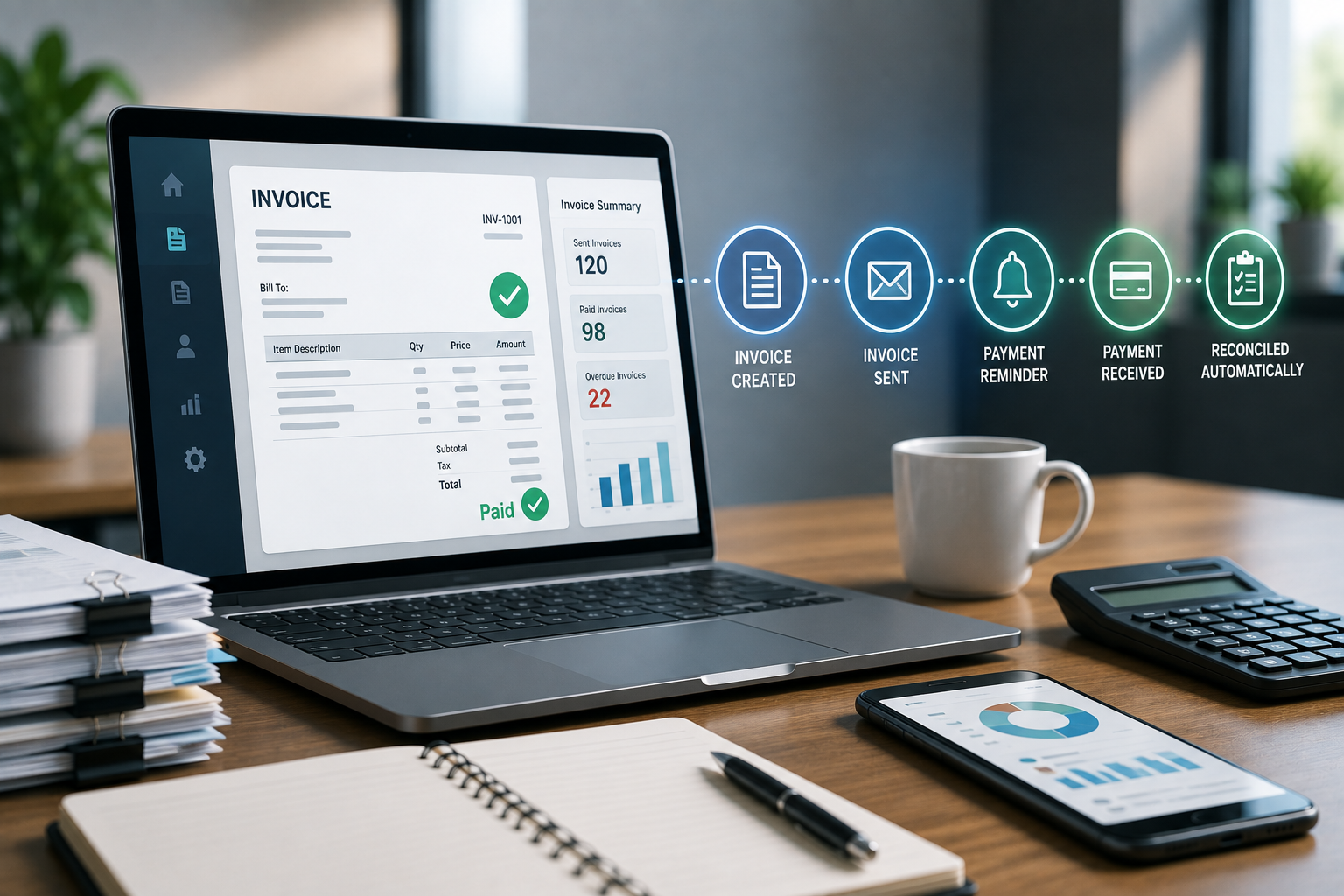
Sale Completed → Invoice Generated → Invoice Sent → Payment Tracked → Reminder Sent → Payment Reconciled → Records Updated
Instead of an employee manually managing every stage, software can perform many of these tasks automatically.
For example, when a customer completes an order, the system can use the order information to create an invoice, send it to the customer, record its status, and later match the incoming payment to the correct invoice.
This reduces repetitive data entry and helps keep financial information organized.
1. Saves Time on Invoice Creation
Creating invoices manually requires employees to repeatedly enter information such as:
- Customer name
- Address
- Product or service details
- Quantity
- Prices
- Discounts
- Taxes
- Payment terms
- Invoice number
When businesses handle only a few invoices, this may not be a major issue.
But imagine a company processing hundreds or thousands of invoices every month.
Manually creating every invoice can take considerable time.
Automated invoice software can pull information from sales orders, customer records, ERP systems, CRM platforms, or other business applications and use it to generate invoices.
This means employees do not have to start every invoice from scratch.
Automated invoice processing can reduce manual data entry and speed up the overall invoice cycle.
Example
A service company completes a monthly service for 200 customers.
Instead of preparing 200 invoices manually, the system can use stored customer and service information to generate the invoices automatically.
The finance team can then review exceptions instead of creating every document individually.
2. Reduces Manual Data Entry and Errors
Manual data entry is one of the common sources of invoicing mistakes.
An employee might accidentally enter:
- The wrong customer
- Incorrect quantity
- Incorrect price
- Wrong tax amount
- Incorrect invoice number
- Incorrect payment terms
Even a small error can create additional work.
Someone may need to correct the invoice, send a revised document, explain the mistake to the customer, and update accounting records.
Automation can reduce these risks by using information already stored in business systems.
For example, if the customer's information already exists in the CRM or ERP, the invoice system can use that information instead of requiring employees to enter it again.
Automated invoice processing can reduce manual input and improve accuracy by minimizing opportunities for data-entry mistakes.
3. Automates Payment Reminders
Following up on unpaid invoices can consume a significant amount of administrative time.
Finance employees may need to regularly check which invoices are:
- Due soon
- Due today
- Overdue
- Partially paid
- Fully paid
They may then need to send individual reminder emails.
Automated invoice management can simplify this process.
Businesses can configure reminders based on invoice status or due dates.
For example:
7 days before due date → Payment reminder
Due date → Due-date notification
7 days overdue → First follow-up
15 days overdue → Second follow-up
This allows the system to handle routine follow-ups while employees focus on customers or accounts requiring personal attention.
Automated reminders and collection workflows are common features of accounts receivable automation.
4. Makes Payment Tracking Easier
Without an automated system, employees may need to check bank statements, payment gateways, spreadsheets, and accounting software to determine which invoices have been paid.
This can become particularly difficult when a business has many customers.
Automated invoice systems can help connect invoice records with payment information.
The system can show statuses such as:
| Invoice Status | Meaning |
|---|---|
| Draft | Invoice is being prepared |
| Sent | Invoice has been delivered |
| Due | Payment is expected |
| Overdue | Payment deadline has passed |
| Partially Paid | Some amount has been received |
| Paid | Full payment received |
This gives finance teams a clearer view of outstanding invoices.
Some automated accounts receivable systems can also match incoming payments with the appropriate invoices, reducing manual reconciliation work.
5. Helps Businesses Get Paid Faster
Saving time is not the only benefit of automated invoice management.
A faster invoicing process can also help businesses receive payments sooner.
Consider a simple process:
Manual Process
Sale → Employee prepares invoice → Invoice reviewed → Invoice emailed → Customer receives invoice → Employee follows up → Payment received
Now compare it with:
Automated Process
Sale → Invoice generated → Invoice delivered automatically → Reminder sent → Customer pays → Payment recorded
Removing unnecessary delays can shorten the time between delivering a product or service and receiving payment.
Automation can also support online payment options and automatic reminders, which can make it easier for customers to pay.
6. Reduces the Workload on Finance Teams
Finance employees perform many important activities beyond creating invoices.
They may need to work on:
- Financial analysis
- Cash-flow planning
- Budgeting
- Vendor management
- Account reconciliation
- Tax preparation
- Customer account issues
- Financial reporting
If employees spend a large portion of their time performing repetitive invoicing tasks, they have less time for these higher-value activities.
Automation can take care of routine processes and allow employees to focus more on tasks that require judgment and financial expertise.
Microsoft also highlights invoice processing as an area where business process automation can reduce manual work and delays.
7. Improves Invoice Visibility
Businesses need to know what is happening with their invoices.
Questions such as these are important:
- How much money is currently outstanding?
- Which customers have overdue invoices?
- Which invoices are due this week?
- How much has been collected?
- Which customers regularly pay late?
- What is the current accounts receivable position?
Manual spreadsheets can provide some of this information, but maintaining them accurately can require significant effort.
Automated systems can provide dashboards and reports showing invoice status, outstanding amounts, payment activity, and aging information.
This gives managers better visibility into the company's receivables and can support more informed financial decisions.
8. Keeps Records More Organized
Paper invoices and scattered digital files can become difficult to manage as a business grows.
Employees may spend time searching for:
- Previous invoices
- Customer payment records
- Credit notes
- Receipts
- Transaction details
- Payment confirmations
An automated system can keep invoice information in a centralized digital environment.
Employees with appropriate permissions can search and access records without manually checking multiple folders or spreadsheets.
Digital recordkeeping can also make it easier to maintain consistent financial documentation and audit trails.
9. Connects Invoicing With Other Business Systems
Invoice management becomes even more useful when it connects with other business software.
For example:
CRM → Sales Order → ERP → Invoice → Payment Gateway → Accounting
This can reduce the need to enter the same information into several systems.
For example, when a sales order is completed, the relevant customer and product information can flow into the invoicing system.
Once payment is received, the payment status can be updated and the accounting records can be synchronized.
Integrations between invoicing, accounting, CRM, and ERP systems can reduce duplicate data entry and create a more connected financial workflow.
10. Makes Growing Businesses Easier to Manage
Invoice volume usually increases as a business grows.
A company that starts with 50 invoices per month might eventually process:
- 500 invoices
- 5,000 invoices
- 20,000+ invoices
Managing this growth entirely through manual processes can require additional administrative effort.
Automation allows businesses to handle higher invoice volumes without increasing manual work at the same rate.
This is one reason scalability is an important benefit of automated invoice processing.
What Should Businesses Look for in Invoice Management Software?
Not every invoicing system offers the same capabilities.
Businesses should consider features such as:
Automated Invoice Generation
Invoices can be generated using information from sales or customer records.
Automated Reminders
The system can send reminders based on payment dates and invoice status.
Payment Tracking
Finance teams can easily see whether invoices are paid, pending, or overdue.
Online Payments
Customers can pay invoices through supported digital payment methods.
Accounting Integration
Invoice and payment information can synchronize with accounting systems.
Reporting
Businesses can monitor outstanding invoices, payment trends, and receivables.
User Permissions
Different employees can be given appropriate access to financial information.
Audit Trail
Important actions and changes can be recorded for better accountability.
Scalability
The software should be able to handle increasing invoice volumes as the business grows.
How to Start Automating Invoice Management
Businesses do not need to automate everything immediately.
A practical approach is to start with the most repetitive parts of the process.
Step 1: Review Your Current Process
Document how invoices are currently created, sent, tracked, and reconciled.
Step 2: Identify Repetitive Work
Find tasks that employees perform repeatedly, such as invoice creation and payment reminders.
Step 3: Choose Suitable Software
Look for an invoicing or ERP solution that supports your business size, industry, payment methods, and accounting requirements.
Step 4: Connect Existing Systems
Where possible, integrate invoicing with CRM, ERP, accounting, inventory, or payment systems.
Step 5: Create Approval Rules
For example, high-value invoices may require manager approval before being sent.
Step 6: Monitor the Results
Track improvements in:
- Invoice processing time
- Payment collection time
- Number of errors
- Overdue invoices
- Employee workload
- Administrative costs
This helps the business determine whether automation is delivering meaningful results.
Final Thoughts
Invoice management may look like a small administrative function, but it can consume considerable time when handled manually.
Automated invoice management can simplify invoice creation, reduce data entry, send payment reminders, track outstanding amounts, organize records, and connect financial information across business systems.
More importantly, it allows employees to spend less time on repetitive administrative tasks and more time on work that requires financial judgment, customer communication, and strategic thinking.
For growing businesses, automation can also provide a more scalable way to handle increasing invoice volumes without creating an equally large increase in manual workload.
The goal is not simply to create invoices faster.
The goal is to build a smoother financial process from invoice creation to payment collection and reconciliation.