Table of Contents
- How Custom Software Can Improve Multi-Branch Business Management
- What Is Custom Software for Multi-Branch Businesses?
- 1. Centralize Business Data
- 2. Monitor Every Branch From One Dashboard
- 3. Improve Inventory Management Across Branches
- 4. Standardize Business Processes
- 5. Control User Access by Branch
- 6. Make Branch-Wise Reporting Easier
- 7. Reduce Duplicate Data Entry
- 8. Improve Communication Between Branches
- 9. Connect Sales, Inventory, Finance and Other Departments
- 10. Help Management Compare Branch Performance
- 11. Automate Approvals and Routine Tasks
- 12. Improve Customer Management
- 13. Make Opening New Branches Easier
- 14. Improve Business Security and Accountability
- Custom Software vs Separate Branch Systems
- What Features Should Multi-Branch Custom Software Include?
- Core Management
- Sales
- Inventory
- Finance
- HR
- Reporting
- Integration
- How Businesses Can Start With Custom Software
- Step 1: Identify Current Problems
- Step 2: Map Existing Workflows
- Step 3: Decide What Should Be Centralized
- Step 4: Define User Roles
- Step 5: Build Core Modules
- Step 6: Add Automation and Integrations
- Step 7: Keep the System Scalable
- Custom Software Should Fit the Business
- Final Thoughts
How Custom Software Can Improve Multi-Branch Business Management
Managing a business from one location can be relatively simple. But when a business expands to multiple branches, stores, offices, warehouses, or service locations, management becomes more complicated.
Each branch may have its own employees, customers, sales, inventory, expenses, and daily operations. If these activities are managed through separate spreadsheets or disconnected software, management can spend significant time collecting information, comparing reports, and resolving data inconsistencies.
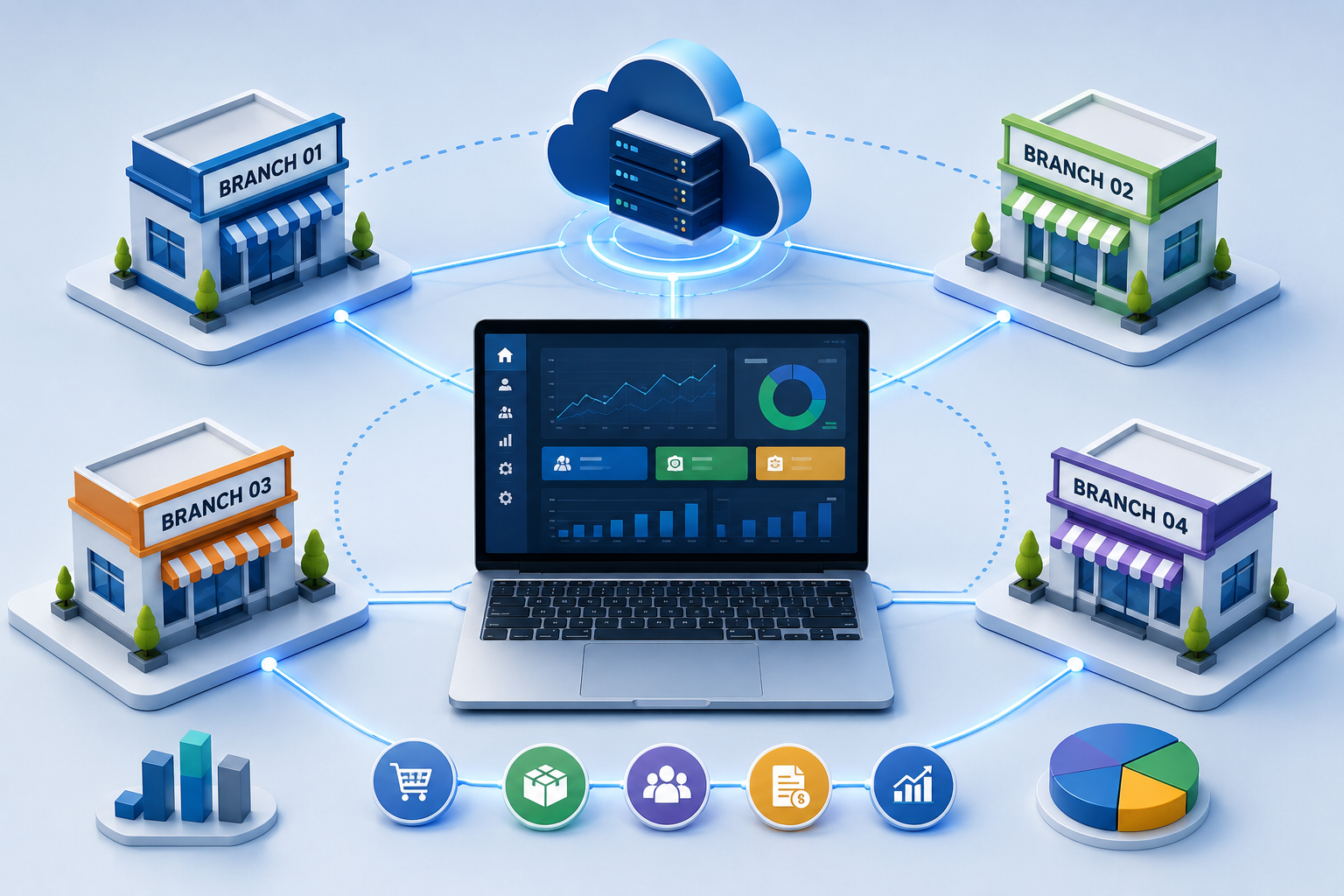
Custom software can help solve this problem by creating a centralized system designed around the specific requirements of the business. It can connect branches while still allowing each location to manage its own day-to-day activities.
What Is Custom Software for Multi-Branch Businesses?
Custom software is a business application developed around the organization's actual processes, requirements, users, and rules rather than forcing the business to adapt completely to a generic system.
For a multi-branch organization, the software can provide a central platform where management can monitor the entire business while branch employees access only the functions and information relevant to their location.
For example:
- Head office can view all branches
- Branch managers can manage their own location
- Employees can access assigned tasks
- Inventory can be tracked branch by branch
- Sales can be compared across locations
- Management can generate consolidated reports
- User permissions can control access to sensitive information
This creates a balance between centralized control and branch-level flexibility.
1. Centralize Business Data
One of the biggest challenges for multi-branch businesses is keeping information organized.
Without a centralized system, one branch may maintain its own customer records, another may use a separate spreadsheet, while head office collects reports manually.
Custom software can bring important information into one connected system, including:
- Customer records
- Product information
- Sales
- Purchases
- Inventory
- Employees
- Suppliers
- Expenses
- Branch information
- Payments
- Reports
Management can then access business information from a single platform instead of collecting it from different branches.
A centralized data structure also makes it easier to compare branch performance and identify operational problems.
2. Monitor Every Branch From One Dashboard
A multi-branch business needs visibility.
Owners and senior managers may want to know:
- Which branch has the highest sales?
- Which branch is underperforming?
- Which products are selling quickly?
- Where is inventory running low?
- Which location has the highest expenses?
- How many customers were served?
- What are the current branch-wise revenues?
Instead of waiting for individual branches to submit reports, a custom dashboard can bring this information together.
The dashboard can provide both overall business performance and branch-specific information, helping management make decisions based on current operational data.
3. Improve Inventory Management Across Branches
Inventory becomes increasingly difficult to manage as the number of locations grows.
One branch may have excess stock while another branch is experiencing a shortage of the same product.
Custom software can provide a centralized inventory system that shows:
- Stock available at each branch
- Total company inventory
- Low-stock items
- Fast-moving products
- Slow-moving products
- Stock transfers
- Purchase requirements
- Warehouse inventory
- Branch-wise stock movement
The system can also support stock transfer workflows between branches.
For example, if Branch A has 50 units and Branch B needs 20 units, employees can create a transfer request and record the movement inside the system instead of managing the process through phone calls or spreadsheets.
4. Standardize Business Processes
Different branches sometimes develop different ways of doing the same task.
For example, one branch may follow a particular billing process while another follows a different process. Over time, this can create inconsistencies.
Custom software can standardize important workflows across all locations.
These may include:
- Billing
- Sales
- Purchases
- Stock transfers
- Customer registration
- Discounts
- Approvals
- Expenses
- Leave requests
- Reporting
- Payment collection
Management can define common rules while still allowing specific branches to have controlled flexibility where necessary.
This helps create greater consistency as the business grows.
5. Control User Access by Branch
Not every employee should have access to every business record.
For example, a cashier may only need access to billing. A branch manager may need access to sales, inventory, and staff information. Head office management may need access to all branches.
Custom software can implement role-based and location-based permissions.
| User | Possible Access |
|---|---|
| Super Admin | All branches and modules |
| Head Office Manager | All branch reports |
| Branch Manager | Assigned branch |
| Sales Employee | Sales and customers |
| Inventory Employee | Stock and transfers |
| Accountant | Financial records |
| HR User | Employee information |
This provides better control over sensitive business information while allowing employees to access the tools they need.
6. Make Branch-Wise Reporting Easier
Reporting can become a major administrative task when a business operates from multiple locations.
Employees may need to prepare separate reports and send them to head office before management can understand overall performance.
Custom software can automate many of these reports.
Businesses can generate:
- Daily sales reports
- Monthly sales reports
- Branch-wise revenue reports
- Inventory reports
- Purchase reports
- Expense reports
- Employee reports
- Customer reports
- Profitability reports
- Outstanding payment reports
Management can view individual branch reports or generate a consolidated report for the entire organization.
This reduces the need to manually combine information from different branches.
7. Reduce Duplicate Data Entry
Disconnected systems often require employees to enter the same information multiple times.
For example, a sales transaction may need to be recorded separately in:
- Billing software
- Inventory records
- Accounting records
- Management reports
An integrated custom system can connect these processes.
When a transaction is recorded, relevant information can automatically update the connected modules.
For example:
Sale → Inventory Update → Customer Record → Payment Record → Sales Report
This can reduce repetitive administrative work and improve consistency between different business records.
8. Improve Communication Between Branches
Multi-branch businesses often depend heavily on phone calls, messaging applications, emails, and spreadsheets to coordinate operations.
Custom software can bring many operational activities into one platform.
For example:
Branch A → Stock Request → Head Office Approval → Branch B → Stock Transfer → Inventory Updated
Employees can see the status of requests without repeatedly asking other teams for updates.
This creates a more structured workflow and can reduce communication gaps between branches.
9. Connect Sales, Inventory, Finance and Other Departments
Custom software does not have to manage only one part of the business.
It can connect multiple departments and business processes.
For example:
Sales
↓
Inventory
↓
Purchasing
↓
Accounting
↓
Management Reporting
This creates a connected business environment where information can move between departments without unnecessary manual entry.
For growing businesses, integrating important functions into one system can improve visibility and reduce fragmented data.
10. Help Management Compare Branch Performance
Every branch may operate in a different market and have different customer behavior.
Custom software can make branch comparison easier.
Management can compare:
| Metric | Branch A | Branch B | Branch C |
|---|---|---|---|
| Sales | ₹ | ₹ | ₹ |
| Orders | |||
| Customers | |||
| Expenses | ₹ | ₹ | ₹ |
| Inventory | |||
| Outstanding | ₹ | ₹ | ₹ |
This makes it easier to identify high-performing branches and locations that may require additional attention.
Instead of looking only at total company figures, management can understand where business performance is coming from.
11. Automate Approvals and Routine Tasks
Multi-branch businesses often have several approval processes.
For example:
- Purchase approval
- Expense approval
- Discount approval
- Stock transfer approval
- Leave approval
- Payment approval
- Customer credit approval
Custom software can convert these manual processes into digital workflows.
For example:
Employee submits request → Branch Manager reviews → Head Office approves → System updates record
This can make routine administrative processes more structured and easier to track.
12. Improve Customer Management
Customers may interact with different branches of the same business.
If customer information is stored separately at each location, employees may not have a complete view of the customer's history.
A centralized customer management system can maintain information such as:
- Customer profile
- Purchase history
- Previous invoices
- Payments
- Complaints
- Service history
- Communication records
- Preferred branch
This can help employees provide more consistent service regardless of which branch the customer visits.
13. Make Opening New Branches Easier
Business growth should not require rebuilding the entire software system every time a new branch opens.
A well-designed custom application can be structured so that a new location can be added to the existing system.
The new branch may receive:
- Its own branch ID
- Users and permissions
- Inventory location
- Sales counter
- Customer records
- Branch reports
- Expense tracking
- Local settings
At the same time, management can continue viewing the new branch from the central dashboard.
This makes software scalability an important consideration when designing systems for growing businesses.
14. Improve Business Security and Accountability
A multi-branch system can contain sensitive information such as customer details, employee records, financial information, inventory data, and business transactions.
Custom software can include controls such as:
- User authentication
- Role-based permissions
- Branch-based access
- Activity logs
- Approval workflows
- Data backups
- Audit trails
- Password policies
An audit trail can also help businesses understand who performed a particular action and when it happened, which can be useful when investigating errors or unexpected changes.
Custom Software vs Separate Branch Systems
| Feature | Separate Systems | Custom Centralized Software |
|---|---|---|
| Branch Management | Separate | Centralized |
| Data | Fragmented | Connected |
| Reporting | Manual | Automated |
| Inventory | Difficult to consolidate | Centralized |
| User Access | Limited control | Role-based |
| Stock Transfers | Manual | System-based |
| Customer Records | Often duplicated | Centralized |
| Branch Comparison | Time-consuming | Easy |
| Workflow Automation | Limited | Customizable |
| Business Expansion | More difficult | Easier |
What Features Should Multi-Branch Custom Software Include?
The exact features depend on the business, but a multi-branch system may include:
Core Management
- Centralized dashboard
- Branch management
- User management
- Role-based permissions
- Approval workflows
Sales
- Billing
- Orders
- Quotations
- Discounts
- Payments
- Customer management
Inventory
- Branch-wise stock
- Warehouse management
- Stock transfers
- Purchase management
- Low-stock alerts
- Product management
Finance
- Expenses
- Receivables
- Payables
- Payment tracking
- Financial reports
HR
- Employee records
- Attendance
- Leave management
- Payroll integration
Reporting
- Branch-wise reports
- Consolidated reports
- Sales analytics
- Inventory analytics
- Performance dashboards
Integration
- Website
- CRM
- Accounting software
- Payment gateways
- APIs
- Mobile applications
How Businesses Can Start With Custom Software
Businesses do not necessarily need to build every feature at once.
A practical approach is to begin with the most important operational problems.
Step 1: Identify Current Problems
Find out where branches are losing time or creating duplicate work.
Step 2: Map Existing Workflows
Document how sales, inventory, employees, purchasing, finance, and reporting currently work.
Step 3: Decide What Should Be Centralized
Determine which information should be available across all branches and which information should remain location-specific.
Step 4: Define User Roles
Decide what owners, managers, accountants, employees, and other users should be able to access.
Step 5: Build Core Modules
Start with essential functions such as branch management, sales, inventory, customers, and reporting.
Step 6: Add Automation and Integrations
Once the core system is stable, connect other tools and automate repetitive processes.
Step 7: Keep the System Scalable
The software architecture should allow additional branches, users, products, transactions, and modules to be added as the company grows.
Custom Software Should Fit the Business
Every multi-branch business operates differently.
A retail chain may need advanced inventory and POS management. A healthcare organization may need patient and appointment management. A distributor may require warehouse and stock-transfer workflows. A service company may need employee scheduling, customer management, and field-service tracking.
This is where custom software can provide an advantage.
Instead of changing the business to fit a generic application, the software can be designed around the organization's actual workflows, rules, and future requirements.
Final Thoughts
Managing multiple branches becomes increasingly difficult when information is scattered across spreadsheets, separate applications, and manual reporting processes.
Custom software can bring branches together through centralized data, branch-wise access, automated workflows, inventory management, consolidated reporting, and integrated business processes.
The goal is not simply to create another software application. The goal is to create a connected business management system that gives branch teams the tools they need while giving management a clear view of the entire organization.
For businesses planning to open more branches or already struggling to manage multiple locations, investing in a well-designed custom software solution can provide a stronger foundation for efficient and controlled growth.