Table of Contents
- How Digital Billing Helps Small Businesses Reduce Billing Errors
- What Is Digital Billing?
- Why Billing Errors Happen
- How Digital Billing Reduces Errors
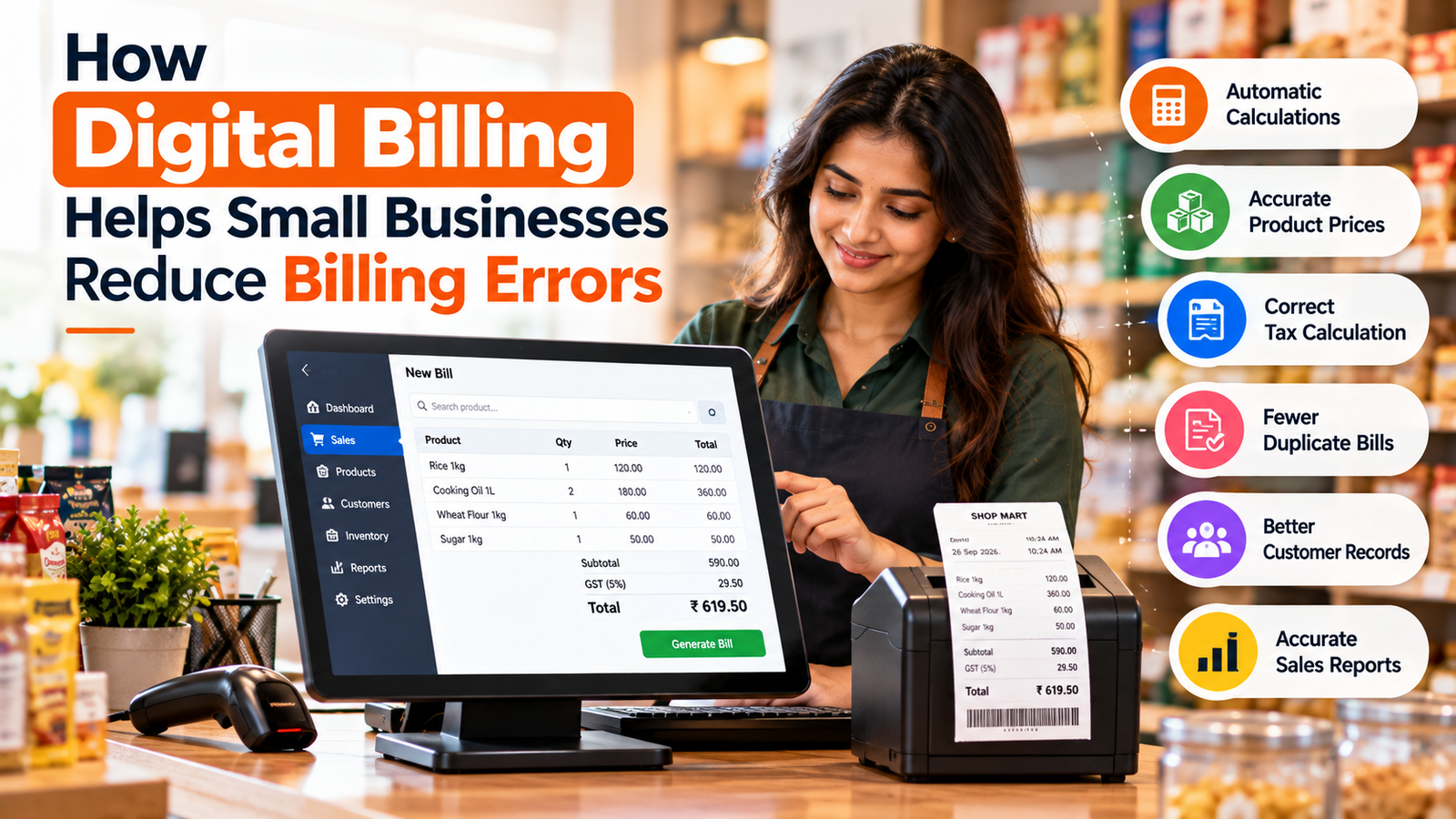
- 1. Automatic Calculations
- 2. Accurate Product Prices
- 3. Automatic Tax Calculations
- 4. Fewer Duplicate Invoices
- 5. Faster and More Accurate Billing
- 6. Better Customer Records
- 7. Automatic Inventory Updates
- 8. Easier Payment Tracking
- 9. Easy Access to Previous Bills
- 10. Better Sales Reports
- Manual Billing vs Digital Billing
- Example: How One Small Error Can Affect a Business
- Digital Billing Also Saves Time
- What Businesses Should Look for in Billing Software
- Conclusion
How Digital Billing Helps Small Businesses Reduce Billing Errors
Billing is one of the most important daily activities for a small business. Whether you run a retail shop, restaurant, pharmacy, showroom, service business, or wholesale operation, every transaction needs to be recorded accurately.
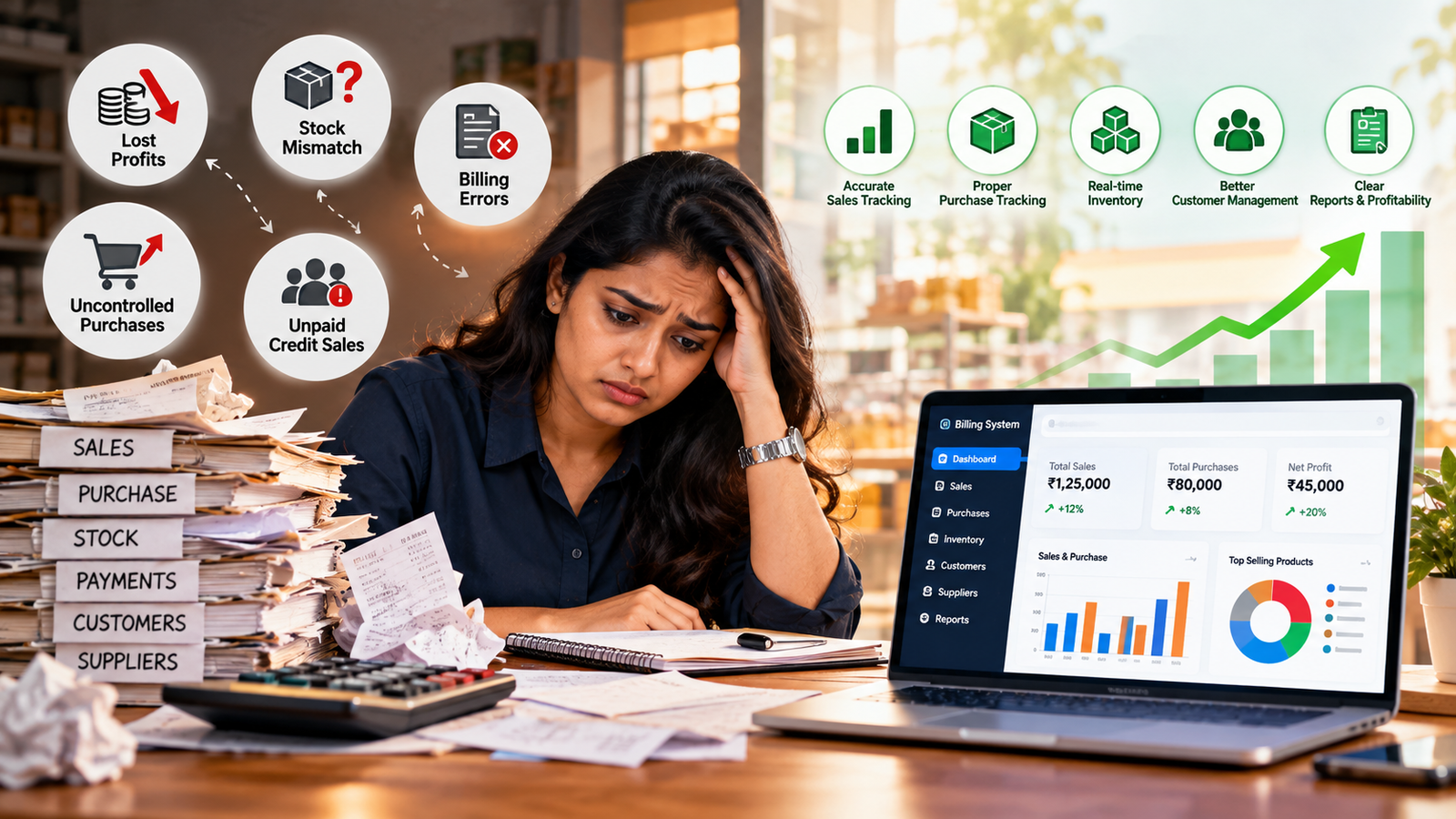
Manual billing can make this difficult. Incorrect calculations, duplicate entries, wrong product quantities, missing customer details, and tax mistakes can create financial problems and customer disputes.
Digital billing software helps reduce many of these issues by automating calculations, storing business information, and keeping transaction records organized.
What Is Digital Billing?
Digital billing is the process of creating, managing, and tracking bills or invoices using billing software instead of relying entirely on handwritten bills or spreadsheets.
A digital billing system can help businesses manage:
-
Sales invoices
-
Product and service details
-
Customer information
-
Discounts
-
Taxes
-
Payments
-
Outstanding balances
-
Invoice history
-
Sales reports
-
Inventory information
Instead of repeatedly entering the same information, businesses can store products, customers, prices, and tax details in the system and use them during billing.
Why Billing Errors Happen
Billing mistakes can occur for several reasons.
Common examples include:
-
Incorrect product quantity
-
Wrong product price
-
Calculation mistakes
-
Incorrect discount
-
Incorrect tax amount
-
Duplicate invoices
-
Missing customer information
-
Wrong invoice number
-
Forgotten transactions
-
Manual data-entry mistakes
When the number of daily transactions increases, manually checking every bill becomes increasingly difficult.
How Digital Billing Reduces Errors
1. Automatic Calculations
One of the biggest advantages of digital billing is automated calculation.
The software can calculate:
-
Subtotal
-
Discounts
-
Taxes
-
Final invoice amount
-
Payment balance
This reduces the need for employees to manually calculate every bill.
Automated calculations are particularly useful when invoices contain multiple products, different prices, discounts, and tax rates.
2. Accurate Product Prices
Businesses can maintain a product catalog containing product names and prices.
When creating a bill, staff can select the product instead of manually typing its price every time.
This can reduce mistakes caused by entering an incorrect price.
If a product's price changes, the updated price can be maintained in the system for future transactions.
3. Automatic Tax Calculations
Tax calculation can become complicated when businesses sell multiple products with different tax rates.
Digital billing software can apply configured tax rates and calculate the applicable amount automatically.
For businesses using GST billing, proper software configuration can help reduce manual GST calculation errors. However, businesses should ensure their software and tax settings are correctly configured for their specific requirements.
4. Fewer Duplicate Invoices
Duplicate invoices can create confusion in sales records and payment tracking.
Digital billing systems can use unique invoice numbers and maintain an invoice history, making it easier to identify existing transactions and reduce duplicate billing.
5. Faster and More Accurate Billing
Digital billing reduces repetitive data entry.
Instead of writing customer information and product details from the beginning for every transaction, employees can select existing records.
This makes the billing process faster while reducing opportunities for typing mistakes.
6. Better Customer Records
A digital billing system can store customer information in one place.
Depending on the software, businesses can maintain:
-
Customer name
-
Contact information
-
Previous purchases
-
Payment history
-
Outstanding balance
-
Invoice history
Having organized customer records makes it easier to create accurate bills and review previous transactions.
7. Automatic Inventory Updates
Billing errors are not limited to invoice totals.
Incorrect stock information can also create business problems.
When billing software is connected to inventory management, completing a sale can automatically update the corresponding stock quantity.
This reduces the need to maintain separate sales and stock records manually.
8. Easier Payment Tracking
A digital billing system can record whether an invoice has been:
-
Paid
-
Partially paid
-
Pending
-
Overdue
This gives businesses a clearer view of outstanding customer payments and reduces dependence on separate notebooks or spreadsheets.
9. Easy Access to Previous Bills
Finding an old paper invoice can take considerable time.
Digital invoices can be searched using information such as:
-
Invoice number
-
Customer name
-
Date
-
Product
-
Payment status
This makes it easier to verify transactions when a customer has a question or when the business needs to review previous sales.
10. Better Sales Reports
Accurate billing records create better business reports.
A digital billing system can provide information about:
-
Daily sales
-
Monthly sales
-
Best-selling products
-
Payment methods
-
Customer purchases
-
Outstanding payments
-
Tax amounts
-
Sales trends
When the underlying billing data is accurate, these reports become more useful for business management.
Manual Billing vs Digital Billing
| Manual Billing | Digital Billing |
|---|---|
| Calculations are often manual | Calculations can be automated |
| Prices may be entered repeatedly | Product prices can be stored |
| Higher risk of calculation mistakes | Automated totals reduce calculation errors |
| Duplicate bills can be difficult to identify | Invoice history is maintained |
| Customer records may be scattered | Customer data can be centralized |
| Searching old bills takes time | Digital search is faster |
| Stock updates may be separate | Can connect billing with inventory |
| Reports require manual preparation | Reports can be generated from transaction data |
Example: How One Small Error Can Affect a Business
Imagine a retail shop processes 100 bills in a day.
If employees manually enter product prices, quantities, discounts, and taxes, even a small mistake can affect the final invoice.
For example, a product priced at ₹250 may accidentally be entered as ₹205.
The customer may notice the difference immediately, or the business may discover the mistake later while checking its records.
With a properly configured digital billing system, the product price can be selected from the stored product catalog, reducing the need to repeatedly type the price.
Digital Billing Also Saves Time
Reducing errors is only one benefit of digital billing.
It can also reduce the amount of time employees spend preparing invoices, searching for old records, checking calculations, and preparing basic reports.
Digital invoicing tools are designed to replace repetitive manual processes with more structured workflows.
This allows business owners and employees to spend more time on customers, sales, inventory, and other important activities.
What Businesses Should Look for in Billing Software
When selecting a billing system, small businesses should consider features such as:
-
Easy invoice creation
-
Product and service management
-
Customer management
-
Automatic calculations
-
Tax and discount configuration
-
Payment tracking
-
Invoice history
-
Inventory integration
-
Sales reports
-
Purchase management
-
User access controls
-
Data backup
-
Export options
The right features will depend on the type and size of the business.
Conclusion
Billing errors may seem small, but repeated mistakes can affect revenue, inventory records, customer relationships, and financial reporting.
Digital billing helps reduce these risks by automating calculations, using stored product and customer information, maintaining invoice histories, and connecting billing with other business records.
For small businesses that are still dependent on handwritten bills or scattered spreadsheets, moving to a centralized digital billing system can make everyday billing more organized, efficient, and easier to manage.
The goal is not simply to create invoices faster. It is to maintain more accurate business records with less manual effort.