Table of Contents
- Why Businesses Need Audit Trails in Their Management Software
- What Is an Audit Trail?
- 1. Creates Accountability
- 2. Helps Identify Unauthorized Changes
- 3. Makes It Easier to Investigate Errors
- 4. Protects Important Business Data
- 5. Helps Track Financial Changes
- 6. Improves Internal Controls
- 7. Makes Audits Easier
- 8. Helps Detect Suspicious Activity
- 9. Helps Track Inventory Changes
- 10. Improves Employee and User Management
- 11. Provides a History of Record Changes
- Customer Credit Limit
- 12. Supports Better Troubleshooting
- 13. Helps Businesses Manage Multiple Users
- 14. Creates a Reliable Historical Record
- 15. Supports Compliance Requirements
- What Should an Audit Trail Record?
- Which Business Software Should Have Audit Trails?
- Accounting Software
- ERP Software
- HR Software
- Inventory Software
- Billing Software
- CRM Software
- School or Education ERP
- What Makes a Good Audit Trail?
- Record Important Events
- Identify the User
- Record Date and Time
- Show What Changed
- Protect Audit Records
- Support Searching and Reporting
- Maintain Appropriate Retention
- Audit Trail vs. Activity Log
- How Businesses Can Implement Audit Trails
- Step 1: Identify Important Business Processes
- Step 2: Identify Sensitive Changes
- Step 3: Define What Should Be Logged
- Step 4: Control Access
- Step 5: Protect the Records
- Step 6: Review Logs Regularly
- Common Examples of Audit Trail Events
- Final Thoughts
Why Businesses Need Audit Trails in Their Management Software
As businesses grow, more employees begin using software to manage important operations such as sales, inventory, finance, HR, purchasing, customer records, and administration.
With multiple users making changes every day, an important question arises:
Who changed this information, when was it changed, and what exactly was changed?
Without a reliable record, answering that question can be difficult.
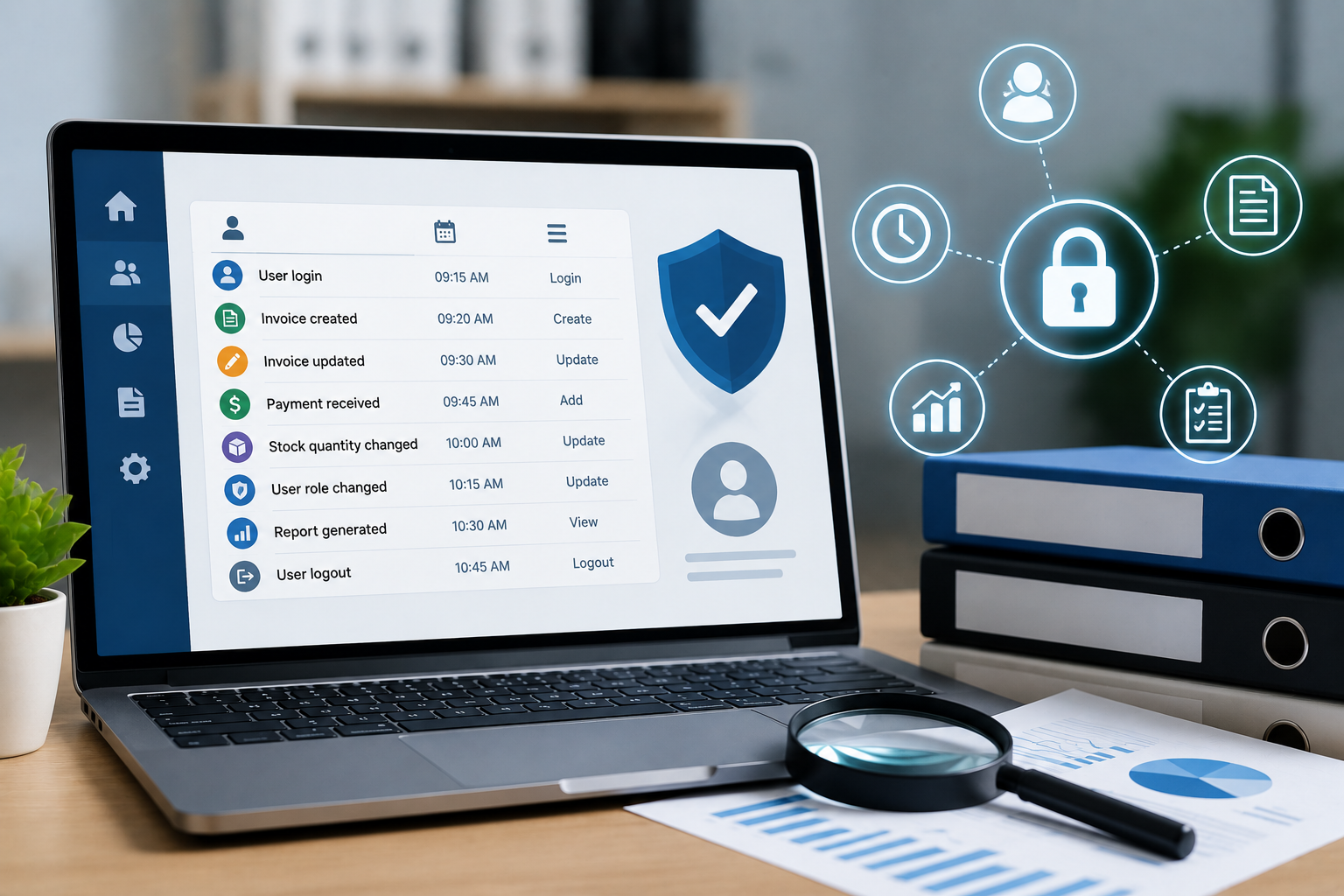
This is where an audit trail becomes important. An audit trail is a chronological record that helps reconstruct the sequence of activities surrounding a transaction or system event. It can record information such as the user involved, the time of the activity, the action performed, and the result.
For businesses using management software, audit trails can improve accountability, help investigate problems, support internal controls, and provide greater visibility into changes made within the system.
What Is an Audit Trail?
An audit trail is a record of activities performed within a software system.
For example, suppose an employee changes the quantity on a sales invoice.
A useful audit trail could record:
- User who made the change
- Date and time
- Transaction or record affected
- Type of change
- Previous value
- New value
- Result of the action
Instead of simply seeing the updated invoice, an administrator can understand what happened before and after the change.
NIST describes audit trails as records that can support individual accountability, event reconstruction, intrusion detection, and problem identification.
1. Creates Accountability
When multiple employees use the same management software, accountability becomes important.
For example, imagine that an inventory record shows that 50 products were removed from stock, but nobody knows who performed the transaction.
Without an audit trail, finding the source of the problem may require manually checking different records or asking employees.
With an audit trail, administrators can see which user performed the action and when it happened.
This creates greater accountability because system activities can be associated with specific users.
NIST specifically identifies individual accountability as one of the key objectives of audit trails.
2. Helps Identify Unauthorized Changes
Businesses need to protect important information from unauthorized or inappropriate changes.
For example, an administrator may discover that:
- A customer's credit limit was changed
- An invoice amount was modified
- A product price was changed
- Employee salary information was edited
- Inventory quantities were adjusted
- A user account was given additional permissions
An audit trail can help determine who performed the action and when it occurred.
This does not replace access controls or security policies, but it provides an additional layer of visibility into system activity.
3. Makes It Easier to Investigate Errors
Not every unexpected change is caused by malicious activity.
Sometimes employees simply make mistakes.
For example:
Correct invoice amount: ₹25,000
Entered amount: ₹2,500
If the error is discovered later, management may want to know how it happened.
An audit trail can help reconstruct the sequence of events and identify the user and transaction involved.
This can make troubleshooting much faster than trying to investigate the entire system manually.
NIST identifies reconstruction of events and problem identification as important uses of audit trails.
4. Protects Important Business Data
Management software often contains highly important business information.
This may include:
- Customer records
- Financial transactions
- Employee information
- Supplier details
- Inventory records
- Purchase orders
- Sales invoices
- Payment information
- Business reports
If important information is changed, deleted, or manipulated, the business needs a way to investigate the activity.
Audit trails provide historical information about system events and can help businesses understand what happened to important records.
5. Helps Track Financial Changes
Audit trails are particularly valuable in accounting and financial management software.
Consider a situation where an invoice is created, modified, approved, and eventually paid.
An audit trail can help establish the history of those activities.
For businesses operating in India, audit-trail requirements are especially relevant to accounting software used to maintain books of account. ICAI notes that applicable accounting software should be capable of recording changes, including what was changed, when the change occurred, who made it, and the relevant transaction reference.
Microsoft Business Central also documents audit-trail and edit-log functionality for accounting software in India.
Businesses should, however, evaluate their specific legal and accounting obligations with a qualified professional.
6. Improves Internal Controls
Good business management requires controls around important processes.
For example, a business may require:
Employee creates transaction → Manager approves → Finance processes payment
An audit trail can provide evidence of these activities.
It can help management understand:
- Who created the transaction
- Who approved it
- When it was approved
- Whether it was modified afterward
- Who processed the final action
This can make internal processes easier to review.
Audit trails can complement preventive controls such as permissions and approval workflows.
7. Makes Audits Easier
During an internal or external audit, businesses may need to provide evidence supporting transactions and system activity.
Without an audit trail, employees may have to manually collect information from multiple sources.
With centralized audit records, auditors and authorized staff can more easily investigate:
- Transaction history
- Record changes
- User activities
- Approval actions
- System changes
- Financial modifications
This can reduce the effort required to reconstruct historical activities.
8. Helps Detect Suspicious Activity
Audit trails can also support security monitoring.
For example, unusual activity may include:
- A large number of records being deleted
- Multiple failed login attempts
- Unexpected changes to user permissions
- Changes to financial records outside normal working patterns
- Large inventory adjustments
- Repeated modifications to the same transaction
When audit records are reviewed and analyzed, unusual activity may become easier to identify.
NIST recommends reviewing and analyzing audit records for indications of inappropriate or unusual activity.
9. Helps Track Inventory Changes
Inventory systems are another area where audit trails can be extremely useful.
Imagine a warehouse system showing:
System Stock: 500 units
Physical Stock: 450 units
Management needs to understand why there is a difference.
An audit trail may reveal that:
- 30 units were manually adjusted
- 10 units were transferred
- 10 units were marked as damaged
This makes inventory investigation much easier.
Instead of simply seeing the final stock quantity, managers can examine the history behind it.
10. Improves Employee and User Management
Audit trails can also be used to track administrative activities.
For example:
- User created
- User disabled
- Password reset
- Role changed
- Permission added
- Permission removed
- Department changed
- Administrative settings modified
This can be especially important when management software has multiple administrators.
NIST guidance identifies logging of user and account-related activities as part of effective audit and accountability practices.
11. Provides a History of Record Changes
One of the most useful features of an audit trail is maintaining a history of changes.
For example:
Customer Credit Limit
Before: ₹50,000
After: ₹1,00,000
Changed By: Finance Manager
Date: 02 September 2026
Reason: Approved credit revision
This type of information can make business records much easier to understand.
Depending on the software, the system may also maintain previous and updated values.
12. Supports Better Troubleshooting
Software problems sometimes appear to be data problems.
For example, a manager may report:
"The sales report was correct yesterday, but the number has changed today."
Instead of checking every transaction manually, an administrator can examine the audit trail.
It may reveal:
10:15 AM: Invoice modified
10:17 AM: Credit note created
10:20 AM: Transaction reversed
This provides a much clearer explanation of why the report changed.
13. Helps Businesses Manage Multiple Users
As businesses grow, management software may have dozens or hundreds of users.
Different users may have different responsibilities:
- Sales
- Accounts
- HR
- Inventory
- Purchase
- Management
- Administration
When many people access the same system, tracking activity becomes increasingly important.
An audit trail provides visibility without requiring managers to manually monitor every user.
14. Creates a Reliable Historical Record
Business information changes over time.
A customer may change their address.
A product price may change.
An employee's department may change.
An invoice may be modified.
A purchase order may be cancelled.
If the software only stores the latest version of information, understanding its history can be difficult.
Audit trails preserve a chronological record of important activities, helping businesses reconstruct what happened over time.
15. Supports Compliance Requirements
Depending on the industry, location, and type of information being managed, businesses may have specific recordkeeping or audit requirements.
For example, accounting systems in India have specific audit-trail requirements for applicable books of account maintained electronically. ICAI states that relevant audit trails form part of the records that need to be retained according to applicable requirements.
This is one reason businesses should consider audit-trail functionality when selecting accounting, ERP, or management software.
However, an audit trail should not be treated as automatic proof of compliance. Businesses need to configure, use, protect, and retain audit records according to their applicable requirements.
What Should an Audit Trail Record?
A useful audit trail should contain enough information to understand the event.
Common fields include:
| Information | Example |
|---|---|
| User | admin01 |
| Date | 02 September 2026 |
| Time | 10:35 AM |
| Action | Updated Invoice |
| Record | INV-1025 |
| Previous Value | ₹25,000 |
| New Value | ₹30,000 |
| Result | Successful |
| Source | Web Application |
NIST guidance recommends audit records contain information sufficient to establish what happened, when it happened, where it happened, its source, its outcome, and the identity associated with the event.
Which Business Software Should Have Audit Trails?
Audit trails can be useful in many types of management software.
Accounting Software
Track changes to financial transactions, invoices, payments, and accounting records.
ERP Software
Track changes across finance, inventory, purchasing, sales, and other modules.
HR Software
Track employee record changes, approvals, permissions, and administrative actions.
Inventory Software
Track stock adjustments, transfers, receipts, and product changes.
Billing Software
Track invoice creation, modifications, cancellations, discounts, and payments.
CRM Software
Track changes to customer information, leads, opportunities, and sales records.
School or Education ERP
Track changes to student records, fees, attendance, results, and administrative information.
What Makes a Good Audit Trail?
Simply having an "activity log" does not necessarily mean a system has an effective audit trail.
Businesses should consider whether the system can:
Record Important Events
The system should identify which actions need to be logged.
Identify the User
Each action should be associated with the relevant user or system process.
Record Date and Time
Timestamps help establish the sequence of events.
Show What Changed
For important records, the system should provide useful information about the change.
Protect Audit Records
Audit information should be protected against unauthorized modification or deletion. NIST specifically recommends protecting audit information and limiting access to audit logging functions.
Support Searching and Reporting
Administrators should be able to find relevant events without manually reviewing thousands of records.
Maintain Appropriate Retention
Audit records should be retained according to the organization's policies and applicable legal or regulatory requirements.
Audit Trail vs. Activity Log
The terms are sometimes used interchangeably, but businesses should understand what their software actually records.
A basic activity log might simply say:
User updated invoice
A more useful audit trail may show:
User: Finance01
Date: 02 September 2026
Time: 11:20 AM
Invoice: INV-1025
Field: Total Amount
Before: ₹25,000
After: ₹30,000
The second example provides much more information for accountability and investigation.
How Businesses Can Implement Audit Trails
Businesses should not necessarily log every possible event without considering the purpose.
A practical approach is:
Step 1: Identify Important Business Processes
Determine which transactions and records are most important.
Step 2: Identify Sensitive Changes
Focus on areas such as financial records, inventory, employee information, permissions, and approvals.
Step 3: Define What Should Be Logged
Determine the required information for each event.
Step 4: Control Access
Only authorized users should be able to manage or review sensitive audit information.
Step 5: Protect the Records
Audit records should be protected from unauthorized modification or deletion.
Step 6: Review Logs Regularly
Audit trails become more valuable when businesses actually review them for unusual or important activity.
Common Examples of Audit Trail Events
A management system might record events such as:
Login
User logged into the system.
Invoice Update
Invoice amount changed from ₹20,000 to ₹22,000.
Inventory Adjustment
Stock quantity changed from 100 to 90.
User Permission Change
User role changed from Employee to Manager.
Record Deletion
Customer record deleted by authorized administrator.
Approval
Purchase order approved by department manager.
Payment Update
Payment status changed from Pending to Paid.
These records create a useful history of important business activities.
Final Thoughts
As businesses become more dependent on management software, knowing what happened inside the system becomes just as important as knowing the current data.
An audit trail provides that history.
It can help businesses improve accountability, investigate errors, identify suspicious activity, protect important records, support internal controls, simplify audits, and understand how business information has changed over time.
For growing businesses, audit trails should be considered an important feature when selecting ERP, accounting, HR, inventory, billing, CRM, or other management software.
The goal is not to record everything without purpose. The goal is to maintain a reliable, protected, and useful history of important business activities so that when a question arises, the business has evidence to find the answer.