Table of Contents
- Why Data Validation Matters in Business Software
- What Is Data Validation?
- Why Is Data Validation Important for Businesses?
- 1. Improves Data Accuracy
- 2. Prevents Incomplete Records
- 3. Reduces Duplicate and Incorrect Information
- 4. Improves Business Reporting
- 5. Protects Inventory Information
- 6. Helps Prevent Financial Errors
- 7. Supports Better Customer Experience
- 8. Strengthens Application Security
- 9. Client-Side vs Server-Side Validation
- Client-Side Validation
- Server-Side Validation
- 10. Validate Business Rules, Not Just Data Formats
- 11. Improves Database Quality
- 12. Makes Multi-Branch Management Easier
- 13. Makes Automation More Reliable
- 14. Reduces Manual Data Cleaning
- 15. Makes APIs and Integrations Safer
- Common Types of Data Validation
- Required Field Validation
- Data Type Validation
- Format Validation
- Range Validation
- Length Validation
- Uniqueness Validation
- Relationship Validation
- Business Rule Validation
- Best Practices for Data Validation
- 1. Define Clear Rules
- 2. Validate Early
- 3. Use Server-Side Validation
- 4. Use Allowlisted Values Where Appropriate
- 5. Validate Business Logic
- 6. Use Database Constraints
- 7. Keep Validation Rules Consistent
- 8. Provide Clear Error Messages
- What Happens When Data Validation Is Missing?
- Data Validation Is an Investment in Better Business Operations
- Final Thoughts
Why Data Validation Matters in Business Software
In today's digital business environment, software handles almost every type of business information, from customer details and sales transactions to employee records, inventory, payments, and financial reports.
But there is one important question businesses often overlook:
Is the data entering the system actually correct?
A software system can process information extremely quickly, but if incorrect or incomplete data enters the system, the resulting reports and decisions can also become unreliable.
This is why data validation is an essential part of business software development.
Data validation is the process of checking whether information meets predefined rules before it is accepted and processed by a system.
What Is Data Validation?
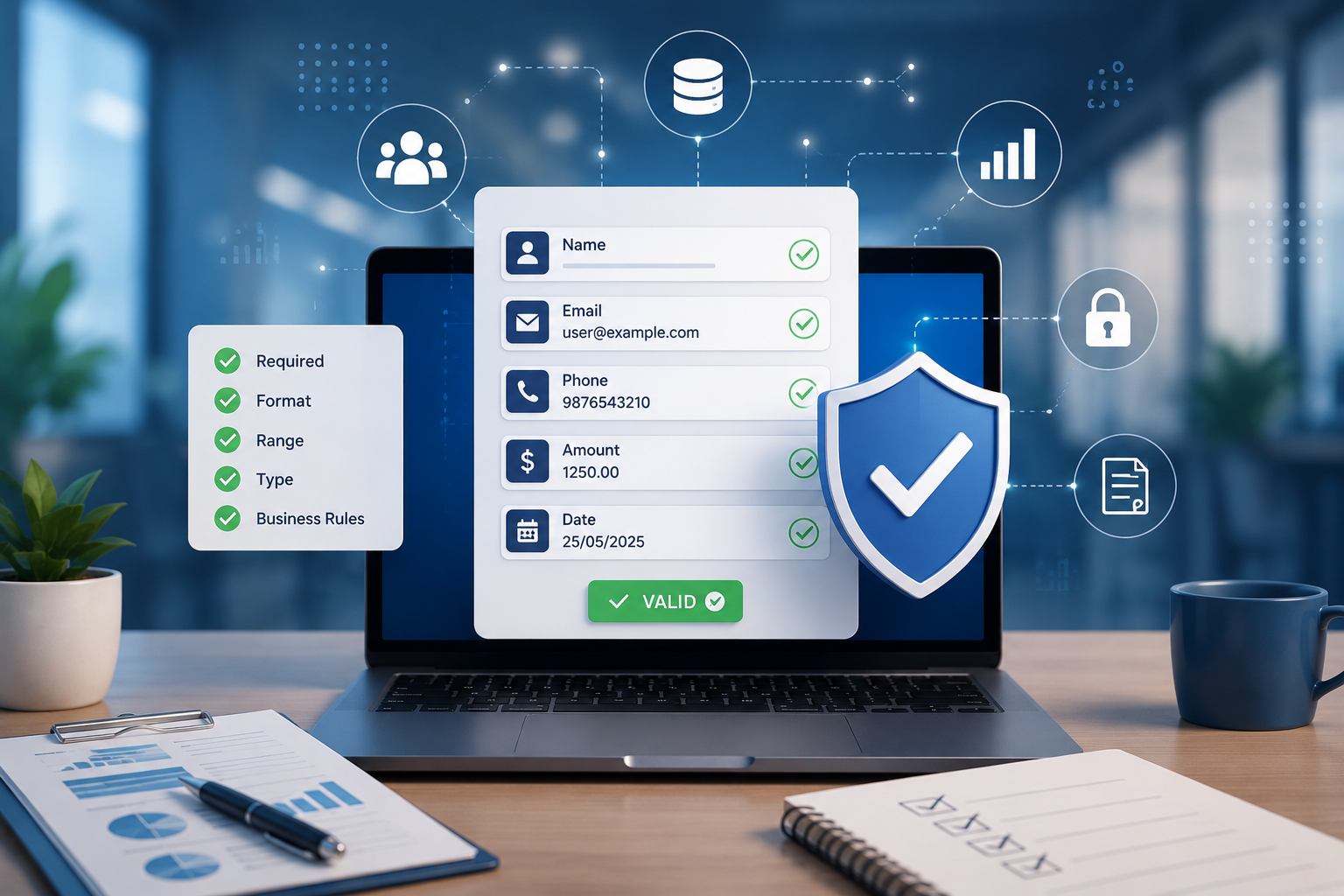
Data validation ensures that information entered into a software system follows the required format, type, range, and business rules.
For example, if a business registration form asks for:
- Customer name
- Mobile number
- Email address
- Date of birth
- Business type
- Address
the system should not simply accept everything entered by the user.
It should check whether:
- Required fields are completed
- Email addresses have a valid format
- Phone numbers contain the expected number of digits
- Dates are valid
- Numbers fall within acceptable ranges
- Selected options are actually allowed
- Related fields make logical sense
According to OWASP, validation should address both syntactic correctness and semantic correctness.
Why Is Data Validation Important for Businesses?
Poor-quality data can create problems throughout an organization.
A single incorrect entry may appear small, but when thousands of records are involved, small errors can become significant.
For example:
Incorrect Sales Entry → Incorrect Report → Incorrect Business Decision
Similarly:
Wrong Stock Quantity → Incorrect Inventory Report → Stock Shortage
or:
Incorrect Customer Information → Failed Communication → Poor Customer Experience
Data validation helps prevent these problems before incorrect information becomes part of the business workflow.
1. Improves Data Accuracy
One of the biggest benefits of validation is improved data accuracy.
Consider a billing system where an employee enters:
Product Quantity: -10
The value may technically be a number, but it doesn't make sense for a normal sales transaction.
A validation rule can reject the entry and display:
Quantity must be greater than zero.
This is an example of business-rule validation, where the system checks whether the value makes sense within the context of the business.
OWASP recommends validating not only the format of information but also meaningful ranges and business relationships.
2. Prevents Incomplete Records
Incomplete records can make business software difficult to use.
For example, a customer database might contain:
- Name
- Phone
- Address
If users are allowed to submit the form without entering a customer name or phone number, the database can quickly become filled with incomplete records.
Validation can make important fields mandatory.
For example:
Customer Name: Required
Mobile Number: Required
Email: Optional
This ensures that essential information is available when employees need it.
3. Reduces Duplicate and Incorrect Information
Businesses often collect the same information from multiple departments or branches.
Without appropriate validation, the same customer might be entered several times:
- Raj Patel
- Raj P.
- Raj Patel
- R. Patel
A well-designed system can use validation and duplicate-detection rules to identify potential duplicate records.
This is especially important for:
- CRM systems
- ERP systems
- School management software
- Healthcare software
- Employee management systems
- Multi-branch business software
Better data consistency makes searching, reporting, and customer management easier.
4. Improves Business Reporting
Business reports are only as reliable as the information behind them.
Imagine a company uses software to calculate monthly revenue.
If sales records contain:
- Incorrect amounts
- Missing transactions
- Wrong dates
- Duplicate invoices
- Incorrect branch assignments
the final report may not accurately represent business performance.
Validation helps ensure that information entering the reporting system follows predefined rules.
This creates a stronger foundation for:
- Sales reports
- Expense reports
- Profit calculations
- Inventory reports
- Employee reports
- Customer analytics
- Branch comparisons
5. Protects Inventory Information
Inventory systems depend heavily on accurate data.
Suppose a business has 100 units of a product.
An employee accidentally enters:
Stock Received = 1,000
Without validation, the system could update the inventory incorrectly.
With validation, the system can apply appropriate checks such as:
- Quantity must be positive
- Quantity must be within reasonable limits
- Product must exist
- Warehouse must be valid
- Supplier must be registered
- Stock transfer must have a valid source and destination
Business logic validation can also ensure that a transaction doesn't exceed available stock when such a rule applies.
6. Helps Prevent Financial Errors
Financial information requires particularly careful validation.
Consider an invoice containing:
Subtotal: ₹50,000
Discount: ₹60,000
The individual values may be valid numbers, but the combination may not make sense under the business's rules.
A validation system can check:
- Amounts
- Discounts
- Taxes
- Payment methods
- Invoice dates
- Customer information
- Outstanding balances
- Transaction limits
This can help prevent incorrect financial records from entering the system.
7. Supports Better Customer Experience
Data validation isn't only about preventing errors.
It can also make software easier for customers and employees to use.
For example, instead of allowing a customer to submit an invalid email address and discovering the problem later, the system can immediately show:
Please enter a valid email address.
Similarly, an online appointment system can prevent users from selecting:
Check-out: 10 September
Check-in: 15 September
when the business rule requires the check-out date to follow the check-in date.
Immediate feedback makes the system more predictable and user-friendly.
8. Strengthens Application Security
Data validation also plays an important role in application security.
Applications receive data from users, browsers, APIs, integrations, files, and other external systems.
That information should not automatically be trusted.
OWASP recommends validating input from potentially untrusted sources and performing validation as early as practical in the data flow.
Validation can help reject unexpected or malformed data before it reaches sensitive application processes.
However, validation should not be treated as the only security measure. Applications should also use appropriate controls such as parameterized database queries, output encoding, authentication, authorization, and secure file handling.
9. Client-Side vs Server-Side Validation
Modern business applications commonly use two layers of validation.
Client-Side Validation
This happens in the user's browser.
For example:
- Required field checking
- Email format
- Minimum password length
- Number ranges
- Basic form validation
It provides immediate feedback and improves user experience.
Server-Side Validation
This happens on the server before information is processed or stored.
Server-side validation is essential because browser-based validation can be bypassed.
OWASP recommends performing server-side validation even when client-side validation is already implemented.
A strong approach is therefore:
User Input → Client Validation → Server Validation → Business Rules → Database
10. Validate Business Rules, Not Just Data Formats
One of the most important aspects of modern business software is understanding the difference between valid format and valid business information.
For example:
Quantity = 10
The format is valid.
But if the warehouse only has 5 units available, the transaction may not be valid according to the business rule.
Another example:
Start Date = 20 September
End Date = 15 September
Both dates are individually valid.
Together, however, they may be logically incorrect.
Business software should therefore validate relationships between fields as well as individual values.
11. Improves Database Quality
A database is the foundation of many business applications.
Once incorrect information enters the database, fixing it later can be difficult.
For example, if thousands of customer records contain incorrect phone numbers, an organization may need to manually identify and correct those records.
It is generally better to prevent incorrect information from entering the database in the first place.
This can be achieved through a combination of:
- Application validation
- Database constraints
- Required fields
- Unique constraints
- Data types
- Foreign keys
- Business rules
A layered approach provides stronger data quality.
12. Makes Multi-Branch Management Easier
Data validation becomes even more important when a company operates multiple branches.
Imagine a business with 20 branches.
Every branch enters:
- Sales
- Customer records
- Inventory
- Expenses
- Employee information
- Purchase records
If every branch follows different data-entry practices, the head office may receive inconsistent information.
A centralized validation system can enforce common rules across all branches.
For example:
Branch → User → Transaction → Validation → Central Database
This helps maintain consistency across the organization.
13. Makes Automation More Reliable
Automation depends on reliable information.
Suppose a company automatically sends payment reminders based on outstanding invoices.
If an invoice amount or payment status is incorrect, the automation may send the wrong message.
Similarly:
Incorrect Stock Data → Incorrect Reorder Alert
Incorrect Employee Data → Incorrect Payroll Calculation
Incorrect Customer Data → Incorrect Notification
The better the underlying data quality, the more reliable automated workflows become.
14. Reduces Manual Data Cleaning
Without validation, employees may have to spend significant time correcting records.
This can include:
- Fixing phone numbers
- Correcting dates
- Removing duplicate customers
- Correcting product quantities
- Updating incorrect prices
- Fixing branch assignments
- Checking missing information
These activities consume time without directly creating new business value.
Validation moves much of the error prevention closer to the point where the information is entered.
15. Makes APIs and Integrations Safer
Modern businesses rarely use only one software system.
Applications may exchange data with:
- Payment gateways
- Accounting systems
- CRM platforms
- ERP systems
- E-commerce websites
- Mobile applications
- Government portals
- Third-party APIs
External data should also be validated before being processed.
OWASP specifically recommends validating data received from external sources such as suppliers, partners, vendors, and other connected systems.
This becomes increasingly important as businesses build more connected digital environments.
Common Types of Data Validation
A business application may use several types of validation.
Required Field Validation
Checks whether essential information has been provided.
Data Type Validation
Checks whether information is the expected type.
Example:
Age = 25 ✓
Age = ABC ✗
Format Validation
Checks whether information follows a specific structure.
Example:
- Phone number
- Date
- Postal code
Range Validation
Checks whether a number or date falls within an acceptable range.
Length Validation
Checks minimum and maximum text length.
Uniqueness Validation
Prevents duplicate values where uniqueness is required.
Relationship Validation
Checks whether multiple fields make sense together.
Business Rule Validation
Checks whether information is valid according to the organization's actual business processes.
Best Practices for Data Validation
Businesses and software developers should consider the following practices:
1. Define Clear Rules
Before developing the software, identify what constitutes valid and invalid data.
2. Validate Early
Reject incorrect information before it moves deeper into the application workflow.
3. Use Server-Side Validation
Never rely only on browser-side JavaScript validation.
4. Use Allowlisted Values Where Appropriate
For fixed options such as departments, statuses, or categories, accept only predefined values.
5. Validate Business Logic
Don't only check whether information looks correct. Check whether it makes sense for the business.
6. Use Database Constraints
Application validation should be supported by appropriate database-level protections.
7. Keep Validation Rules Consistent
Centralizing validation logic can reduce inconsistencies between different parts of an application.
8. Provide Clear Error Messages
Users should understand what needs to be corrected.
Instead of:
Invalid Input
use:
Mobile number must contain 10 digits.
What Happens When Data Validation Is Missing?
Without proper validation, businesses may experience:
- Incorrect reports
- Duplicate records
- Inventory discrepancies
- Billing errors
- Failed notifications
- Poor customer data
- Incorrect calculations
- Operational delays
- Database inconsistencies
- Increased security risks
The problem can become more serious as the organization grows.
A small data-entry problem in a 10-user system may be manageable.
The same problem in a system with thousands of users and millions of records can become expensive and difficult to fix.
Data Validation Is an Investment in Better Business Operations
Data validation may seem like a small technical feature when developing business software.
In reality, it supports almost every major part of an application.
Good Data → Reliable Processes → Better Reports → Better Decisions
Whether you are developing an ERP, CRM, billing system, inventory platform, school management system, healthcare application, or custom business software, validation should be considered from the beginning of the development process.
It is much easier to prevent incorrect data than to clean thousands of incorrect records later.
Final Thoughts
Business software is only as reliable as the information it processes.
Data validation helps ensure that information entering the system is complete, correctly formatted, logically consistent, and appropriate for the business context.
From customer management and billing to inventory, finance, reporting, APIs, and automation, reliable data forms the foundation of effective digital operations.
For businesses investing in custom software, data validation should not be treated as an optional feature. It should be part of the system's core design.
When software validates information properly, businesses can spend less time correcting errors and more time using their data to operate, analyze, and grow.