Table of Contents
- Why Software Documentation Matters for Long-Term Application Maintenance
- What Is Software Documentation?
- Why Documentation Is Important for Application Maintenance
- 1. Makes the Application Easier to Understand
- 2. Simplifies Bug Fixing
- 3. Helps New Developers Get Started
- 4. Reduces Dependency on Individual Developers
- 5. Supports Future Feature Development
- 6. Improves API Maintenance
- 7. Documents Database Structure
- 8. Makes Deployment and Configuration Easier
- 9. Supports Security Maintenance
- 10. Preserves Technical Decisions
- Types of Software Documentation
- Technical Documentation
- User Documentation
- Developer Documentation
- Operational Documentation
- Documentation and Application Lifecycle
- Common Documentation Problems
- Outdated Information
- Missing Technical Details
- Too Much Unnecessary Information
- Lack of Ownership
- Inconsistent Formats
- Best Practices for Software Documentation
- Keep Documentation Close to the Project
- Use Clear Language
- Include Examples
- Use Diagrams
- Update Documentation During Changes
- Review Documentation Regularly
- The Business Benefits of Good Documentation
- Conclusion
Why Software Documentation Matters for Long-Term Application Maintenance
Software applications are rarely built and forgotten. As businesses grow, applications need to be updated, improved, secured, and adapted to changing business requirements. New developers may join the team, existing developers may leave, and technologies may change over time.
Without proper documentation, maintaining an application can become difficult and expensive. Developers may spend significant time trying to understand how the system works before making even small changes.
Software documentation provides a reliable source of information about an application's architecture, features, code, configuration, workflows, and technical decisions. It helps teams understand the system and maintain it more efficiently over the long term.
What Is Software Documentation?
Software documentation is a collection of written information that explains how an application works and how it should be used, maintained, configured, and updated.
Depending on the project, documentation may include:
-
System architecture
-
Technical specifications
-
API documentation
-
Database structure
-
Installation instructions
-
Configuration details
-
User guides
-
Development guidelines
-
Deployment procedures
-
Troubleshooting information
-
Security procedures
Good documentation should be easy to understand and updated as the application changes.
Why Documentation Is Important for Application Maintenance
Application maintenance involves fixing bugs, updating dependencies, improving performance, adding features, and addressing security issues.
Developers need to understand the existing system before making changes. Documentation provides this context and reduces the amount of time required to investigate the application.
It can help teams:
-
Understand existing functionality
-
Resolve problems faster
-
Reduce development time
-
Onboard new developers
-
Maintain consistent coding practices
-
Reduce dependency on individual employees
-
Support future development
-
Improve system reliability
1. Makes the Application Easier to Understand
Complex applications may contain hundreds or thousands of files, database tables, APIs, services, and business rules.
Documentation can explain how these components interact.
For example, an architecture document can describe:
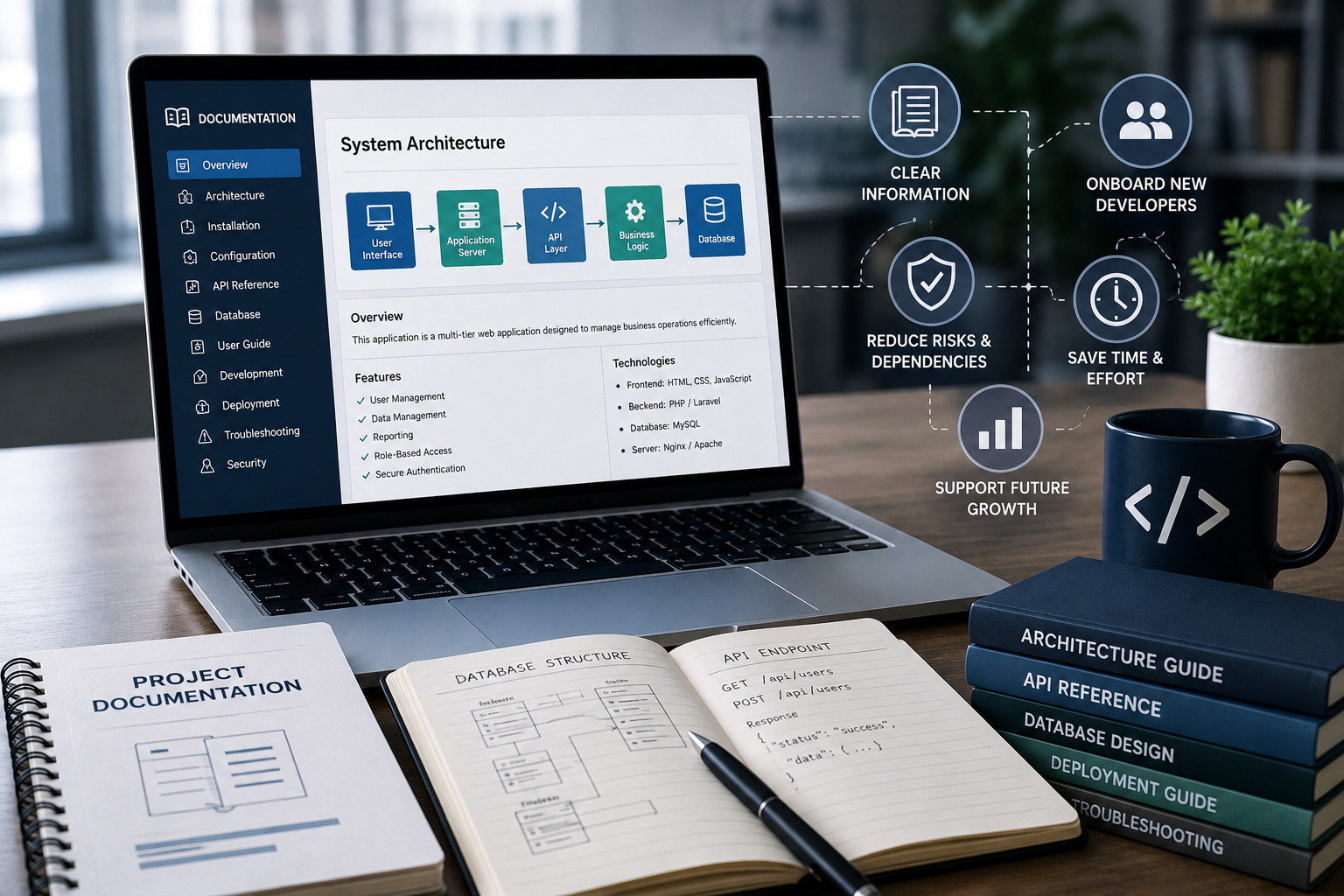
User Interface → Application Server → API Layer → Business Logic → Database
This gives developers a high-level understanding of the system before they begin working on individual components.
2. Simplifies Bug Fixing
When a problem occurs, developers need to identify where the issue originated.
Documentation can provide information about:
-
Application modules
-
Data flow
-
API relationships
-
Database dependencies
-
Business rules
-
Error-handling processes
This context can help developers investigate problems more quickly instead of starting from scratch.
3. Helps New Developers Get Started
Employee turnover is common in software development teams. When a new developer joins a project, they may have limited knowledge of the application's history.
Without documentation, they may need to rely on other team members to explain the system.
Well-maintained documentation can provide a structured introduction to:
-
Project architecture
-
Development environment
-
Coding standards
-
Database structure
-
Deployment process
-
Important business rules
-
Common troubleshooting procedures
This can significantly reduce onboarding time.
4. Reduces Dependency on Individual Developers
Sometimes only one developer understands a particular part of an application.
This creates a knowledge dependency. If that person leaves the organization, the remaining team may struggle to maintain the system.
Documentation helps distribute knowledge across the development team.
Important technical decisions, workflows, configurations, and procedures should not exist only in one person's memory.
5. Supports Future Feature Development
Applications often evolve as business requirements change.
Before adding a new feature, developers need to understand how the existing system works.
Documentation can help answer questions such as:
-
Which module should be updated?
-
Which database tables are involved?
-
Which APIs are affected?
-
What business rules need to be considered?
-
Which other features depend on this component?
This makes future development more predictable.
6. Improves API Maintenance
Modern applications frequently communicate through APIs.
API documentation can describe:
-
Available endpoints
-
Request methods
-
Parameters
-
Authentication requirements
-
Request formats
-
Response formats
-
Error codes
-
Example requests and responses
Clear API documentation makes it easier for developers to integrate, troubleshoot, and maintain connected systems.
7. Documents Database Structure
The database is a critical part of most business applications.
Database documentation can explain:
-
Tables
-
Columns
-
Relationships
-
Primary keys
-
Foreign keys
-
Indexes
-
Stored procedures
-
Important constraints
For example, a developer working on customer billing should understand how customer, order, payment, and invoice tables are related before changing the database.
8. Makes Deployment and Configuration Easier
Applications often depend on specific configuration settings and deployment procedures.
Documentation can describe:
-
Required software versions
-
Environment variables
-
Server requirements
-
Deployment steps
-
Database migration procedures
-
Third-party integrations
-
Backup procedures
This reduces the risk of deployment mistakes and makes it easier for another developer or administrator to manage the application.
9. Supports Security Maintenance
Security requirements change over time. Developers may need to update authentication methods, dependencies, access controls, or security configurations.
Security documentation can help teams understand:
-
Authentication mechanisms
-
User roles
-
Permission structures
-
Sensitive data handling
-
Security configurations
-
Backup procedures
-
Incident response processes
Maintaining this information can make future security improvements easier and more consistent.
10. Preserves Technical Decisions
During development, teams make many technical decisions.
For example, developers may choose a specific database architecture because of scalability requirements or select a particular API integration for business reasons.
If these decisions are not documented, future developers may change the system without understanding why the original decision was made.
A technical decision record can explain:
-
The problem
-
Available options
-
Selected solution
-
Reason for the decision
-
Expected benefits
-
Potential limitations
This historical context is valuable during future maintenance.
Types of Software Documentation
Different documents serve different purposes.
Technical Documentation
Technical documentation explains how the application is built.
It may include:
-
Architecture diagrams
-
Database documentation
-
API specifications
-
Code structure
-
Configuration details
User Documentation
User documentation explains how customers or employees should use the application.
It may contain:
-
User guides
-
Feature instructions
-
FAQs
-
Troubleshooting steps
Developer Documentation
Developer documentation helps engineers work on the application.
It can include:
-
Setup instructions
-
Coding standards
-
Development workflows
-
Testing procedures
-
Contribution guidelines
Operational Documentation
Operational documentation explains how the application is deployed and maintained.
It may include:
-
Deployment procedures
-
Backup processes
-
Monitoring
-
Server configuration
-
Incident response procedures
Documentation and Application Lifecycle
Documentation should not be created only when a project is completed.
It should evolve throughout the software lifecycle.
A practical approach is:
Planning → Development → Testing → Deployment → Maintenance → Updates
Whenever significant changes are made, relevant documentation should be updated as part of the development process.
Common Documentation Problems
Poor documentation can create several challenges.
Outdated Information
Documentation that does not match the current application can be misleading.
Missing Technical Details
Incomplete information may force developers to investigate the codebase manually.
Too Much Unnecessary Information
Documentation should be useful and focused. Excessive details that are never maintained can make documentation difficult to use.
Lack of Ownership
Teams should define who is responsible for maintaining important documentation.
Inconsistent Formats
Using different structures and naming conventions can make documentation harder to understand.
Best Practices for Software Documentation
Businesses can improve documentation quality by following a few practices.
Keep Documentation Close to the Project
Where appropriate, documentation should be stored alongside the relevant project code or within a centralized knowledge system.
Use Clear Language
Documentation should be understandable to the intended audience. Avoid unnecessary technical complexity.
Include Examples
Examples can make technical concepts easier to understand, particularly for APIs, configuration, and common development procedures.
Use Diagrams
Architecture and workflow diagrams can communicate complex relationships more quickly than long explanations.
Update Documentation During Changes
Documentation updates should be included in the development process rather than postponed indefinitely.
Review Documentation Regularly
Periodic reviews can help identify outdated or incomplete information.
The Business Benefits of Good Documentation
Software documentation does more than help developers. It can also provide broader business benefits.
Effective documentation can:
-
Reduce maintenance costs
-
Shorten onboarding time
-
Improve development productivity
-
Reduce operational risks
-
Support faster troubleshooting
-
Preserve organizational knowledge
-
Improve collaboration
-
Make future upgrades easier
For businesses that depend heavily on custom software, these benefits can have a direct impact on operational efficiency.
Conclusion
Software documentation is an important part of long-term application maintenance. As applications become more complex and development teams change, documented knowledge becomes increasingly valuable.
Clear documentation helps developers understand architecture, troubleshoot problems, manage APIs and databases, deploy updates, maintain security, and implement new features with greater confidence.
The most effective documentation is accurate, practical, easy to access, and continuously updated. By treating documentation as an ongoing part of software development rather than a one-time task, businesses can reduce maintenance challenges and extend the useful life of their applications.